


Zenless Zone Zero 3.1 Deadly Assault Adversity Mode Guide: Unlock Requirements, Ranking, and Team Preparation
Zenless Zone Zero Version 3.1 adds Adversity Mode to Deadly Assault on July 29, 2026. This guide explains the confirmed unlock rule, the escalating High-Risk enemy, ranking requirements, and a practical preparation plan without inventing an unannounced boss lineup.
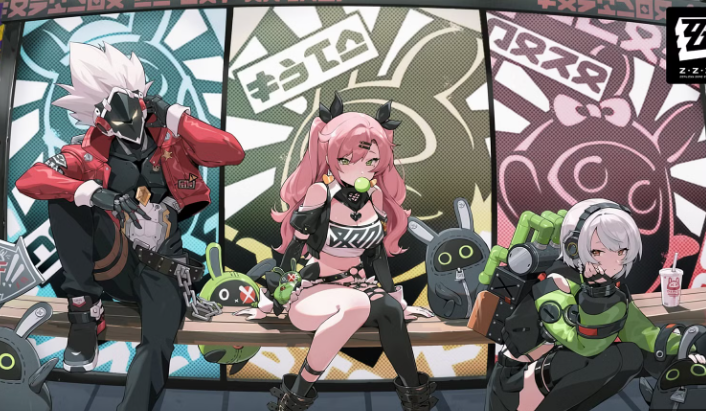
Zenless Zone Zero Version 3.1 expands Deadly Assault with a new Adversity Mode when the update launches on July 29, 2026. Unlike a routine enemy rotation, this is a new challenge layer with its own unlock condition, escalating combat pressure, season-best scoring record, and ranking display.
The most important detail is also the easiest to overlook: Adversity Mode is not available immediately to every account. A Proxy must first earn 9 stars in the current season's Trial Mode. Once unlocked for that season, resetting a Trial Mode result does not remove access. That gives players room to experiment with Trial Mode teams after opening the harder challenge.
The official announcement does not provide a complete 3.1 boss lineup, exact ranking thresholds, or a universal best team. A useful guide therefore needs to focus on the confirmed rules and on preparation methods that remain valid after the seasonal enemy details appear in the client.
What Adversity Mode Adds to Deadly Assault
Adversity Mode introduces a single High-Risk hostile entity. As that enemy loses HP, its strength gradually increases. This reverses the rhythm many players expect from a normal damage check. The final portion of the fight may be more dangerous than the opening, even when the enemy is close to defeat.
The mode also records a Best Total Score for the current Adversity Mode season. After earning 3 stars, a Proxy can see a ranking based on that season's result. This creates two practical objectives:
Clear the mode and secure the available star result.
Improve execution and total score after the basic clear is stable.
Those goals should not be treated as identical. A clear-focused team may favor survivability, interruption resistance, defensive assists, or a safer rotation. A ranking-focused team may accept more risk to preserve field time, shorten stun cycles, and convert every buff window into damage.
Confirmed feature | What it means for players |
|---|---|
Unlock requirement | Earn 9 stars in the current season's Trial Mode |
Unlock persistence | Resetting Trial Mode does not remove the season's Adversity Mode access |
Encounter structure | Fight one High-Risk hostile entity |
Escalation rule | The enemy becomes stronger as its HP decreases |
Seasonal record | The mode records the player's Best Total Score for that season |
Ranking display | Ranking becomes visible after earning 3 stars |
Unlock Adversity Mode Before Optimizing It
The first priority is reaching 9 stars in Trial Mode. Players who immediately build an experimental Adversity roster without securing the unlock may spend resources on the wrong problem.
Start by checking which Trial Mode stages are already stable. If two stages are comfortable and one stage is blocking the ninth star, concentrate upgrades on the weak stage instead of rebuilding every squad. A small improvement to one support core, stun rotation, Drive Disc main stat, or defensive option may be enough.
Because resetting Trial Mode does not cancel the Adversity unlock, players can use a simple sequence:
Obtain 9 stars with the safest available Trial Mode setup.
Confirm that Adversity Mode is open for the current season.
Reset or adjust Trial Mode only if further experimentation is useful.
Move the strongest suitable core into Adversity Mode after reviewing the High-Risk enemy information.
This order prevents avoidable backtracking and keeps upgrade decisions tied to an immediate objective.
Read the High-Risk Enemy Information First
The game allows Proxies to inspect the High-Risk enemy's details, including weaknesses and resistances. That screen should determine the starting team, not a general tier list.
A high-investment Agent can still be a poor choice when the enemy resists the Agent's main damage type or disrupts the team's preferred rotation. Conversely, a less fashionable team may perform well when it matches the weakness, applies anomaly efficiently, or creates safe attack windows against the enemy's behavior.
Before entering, record four things:
The enemy's listed weaknesses.
Its listed resistances.
Whether its attacks frequently interrupt long animations.
Whether the team can save resources for the dangerous low-HP phase.
Do not spend Polychrome or premium resources simply because a leaderboard team uses a particular Agent. Seasonal enemy conditions and account investment matter more than a screenshot of someone else's score.
Build for an Escalating Fight
The enemy's increasing strength changes how players should plan the battle. The opening is not necessarily the hardest segment. Burning every defensive resource in the first rotation can leave the team exposed when the enemy reaches low HP and becomes more threatening.
A balanced plan divides the fight into three phases.
Opening Phase
Use the opening to establish the rotation. Build Daze, anomaly buildup, energy, and team buffs without taking unnecessary damage. Learn which attacks can be parried or dodged consistently. If the opening already feels unstable, the final phase will be worse.
Conversion Phase
During the middle of the fight, convert stun and buff windows into reliable damage. Avoid improvising a completely different sequence on every attempt. Consistent rotations make it easier to identify whether a failed run came from execution, survivability, or insufficient investment.
Low-HP Adversity Phase
Save enough flexibility for the final portion. Defensive Assists, EX Special Attacks with invulnerability or movement, quick assists, and controlled Chain Attack timing can become more valuable as the enemy grows stronger. The best theoretical damage sequence is not useful if the active Agent is repeatedly interrupted or defeated.
Team Preparation Without an Unconfirmed Boss List
A responsible 3.1 guide should not invent a boss lineup. Instead, prepare flexible roles that can be matched to the actual enemy after the season begins.
Team slot | Preparation priority | What to check |
|---|---|---|
Main damage dealer | Reliable damage under pressure | Element, field-time needs, vulnerability to interruption |
Stun or setup Agent | Creates repeatable burst windows | Daze speed, assist value, energy requirements |
Support or sustain Agent | Keeps the rotation functional | Buff uptime, healing or shielding, quick-assist access |
Bangboo | Supports the actual team archetype | Attribute requirement, anomaly contribution, rotation fit |
Prepare at least two plausible damage cores rather than putting every resource into one elemental option. The goal is not to max every Agent. It is to avoid entering the season with only one team that becomes ineffective against a resistance.
For each candidate core, verify Agent level, W-Engine level, relevant skill levels, Drive Disc main stats, and whether the set bonus is active. Perfect substats are less important than fixing unfinished fundamentals.
Resource Priorities Before July 29
If an account still needs upgrades, use a strict order:
Meet essential Agent and W-Engine level breakpoints.
Upgrade the skills that directly drive the team's damage or setup.
Correct missing Drive Disc main stats.
Complete useful set bonuses.
Improve substats only after the build is functional.
Avoid spreading materials across every possible counter. Upgrade the smallest number of flexible cores needed to cover likely weaknesses.
Players planning paid purchases should separate combat preparation from impulse spending. Review the confirmed 3.1 content first, then decide whether additional Monochrome is actually necessary. Topuplist provides a straightforward place to review game top-up options, while the Zenless Zone Zero top-up page leads directly to the relevant product rather than an unrelated game listing.
Scoring and Ranking: Clear First, Optimize Second
Ranking becomes visible after earning 3 stars, so the first meaningful benchmark is a stable 3-star result. Chasing leaderboard execution before reaching that benchmark can hide basic problems.
After securing 3 stars, improve one variable at a time:
Reduce downtime between rotations.
Enter stun windows with enough energy and resources.
Avoid losing attacks to enemy movement.
Preserve buffs for the team's strongest damage sequence.
Improve survival without replacing too much offensive value.
Compare attempts using the same team before changing Agents.
A season-best score is useful because a failed experiment does not erase a stronger previous result. Use that freedom to test rotations, but keep notes on what changed. Random changes make score differences difficult to interpret.
Use a Repeatable Attempt Log
A short attempt log is more useful than relying on memory after several runs. Record the team, displayed score, remaining HP or clear time, the phase where the rotation broke, and one change to test next. Five concise notes can reveal a pattern: perhaps the team consistently reaches the final phase with no energy, loses the main damage window after a missed Defensive Assist, or sacrifices too much damage for protection that is not actually needed.
Separate account problems from execution problems. If the rotation reaches every planned stun window but the score remains low, investment or matchup may be the limit. If results vary dramatically with the same build, practice and consistency are probably more valuable than another Drive Disc farming session.
Players at different account stages should use different success standards. A developing account may treat unlocking the mode and learning the enemy as progress. A mature account can target 3 stars. A highly invested account may pursue ranking after the clear is repeatable. Comparing an early account directly with a leaderboard roster encourages wasteful upgrades and hides genuine improvement.
Common Preparation Mistakes
Treating Adversity Mode as a Normal Boss Rush
The escalating enemy strength means late-fight defense and execution deserve deliberate planning.
Copying a Team Before Checking Resistance
A popular damage dealer is not automatically the right answer for the current High-Risk enemy.
Spending Before the Enemy Details Are Visible
The official notice does not justify pulling or purchasing a specific Agent solely for Adversity Mode.
Overinvesting in Drive Disc Substats
Basic levels, skill investment, correct main stats, and functional set bonuses usually provide a clearer foundation.
Restarting Every Imperfect Attempt
Some imperfect runs still reveal whether the low-HP phase, stun timing, or resource management is the real obstacle.
A Practical Launch-Day Checklist
When Version 3.1 is live, use this order:
Open Deadly Assault and read the current season rules.
Earn 9 Trial Mode stars if the requirement is not already complete.
Confirm Adversity Mode is unlocked.
Inspect the High-Risk enemy's weakness and resistance information.
Select the safest compatible team for the first clear.
Practice the low-HP phase rather than judging only the opening damage.
Earn 3 stars before prioritizing ranking.
Review the Best Total Score and change one part of the plan at a time.
This process turns the mode into a series of manageable decisions instead of a blind damage race.
Final Assessment
Adversity Mode is meaningful because it adds progression inside a single encounter. The High-Risk enemy becomes more dangerous as the fight advances, while the ranking system gives optimized accounts a reason to continue improving after a basic clear.
The best preparation is not guessing the boss or copying an unverified team. Secure the 9-star Trial Mode unlock, prepare flexible elemental cores, inspect the actual weakness and resistance data, save resources for the low-HP phase, and treat 3 stars as the first goal before ranking optimization.
FAQ
When does Deadly Assault Adversity Mode launch?
It is scheduled to become available with Zenless Zone Zero Version 3.1 on July 29, 2026. Availability can still depend on the update completing on the relevant server.
How do I unlock Adversity Mode?
Earn 9 stars in the current Deadly Assault season's Trial Mode. After the mode is unlocked, resetting Trial Mode does not remove that season's access.
How many enemies are in Adversity Mode?
The official announcement describes one High-Risk hostile entity. Its strength gradually increases as its HP decreases.
When can I see my ranking?
The ranking display becomes available after earning 3 stars. The mode also records the Best Total Score achieved during the current season.
Is there a confirmed best team for Version 3.1?
No universal best team can be confirmed before checking the active High-Risk enemy, weaknesses, resistances, and seasonal conditions. Select the team after reviewing the in-game details.
Where can I prepare for Zenless Zone Zero purchases?
Players who decide to purchase after reviewing their actual needs can visit Topuplist and use the dedicated Zenless Zone Zero top-up page. Always confirm the account details, server, product, and payment information before completing an order.
