


Zenless Zone Zero 3.1 Filmgoer Thank-You Gift Guide: Ticket Stub Rules, Reward Tiers, and the 15,000 Cap
Filmgoer Thank-You Gift is a Version 3.1 cumulative purchase event that converts eligible Monochrome obtained during the event into Ticket Stub progress. This guide explains its dates, qualifying purchases, ten reward tiers, external payment timing, efficient stopping points, and common mistakes.
Zenless Zone Zero Version 3.1 introduces Filmgoer Thank-You Gift, a limited cumulative purchase event built around Ticket Stub milestones. It begins after the Version 3.1 update and ends on August 17, 2026 at 03:59 server time. During that period, eligible Monochrome obtained through qualifying purchases is converted into an equal amount of Ticket Stub progress. Reaching specified totals unlocks Polychromes and account resources.
The event is easy to misunderstand because it does not simply count the number on a payment receipt. It tracks eligible Monochrome credited to the account. Some purchases contain Monochrome, promotional bonuses, Polychromes, or items that are not treated identically. Understanding that difference lets players estimate progress before paying and avoid spending merely to chase a weak milestone.
This guide treats Filmgoer Thank-You Gift as a planning problem, not an instruction to spend. Start with purchases already included in the account budget, calculate the Ticket Stubs they should provide, and stop when the next reward does not justify additional cost.
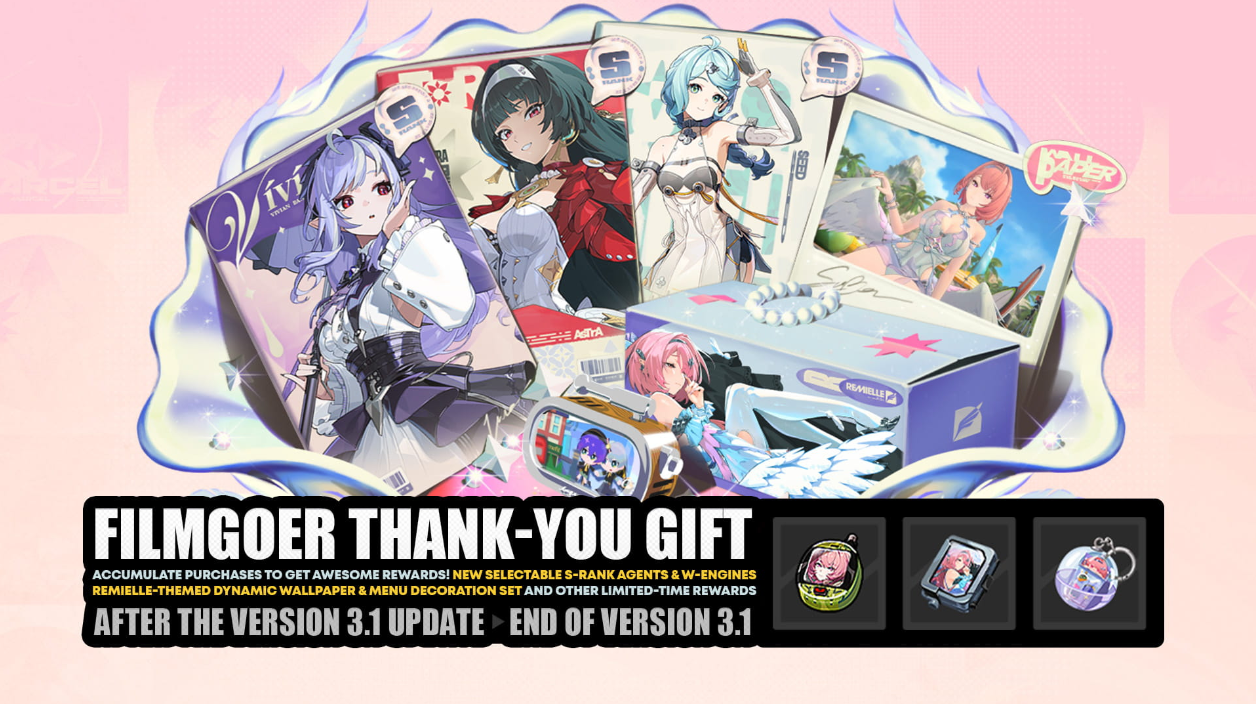
Event Period and Core Rule
Filmgoer Thank-You Gift opens after the Version 3.1 update and closes on August 17, 2026 at 03:59 server time. Server time matters. A bank, payment provider, or app store may display a different time zone, so a transaction submitted near the deadline can still finish too late.
The central rule is simple: one eligible Monochrome obtained during the event grants one Ticket Stub. Therefore, 300 eligible Monochrome creates 300 Ticket Stubs. Ticket Stubs are cumulative event records, not a spendable inventory currency, and they do not replace Monochrome.
Existing Monochrome held before Version 3.1 does not retroactively create Ticket Stubs. Spending old Monochrome on Signal Searches also adds nothing because the event tracks eligible Monochrome obtained, not Monochrome consumed.
All Ticket Stub Reward Tiers
The event contains ten cumulative thresholds. Rewards can be claimed as each threshold is reached. A player reaching 5,000 Ticket Stubs receives the 300, 600, 1,500, 3,000, and 5,000 milestone rewards rather than only the final one.
Ticket Stubs | Cumulative Reward Unlocked |
|---|---|
300 | 60 Polychromes and 6,000 Dennies |
600 | 60 Polychromes and 2 Senior Investigator Logs |
1,500 | 120 Polychromes and 2 W-Engine Energy Modules |
3,000 | 120 Polychromes and 2 Specialized Physical Chips |
5,000 | 180 Polychromes and 15 Crystallized Plating Agents |
7,000 | 180 Polychromes and 15 Ether Plating Agents |
9,000 | 180 Polychromes and 2 Boopons |
11,000 | 180 Polychromes and 1 Hamster Cage Pass |
13,000 | 180 Polychromes and 1 Tuning Calibrator |
15,000 | 220 Polychromes and 1 Exclusive Dynamic Wallpaper |
The full track contains 1,460 Polychromes. That equals nine standard Signal Searches with 20 Polychromes remaining. The materials are useful, but they should be treated as supplemental rewards rather than a reason to buy something the account did not need.
What Actually Counts
Eligible Monochrome acquired from direct Monochrome purchases counts. When a product shows a base amount plus a promotional bonus, the event description distinguishes between qualifying Monochrome and bonuses that may be excluded. Check the product details instead of adding every number displayed on a store card.
The Inter-Knot Membership is a common source of confusion. Its immediate 300 Monochrome can count because it is credited when the membership is purchased. The daily 90 Polychromes do not count because they are Polychromes, not Monochrome. Multiple membership purchases remain subject to the normal maximum remaining-duration rule.
Bundles containing items, Dennies, materials, or encrypted tapes without eligible Monochrome do not automatically create Ticket Stubs. Paying real money is not the condition by itself; qualifying Monochrome is.
Why Money Spent Is Not Progress
There is no universal dollar-to-Ticket-Stub conversion. Prices vary by country, tax, platform, store, and currency. First-purchase promotions can also change the large number displayed beside a Monochrome package while the event counts only the eligible portion.
Use this package-based calculation:
Open the purchase page available to the account.
Identify the eligible Monochrome delivered by the exact product.
Exclude Polychromes, item-only contents, and nonqualifying bonuses.
Add eligible Monochrome from purchases completed after the event begins.
Compare the total with the next Ticket Stub threshold.
Two players paying different local prices can receive the same Ticket Stub progress. Two similarly priced products can also provide different progress. A receipt total therefore cannot replace an in-game currency calculation.
Choosing a Stopping Point
Ten thresholds do not mean every participant should aim for 15,000. A stopping point should depend on planned purchases and the gap to the next reward.
The 300 and 600 milestones are natural early targets for players renewing an Inter-Knot Membership or making a small planned purchase. The 1,500 and 3,000 thresholds provide larger Polychrome steps while remaining far below the maximum. Upper tiers mainly suit players who already planned several Monochrome purchases during Version 3.1.
Use marginal value. At 4,850 Ticket Stubs, a player only 150 away from the next milestone may reach it through an intended purchase. At 5,050, reaching 7,000 requires another 1,950 eligible Monochrome for 180 Polychromes and materials. That gap deserves a new decision.
The Dynamic Wallpaper at 15,000 is exclusive, but exclusivity does not make it necessary. Players who do not value profile cosmetics should not treat the final tier as mandatory completion.
Purchase Planning Table
Situation | Recommended Decision |
|---|---|
A planned purchase reaches a milestone naturally | Claim the reward and keep the original budget |
A small planned purchase leaves a short gap | Compare the gap with the next product and reward |
The next tier requires an unplanned large purchase | Stop; the rebate rarely offsets unnecessary spending |
The account only wants the wallpaper | Price the entire remaining gap before deciding |
A transaction is close to the deadline | Complete earlier or skip it rather than risk late crediting |
This framework prevents the reward track from becoming the budget. The budget should exist first; event rewards can improve it, but should not define it.
A Five-Point Pre-Purchase Check
Before paying, verify that the account and server are correct, the event is active, the product contains eligible Monochrome, crediting can finish before August 17 at 03:59, and the purchase remains worthwhile without the event reward.
That final question is the strongest protection against overspending. If a product was poor value for the account before Filmgoer Thank-You Gift appeared, a modest Polychrome rebate rarely changes the conclusion.
Players who have already decided on a legitimate purchase can compare options through Topuplist and use the dedicated Zenless Zone Zero top-up page. Confirm the account, region, package contents, and credited amount before payment.
External Top-Ups and Delivery Timing
Qualifying purchases made outside the game can count when the eligible Monochrome is successfully credited during the event. This makes delivery time more important than the moment a payment button is pressed.
An order submitted shortly before the deadline may fail to count if verification, processing, or delivery finishes after the event closes. Complete planned purchases early enough to inspect both the Monochrome balance and Ticket Stub counter while there is time to resolve a problem.
Never share an account password with an untrusted seller. Use services that request only the information legitimately required for delivery, and verify the selected region and server. A lower displayed price has no value if the order targets the wrong account or cannot be delivered.
First-Purchase Bonuses
Store cards may combine base Monochrome and promotional extras into one attractive total. Filmgoer Thank-You Gift does not necessarily count every visual bonus. The event rules warn that first-purchase promotional bonuses may be excluded from Ticket Stub calculation.
Plan with the conservative eligible base amount. After purchase, check the event page rather than assuming the result. If the recorded total differs from the estimate, do not make an immediate second purchase. First determine whether the difference comes from bonus treatment, delayed delivery, or a product without qualifying Monochrome.
Keep screenshots of the product, order confirmation, credited Monochrome, and event progress. These records are useful if support is required and prevent confusion when several orders are placed close together.
Inter-Knot Membership Strategy
The Inter-Knot Membership provides 300 immediate Monochrome and 90 daily Polychromes for 30 days. For this event, those components must be separated. The immediate 300 Monochrome can provide 300 Ticket Stubs. The daily Polychromes cannot.
The membership also has a maximum remaining-duration limit. A renewal may be unavailable when the account is already near that cap. Do not assume several renewals can always be used to complete an event tier.
Its value depends on logging in to claim daily Polychromes. Buying extra duration solely for Ticket Stubs makes little sense when the player is unlikely to remain active long enough to collect the daily benefit.
Claiming and Verifying Rewards
After eligible Monochrome arrives, open Filmgoer Thank-You Gift and inspect the Ticket Stub counter. Claim every unlocked tier instead of waiting for the last day. Early claiming confirms that progress was recorded and reduces the risk of forgotten rewards.
Claiming a milestone does not reduce Ticket Stubs because thresholds are cumulative. Ticket Stubs may also appear only on the event page rather than beside ordinary inventory currencies.
If progress is missing, check the purchase time, product contents, account, server, and delivery status. Restarting can refresh the display, but repeated purchasing is not a responsible troubleshooting method. Contact the relevant support channel with evidence when qualifying Monochrome is present but progress remains incorrect.
Common Mistakes
The largest mistake is treating 15,000 as a recommended target rather than the maximum threshold. Another is counting daily membership Polychromes, promotional bonuses, or item bundles as if all paid value becomes Ticket Stubs.
Players also lose value by crossing a threshold with a much larger order than needed without checking whether the following tier is reachable. Excess progress has no separate cash value and expires with the event.
Finally, purchasing Monochrome and spending it are separate decisions. Banner pity, guaranteed status, roster needs, and future Agents should determine Signal Search use. The event should not pressure anyone into pulling immediately.
Final Recommendation
Filmgoer Thank-You Gift works best as a rebate for planned Version 3.1 purchases. Its 1,460 Polychromes and materials improve eligible purchases, but do not make unnecessary spending efficient.
Calculate only eligible Monochrome, verify progress after every transaction, and reconsider each gap to the next tier. Small milestones can suit membership buyers. The 15,000 tier mainly serves players with substantial pre-existing plans and a genuine interest in the Dynamic Wallpaper.
One final discipline is to separate event completion from account progression. A completed reward track does not improve a roster as much as a well-timed guaranteed Agent, a useful W-Engine, or resources reserved for a future banner. Record the Ticket Stub total, claim unlocked rewards, and then return to the account plan that existed before the promotion. This keeps a temporary purchase event from controlling long-term Signal Search decisions and makes every Monochrome purchase easier to evaluate on its own merits.
FAQ
Does spending existing Monochrome create Ticket Stubs?
No. The event tracks eligible Monochrome obtained during its active period, not Monochrome already held or consumed.
Does the Inter-Knot Membership count?
The immediate 300 Monochrome can count. The daily 90 Polychromes are a different currency and do not add Ticket Stubs.
Do first-purchase bonuses count?
Do not assume they do. Promotional bonuses may be excluded. Plan with the eligible base amount and verify the recorded total after delivery.
Must I reach 15,000 to receive rewards?
No. Every milestone can be claimed when reached. The 15,000 tier is only the final threshold.
Can an external top-up count?
It can when eligible Monochrome is credited during the event. Players with a planned purchase can review Topuplist and the Zenless Zone Zero recharge option, then verify the Ticket Stub counter in game.
What if Ticket Stubs are missing?
Confirm the time, product, account, server, and credited currency. Save receipts and screenshots, then contact support if qualifying Monochrome is present but progress remains incorrect.
