


Zenless Zone Zero First-Generation Void Hunter Returns Resource Pack Guide: Download Official Wallpapers and Stickers
The official Zenless Zone Zero community released a First-Generation Void Hunter Returns resource pack on July 26, 2026, containing downloadable wallpapers and stickers. This practical media guide explains how to reach the official download, preserve full-resolution files, choose assets for phones and desktops, organize sticker collections, avoid compressed reposts and fake downloads, troubleshoot browser or storage problems, and prepare clean personal-use copies without confusing promotional resources with in-game rewards.
The official Zenless Zone Zero community published a First-Generation Void Hunter Returns resource pack on July 26, 2026. The pack gives Proxies a direct way to collect official wallpapers and stickers connected to the current Void Hunter promotion without relying on compressed screenshots, cropped social-media reposts, or unofficial archives.
This is a downloadable media package, not an in-game reward claim. Saving an image does not add Polychromes, Agents, W-Engines, Namecards, or event progress to an account. The value is access to clean promotional artwork that can be used as a personal wallpaper, profile image source, messaging sticker, collection reference, or content-planning asset within the permissions attached to the official release.
The best result depends on more than pressing Download. Mobile browsers can save preview versions instead of original files. Social applications may compress images. Desktop operating systems can stretch the wrong aspect ratio. Sticker files can lose transparency when converted or copied through an application. This guide provides a complete download, verification, organization, and troubleshooting workflow.
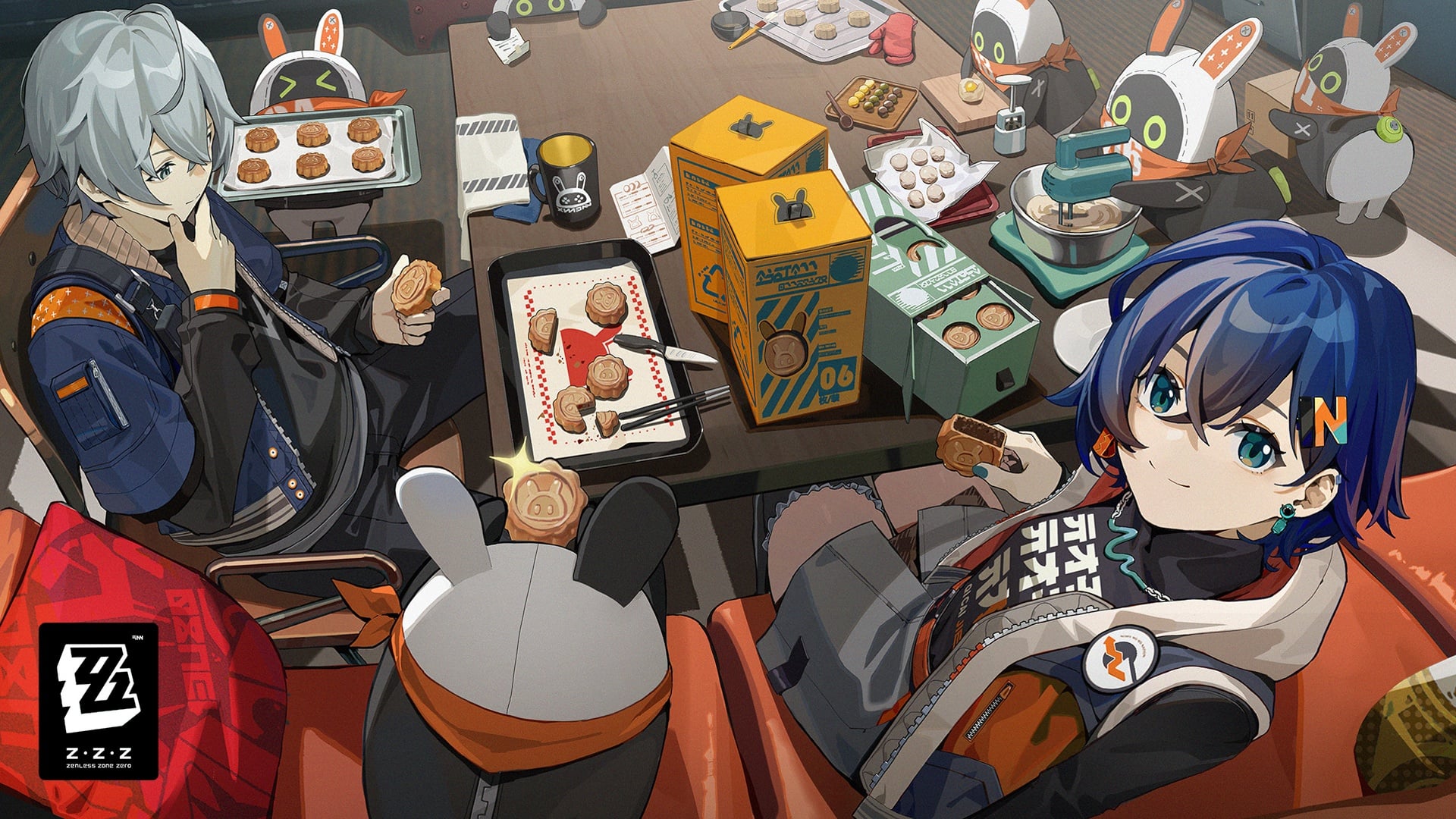
What the Resource Pack Contains
The July 26 release is presented as an official resource-sharing package containing two main categories:
Wallpapers designed around First-Generation Void Hunter Returns promotional art.
Stickers intended for saving, sharing, and personal collection.
The exact file count, dimensions, file format, and available variants should be confirmed on the live official download page because resource packages can be updated after the announcement. Do not use a repost's file list as the final authority.
Wallpapers and stickers have different technical needs. Wallpapers require sufficient resolution and an aspect ratio that fits the target screen. Stickers benefit from transparent backgrounds, clean edges, and applications that preserve the original file format.
Official Download Workflow
Use this order to reduce broken or compressed files:
Open the official Zenless Zone Zero community announcement.
Follow the linked official resource page or official short link.
Confirm that the destination belongs to the expected HoYoverse or authorized file-sharing environment.
Review the available folders or preview sheet.
Download the original file or archive instead of taking a screenshot.
Wait for the download to finish before closing the browser.
Scan an archive with the operating system's normal security tools.
Extract it into a new folder.
Compare the extracted file count with the live page when that information is shown.
Open several images at full size to verify that they are not damaged.
A screenshot of a preview is usually lower quality and may include interface controls, margins, or compression. Use it only when the official page does not provide an original download.
How to Verify That the Download Is Official
Check | Safe sign | Warning sign |
|---|---|---|
Announcement origin | Official Zenless Zone Zero community account | Newly created account copying official artwork |
Link destination | HoYoverse, HoYoLAB, or clearly authorized storage | Misspelled domain or unrelated file host |
File type | Common image files or a normal archive | Executable file presented as a wallpaper installer |
Account request | No need to reveal a password to save public images | Page asks for login credentials outside the official account flow |
Payment | Promotional image pack is offered through the official post | A third party charges for access to the same public files |
A wallpaper should not require an executable installer. If a download contains an unexpected program, do not run it. Return to the official announcement and use its direct resource route.
Downloading on Android
Android browser behavior varies by device and application.
Open the official link in a full browser rather than an in-app social browser when possible.
Select the original download option.
Allow file access only when the browser needs it to save the file.
Open the Downloads application and confirm the file size.
Extract archives with the system file manager or a trusted archive application.
Move wallpapers into a dedicated Pictures folder.
Keep transparent sticker files in their original format.
If a long press saves only a small preview, open the image in a new tab or use the page's download button. Do not repeatedly convert the file, because every lossy conversion can reduce quality.
Downloading on iPhone and iPad
On iOS and iPadOS, downloads usually appear in the Files application.
Open the resource link in Safari.
Use the official Download control.
Check the download indicator.
Open Files and look in Downloads or the selected iCloud Drive location.
Tap an archive to extract it.
Save chosen wallpapers to Photos only after preserving the original in Files.
Import stickers through an application that supports the original format and transparency.
Saving to Photos can create a convenient copy, but keep the original package in Files. This makes it easier to recover an uncropped version later.
Downloading on Windows
Create a clean folder such as Zenless Zone Zero - Void Hunter Resource Pack before extracting.
After downloading:
Check the archive extension and size.
Use the built-in extraction tool or a trusted archive manager.
Enable file-name extensions so unexpected executable files are visible.
Sort images by dimensions to separate phone and desktop variants.
Open the largest files first and inspect fine text and character edges.
Back up the original archive if storage allows.
Windows wallpaper settings can crop, fit, fill, stretch, tile, or center an image. Start with Fill for artwork matching the screen ratio, then try Fit if important character details are being cut off.
Downloading on macOS
Use Safari or another full browser and save the archive to Downloads. Double-click a standard archive to extract it, then move the folder into Pictures or a dedicated game-media directory.
In System Settings, test Fill Screen, Fit to Screen, and Center. If multiple monitors use different aspect ratios, create separate copies rather than forcing one crop across all displays.
Choosing the Right Wallpaper
The highest-resolution file is not automatically the best for every screen. Match composition and aspect ratio.
Phone Wallpaper
Choose a vertical image with important faces and text away from the clock, camera cutout, and bottom controls. Test both lock screen and home screen because icon placement changes readability.
Tablet Wallpaper
Tablets rotate. A landscape image may look excellent in one orientation and crop badly in the other. If the operating system uses one wallpaper for both, select artwork with the subject close to the center.
Desktop Wallpaper
Match the monitor's aspect ratio when possible. Ultrawide screens often crop standard 16:9 artwork. Use Fit with a neutral background rather than stretching character proportions.
Multi-Monitor Setup
Do not assume one image will span cleanly. Check where monitor bezels cross faces, weapons, logos, and text. Separate wallpapers often provide a cleaner result.
Preserving Sticker Transparency
Stickers commonly use transparency so the character or expression can appear without a rectangular background.
To preserve it:
Keep the original PNG or other transparent format.
Do not save a screenshot against a white page.
Avoid applications that automatically convert the file to JPEG.
Import the original file into the messaging or editing application.
Check the edge against both light and dark backgrounds.
If a sticker appears with a white box, inspect the original before assuming it was designed that way. The importing application may have removed transparency.
A Useful Folder Structure
Organize the pack so it remains usable after the promotion ends:
Original Archive
Desktop Wallpapers
Mobile Wallpapers
Tablet Wallpapers
Stickers - Original
Stickers - Imported Copies
Cropped Personal Versions
Preview Sheets
Never edit the only original. Create a copy before cropping, adding text, resizing, or changing format.
File names can include the character, orientation, and dimensions, such as Void-Hunter-Vertical-1440x3200. Keep names simple and avoid characters that cause problems across operating systems.
Quality Checks Before Setting a Wallpaper
Zoom to 100 percent and inspect:
Character eyes and hair.
Thin weapon edges.
Logos and small text.
Gradient bands in dark areas.
Compression blocks around bright effects.
Whether the file has already been cropped.
Whether the color profile displays correctly.
A preview can look sharp on a small social-media page while containing insufficient detail for a large monitor. The original file should remain clean at the intended display size.
Avoiding Social-Media Compression
Messaging and social platforms often resize uploaded images. If a friend sends the pack through chat, ask for the file as a document or archive rather than as an ordinary image.
For personal transfer between devices:
Use cloud storage without image optimization.
Send the archive as a file.
Use a local cable or device-sharing feature.
Compare file size before and after transfer.
A major size reduction usually indicates compression or conversion.
Personal Use and Content Creation
Official resource sharing makes the assets easy to access, but it does not automatically remove intellectual-property rules. Personal wallpapers and sticker collections are the safest uses. Content creators should review the terms attached to the post, platform rules, and HoYoverse fan-content guidance before commercial use, merchandise production, resale, or claiming ownership.
Do not remove official marks to present the artwork as an original creation. Do not sell the public download. When using a crop in a guide or thumbnail, keep the presentation accurate and avoid implying an official partnership.
The Resource Pack Is Not an Account Reward
Downloading the package does not require spending and should not be connected to an in-game claim. If a page promises Polychromes or account items in exchange for downloading an executable file, entering a password, or completing an unrelated payment, leave it.
Players who separately plan to purchase Zenless Zone Zero currency can use Topuplist and the Zenless Zone Zero top-up page. Verify the server, account identifier, selected product, and payment amount before checkout. The resource pack itself should be obtained through the official promotional route.
Troubleshooting
The Official Short Link Does Not Open
Open it in a full browser, disable an overly aggressive content blocker for the official page, or copy the link from the original announcement again. Do not use a shortened link reposted by an unknown account.
The Archive Will Not Extract
Confirm that the download completed and the file size is not zero. Download again through a stable connection. Use the operating system's standard extraction tool before installing another application.
The Image Looks Blurry
You may have saved a preview or a social-media copy. Return to the original package and download the full-resolution file.
The Wallpaper Is Cropped
Change the operating system's Fill or Fit mode, or choose another aspect-ratio variant. Avoid stretching.
Sticker Transparency Is Missing
Open the original file in a viewer that supports transparency. Reimport it without converting to JPEG.
The Browser Says Storage Is Full
Remove unnecessary downloads or move the archive to external or cloud storage. Keep enough free space for both the archive and extracted files.
The Download Requests a Program Installation
Cancel it. Official image resources should not require an unexpected executable wallpaper installer.
FAQ
When was the First-Generation Void Hunter Returns resource pack released?
The official community shared it on July 26, 2026.
What is included in the pack?
The announcement identifies official wallpapers and stickers. Check the live download page for the final file count and variants.
Does downloading the pack give Polychromes?
No. It is a media-resource download, not an in-game reward claim.
Should I save a screenshot or the original file?
Download the original file. Screenshots and social-media previews are usually compressed or cropped.
How do I keep sticker backgrounds transparent?
Keep the original transparent file format and import it without converting to JPEG or taking a screenshot.
Can I use the artwork commercially?
Do not assume so. Review the official post, HoYoverse fan-content rules, and platform requirements before commercial use.
Why does the phone wallpaper crop the character?
The image aspect ratio may not match the screen or the operating system may be using Fill. Try Fit or another vertical version.
Is a wallpaper installer required?
No unexpected executable should be necessary for ordinary image files. Use the official resource download.
Can I share the pack with friends?
Share the official announcement or original authorized link. This helps friends receive current, uncompressed files and correct terms.
Where can I top up Zenless Zone Zero?
Visit Topuplist and the Zenless Zone Zero top-up page. Confirm account and server details before payment.
Final Download Checklist
Open the July 26 official resource post, follow its authorized download route, save the original files, verify the archive, and preserve an untouched copy. Sort wallpapers by screen type and protect sticker transparency. Use operating-system Fit or Fill controls instead of stretching artwork, and avoid compressed reposts or executable installers.
The First-Generation Void Hunter Returns pack is most valuable as a clean official collection. Download once from the correct source, organize it carefully, and keep the original quality for future devices.
