Magic Chess: Go Go US Account Top Up Unavailable: What Players Need to Know
US-registered MCGG accounts can't use most top-up services. Here's why it happens and what US players can do instead.
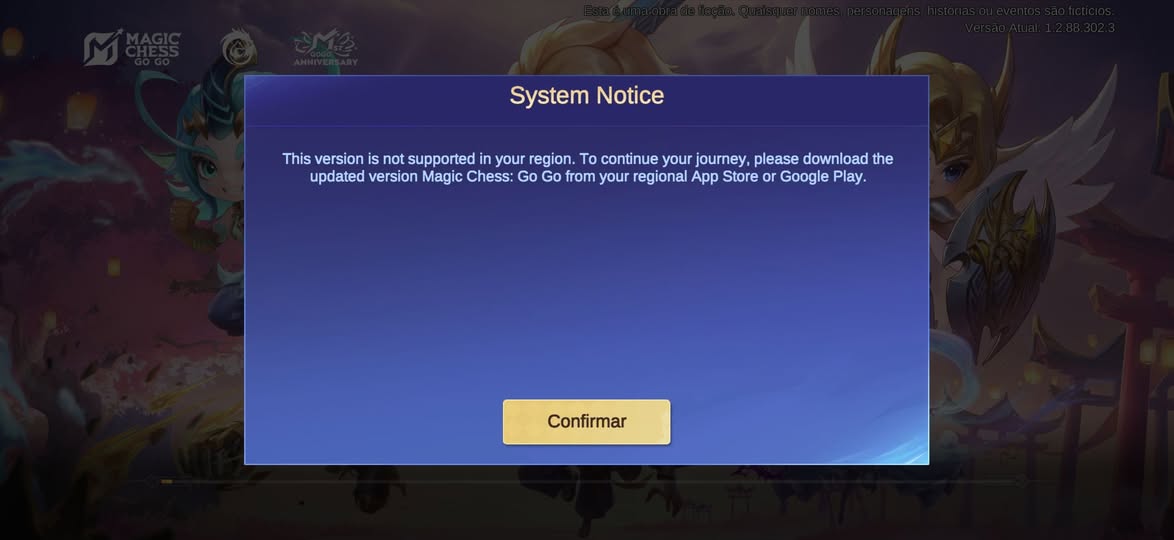
If you are playing Magic Chess: Go Go on a US account and every top-up option you try comes back "unavailable," you are not alone — and you are not doing anything wrong. Over the past year, several major top-up platforms have quietly added the same line to their MCGG pages: "This service is not applicable to United States users." Players who installed the US client, or who created a US-registered account, suddenly find that the Diamond deals and Player-ID top-ups working for everyone else simply will not process for them.
This guide explains what is actually happening, why Moonton's setup treats US accounts differently, the exact symptoms you will see, and — most importantly — the options that genuinely work for a US-registered account. If your issue is a stuck or pending payment rather than a hard block, our payment-pending explainer covers that case separately.
"Top Up Unavailable for US Accounts" — Is It Real?
It is real, and it is not a glitch on your end. Multiple large top-up services now display an explicit notice — "not applicable to United States users," "Not For United States (US) Users," or "top-ups are unavailable for US-registered accounts" — directly on their Magic Chess: Go Go checkout. Some attribute the change to game-policy updates on the publisher side. Either way, the block is deliberate and tied to how MCGG distributes the game in the United States, not to a failed card or a buggy app.
The root cause is structural. MCGG ships as a separate US client/build, distributed through the US App Store and Google Play, and accounts created there are bound to the US server. Most third-party top-up services operate on the SEA/Global server ecosystem: they credit Diamonds by User ID and Zone ID on those servers. A US-server Player ID is simply outside the server set those services can write to, so the order either fails outright or, in the worst case, would land on the wrong server. As the official Magic Chess: Go Go site confirms, the only details a top-up needs are your User ID and Zone ID — and for a US account, those IDs point at a server most resellers cannot reach. Our User ID & Zone ID guide shows exactly how to read which server your ID belongs to.
Account type | Server your ID lives on | Can regional resellers credit it? | Intended top-up route |
US-registered account | US server | No — explicitly excluded | Official US App Store / Google Play |
SEA/Global account | SEA/Global server | Yes, via UID-based top up | Official in-app or authorized web top-up |
Wrong-server order | Mismatched | Risky — may credit another account | Verify server before paying |
Why Magic Chess: Go Go Blocks US-Registered Accounts
MCGG's rollout was phased and region-segmented. The US received its own client, with its own server assignment, separate from the SEA/Global build most of the world runs. Accounts are tied to the registration region, not to the server you "feel" you are on or the country you happen to be standing in. Moonton's own distribution terms, outlined at en.moonton.com, reserve certain payment and distribution arrangements per region; US-registered accounts fall under the US app-store billing framework, which is why external top-up services that are not part of that framework exclude them.
The "game policy changes" note some platforms cite suggests this was not always uniformly enforced but is now a hard rule for US-registered accounts. The practical effect is simple: your account's region, fixed at creation, governs which top-up rails can credit it.
A confusing mix-up trips up a lot of players here. Many assume "I'm in the US, so my payment profile is what blocks it." But the block is on the account's registration region, not your card's country. A US-resident player whose account was created on the SEA/Global build can usually still top up through SEA-ecosystem services, while a US-registered account stays blocked even if you travel abroad or use a non-US card. The deciding factor is the server your Player ID lives on — not your location and not your payment method. This is why two players sitting in the same US coffee shop can get opposite results: one tops up fine because their ID is SEA/Global, while the other is blocked because theirs is US-registered.
What Happens When a US Player Tries to Top Up (Symptoms)
The block shows up in a few recognizable ways, and telling them apart matters.
Hard checkout block. The most common: a regional reseller's page refuses the order with a message like "This Top Up service is not applicable to United States users." Nothing posts; no money moves.
In-app "item not available" / "can't purchase." On the US build, certain regional packs or promotional top-ups may not be provisioned in the US store listing, so tapping buy returns an error even inside the official app.
The ID-mismatch trap. This is the dangerous one. If you somehow route a SEA top-up toward a US ID (or vice versa), the Diamonds may credit to a different account or server — and Moonton does not reverse cross-account top-ups. If Diamonds ever fail to appear after a payment, our missing-Diamonds troubleshooter walks through recovery, but for US accounts the first question is always "which server is this ID on?"
Silent failure. Some regional resellers accept the order and take payment, then flag the US ID and cancel after the fact — leaving you to wonder what happened and wait for a refund that may take days.
Symptom | Likely cause | First move |
"Not applicable to United States users" at checkout | US-registered account, reseller excludes US | Use official US in-app purchase |
"Item not available" in app | US store listing lacks that pack | Try a different denomination or wait for restock |
Diamonds went to wrong account | Server/ID mismatch on the order | Confirm server; contact support with proof |
Payment taken, no Diamonds, no cancel | Reseller caught US ID late | Request refund; verify server before retry |
What US Players Can Do — Your Real Options
Use the official in-app purchase (US App Store / Google Play). For a US-registered account, this is the intended and guaranteed route. It is the billing framework your account was created under, so it is the one reliably able to credit your US-server ID. Yes, it carries the platform cut and is the pricier option — but it is the only one that consistently works for US accounts, and it keeps your payment protected.
Confirm which server your Player ID is actually on. Before trying anything else, open the game, tap your avatar in the upper-left, and read off both the User ID and the Zone ID. That single check tells you whether you are on the US server (stick with official in-app) or on SEA/Global (where cheaper authorized options exist). Our User ID & Zone ID guide lays out the verify routine step by step.
Avoid region-locked resellers that exclude US accounts. They will either reject you at checkout or, if they miss the flag, risk a misrouted order that sends Diamonds to the wrong server. Do not try to "beat" the block with a workaround — that is exactly how players lose Diamonds to a mismatched ID.
When an authorized web top-up by Player ID is the right call. If your account is actually on the SEA or Global server — for example, you created it there, or you are not US-registered — then an authorized Player-ID web top-up is a legitimate, cheaper alternative to the app store. A Magic Chess: Go Go top-up at Topuplist through the official Topuplist storefront credits Diamonds straight to your User ID and Zone ID, with no login sharing and the same currency you would get in-app.
How to Check If Your Account Is US-Registered
Find your server/region inside the game. Tap your avatar to open your profile. The screen shows your User ID and Zone ID and usually a server or region tag. The Zone ID range, the store currency, and the event calendar are all clues about which build you are on.
Signs your ID is on the US server. You downloaded the game from the US App Store or via a US Apple ID; prices show in USD; the rules and support references point to the US build. SEA/Global accounts instead see local-currency pricing and a different event schedule. If a top-up site tells you "not applicable to United States users" the moment you enter your ID, that is the strongest signal you are US-registered. When in doubt, the rejection message itself is conclusive: no legitimate SEA/Global ID ever triggers a US-exclusion notice, so seeing it means your account is US-server-bound.
What to do if you installed the US client by accident. If you grabbed the US build thinking it was the global one, your ID is now US-server-bound — and account region is fixed at creation, so you cannot simply flip it to SEA. You have two clean choices: keep the US account and top up through the official US in-app store, or create a separate SEA/Global account if you want SEA pricing and events. Do not try to force a region switch on the existing ID; that is where misrouted orders and lost Diamonds begin. For the broader mechanics of how registration region controls which packs apply, our region-restrictions explainer goes deeper.
Bottom Line: Your Next Step
Pick the path that matches your server, not your location. A US-registered account should top up through the official US App Store or Google Play — that is the only route guaranteed to credit a US-server ID. A SEA/Global account has more options, including an authorized Player-ID web top-up. The mistake that costs players Diamonds is assuming one rule fits every account; the server your ID lives on is the only rule that matters. If you ever weigh cheaper unofficial offers, our third-party safety guide explains the account-theft and refund-scam risks to avoid.
For SEA/Global players who landed here, the simplest UID-based route remains an authorized web top-up: a Magic Chess: Go Go top-up at Topuplist through the official Topuplist storefront credits Diamonds straight to your User ID and Zone ID.
FAQ
1. Why is Magic Chess: Go Go top up unavailable for US accounts?
MCGG distributes a separate US client with its own server, and US-registered accounts are bound to that server. Most external top-up services operate on the SEA/Global server set and explicitly exclude US users, so they cannot credit a US-server ID. The block is tied to your account's registration region, not to a failed payment.
2. How do I know if my MCGG account is US-registered?
Open your in-game profile via the avatar icon. If you downloaded from the US App Store or a US Apple ID, prices show in USD, and top-up sites reject your ID with a "not applicable to United States users" notice, you are almost certainly on the US server. Your User ID and Zone ID on that screen confirm the server.
3. Can I use a VPN or a non-US payment method to bypass the US block?
No, and you should not try. The restriction is on the account's registration region, not on your network or card. A VPN or a foreign card does not change which server your Player ID lives on, and forcing a mismatched order risks sending Diamonds to the wrong account, which Moonton does not reverse.
4. What is the safest way for a US player to buy Diamonds?
Use the official in-app purchase through the US App Store or Google Play. It is the billing framework your US-registered account was created under, so it reliably credits your US-server ID and keeps your payment protected. Authorized web top-ups are a better fit for SEA/Global accounts, not US ones. Players on SEA/Global accounts, by contrast, can use an authorized Player-ID top-up — a Magic Chess: Go Go top-up at Topuplist through the official Topuplist storefront sends Diamonds to your User ID and Zone ID without sharing a login.
5. I accidentally installed the US client — can I switch my account to SEA/Global?
Account region is fixed at creation, so you cannot flip an existing US ID to SEA. Your two clean options are to keep the US account and use official US in-app top-ups, or to create a separate SEA/Global account if you want SEA pricing and events. Avoid tools or sellers that claim to "convert" your region.
6. Will Diamonds from a failed US top-up order come back?
If a reseller blocked the order at checkout, no money should have moved. If payment was taken and then cancelled because of a US-ID flag, the reseller should refund, though it can take days. If Diamonds were misrouted to the wrong server, Moonton generally does not reverse cross-account top-ups, so confirm your server before every order to avoid the loss in the first place.