Magic Chess: Go Go Top Up Region Restrictions: Why Your Account Cannot Recharge
Most MCGG recharge failures are regional — account country, payment method, or a temporary Zone ID block, not a ban.
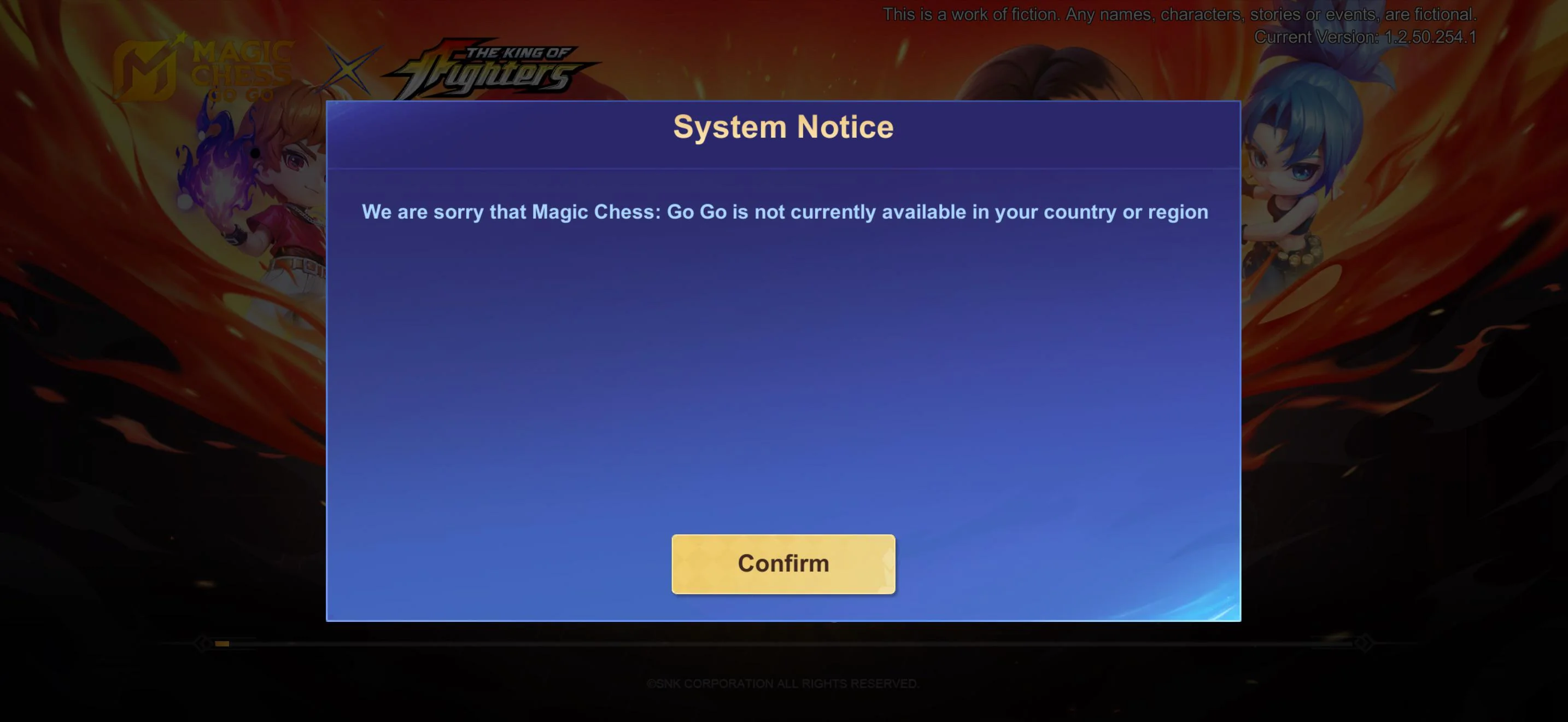
You opened the store to grab some Diamonds, and instead of a price you hit a wall: "Not available in your country," a greyed-out buy button, or a recharge that fails the instant you tap it. If Magic Chess: Go Go (MCGG) will not let your account recharge, the cause is almost always regional — not a ban and not a broken account. This guide explains why region restrictions kick in, the exact mechanics behind the "not available" message, the temporary Zone ID maintenance blocks, and how to top up safely inside your own region.
MCGG is Moonton's auto-chess spin-off of the Mobile Legends universe, and its premium currency is Diamonds. Like the rest of this MCGG guide series, this page focuses on one specific cause of recharge failure — region and country limits — and links out to the others rather than repeating them. If your money was deducted but the Diamonds never arrived, our MCGG missing-Diamonds fix walks that through. If your order is stuck processing, the MCGG pending top-up guide covers it. And if you are unsure which ID pair routes your Diamonds, the User ID & Zone ID guide explains it.
For a top up that respects your account region and keeps the order traceable, a Magic Chess: Go Go top-up at Topuplist through the official Topuplist storefront delivers within your registered region.
Is Magic Chess: Go Go Region-Locked? Understanding the Rollout
The short answer: at launch it was, and the leftover of that rollout is why some accounts still hit walls today. MCGG first went live in a small set of markets (Malaysia and Singapore led the early access), then expanded to a broader global release. Players who tried to download or recharge outside the opened regions during that window saw the app hidden or purchases blocked — a rollout limit, not an account problem.
What matters more now is how the account itself is regioned.
Account region | What it controls | What differs by region |
Global | Your registration region for packs and billing | Global pricing, global payment methods, global promos |
Russian | A separate registration region Moonton maintains | Ruble pricing and region-specific packs |
Server / Zone | Where you actually play a match | Does not decide which packs you can buy |
The detail that trips people up: packs and top-up options are tied to your registration region, not to the server or Zone you play on. Ordering a pack built for a different registration region than your account is the fastest way to watch a recharge "fail" and the funds bounce back to your balance. Diamonds themselves are unified across the global region — a Diamond is a Diamond — but the regional packs, accepted payment methods, and promotional prices vary by country. That split is the real boundary of MCGG's region restrictions.
Common Reasons Your MCGG Account Can't Recharge
Most blocks fall into one of five buckets. Match your symptom to the cause before you start changing settings.
Symptom | Likely cause | First move |
App store hides MCGG or shows "not available" | Store account country not in an opened region | Check your Apple ID / Google account country |
Buy button greyed or payment rejected | Payment method not offered in your country | Switch to a locally supported method |
Recharge fails right after tapping | Account region vs pack region mismatch | Confirm you're buying for your registration region |
Works on Wi-Fi, fails on mobile (or vice versa) | VPN / location signal conflict | Turn off location-spoofing apps, use local network |
"Zone ID temporarily cannot top up" | Scheduled maintenance range | Wait for the block to lift; don't spam retry |
Store account country mismatch. Both major stores decide what you can buy from your account's registered country. If that country is outside where MCGG billing is active for your profile, the purchase entry simply isn't served to you.
Payment method not supported in your country. Even with the right account country, a card or wallet has to be one the store supports locally. Some markets lean on carrier billing or local e-wallets; an international card that works elsewhere may be declined here.
The app is "not available in your country." This is the store enforcing the publisher's regional listing using your account settings and location signals together. It is a listing/availability block, not a judgement on your account.
VPN and cross-region network conflicts. When your account country says one place but your network IP or a spoofing app says another, stores read the mismatch as a risk signal and block the transaction. This is one of the most common "it worked yesterday" surprises after someone toggles a VPN.
Temporary maintenance range. MCGG Zone IDs in the 9001–9999 band (and the equivalent 35000–35999 range on MLBB) have at times been flagged as temporarily unable to top up during infrastructure updates. That is a publisher-side maintenance block, covered in detail below — not something wrong with your login.
Google Play / App Store Region Blocks Explained
Understanding the mechanics stops you from "fixing" the wrong thing. Stores don't decide availability randomly; they check three signals, and all three have to agree.
The three signals stores check. First, your store account country (the region set on your Apple ID or Google account). Second, your payment profile country (the billing address and card-issuing country attached to your payment method). Third, your location signals — the network IP and any location-spoofing tools your phone is broadcasting. When any of the three disagree, the purchase is intercepted.
Google Play and Apple region-change limits. These are not free switches. Google Play lets you change your account country only about once per year, and only after you've spent or removed your Play balance and cancelled region-locking subscriptions. Apple requires you to end active subscriptions, spend down your Apple Account balance, and add a payment method valid in the new region before the switch is allowed. The official Google Play page on accepted payment methods and Apple's guide to changing your Apple Account country or region lay out exactly which methods and steps apply per market — worth reading before you burn your one annual change.
The practical takeaway: your recharge problem is usually solved by aligning these three signals, not by fighting the store. The next section shows the order to do it in.
"Not Available in Your Country" — What It Means and the Fixes
The message sounds permanent, but it almost always points to a specific, fixable mismatch. The first job is to locate where the block actually lives.
Diagnose where the block lives. If you can't even find MCGG in the store while signed in, your account country is the prime suspect. If the app is listed but the buy button is grey or the recharge is rejected, payment and device rules jump to the top of the list. Knowing which one saves you from flipping settings that can't affect the outcome.
Align your store country, payment profile, and location. Set your store account to the country where you legitimately reside, attach a payment method issued in that same country, and connect from a normal local network with no spoofing apps running. All three pointing the same way is what clears the "not available" wall in the majority of cases.
Change region the right way — and the traps. If you genuinely need to move your account country, do it in order: end subscriptions, spend or remove store credit, then add a local payment method, then switch. Remember the once-per-year Google limit and Apple's balance/subscription prerequisites. Do not try to hop regions with a VPN to chase a cheaper price — that conflict is exactly what triggers the block, and frequent region changes raise risk flags on their own.
For a top up route that stays inside your region and keeps the order tied to your account, a Magic Chess: Go Go top-up at Topuplist via the official Topuplist front-end avoids the cross-region mismatch that breaks so many recharges.
Temporary Top-Up Blocks (Zone ID Maintenance Ranges)
This deserves its own section because it looks terrifying and is usually nothing personal. During infrastructure updates, the publisher can temporarily take specific Zone ID ranges offline for top-up. On MCGG that band is 9001–9999; on the parent MLBB service the parallel band is 35000–35999. If your Zone ID falls in one of those ranges, the recharge interface tells you the ID is temporarily un-top-up-able.
What to do during a maintenance block. First, confirm it's a maintenance message and not a region mismatch — the wording is specific to the Zone ID, not a country error. Second, check the official notices or in-game announcement for the maintenance window; these blocks are scheduled and lifted when the update completes. Third, do not spam retries or bounce between channels trying to force it through — the funds won't route to a range that's intentionally offline, and repeated attempts just add noise. Once the range is restored, your recharge processes normally and the Diamonds land as expected; only open a ticket if it's still missing after the block is officially lifted.
How to Top Up Safely Within Your Region
A region block is annoying but mostly avoidable. The goal is to make your account, your payment, and your network all tell the same regional story.
Keep your account region stable. Pick the region that matches where you actually live and pay, and stay there. Resist the urge to hop regions for a marginally better price — between the annual Google limit, Apple's prerequisites, and the VPN-conflict risk, cross-region hopping creates far more recharge failures than it saves.
Match account region to a locally supported payment method. A card or wallet issued in your store country is the single most reliable fix for "cannot recharge." If your usual method is rejected, a store gift-card balance or locally accepted e-wallet sidesteps issuer-country mismatches entirely.
Use an authorized, region-aware top-up channel. Recharging through a channel that delivers to your registered region — with the order bound to your own account — removes the cross-region mismatch that breaks purchases in the first place. A Magic Chess: Go Go top-up at Topuplist through the official Topuplist storefront keeps payment and Diamonds on the same regional record, so a blocked recharge is something you can diagnose, not something you have to guess.
Avoid "cross-region recharge" services. Any service that offers to top you up through a different country to dodge pricing is asking for trouble: account flags from region conflict, no buyer protection if something fails, and the very recharge errors this guide is trying to prevent. The safer play is always a top up that matches your own region.
If a region mismatch ever does leave you with money out and no Diamonds, circle back to the missing-Diamonds fix; if the order is stuck mid-flight, the pending guide is the right next read.
FAQ
1. Is Magic Chess: Go Go banned in my country, or just region-locked?
Almost always region-locked, not banned. MCGG rolled out market by market, and stores enforce the publisher's regional listing using your account country and location. A "not available in your country" message is an availability block you can usually clear by aligning your store country, payment profile, and network — not a penalty against your account.
2. Can I change my MCGG region to recharge?
You change the region on your store account (Apple ID or Google account), not inside the game. Google Play allows roughly one country change per year after you clear balance and subscriptions; Apple requires ending subs, spending down balance, and adding a new-region payment method first. Change it only if you've genuinely moved — hopping regions for price is what triggers the very blocks you're trying to avoid.
3. Why does it say "Zone ID temporarily cannot top up"?
That's a publisher-side maintenance block on a specific Zone ID range (MCGG 9001–9999, MLBB 35000–35999), not an account fault. Check the official maintenance notice, wait for the window to lift, and avoid spamming retries. Once restored, the recharge processes normally.
4. My recharge failed because of a VPN — what do I do?
Turn off the VPN or any location-spoofing app, connect from your normal local network, and retry with a payment method issued in your store country. The mismatch between your account country and your IP is what the store flagged; removing it usually clears the failure immediately.
5. The buy button is grey but the app installed fine — why?
If MCGG is installed but the purchase is blocked, the issue is usually your payment profile or device rules, not your account country. Confirm your payment method is offered in your store country, remove old cards tied to another region, and clear any pending declined charges before retrying.
6. Will Diamonds I buy work across regions?
Within the global region, a Diamond is a Diamond and spends the same everywhere you play. What differs by country are the regional packs, accepted payment methods, and promotional prices — which is why recharging has to match your registration region even though the currency itself is unified.