



Fortnite 卡可用于兑换 Fortnite V-Bucks 或相关 Fortnite 余额,具体取决于产品类型和地区。V-Bucks 可用于购买服装、表情动作、镐、饰布、战斗通行证及其他 Fortnite 内容。

Fortnite Card
极速
24/7
安全
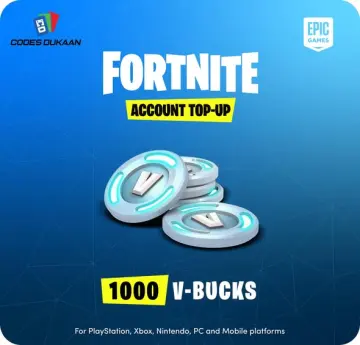
1000 V-Bucks
$9.99$9.99
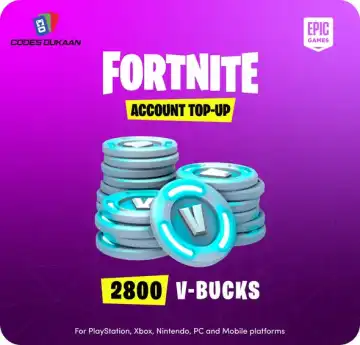
2800 V-Bucks
$24.99$24.99
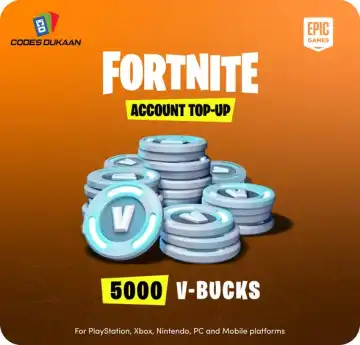
5000 V-Bucks
$39.99$39.99
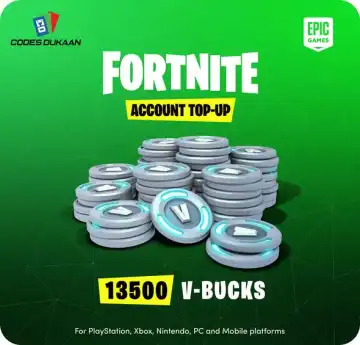
13500 V-Bucks
$99.99$99.99
描述
Top-up Instructions
Buy Fortnite Card on Topuplist now! Get Fortnite V-Bucks easily and use them to purchase outfits, emotes, pickaxes, wraps, Battle Passes, and other premium in-game content.
Topuplist provides a fast, secure, and convenient Fortnite Card purchase experience. After your payment is completed, you will receive a digital redeem code. Simply redeem the code through the official Fortnite V-Bucks Card redemption page with your Epic Games account to add V-Bucks to your account. An Epic Games account is required to redeem a V-Bucks Card code.
Basic Top-up Information
Item | Details |
|---|---|
Product Name | Fortnite Card / Fortnite V-Bucks Card |
Game | Fortnite |
Publisher | Epic Games |
Card Type | Digital prepaid redeem code |
Redeem Currency | V-Bucks |
Redeem Method | Code redemption via official Fortnite / Epic Games redemption page |
Applicable Platform | PC, PlayStation, Xbox, Nintendo Switch, Mobile, and supported Fortnite platforms |
Required Information | Valid email address / Topuplist account to receive the digital code |
Delivery Time | Usually delivered shortly after successful payment |
Main Usage | Purchase Fortnite outfits, emotes, pickaxes, wraps, Battle Passes, and other in-game content |
⚠️ Note: Please check the product region, platform compatibility, and code details carefully before purchase. Fortnite V-Bucks Card codes should be redeemed through the official Fortnite redemption page.
Fortnite Card Redemption Information
Fortnite Card is a prepaid digital code that can be redeemed for Fortnite V-Bucks or related Fortnite value, depending on the card type and region.
V-Bucks are Fortnite’s in-game currency and can be used to purchase cosmetic items and premium content, including outfits, emotes, pickaxes, wraps, and Battle Passes. Competitor stores such as SEAGM and OffGamers also position Fortnite cards around V-Bucks, Battle Passes, skins, emotes, and other Fortnite content.
Some newer Fortnite Gift Cards may add balance to an Epic account, which can then be used to purchase V-Bucks, games, or other supported Epic Games Store content.
How to Redeem Fortnite Card?
Go to the official Fortnite V-Bucks Card redemption page.
Sign in to your Epic Games account.
Click Get Started to begin the redemption process.
Enter your Fortnite Card / V-Bucks Card code.
Follow the on-screen instructions and confirm the redemption.
Once redeemed successfully, the V-Bucks or related balance will be added to your Epic Games / Fortnite account.
⚠️ Note: Nintendo Switch has platform-specific V-Bucks wallet limitations. V-Bucks purchased on Nintendo Switch are not shared with other platforms, and Epic notes that Nintendo devices do not support Fortnite Shared Wallet in the same way as other supported platforms.
How to Buy Fortnite Card on Topuplist?
Choose your language and currency — Select your preferred language and local currency on Topuplist.
Log in or create an account — Log in to your Topuplist account, or create a new one if you do not have one yet.
Select the product — Navigate to the Fortnite Card product page.
Choose your card package — Select the Fortnite Card denomination or V-Bucks Card option you want to purchase.
Confirm and pay — Check the product details carefully, choose your preferred payment method, and complete the payment.
Receive your code — Your digital Fortnite Card code will be delivered after successful payment.
Redeem the code — Redeem your code through the official Fortnite / Epic Games redemption page.
What is Fortnite?
Fortnite is a free-to-play, cross-platform online game developed and published by Epic Games. It brings together multiple experiences, including Battle Royale, Zero Build, LEGO Fortnite, Fortnite Festival, Rocket Racing, Creative islands, and community-made experiences.
In Fortnite Battle Royale, players compete to be the last one standing while collecting weapons, building or using tactical movement, completing objectives, and surviving across a constantly evolving map. The game is also known for its frequent collaborations, seasonal updates, live events, and large cosmetic item shop.
V-Bucks are closely connected to Fortnite’s customization system. Players can use V-Bucks to buy outfits, emotes, pickaxes, wraps, Battle Passes, and other cosmetic content to personalize their Fortnite experience.
What are V-Bucks in Fortnite?
V-Bucks are Fortnite’s in-game currency. They are mainly used to purchase premium cosmetic items and selected in-game content.
V-Bucks can be used for:
Outfits — Customize your character with skins from Fortnite originals, collaborations, and seasonal releases.
Emotes — Unlock dances, gestures, and other expressive actions.
Pickaxes and Wraps — Personalize your harvesting tools, weapons, and vehicles.
Battle Passes — Unlock seasonal rewards by progressing through the current Fortnite season.
Bundles and Item Shop Content — Purchase limited-time packs, cosmetic bundles, and rotating shop items.
How to Get V-Bucks?
V-Bucks can be obtained through official Fortnite purchase channels, Fortnite V-Bucks Cards, Fortnite Gift Cards, and selected in-game reward systems.
Buying a Fortnite Card is a convenient option for players who want a prepaid digital code instead of directly using a bank card or payment method in-game.
Why Choose Topuplist for Fortnite Card?
Fast Digital Code Delivery
After successful payment, Topuplist will process your Fortnite Card order quickly so you can receive your digital code without unnecessary waiting.
Secure Purchase Experience
Topuplist provides a safe checkout process with trusted payment options, helping protect your payment and order information.
Easy Redemption
You can redeem your Fortnite Card code through the official Fortnite / Epic Games redemption page using your Epic Games account.
Multiple Payment Methods
Topuplist supports a variety of payment methods, making it easier for players from different regions to buy Fortnite Card online.
Great for Personal Use or Gifting
Fortnite Card is a simple choice for your own Fortnite account or as a digital gift for friends who play Fortnite.
Reliable Customer Support
If you have questions about your Fortnite Card order, payment, or delivery, Topuplist customer support is available to help.
常见问题
Fortnite Card
评论
4.8
基于 40 条评论
T
t***@gmail.com en
en
en2026年8月12日
已购买2800 V-Bucks
Affordable gift cards with instant code delivery!
J
j***@gmail.com ko
ko
ko2026年8月11日
已购买5000 V-Bucks
기프트 카드 코드 바로 받음, 완벽!
J
j***@gmail.com en
en
en2026年8月9日
已购买5000 V-Bucks
Quick and easy gift card purchase, highly recommend!
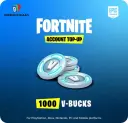
Fortnite Card 1000 V-Bucks
卡密 总计$9.99




为什么选择 Topuplist?

快速到账
享受快速高效的充值服务,流程顺畅简单,尽可能减少您的等待时间。

安全支付
您的支付与账户信息均受到安全可靠的防护措施保护。

全天客服
我们的客服团队全天候提供服务,随时为您解答问题并提供帮助。