


Blood Strike Mentor Apprentice System Guide: Requirements, Rewards and How It Works
A complete guide to Blood Strike's Mentor-Apprentice system. Covers requirements, forming a bond, completing missions together, claiming rewards, and cross-tier matchmaking.
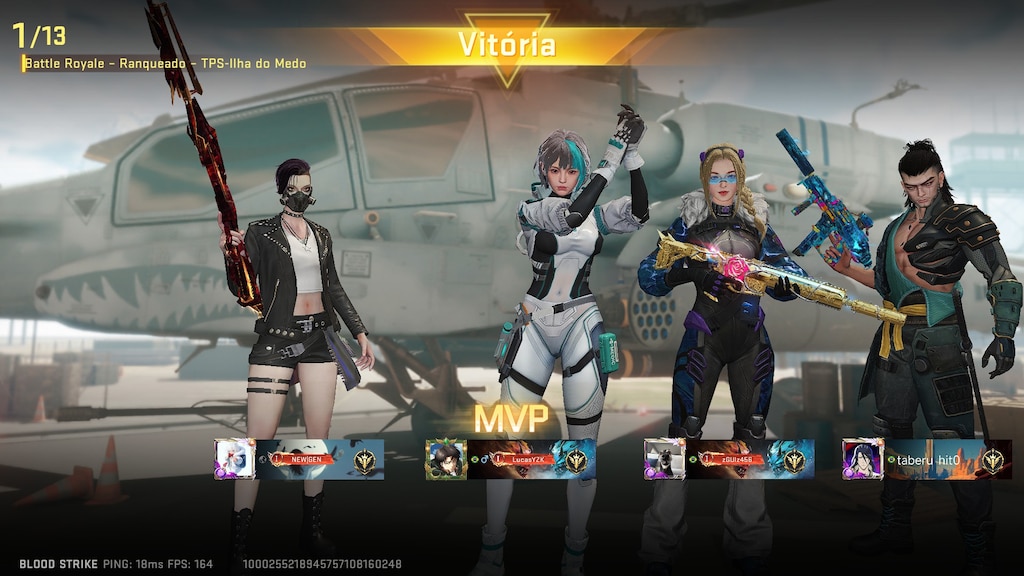
The Blood Strike Mentor-Apprentice system is now live inside Training Camp, and if you want Gold for the latest Strike Pass skins and event draws, a fast Blood Strike top-up at Topuplist through the official Topuplist storefront is the easiest way to stay stocked. This guide explains everything else — the requirements, the roles, the missions, the rewards, and how the new cross-tier matching actually works.
Blood Strike is a free-to-play battle royale FPS from NetEase Games that has built a huge global player base across PC, Android, and iOS. The game pairs a classic battle royale loop with playable "Strikers" — characters that each bring a unique active and passive skill — and it keeps the content flowing with frequent seasonal updates, collabs, and new systems. One of the most interesting additions in recent patches is the Mentor-Apprentice system. Rolled out as part of the Blood Strike x Attack on Titan Part 2 update, this feature gives veterans a reason to bring new players up to speed — and gives rookies a structured way to learn the game while earning rewards at the same time.
Whether you are brand new to the game or you have been grinding ranked for months, understanding how the Mentor-Apprentice system works is worth a few minutes. Below, we break down the requirements, the roles, the missions, the rewards, and the cross-tier matchmaking that makes this feature genuinely stand out.
What Is the Blood Strike Mentor-Apprentice System?
The Mentor-Apprentice system is a social progression feature that pairs a more experienced player (the Mentor) with a newer or lower-tier player (the Apprentice). Once the pair forms a relationship, they work through missions together and claim rewards as they go.
The official patch notes describe it in one clean sentence: "New Mentor-Apprentice system added to Training Camp: Players who meet the Tier and activity requirements can become a Mentor or an Apprentice. After forming a Mentor-Apprentice relationship, they can complete Missions together, claim rewards, and also match across different Tiers."
That single sentence contains almost everything you need to know about the feature, but the details matter. Let us unpack each part — the requirements, the relationship, the missions, the rewards, and the cross-tier matching — so you know exactly what you are signing up for.
When Was the Mentor-Apprentice System Added?
The system arrived in the July 28, 2026 update, the same patch that kicked off the Attack on Titan Part 2 collaboration. That update introduced the Titan Strike gameplay mode, the collab Strike Pass, and a range of new limited skins — and, tucked into the System Optimizations section, the brand-new Mentor-Apprentice system.
Because the feature is still very new, the community is still mapping out the exact thresholds and reward tables. That is actually good news if you are reading this early: getting familiar with the system now puts you ahead of players who discover it weeks later, and the long-tail search demand for "Blood Strike mentor apprentice" is still wide open compared to more saturated topics.
Where to Find the Mentor-Apprentice System in Blood Strike
The system lives inside the Training Camp, not in the main lobby menus where you might first look. If you have spent your time in Battle Royale, Squad Fight, or Hot Zone, you may not have opened Training Camp recently — but that is exactly where the feature is housed.
The path is short and consistent across platforms. From the main lobby, open the Training Camp area, then look for the Mentor-Apprentice option. The panel that opens shows your eligibility, your active bonds, your mission list, and any rewards ready to claim. On both the PC and mobile clients, the menu labels follow the same English naming, so the navigation is identical whether you play on Steam, Android, or iOS.
Mentor vs Apprentice: Roles and Requirements
The system has two distinct roles, and each one has its own entry conditions. The official notes confirm that both roles require you to meet Tier and activity requirements before you can participate.
A Mentor is the experienced player: you hold a solid ranked tier, you play consistently, and your job is to guide the Apprentice. An Apprentice is the learner: the role is aimed at newer or lower-tier players who benefit from guidance. The two roles sit at opposite ends of the ladder, which is exactly the point — the Mentor brings experience, and the Apprentice brings room to grow.
The Two Core Conditions: Tier and Activity
The official wording highlights exactly two conditions for either role:
Condition | What It Means | Why It Matters |
Tier | Your current ranked tier (Bronze through Legend) must satisfy the role's requirement | Prevents a brand-new account from instantly mentoring, and ensures the Mentor is genuinely more experienced |
Activity | You must be actively playing matches | Keeps mentors and apprentices from going idle mid-bond, so missions can actually progress |
Understanding these two conditions is the fastest way to figure out why you might not be able to open the feature yet. If the panel shows you as ineligible, check whether it is your tier, your recent activity, or both — those are the only two gates in the system.
How to Become a Mentor: Requirements in Depth
For veterans, the Mentor role is the more interesting half of the feature. It rewards you for doing what you already do — playing well and staying active — while giving you a reason to pull a newer player into your squad. But the role is gated, and the two conditions are where most players trip up.
The Tier Requirement
Your current ranked tier must be high enough to qualify. The exact minimum tier is shown on the Mentor-Apprentice panel in Training Camp, and NetEase may adjust it as the feature matures, so always check in-game rather than relying on secondhand numbers. Mentors are expected to sit comfortably above the entry ranks.
The Activity Requirement
The second condition is about how much you actually play. A high tier means little if you never log in, so the system also checks your recent activity. Staying active proves you can keep up with the Apprentice's progression and ensures the bond does not stall the moment you form it.
Where Mentors Sit on the Ranked Ladder
To understand the Tier requirement, it helps to know the full ladder. Blood Strike's ranked mode uses seven tiers, each split into four sub-tiers (I through IV), with Legend as the ceiling:
Tier (Low to High) | Sub-Tiers | Typical Player Level |
Bronze | I–IV | Brand-new players learning the basics |
Silver | I–IV | Casual players building fundamentals |
Gold | I–IV | Comfortable with core mechanics |
Platinum | I–IV | Solid aim and map awareness |
Diamond | I–IV | Experienced, consistent performers |
Master | I–IV | Strong game sense and coordination |
Legend | I–IV (13,000 points) | Top of the ranked ladder |
Mentors are drawn from the higher end of this ladder, which is why the feature pairs them with Apprentices who are still climbing.
How to Become an Apprentice and Find a Mentor
The Apprentice role is aimed at the lower end of the ladder — Bronze, Silver, or Gold players are squarely in the target audience. Like Mentors, Apprentices must satisfy both a Tier and an activity condition, and the exact range is shown in the Training Camp panel.
Once you are eligible, the real question is finding a Mentor, because the game does not auto-assign one. The most reliable places to look are:
Friends and community members — someone you already know is more likely to stay committed to the bond.
Clans and guilds — most clans have a mix of veterans and newcomers, and veterans are usually happy to bond with a newer player.
Official social channels — the game's Discord server and social accounts are full of players actively recruiting Apprentices.
When you are picking, look for three things: an active player who logs in daily, someone who communicates and explains their calls, and someone with the patience to let you make mistakes in cross-tier lobbies. A short conversation before you form the bond goes a long way.
How to Form a Mentor-Apprentice Bond
Forming the relationship is the step that unlocks everything else. Once both players meet their respective requirements, they need to link up as Mentor and Apprentice through the Training Camp panel. One player sends an invitation or request, the other accepts, and the bond becomes active.
After that, the pair can complete missions together and start claiming rewards. Because the system also allows matching across different Tiers, you do not need to be in the same rank to play together — the Mentor can be Legend while the Apprentice is still in Bronze or Silver.
How Mentor-Apprentice Missions Work
Missions are the engine of the feature. After the bond forms, the Mentor and Apprentice complete Missions together. The official notes do not publish an exhaustive mission list, but the structure is clear from the wording and from how Blood Strike handles its other mission systems. Missions typically break into a few natural categories.
Play-Together Missions
These reward simply for playing matches while the bond is active. They are the easiest to complete and the natural starting point for a new pair, because they require nothing beyond queueing up together.
Ranked Progression Missions
These tie into Blood Strike's seven-tier ranked ladder. A bonded pair might be asked to earn rank points, reach a placement threshold, or win ranked matches. Because the bond also enables cross-tier play, these missions pair naturally with climbing together.
Mode-Objective Missions
Blood Strike has a deep set of core modes, and objective missions direct the pair toward specific modes or in-match goals. This keeps the partnership fresh by rotating through Battle Royale, Squad Fight, Hot Zone, and the game's other modes rather than settling into a single routine.
Activity and Streak Missions
These reward consistency — logging in and playing over consecutive days. They reflect the system's activity requirement and are a gentle nudge to keep the bond alive rather than letting it go idle.
Mission Type | What You Do | Difficulty |
Play-together | Complete matches as a bonded pair | Low |
Ranked progression | Earn rank points or win ranked games | Medium |
Mode-objective | Win or finish specific modes or goals | Medium |
Activity/streak | Log in and play over consecutive days | Low |
Each completed mission contributes to the shared progress pool, which then converts into the rewards you claim on the panel. Progress is shared between the two players — neither can sprint ahead on their own, and an idle partner stalls the whole track.
Mentor-Apprentice Rewards: What You Can Claim
The official description confirms you can claim rewards from the system. Because the feature is brand new, the complete reward table is still being documented by the community, but the design goal is straightforward: reward the Mentor for teaching and reward the Apprentice for learning.
The important detail is that rewards are claimed, not auto-deposited. You need to return to the Training Camp panel to collect what you have earned, so make checking the panel part of your post-session routine. Earned but unclaimed rewards are worth nothing until you collect them.
How Blood Strike's Currency Fits In
Blood Strike runs on two main currencies. Gold is the premium currency, purchased with real money and spent on the Strike Pass, event draws, and the skin shop. Cash is the in-match currency you loot during a round to buy weapons and revives within a single match. Mentor-Apprentice rewards sit on the Gold-driven side of the economy — they are progression and item rewards tied to your account's long-term growth.
If you want to accelerate your progress while the system is still fresh, topping up Gold is a common way to grab Strike Pass tiers and event cosmetics without the grind — a quick Blood Strike Gold top-up on Topuplist keeps your account ready for whatever the next reward tier throws at you.
Cross-Tier Matchmaking: Playing Across Different Ranks
The standout feature of the whole system is cross-tier matchmaking. The official notes state explicitly that bonded players "can also match across different Tiers."
In a normal ranked environment, Blood Strike tries to place you against players of a similar level. The Mentor-Apprentice system deliberately relaxes that rule for bonded pairs, so a high-tier Mentor can queue into matches with a lower-tier Apprentice without the normal rank restrictions blocking them. Importantly, cross-tier matching is a perk of the bond, not a standalone toggle — it always comes with the teaching-and-learning structure attached.
Why Cross-Tier Matching Matters for New Players
This is a big deal for two reasons. First, it lets a new player learn in real matches under the direct supervision of an experienced teammate instead of struggling through solo queues. Second, it removes the frustration of being unable to play ranked with a friend who is several tiers ahead — a common complaint in squad-based shooters.
Just keep one thing in mind: because the Mentor is higher-tier, the lobbies can pull in stronger opponents. The Mentor should take the anchor and shot-caller roles while the Apprentice focuses on survival, following callouts, and learning positioning rather than chasing kills right away.
Blood Strike at a Glance: Modes, Strikers, and Currency
If you are coming to the Mentor-Apprentice system fresh, a quick orientation to Blood Strike itself helps everything else click. The game is a fast-paced battle royale FPS, free to play across PC, Android, and iOS, with full cross-platform play and controller support. The core loop drops you onto a map with a squad, where you loot weapons and gear, rotate through a shrinking zone, and fight to be the last team standing.
Blood Strike's signature twist is its Strikers — playable characters, each with one active and one passive skill. The roster includes names like Kraken, Volt, Zero, Nacho, Ran, E.M.T, Hank, Val, Jet, Ethan, Blast, Spike, and Nova, and each Striker pushes you toward a different playstyle, from aggressive entry fragging to support and information gathering. Beyond Battle Royale, the game offers a deep set of modes: Squad Fight (a 4v4 round-based mode), Hot Zone (a rotating capture-point mode), Weapon Master, Team DeathMatch, and the Shooting Range for aim practice.
This context matters for the Mentor-Apprentice system because the missions will pull you and your partner into several of these modes, and a good Mentor knows how to explain the goal of each one. Understanding the currency loop — Gold for long-term progression, Cash for in-match spending — also helps you value the rewards correctly.
Tips to Get the Most Out of the Mentor-Apprentice System
Check your eligibility first. Open the Training Camp panel and confirm you meet both the Tier and activity conditions before looking for a partner.
Pick a partner who actually plays. Activity is a requirement for a reason; a Mentor who logs in daily will push missions far faster than one who shows up once a week.
Communicate while playing. The system rewards playing together, so use voice or text chat to coordinate rotations, drops, and revives — this is where the Apprentice learns the most.
Stack overlapping goals. Play-together, ranked-progression, and activity missions all advance in a single ranked session. Plan around overlap and the mission list clears itself.
Use cross-tier matching deliberately. Let the Mentor handle the aggressive plays while the Apprentice learns positioning, looting speed, and when to disengage.
Claim rewards on a routine. Because rewards are claimed rather than auto-granted, checking the panel after each session prevents value from sitting uncollected.
The Mentor-Apprentice system is one of the better additions Blood Strike has shipped in 2026, and it costs nothing to participate. If you are planning to invest in the game anyway — whether for the Strike Pass, the Attack on Titan collab, or new weapon skins — make sure you grab your Blood Strike top-up through Topuplist so your Gold is ready when the rewards start rolling in.
9. FAQ
What is the Blood Strike Mentor-Apprentice system?
It is a social progression feature added to Training Camp in the July 28, 2026 update. Players who meet the Tier and activity requirements can become a Mentor or an Apprentice, then complete missions together, claim rewards, and match across different tiers.
Where do I find the Mentor-Apprentice system?
It is located in the Training Camp area of the game, not in the main lobby. Open Training Camp and look for the Mentor-Apprentice option to check your eligibility and active bonds.
What are the requirements to become a Mentor?
You must meet the system's Tier requirement and activity requirement. The exact thresholds are shown on the Mentor-Apprentice panel in Training Camp; check there to confirm your current status.
What are the requirements to become an Apprentice?
Like Mentors, Apprentices must satisfy both a Tier and an activity condition. The role is aimed at newer or lower-tier players, and the exact requirements are visible in the Training Camp panel.
Can a Mentor and Apprentice play together across different ranks?
Yes. The official patch notes confirm that bonded players can match across different Tiers, which lets a high-tier Mentor queue with a lower-tier Apprentice.
Do I need Gold to use the Mentor-Apprentice system?
No, the system itself is free to participate in. Gold is Blood Strike's premium currency used for the Strike Pass and event draws, and it is only relevant if you choose to purchase cosmetics or progression.
