


How To Use Elemental Sight Genshin Impact And Stop Missing Trails
Step 1 Understand What Elemental Sight Does
Learning how to use Elemental Sight in Genshin Impact comes down to one idea: it is a clue-reading tool, not a world scanner. When you activate it, the screen shifts to a muted, grayish filter and specific objects, trails, or elemental residue light up in color. Those highlights are the game telling you where to go or what to interact with next. Everything else fades into the background on purpose.
What Elemental Sight Actually Does
Genshin Elemental Sight is an exploration mechanic that reveals traces of elemental energy on nearby objects and paths. Think of it as a filter that strips away visual noise so the important stuff stands out. It can highlight quest-related items, show colored trails leading toward a target, or mark interactable objects you might walk right past. It does not, however, light up every chest, enemy, or collectible in the area. That distinction trips up a lot of new players.
Elemental Sight highlights what matters for your current objective. It is a clue filter, not a loot radar.
When to Activate It During Normal Play
You will get the most value from this mechanic in three situations:
During investigation quests that ask you to search an area for clues or footprints
While tracking bounty targets through elemental trails left on the ground
When exploring puzzle areas where one object needs to be identified among many
Outside of those moments, spamming it randomly across the open world rarely produces useful results. The tool works best when the game has already placed something for you to find.
What Players Should Expect Right Away
If you activate Elemental Sight and nothing lights up, that does not mean it is broken. Some areas simply have nothing to detect at that moment, or you may need to trigger a quest step first. Keeping that expectation in check early saves a lot of confusion later, especially when the mechanic feels like it should reveal more than it actually does.
The real question most players hit next is a practical one: which button actually triggers it on their platform?

Step 2 Find the Right Control on Your Platform
The activation method for Genshin Impact Elemental Sight depends entirely on what you are playing on. Below is a quick-scan breakdown so you can jump straight to your platform and start using it immediately.
Default Controls Across Every Major Platform
Every version of the game maps Elemental Sight to a default input, but the exact button varies. Here is how it works on each platform:
A note for PC players: if you are searching for how to use Elemental Sight in Genshin Impact on PC specifically, the middle mouse button is the fastest route. The Left Alt method works as a fallback if your mouse lacks a clickable scroll wheel or if you prefer toggling it on and off through the UI.
How to Find the Elemental Sight Keybind
If pressing the default input does nothing, open the Paimon Menu, go to Settings, then select Controls. Scroll through the key bindings list until you find "Elemental Sight (Hold)." The current binding will be displayed next to it. On PC, this particular keybind cannot be remapped, so it should always be the middle mouse button unless a third-party tool is involved. Controller and PlayStation users will find the shortcut wheel mapping in the same settings panel.
What to Do if Your Controls Were Remapped
Some players remap their controls early on and forget about it weeks later. If the Elemental Sight keybind feels wrong or unresponsive, check two things. First, confirm you have not accidentally rebound a conflicting action to the same key. Second, if you are on PC using a controller, make sure the game has actually switched to controller input mode. Plugging in a gamepad does not always trigger the swap automatically, and disconnecting one without switching back can lock you into the wrong control scheme until you restart.
With the right button sorted out, the next thing worth understanding is what actually appears on screen after you press it and what those colors and trails are trying to tell you.
Step 3 Read What the Screen Is Telling You
Knowing the button is only half the job. The part most guides skip is what all those colors and glowing trails actually mean for your next move. Elemental Sight in Genshin strips the world down to a simple visual language, and once you can read it, exploration gets a lot less confusing.
What the Visual Highlight Means
When you toggle Elemental Sight, the environment goes dark and muted while specific objects pop out in color. Each color corresponds to an elemental property or interaction type. According to the Genshin Impact Wiki, the color coding works like this:
White or light gray: the object is interactable but not currently affected by an element. Chests, mechanisms, and NPCs with dialogue options fall here.
Red: something tied to Pyro, such as lit campfires, Flaming Flowers, or Exploding Barrels.
Blue: indicates the Wet status or Hydro-related objects like Hydro Ambers.
Yellow: Geo constructs, including ore deposits and breakable rock formations.
Green: Dendro-related objects like vines, grass, and flammable wooden structures.
Purple: Electro sources such as Electro Crystals or current puzzle stones.
If something glows, it matters. If it stays dark, it is part of the background and not relevant to what you are doing right now.
How to Read Trails Clues and Residue
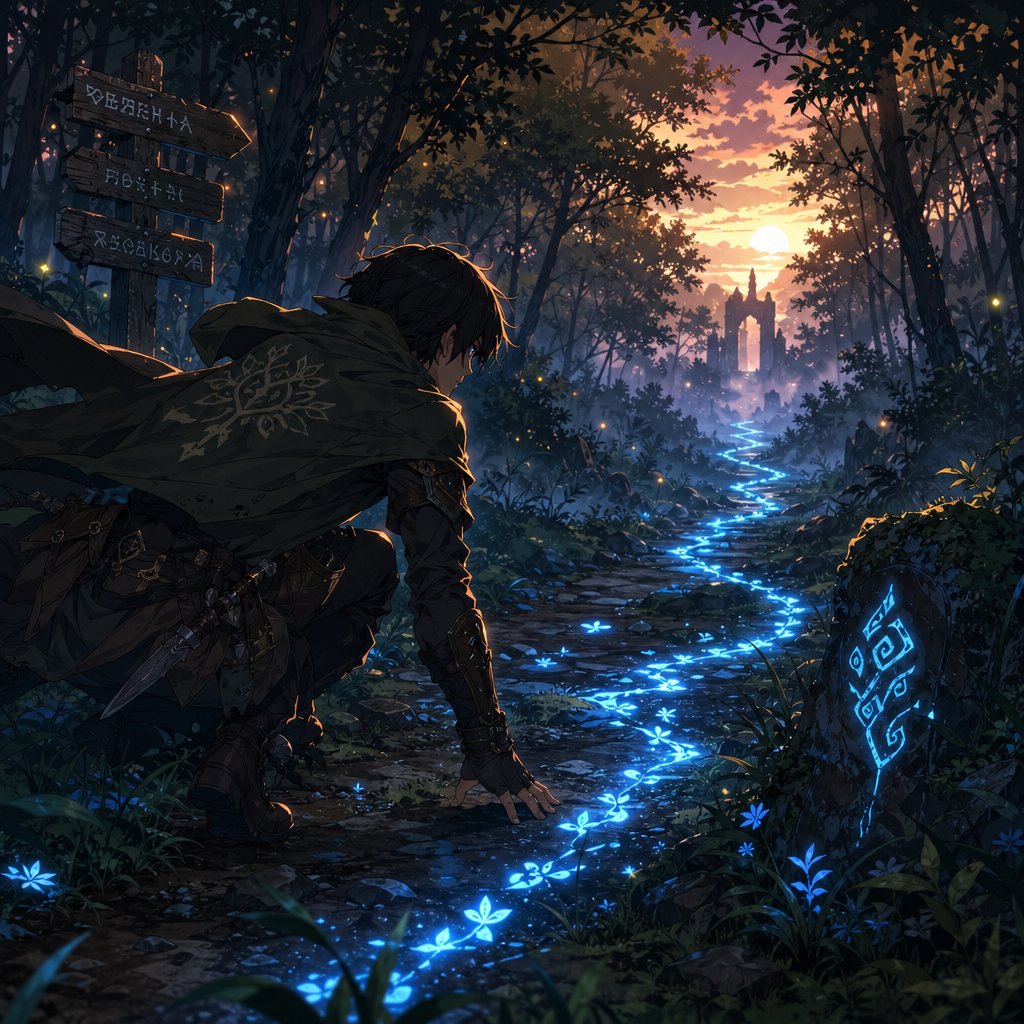
Colors on objects tell you what is there. Trails tell you where to go. When elemental sight shows a glowing line or residue stretching away from your position, that is a directional clue. Bounty targets leave these traces on the ground, Seelie leave faint paths pointing back toward their gardens, and certain quests scatter elemental residue between investigation points.
The key detail: only the traces closest to your character will appear. If you follow a trail and it seems to end, move forward a bit and reactivate. The next segment often picks up right where the last one faded. This mechanic is not showing you the entire route at once. It reveals it in pieces as you close the distance.
What to Do After You See a Signal
Matching what you see to what you do next is straightforward once you know the pattern:
A highlighted object nearby: walk up to it and interact. It is likely a quest item, mechanism, or clue.
A colored trail leading away: follow the direction it points and reactivate Elemental Sight periodically to stay on track.
An enemy glowing in a specific color: that color reveals the element affecting them, which helps you plan reactions.
Nothing highlighted at all: you are either outside the relevant area, missing a prerequisite trigger, or the current activity does not use this mechanic.
Worth remembering: what does Elemental Sight show in Genshin beyond quests? Plenty. It is just as useful during freeform exploration for spotting ore veins, locating a Seelie you walked past, or figuring out which torch in a cluster still needs to be lit. The tool supports ongoing decision-making, not just scripted quest moments.
Where it really shines, though, is during structured objectives like investigations and bounty hunts, where the clues follow a repeatable sequence you can learn once and use every time.
Step 4 Track Quest and Bounty Clues
Investigations and bounty hunts are where this mechanic earns its keep. Both follow a predictable pattern, and once you internalize the loop, you will stop second-guessing whether you are doing it right.
Using Elemental Sight for Quest Investigation
Many Archon Quests and World Quests include an investigation step where the game drops you into a search area and expects you to find clues. The early Mondstadt quest Unexpected Encounter is a perfect example: Paimon tells you to track a suspicious person, and Elemental Sight reveals glowing footprints leading down a set of stairs. Follow them, and the trail fades after a short distance. Reactivate, pick up the next segment, repeat.
That quest teaches the core loop you will use for every elemental sight investigation quest in Genshin going forward:
Read the quest prompt and travel to the marked search area on your map.
Activate Elemental Sight and look for a highlighted object, footprint trail, or elemental residue.
Move toward whatever lights up and interact with it, or follow the trail until it fades.
Reactivate Elemental Sight to pick up the next segment.
Repeat until the quest objective updates or a cutscene triggers.
One thing that catches people off guard: if you activate the tool before reaching the correct quest phase, nothing will appear. The game only places scannable clues after specific triggers, like arriving at the right location or finishing a dialogue. So if the screen stays dark, check your quest log before assuming something is broken.
Following Clues During Bounty Tracking
Bounties from the City Reputation system work a little differently. After selecting a bounty target, the map shows a large yellow circle indicating the general area. Fly or run there, then use Elemental Sight to start tracking. As PCGamesN notes, the trail appears as a light blue aura pointing toward the bounty's direction, but it does not lead you straight to the target. Instead, it guides you to source track marks, objects like mushrooms or flowers that glow yellow under Elemental Sight. Interact with each one, and after collecting all three, the blue aura finally points to the bounty's exact location.
Knowing how to track clues with Elemental Sight in Genshin during bounties saves real time. The trick is patience: harvest each glowing track mark in order rather than running past them trying to shortcut to the enemy.
Converting a Highlight Into the Next Objective
Whether you are chasing genshin bounty clues with Elemental Sight or following quest footprints, the conversion step is always the same. See a highlight, interact with it, and wait for the game to respond. Sometimes that means a new trail spawns. Sometimes the objective marker shifts. Occasionally a dialogue box or environmental change confirms you are on the right track. The point is to treat each highlight as a single link in a chain rather than expecting one activation to reveal the entire solution.
Elemental Sight shows you the next clue, not the final answer. Pair what you see on screen with what the quest text is telling you, and the path forward stays clear.
This structured approach covers the majority of situations where the mechanic is required. But Genshin also scatters Elemental Sight moments across puzzles, open-world trails, and even region-specific abilities that play by slightly different rules.
Step 5 Use It for Puzzles, Trails, and Special Cases
Quests and bounties follow a script. Open-world exploration does not. Puzzles, Seelie trails, and region-specific mechanics all benefit from Elemental Sight, but each situation asks you to read the environment a little differently.
Using Elemental Sight for Puzzles and Exploration
Elemental Sight puzzles in Genshin Impact rarely announce themselves with a tutorial pop-up. You walk into an area with torches, pressure plates, or elemental monuments, and one of them is not obvious. Activating Elemental Sight in that space highlights the relevant objects so you can separate what matters from what is just scenery.
Common exploration scenarios where it helps:
Torch puzzles where one unlit torch blends into the background. The unlit one glows under the filter while already-lit torches stay muted.
Elemental monument clusters where you need to identify which element each pillar requires before applying the right skill.
Seelie statues with empty pedestals. GameWith's Seelie guide confirms that using Elemental Sight near an empty statue reveals the direction the Seelie will come from, giving you a heading to follow instead of wandering in circles.
Ore deposits and breakable walls that glow yellow under the filter, making them easy to spot against rocky terrain.
The tool narrows your focus. It does not solve the puzzle for you. You still need to figure out the correct element, the right sequence, or the interaction order on your own.
How Trail Following Works in Practice
Trail following outside of quests works the same way it does inside them, just without a quest marker telling you where to start. Elemental residue on the ground, faint colored lines stretching between two points, or a glowing object at the end of a path all serve as breadcrumbs. The difference is that exploration trails tend to be shorter and less obvious than quest trails.
A practical example: you spot a Seelie hovering near a cliff but it drifts away before you can follow. Activate Elemental Sight and a faint trail shows the direction it traveled. Follow that line, and you will usually find the Seelie waiting at its next stop or circling near its pedestal. The same logic applies to Monetoo in Natlan, which leave visual traces as they move toward wall graffiti.
Keep in mind that trails fade with distance. Move forward in short bursts, reactivate, and pick up the next segment. Trying to map the entire route from one spot rarely works.
When to Try Using the Iktomisaur Special Elemental Sight
Natlan introduces a mechanic that looks like standard Elemental Sight but behaves differently. When you indwell an Iktomisaurus through a Spiritsconce, the Saurian gains its own version of the ability. This iktomisaur elemental sight can reveal hidden pathways, make stone platforms disappear, and expose symbols on statues that you then target with the Saurian's Elemental Skill.
Here is where players get stuck. As a widely discussed HoYoLAB thread explains, the Iktomisaur's Spiritspeaker state (activated by holding the attack button) is not the same as its Elemental Sight. You need to use the regular Elemental Sight button while indwelling the Iktomisaurus first. That reveals hidden objects. Then you enter Spiritspeaker mode to aim at and interact with what appeared. Skipping the first step leaves you staring at nothing, which is exactly the frustration that prompted the original post.
The Game8 walkthrough for the Journey of Stars and Flames quest reinforces this: after indwelling the Iktomisaurus, you toggle its Elemental Sight to reveal a hidden pathway, then re-toggle as needed because the pathway becomes invisible again once the effect ends. A second use on dragon statues exposes symbols you hit with the Elemental Skill, and a third use makes an entire stone platform vanish.
The takeaway: when the game tells you to try using the Iktomisaur special Elemental Sight, it means the standard Elemental Sight keybind while controlling the Saurian, not the Spiritspeaker aim. Follow the on-screen prompt literally, use the same button you would on your Traveler, and the hidden geometry will appear.
All of these scenarios share one thing in common: Elemental Sight works when the game has placed something for you to find. Knowing where that boundary sits, and where the tool simply will not help, prevents a lot of wasted effort.
Step 6 Know the Limits Before You Force It
That boundary between "useful" and "useless" is sharper than most players expect. Understanding genshin elemental sight limitations saves you from mashing the button in places where it was never designed to help.
Why Some Objects Do Not React
Elemental Sight highlights a specific subset of the world, not all of it. The Genshin Impact Wiki documents several categories of interactable objects that simply do not respond to the filter:
Bulletin boards, ancient tablets, notices, and most dialogue-based open world objects stay dark.
Bushes and small trees never highlight, even though melee attacks or Burning can destroy them.
Trees that drop Wood are completely invisible to the mechanic.
Doors you can walk through, like the ones inside the Knights of Favonius Headquarters, are ignored.
Some highlighted objects are not actually interactable at all. Certain Hilichurl structures and completed Time Trial Challenge bases still glow despite having no function left.
So if you are wondering why elemental sight is not working in Genshin on a particular object, the answer might just be that the object was never part of the system to begin with.
Activities Better Solved Without Elemental Sight
Certain gameplay loops rely on entirely different mechanics. Farming Wood requires hitting trees, not scanning them. Finding hidden chests often depends on completing environmental puzzles or defeating enemy camps rather than toggling a filter. Cooking, crafting, fishing, and gadget-based exploration like the Treasure Compass all operate outside of what Elemental Sight covers. Trying to force it into those activities just wastes time and builds frustration.
Region-specific puzzles can also mislead you. A Dendro vine puzzle in Sumeru might highlight the vine itself, but the actual solution involves a Tri-Lakshana Creature interaction that Elemental Sight cannot guide you through. The highlight tells you the vine exists. It does not tell you what to do with it.
How to Avoid False Expectations
Most frustration comes from treating the tool as a universal detector when it is really a context-sensitive filter. A few ground rules keep expectations realistic:
If a quest has not placed a scannable clue yet, nothing will appear regardless of how many times you activate it.
Range matters. Objects too far from your character will not highlight even if they are normally detectable. Close the gap and try again.
The effect deactivates after you move a short distance, so standing still while scanning gives you the clearest read.
Not every glowing object requires immediate action. Some highlights are environmental context, not objectives.
Elemental Sight is a clue filter, not a universal detector. If nothing reacts, the tool is not broken. The situation just does not call for it.
Keeping that distinction clear also makes troubleshooting easier when the mechanic genuinely seems unresponsive, which is a different problem with its own set of quick fixes.
Step 7 Fix Cases Where Elemental Sight Shows Nothing
Sometimes the screen shifts, the muted filter kicks in, and absolutely nothing stands out. If Elemental Sight is not showing anything in Genshin, the cause almost always falls into one of three categories: an input problem, a positioning problem, or an expectation problem. Running through a short checklist is faster than guessing.
Why Elemental Sight Is Not Showing Anything
The most common reasons are simpler than they feel in the moment:
You are not at an active clue step. The quest has not placed a scannable object yet, so there is literally nothing to detect.
You are too far from the target. The mechanic has a limited range from your character's position, and distant objects will not highlight even if they exist.
You are scanning the wrong spot. The search area on your map is a rough circle, not a pinpoint. The actual clue could be behind you, above you, or tucked around a corner.
The activity does not use Elemental Sight at all. Some puzzles, collectibles, and exploration tasks rely on entirely different mechanics.
A special sight mode is required. If the quest names an Iktomisaur or creature-specific ability, standard Elemental Sight will not satisfy the objective.
Quick Checks for Controls, Camera, and Position
If you never see the visual pulse or the grayish screen shift, the issue is your input, not the world around you. Work through these in order:
Confirm you are holding the button, not just tapping it. IGN lists Elemental Sight on PC as a hold action on the Middle Mouse Button by default.
Make sure you are in the open world with full character control. Menus, dialogue screens, and cutscenes block the input entirely.
Open Settings and verify the current keybind matches what you are pressing, especially if you switched between keyboard and controller recently.
Rotate your camera slowly after activating. Trails and highlights can sit behind your current view angle.
Move closer to the quest marker or suspected area and reactivate. Even a few steps can bring a hidden trace into range.
If genshin elemental sight is not working after all five checks, test it somewhere you know it responds, like near an empty Seelie pedestal or an active investigation quest. A successful activation there confirms the mechanic itself is fine and narrows the problem to your current location or quest state.
When the Issue Is Expectation Rather Than a Bug
This is the one players overlook most. A muted screen with no obvious highlight does not mean the feature failed. It means there is nothing relevant within range right now. The Genshin Impact Wiki confirms that the effect has limited range, deactivates after moving a short distance, and only reveals the closest traces during bounties and certain quests. So a working activation that looks empty is completely normal in areas without nearby clues.
If you have verified your input, repositioned, and still see nothing, stop retrying and reread the quest objective. The answer to how to fix Elemental Sight in Genshin is often not a fix at all. It is recognizing that the tool already did its job and the next step lives somewhere else.
Once troubleshooting stops eating your time, the real payoff is folding this mechanic into a quick, repeatable habit that keeps exploration smooth from the start of a session to the end.

Step 8 Turn It Into a Reliable Exploration Habit
Fixing problems is reactive. Building a routine is what actually makes this genshin elemental sight guide pay off session after session. The players who get the most out of Elemental Sight are not the ones who spam it everywhere. They are the ones who know exactly when a quick scan saves time and when it is just slowing them down.
A Simple Exploration Routine That Saves Time
Keep this loop short and repeatable. It works for daily commissions, quest chains, reputation bounties, and general region cleanup:
Read the objective or look at the area you just entered. Does anything suggest a hidden clue, a trail, or an unclear interaction?
If yes, activate Elemental Sight and scan your immediate surroundings.
Interpret the result. A highlight means interact. A trail means follow. Nothing means move on or reposition.
Act on what you found, then deactivate and keep exploring normally.
Before teleporting away from any area, do one final scan to catch easy misses like ore, a Seelie pedestal, or a lingering quest object.
That final sweep is the step most players skip, and it is the one that catches the most overlooked rewards.
How Better Clue Reading Supports Faster Progress
Cleaner exploration compounds over time. Fewer missed chests means more Primogems and Adventure EXP per region. Faster bounty tracking means quicker reputation rewards, which unlock tools like Treasure Compasses and city blueprints. Pairing Elemental Sight with the HoYoLAB Interactive Map when pushing area completion eliminates most of the blind searching that drags sessions out. Bring exploration-friendly characters for long routes too. Sayu, Yelan, Mona, and Ayaka all cut travel time significantly, which means more ground covered per play session.
Optional Next Steps for Players Building Their Account
Solid exploration habits come first. Everything else layers on top. If you are also looking to pick up Genesis Crystals or a Welkin Moon to speed up character collection, Topuplist's Genshin Impact Top Up handles that with UID-only purchases and fast delivery, so you do not need to deal with login steps. It fits best as a convenience for active players who already have their gameplay loop dialed in, not as a substitute for it.
At the end of the day, Elemental Sight is a small mechanic that punches above its weight when you stop treating it like an emergency button. Scan with intention, read what the screen gives you, and keep moving. That habit alone will make your exploration smoother than most guides can.
Frequently Asked Questions About Elemental Sight in Genshin Impact
1. What button activates Elemental Sight in Genshin Impact?
On PC, hold the Middle Mouse Button by default. Mobile players tap the Elemental Sight icon near the mini-map. PlayStation users hold L1 to open the Shortcut Wheel and press D-pad Left, while Xbox and PC controller players hold LB and press D-pad Left. If none of these inputs work, open Settings, navigate to Controls, and verify the current keybind. The action requires a hold input rather than a quick tap, which is a common reason it seems unresponsive on first attempts.
2. Why is Elemental Sight not showing anything on my screen?
The most likely reasons are that you have not reached the correct quest phase yet, you are standing too far from the target area, or the current activity simply does not use Elemental Sight. The mechanic has a limited detection range and only reveals objects or trails the game has specifically placed for scanning. Try moving closer to the quest marker, rotating your camera to check behind you, and confirming your keybind in Settings. If it activates properly elsewhere, such as near a Seelie pedestal, the issue is your current location rather than a bug.
3. What do the different colors mean in Elemental Sight?
Each color corresponds to an elemental property or interaction type. White or light gray marks general interactable objects like chests and mechanisms. Red indicates Pyro-related items, blue signals Hydro or Wet status, yellow highlights Geo constructs and ore deposits, green points to Dendro objects like vines and wood, and purple reveals Electro sources. If an object glows in any color, it is relevant to your surroundings. Objects that stay dark during the filter are background elements with no current interaction tied to the mechanic.
4. How do you use the Iktomisaur special Elemental Sight in Natlan?
After indwelling an Iktomisaurus through a Spiritsconce, press the standard Elemental Sight button while controlling the Saurian. This reveals hidden pathways, symbols on statues, and concealed platforms. It is a separate step from the Spiritspeaker aiming mode, which is activated by holding the attack button. Many players confuse the two and skip the Elemental Sight step entirely. Use Elemental Sight first to make hidden geometry visible, then switch to Spiritspeaker mode to aim at and interact with the revealed objects.
5. Can Elemental Sight find chests and collectibles in Genshin Impact?
Elemental Sight is not designed as a chest finder or collectible radar. It highlights quest-related clues, elemental traces, certain interactable objects, and puzzle components, but it does not reveal every hidden chest or material node in an area. For systematic chest hunting, tools like the Treasure Compass gadget, unlocked through city reputation, or the HoYoLAB Interactive Map are far more effective. Elemental Sight works best as a context-sensitive clue filter during quests, bounties, and puzzle-solving rather than as a general scanning tool for loot.
