


Zenless Zone Zero Summer Waves Roll In Guide: Event Chapters, Free Lucy Outfit, Rewards, and Catch-Up Route
Zenless Zone Zero Version 3.1 launched on July 29, 2026 with the limited Summer Waves Roll In event. This guide explains how to inspect unlock requirements, progress through released chapters, separate current and future tasks, claim Lucy’s free Princess on Holiday outfit, recover missing progress, and prioritize rewards without confusing the event with paid summer cosmetics.
Zenless Zone Zero Version 3.1 went live on July 29, 2026, bringing the limited Summer Waves Roll In event and a free route to Lucy's Princess on Holiday outfit. The event is now active, so the most useful question is no longer what the update may contain. Players need to know how to open the correct page, progress through released chapters, separate time-limited missions from ordinary version content, and confirm that the outfit has actually been claimed.
Summer Waves Roll In is designed as a staged event rather than a single reward button. Its chapter structure matters because later tasks may depend on earlier progress or unlock according to the event schedule. The live client is the final authority for exact mission text, release timing, and account requirements. This guide uses confirmed event information without inventing missing task quantities or deadlines.
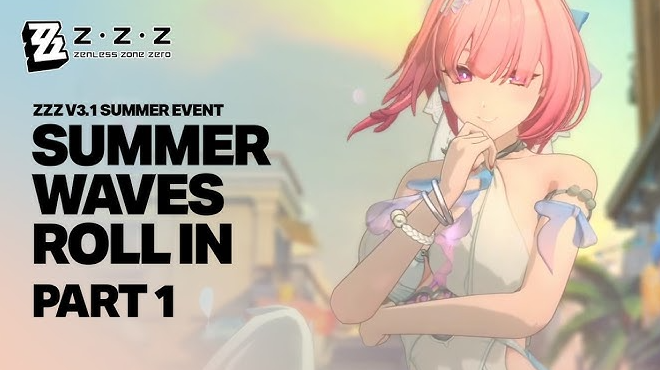
What Is Live in Version 3.1
Version 3.1 launched on July 29. Summer Waves Roll In is one of its headline limited activities, and Lucy's Princess on Holiday outfit is attached to limited-time event missions. The outfit is a free event reward, not a store purchase, but free does not mean automatic. Players still need to enter the event, complete the required progression, and use the relevant claim controls.
The version also contains other anniversary rewards and permanent content, but they should not be mixed into the event checklist. A login gift, a mailbox reward, a separate selector, and a Summer Waves mission can all appear during the same update while using different pages and deadlines. Treat every reward source independently.
The safest first step is to update the game through the official platform, log in to the intended account and server, then open the Version 3.1 event menu. Look specifically for Summer Waves Roll In instead of assuming the first anniversary banner is the correct destination.
Entry and Unlock Checks
Before beginning, inspect the event information panel. Record the displayed eligibility requirement, event period, chapter schedule, and reward preview. If the entry remains locked, read the lock message word for word. It may point to an account progression requirement, a prerequisite story segment, or a chapter that has not opened yet.
Do not complete unrelated content based on a reposted checklist from another player. Account progression and event release timing can make two screens look different. The live message on the account is more useful than an image without date, server, or context.
After entering the event, open every visible tab once. Look for the story or chapter page, mission list, reward track, tutorial, and outfit preview. This creates a mental map before resources are spent or stages are repeated.
Area to inspect | What to confirm | Why it matters |
|---|---|---|
Event information | Start, end, eligibility, and chapter timing | Prevents missed deadlines and premature troubleshooting |
Chapter screen | Released chapters and prerequisite sequence | Shows the actual progression route |
Mission page | One-time, chapter, and time-limited tasks | Identifies which actions lead to the outfit |
Reward page | Claimed versus unlocked items | Prevents leaving rewards behind |
Outfit preview | Princess on Holiday ownership status | Confirms the final reward reached the account |
Follow the Chapter Route, Not Random Tasks
A chapter-based event is easiest when completed in release order. Start with the earliest available chapter, finish its required story or gameplay steps, and return to the mission page before moving on. This reveals whether completion opened a new objective, added currency, or unlocked the next chapter.
Avoid repeatedly farming a stage unless the event page clearly connects repetition to a reward. Limited events often combine first-clear progress with optional repeatable activity. If the outfit is tied to chapter completion, spending an hour on a repeatable stage may not move the relevant mission at all.
Read objective verbs carefully. “Enter,” “complete,” “clear,” “claim,” and “finish a chapter” can refer to different actions. A stage result screen does not always complete a mission until the player returns to the event page and collects the milestone.
When a chapter is time-gated, stop at the current boundary and prepare for the next release. Do not assume the account is bugged simply because the following chapter remains unavailable. Use the schedule shown in the event menu and set a reminder for the next opening.
Build a Mission Audit
The event page should be treated like a short project board. Divide visible objectives into three groups:
Available now and incomplete.
Completed but not claimed.
Locked behind a later chapter or requirement.
Complete the first group, immediately clear the second, and record the third. This method is much more reliable than tapping through every red notification without understanding what changed.
If a mission requires several different activities, track each one separately. Do not assume that total playtime will satisfy a specific chapter objective. Return after every meaningful milestone and verify that the correct counter advanced.
Take one screenshot when the outfit mission becomes visible and another when it displays completion. These records are optional for normal play but helpful if the claim state fails to update. Keep sensitive account information out of public posts.
Securing Lucy's Princess on Holiday Outfit
Princess on Holiday is the central free cosmetic reward connected to Summer Waves Roll In. The important distinction is that players earn it through limited-time missions. It should not be confused with the paid Version 3.1 summer outfits offered through the store.
Open the outfit reward details and identify the exact completion condition shown on the account. If the requirement references an event chapter, finish that chapter and return to the mission interface. If it references multiple objectives, make sure every objective is marked complete before expecting the final claim button.
Once the reward becomes available, claim it immediately. Then open Lucy's outfit or agent customization page and confirm that Princess on Holiday is owned rather than merely previewable. A reward animation alone is not as strong as checking the collection state.
If Lucy is not yet developed for combat, the outfit can still be claimed and stored. Do not delay a limited cosmetic because the agent is not currently part of the active team. Event ownership and combat investment are separate decisions.
Released Content Versus Future Chapters
Because Version 3.1 began on July 29, not every scheduled event segment must be open at the same moment. The event menu may show future chapters with countdowns. Use future tense for those chapters and current tense only for sections already available.
A practical schedule has three columns: chapter name, client opening time, and required action. Update it only from the live page. Avoid copying an unverified time zone into a personal reminder. The countdown displayed on the account already reflects the most relevant context.
When a new chapter opens, review the entire mission list again. Later chapters can add objectives that were invisible during the first session. Completing early gameplay does not guarantee retroactive credit for an action that did not yet exist, unless the client explicitly says it does.
Players joining several days late should still begin from the earliest available chapter. A later opening often removes waiting between chapters, but it does not necessarily remove prerequisite progression.
Reward Claim Order
Claiming order should reflect expiration and value. Start with the limited outfit, then collect event currency or major account resources, followed by smaller consumables. If an item opens another reward page, inspect it before leaving the event.
Use this default order:
Princess on Holiday once the mission is complete.
Any chapter reward required for later event progression.
Limited event currency or exchange items.
Polychromes and major upgrade resources shown by the event.
Smaller consumables and ordinary materials.
This order does not change the total reward, but it reduces the chance of missing the unique item while focusing on repeatable materials. Never leave a permanent cosmetic behind because the account was busy optimizing minor currency.
After claiming a batch, reopen the event and check for a second layer of milestones. Some interfaces place chapter rewards, mission rewards, and overall progress on different tabs.
Resource and Team Preparation
Do not overbuild an agent solely for a limited event before reading the stage rules. If the event supplies trial agents or fixed teams, personal investment may not be required. If normal teams are used, start with a familiar squad rather than experimenting with an unbuilt anniversary acquisition.
Prepare a balanced roster with one reliable damage dealer, necessary support or stun coverage, and equipment already tested in regular play. Review the event tutorial for special mechanics that change normal rotations. A themed interaction can matter more than raw account strength.
Consumable resources should follow long-term plans. The free Lucy outfit does not require players to spend upgrade materials on Lucy unless a combat mission specifically needs her and no trial version is available. Cosmetic ownership is not a reason to abandon an existing build schedule.
If a mission requires Lucy, check whether the event temporarily provides access or whether the account already owns her. Use the exact event arrangement rather than assuming a purchase or pull is necessary.
Catch-Up Plans for Different Starting Dates
Starting on July 30
Players beginning one day after launch should clear all currently available chapters, claim each milestone, and record future chapter openings. There is no benefit in rushing past unread instructions, but completed content should not remain unclaimed overnight.
Starting Mid-Event
Begin with the information page and deadline, then clear prerequisite chapters in order. Separate tasks that can be completed simultaneously from tasks that require distinct stages. Use one focused session to unlock the outfit mission, then schedule any remaining time-gated step.
Starting Near the Deadline
Prioritize the outfit path and required chapter progression. Skip optional replay, collection perfection, or low-value repeatable farming until Princess on Holiday is secured. Do not rely on the final hour because story scenes, downloads, tutorials, and claim screens all consume time.
A late start is not a reason to use unofficial account services. Complete the event directly and protect account security.
Common Progress Mistakes
The most common mistake is completing gameplay without returning to the mission page. The second is confusing a reward preview with actual ownership. A third is waiting for the final chapter while leaving earlier completed rewards unclaimed.
Other avoidable errors include:
Opening the anniversary hub but not the Summer Waves page.
Ignoring a prerequisite message.
Farming a repeatable stage that does not advance the outfit mission.
Assuming future chapters are already available.
Leaving the outfit in an unlocked-but-unclaimed state.
Mistaking a paid summer outfit for the free Lucy reward.
Using another region's schedule without checking the account countdown.
Postponing the entire event because Lucy is not on the current team.
A short check after each chapter prevents almost all of these problems.
If Progress Does Not Update
First reread the exact mission and confirm the correct chapter, difficulty, completion state, and release timing. Return to the event hub, wait briefly, and reopen the page. Some progress indicators update after the result screen or after a short synchronization delay.
If the mission remains unchanged, preserve the event page, stage result, account server, and time of completion. Use official in-game support and describe the visible condition without guessing at a technical cause. Do not publish login credentials or verification codes.
A locked future chapter is not missing progress. A chapter whose countdown has ended but remains inaccessible should be compared with the official event schedule and account prerequisites before support is contacted.
Spending During the Event
Summer Waves Roll In offers a free outfit route, so complete it before making any cosmetic purchase. Paid Version 3.1 summer outfits should be evaluated separately based on agent usage, collection overlap, live store price, and personal budget.
Players who already plan a legitimate purchase can review supported services through Topuplist and the dedicated Zenless Zone Zero top-up page. Verify the account method, region, product, currency, and checkout total before payment. A top-up does not complete Summer Waves missions and is not required to earn Princess on Holiday.
Claiming the free outfit first creates a better reference point. The player can decide whether the seasonal collection already feels complete or whether a paid outfit fills a genuinely different preference.
Final Event Checklist
Before leaving Summer Waves Roll In, confirm all of the following:
The correct Version 3.1 event page is open.
The displayed deadline and chapter schedule are recorded.
Every currently released chapter is complete.
Completed mission rewards have been manually claimed.
Future chapters are marked with reminders.
Princess on Holiday displays as owned in Lucy's outfit page.
Event currency and major resources have been collected.
Optional farming is separated from required progression.
Any missing progress has screenshots and a clear account timeline.
Paid summer outfits remain a separate budget decision.
The best route is not the fastest number of taps. It is a verified progression path that secures the unique free cosmetic first and leaves no completed reward sitting on an overlooked tab.
FAQ
Is Summer Waves Roll In live now?
Yes. Zenless Zone Zero Version 3.1 launched on July 29, 2026, and the event is active. Check the live event page for the exact chapter schedule and account deadline.
Is Lucy's Princess on Holiday outfit free?
Yes. It is connected to limited-time Summer Waves missions. Players still need to complete the required event progression and claim the reward.
Do I need to buy anything to unlock the outfit?
No purchase is required for the free event outfit. Store cosmetics are separate from Princess on Holiday.
Why is the next event chapter locked?
It may have a future opening time or an unfinished prerequisite. Read the lock message and compare it with the schedule displayed in the event menu.
Should I build Lucy before claiming the outfit?
No. Claim the limited outfit while it is available. Combat investment can remain part of the account's normal resource plan.
Where can I top up for a separate Version 3.1 purchase?
Players with an existing purchase plan can check Topuplist and the Zenless Zone Zero recharge page. Confirm region, account method, product, and final price; a purchase does not replace event missions.
