PUBG MOBILE UC Budget: Royale Pass, Lucky Spins, or Direct-Price Items?
The safest PUBG MOBILE UC budget starts with the reward type, not the size of a UC package. A direct-price item has a known checkout total. A progression pass only reaches its full value if you play enough to unlock the rewards. A Lucky Spin or crate is a probability purchase, so the first draw price is not the price of the featured cosmetic.
That difference should decide both how much UC you add and how much you are willing to leave unspent. PUBG MOBILE changes its store, events and offers over time, so there is no universal package that is automatically “best.” The useful comparison is certainty, time commitment and stopping point.
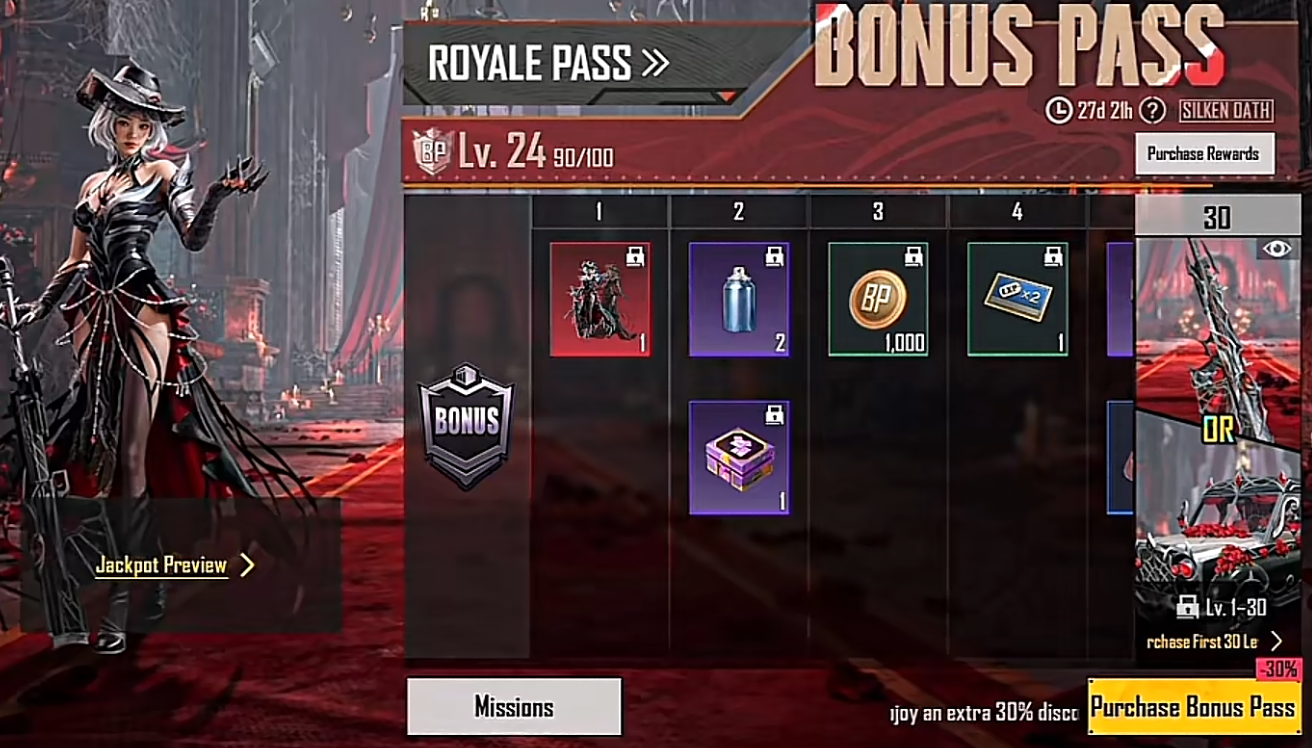
Three UC purchases can look similar but carry different risk
The official PUBG MOBILE website separates game information, events, code redemption and purchasing into different routes. The in-game store does the same at a more detailed level: each offer has its own price, duration and reward rules. Treat the live panel as the contract for that purchase instead of assuming every UC button works alike.
Spending route | What is known before spending | Main uncertainty | Best budget style |
|---|---|---|---|
Direct-price item | The item and displayed UC price | Availability, compatibility or expiry | Fund the exact shortfall |
Royale Pass or progression pass | The pass tier and visible reward track | How many rewards you will actually unlock | Buy only when playtime supports completion |
Lucky Spin or crate | The cost of the next attempt and the published pool | The reward from each random attempt | Set a hard loss limit before the first draw |
 PUBG MOBILE


Direct-price items give the cleanest UC calculation
A fixed-price store item is the easiest decision to budget because the item and its UC requirement are shown together. Open the item on the account that will receive it, confirm that it is still available, then subtract the usable UC already in the wallet. The result is the funding gap; it is not a reason to round up to the largest visible package.
Displayed item price − current usable UC balance = the amount your purchase needs to cover. Recheck the live checkout because package sizes, bonuses and local payment options can change.
This certainty does not remove every condition. A cosmetic may be tied to a particular version, event period or ownership requirement. Check the item preview and purchase confirmation before adding UC. If the desired item is no longer visible on the intended account, adding currency first does not bring it back.
When the target and shortfall are already known, use the currently displayed package and account fields on the PUBG MOBILE UC purchase page. The live product page should decide the available denomination and required delivery information; old screenshots should not.
A pass is a playtime decision disguised as a store purchase
A Royale Pass or another progression pass is not valued only by the rewards shown at the end of its track. Your real return depends on the level already reached, the time remaining and whether your normal play pattern can complete the tasks. A long reward list does not help an account that will unlock only its early portion.
Before purchasing, inspect the current pass screen and answer three questions: which rewards unlock immediately, which require later progress, and when the pass period ends. Do not copy a reward count or UC figure from an older season. A familiar pass name can return with a different track, price or schedule.

The pass becomes the first budget priority only for players who want its current rewards and expect to reach the relevant levels. A player joining near the end of a cycle may get more certainty from a direct-price item, even when the pass appears to contain more total items on paper.
Lucky Spins need a stopping rule before they need more UC
A random draw should be budgeted as entertainment, not as a disguised direct purchase. The first-attempt cost tells you only what one attempt costs. It does not tell you how much UC the featured reward will require, unless the live event rules explicitly state a guaranteed exchange, milestone or maximum.
Open the probability or rules panel before the first draw. Identify the complete reward pool, whether rewards can repeat, whether the attempt price changes and whether any progress resets when the event ends. If a guarantee is not written there, do not invent one from another event or a creator's result.
Choose the loss limit in UC, not the desired reward. Stop when that limit is reached, even if the next animation, milestone or discounted attempt appears close. Previously spent UC does not make the next draw more valuable unless the published rules say that accumulated progress changes the outcome.
Do not mix purchase, redemption and regional clients
The official site links to a purchase route and also provides a separate PUBG MOBILE Redemption Center. A redeem code belongs in the redemption route. A direct UC order follows the account information requested by the active purchase page. An order number is not a redeem code, and a code field is not a substitute for a UC checkout.
Client identity matters as much as the spending plan. PUBG MOBILE has separately operated regional versions, and similar names or artwork do not prove that wallets and purchase catalogs are shared. Confirm the exact client and account before payment. Never assume that UC bought for one edition can be moved to another.

Use this decision order before topping up
Your actual goal | What to verify first | Sensible UC approach |
|---|---|---|
One specific store item | Live item price, availability and existing balance | Cover the verified shortfall |
Current pass rewards | Current level, remaining time and unlock conditions | Reserve the pass cost only if completion is realistic |
Random featured cosmetic | Probability, changing attempt costs, repeats and written guarantees | Use a fixed entertainment limit and accept a non-featured result |
No specific target yet | Nothing—the purchase goal is still missing | Keep the money outside the game until a defined use appears |
UC is most useful when it completes a decision you already made inside the live client. Check the direct price first, then decide whether a pass fits your playtime, and place random draws last. That order will not make every reward cheaper, but it prevents three different types of spending from being treated as if they offer the same certainty.