


PUBG MOBILE Google Play Games League Registration Guide: Eligibility, Supported Regions, Dates, and How to Join
PUBG MOBILE is featured in a Google Play Games League opportunity available only to eligible users in supported regions. This guide explains how to verify access through the official Google Play Games League page, register safely, prepare an eligible account, and avoid treating a region-limited feature as a global tournament.
PUBG MOBILE players have begun seeing registration information for a Google Play Games League competition. The opportunity is not automatically available to every player worldwide. Google Play describes League as a limited-release feature for eligible users in supported regions, and the PUBG MOBILE competition page must appear through the official account experience before a player can rely on its dates, rules, or prizes.
This guide focuses on eligibility verification, safe registration, region checks, account preparation, team coordination, and prize documentation. It does not bypass regional restrictions or promise that every Google account can enter.
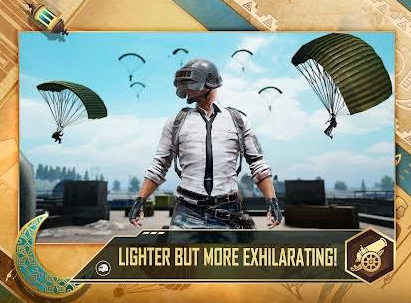
Confirm Eligibility Before Planning a Team
Open the official Google Play Games League page while signed into the Google account used for gaming. Check whether PUBG MOBILE appears as an available competition and whether a registration button, event page, or eligibility message is displayed.
Eligibility can depend on region, account age, feature rollout, device and platform requirements, and competition-specific rules. The live page is the final authority.
Check | Required action |
|---|---|
Region | Confirm the Google account is in a supported region |
Account | Use the eligible Google account shown by League |
Game | Confirm the page specifically lists PUBG MOBILE |
Registration | Follow the official League entry flow |
Dates | Copy from the live competition page |
Rules and prizes | Read the current official terms before entering |
A news article about the competition does not create eligibility on an unsupported account.
Limited Release Does Not Mean Global Access
Google Play Games League is described as a limited-release feature. Players in different countries can therefore see different pages or no League access at all.
Do not label the PUBG MOBILE event global unless the official terms explicitly support the player's region. A competition can use international branding while remaining limited to selected markets.
Do not change an account country, create false residency information, or use a VPN to force entry. Region changes can affect store balance, payment methods, subscriptions, and support. They may also violate competition terms.
If the page is unavailable, wait for an official expansion or use other legitimate PUBG MOBILE events.
Read the Competition Page Completely
Before registering, record:
Registration opening and closing date.
Competition dates and time zone.
Eligible countries or territories.
Minimum age.
Team size and substitute rules.
Account-level or rank requirements.
Platform requirements.
Check-in process.
Match format.
Prize eligibility and claim procedure.
Use the page's current dates rather than copying a social post. Registration and competition can use different time zones.
Save a PDF or screenshot of the terms for personal reference, but return to the live page before the first match in case the organizer publishes an amendment.
Verify the Correct PUBG MOBILE Product
PUBG MOBILE has regional publishing arrangements and separate versions in some markets. The competition page should identify the supported game application and account environment.
Confirm package, region, server, and login method. Do not assume progress from another regional client transfers. If the terms name a specific app-store listing, use that listing.
This guide concerns PUBG MOBILE, not another PUBG product or PC competition.
Register Through the Official Flow
Use only the registration button inside Google Play Games League or a directly linked official page. Do not submit player IDs, identity documents, or payment information to an unofficial form shared in chat.
During registration:
Enter the legal information required by the terms.
Use a reachable email address.
Confirm the in-game name and player ID.
Select the correct region.
Review team information.
Accept rules only after reading them.
Save the confirmation number or email.
If the entry remains pending, do not create duplicate registrations unless the organizer instructs it.
Team Formation and Substitutes
If the competition uses teams, choose players who satisfy the same regional and account requirements. A single ineligible member can affect the roster.
Discuss roles, availability, language, time zone, and communication before registration. Select a captain responsible for official messages and check-in.
If substitutes are allowed, verify roster lock and substitution deadlines. Do not assume a substitute can join after matches begin.
Create a contact sheet with player ID, in-game name, role, region, availability, and emergency contact method. Store it privately.
Protect Account Security
A tournament registration should not require sharing a PUBG MOBILE password, Google password, recovery code, or one-time verification code with teammates or organizers.
Enable account security, review connected login methods, and remove unknown devices. Avoid “registration agents” that promise guaranteed entry or prizes.
Phishing pages may copy Google Play or PUBG MOBILE branding. Check the domain and access the competition from the official League interface.
Prepare the Competitive Account
Confirm that the registered in-game name and ID remain accurate. Avoid changing the name near roster lock unless rules allow it.
Review current control layout, sensitivity, role, weapon preferences, and team communication. This is competitive preparation, not a technical device guide.
Use legitimate settings and software. Read rules about controllers, emulators, third-party tools, overlays, and account sharing. Do not assume something allowed in normal matchmaking is allowed in the competition.
Understand Match Format
The live rules should explain whether the League uses Battle Royale placement, eliminations, multiple rounds, custom rooms, qualifiers, or another format. Do not prepare from a different PUBG MOBILE tournament's scoring table.
Record points for placement, eliminations, penalties, tiebreakers, and disconnections. Identify whether all matches count or whether a result is dropped.
Build strategy around the actual scoring. A placement-heavy format rewards different risk decisions from an elimination-heavy format.
Schedule and Time-Zone Planning
Convert every official time to each teammate's local time. Include check-in, lobby opening, match start, and possible delay window.
Use a shared calendar and add reminders. Arrive early enough to read room information and resolve roster questions through official support.
Do not schedule another tournament or major commitment during the same block. Multi-round events can run longer than one match.
Practice With Defined Goals
Avoid playing endless scrims without a purpose. Assign each practice session one goal:
Drop consistency.
Early rotation.
Vehicle plan.
Information calls.
Zone-edge survival.
Final-circle utility.
Recovery after losing a teammate.
Review decisions, not only eliminations. A high-kill practice game can hide poor rotations that fail under tournament scoring.
Create a Match-Day Checklist
Before check-in:
Confirm the official schedule and roster.
Read amendments.
Verify in-game name and ID.
Prepare communication channels.
Close unrelated account sessions.
Join the correct lobby through official instructions.
Capture check-in confirmation.
Follow observer and streaming rules.
Save match result screenshots if permitted.
Report issues through the specified channel.
Do not share private room information publicly.
Prize and Tax Rules
A prize headline is not the same as guaranteed payment. Read eligibility, ranking, verification, tax, age, and country restrictions.
Confirm whether prizes are cash, Google Play balance, in-game items, hardware, or another reward. Check delivery timing and required documentation.
Never pay an unexpected “release fee” to claim a prize. Verify any message through the official League page and support contact.
Participants may be responsible for local taxes. The organizer's terms should describe documentation and disqualification conditions.
Check-In and No-Show Rules
Registration may not complete entry. Some competitions require check-in shortly before the event. Missing it can forfeit the place.
Record check-in time separately. Assign the captain and one backup member to monitor official notices. Confirm whether every player or only the captain must check in.
If a player becomes unavailable, use the official substitution process. Do not lend the account to another person.
Regional Payment and Top-Up Boundaries
Tournament eligibility should not require a purchase unless the terms clearly state otherwise. Do not buy UC merely to make an account look more competitive.
Players who independently decide to recharge for confirmed PUBG MOBILE needs can review options at Topuplist and use the dedicated PUBG MOBILE top-up page. Verify player ID, region, product, currency, and payment total before ordering.
A recharge cannot unlock Google Play Games League in an unsupported region.
What to Do If League Is Not Visible
First confirm the Google account, country, and official League page. Check whether the feature is limited to selected users or regions.
Do not follow technical bypass instructions. Instead:
Monitor official Google Play Games League announcements.
Check PUBG MOBILE regional esports channels.
Join legitimate in-game competitions available locally.
Keep account information current.
Wait for broader availability.
An unavailable page is not proof that registration has ended globally.
Avoid Scams and Fake Registration
Warning signs include guaranteed acceptance, requests for passwords, unofficial payment, shortened links without context, and prize claims before competition.
Search for the competition inside the official League interface. Compare logos, dates, and rules. If an invitation arrives by email, verify it against the registered account and official contact details.
Do not install unknown APK files or “tournament clients.” Use the supported PUBG MOBILE application named in the terms.
After Registration
Save confirmation, terms, team roster, schedule, and support contact in one folder. Monitor the registered email and League page.
Run one rules-focused team meeting. Assign who checks amendments, who records results, and who contacts support.
If the organizer changes dates, update the shared calendar and reconfirm every member.
Common Mistakes
Calling the Event Global
League is a limited-release feature and can be restricted by region and account.
Using an Unofficial Form
Register through the official Google Play Games League flow.
Ignoring Check-In
A confirmed registration can still require a separate match-day check-in.
Copying Another Tournament's Scoring
Use the competition's current rules.
Paying to Unlock Eligibility
Purchasing UC does not bypass regional or account restrictions.
Build a Registration Evidence Pack
Tournament registration should leave a clear paper trail. Before submitting, capture the official competition page showing the event name, eligible region, registration deadline, roster size, and rules version. After submitting, save the confirmation screen and any registration identifier. Keep the files with readable dates instead of relying on browser history.
Each player should confirm their own in-game name, numeric identifier, registered Google Play Games profile, age eligibility, and country before the captain finalizes the roster. A single mistyped identifier can be difficult to correct after registration closes. The captain should compare the submitted roster against an independent team list, while another member performs a second check.
If eligibility or registration status becomes disputed, prepare a concise support request. Include the competition name, region, team name, registration identifier, account identifier, exact error message, time of the attempt, and screenshots from the official interface. Describe the problem without sharing passwords, recovery codes, or one-time verification codes. One complete request is more useful than several conflicting tickets.
Keep proof of check-in and match reporting as well. If the rules require screenshots, lobby codes, result confirmation, or opponent approval, name every file by round and match. Record only information permitted by the tournament rules, and do not publish another player's private account data.
A rules amendment can invalidate an old screenshot. Check the page again before roster lock, before check-in, and on match day. Save the newest version number or amendment date. If the organizer sends an instruction that conflicts with the published rules, ask for clarification through the stated official support channel and preserve the reply.
Final Recommendation
Verify eligibility before building a team. Use the official League page, confirm the exact PUBG MOBILE client, record regional dates, protect account credentials, and prepare according to the real scoring format.
Players who cannot see the competition should not force access. Wait for official regional availability or enter legitimate local events. A safe, documented registration is more important than reacting quickly to a prize headline.
FAQ
Is PUBG MOBILE Google Play Games League available worldwide?
No universal global availability should be assumed. Google describes League as limited release for eligible users in supported regions.
How do I register?
Sign into the eligible Google account, open the official Google Play Games League page, select the PUBG MOBILE competition, and follow the live entry flow.
Do I need to purchase UC?
Eligibility should be determined by the official rules. A top-up does not unlock an unsupported account or region.
Can I use a VPN to join?
Do not bypass region restrictions. It can conflict with account and competition rules.
What if I registered but cannot play?
Check roster, check-in, schedule, region, and account requirements, then contact the official support channel listed in the rules.
Where can I recharge PUBG MOBILE?
For a separate confirmed game need, visit Topuplist and use the PUBG MOBILE top-up page. Verify player ID, region, product, and payment total.
