


Once Human Custom Dungeon Benefit Event Guide: Player Tasks, Server Host Rewards, and August Deadlines
Once Human Version 3.0.2 launches custom dungeon settings and a limited Custom Server Benefit Event. From July 23 to August 20, players can earn an Epic S13 Stardust Secret Crate and a Battle Pass Exp Card by entering custom dungeons on three different Custom Servers and completing one dungeon from start to finish. Server Hosts also have a separate Call to Arms incentive from July 23 to August 5.
Once Human Version 3.0.2 gives Custom Servers a major discovery and creation update. Server Hosts can build differentiated versions of existing scenario dungeons by editing the dungeon name, enemy difficulty, additional skills, item drops, and access method. Players receive a limited event that rewards them for exploring these custom experiences across more than one server.
The player side runs from July 23 to August 20, 2026, in server time. It has two clear tasks: enter Custom Dungeons in three different Custom Servers, and complete any one Custom Dungeon from start to finish. After both tasks are recorded, the rewards can be claimed through Custom Server > Event Center: Stardust Secret Crate: S13 (Epic) x1 and Battle Pass Exp Card x1.
Server Hosts have a separate incentive called Custom Server Call to Arms from July 23 to August 5. That program distributes Worldcoin according to the total login days of eligible new and returning Metas during the 14 days after their introduction. Exact host terms belong to the in-event notice and should not be replaced by simplified community summaries.
This guide separates the two events, maps the fastest safe player route, explains how to find legitimate custom dungeons, and gives hosts a practical preparation framework without inventing reward tiers that the public update notice does not list.
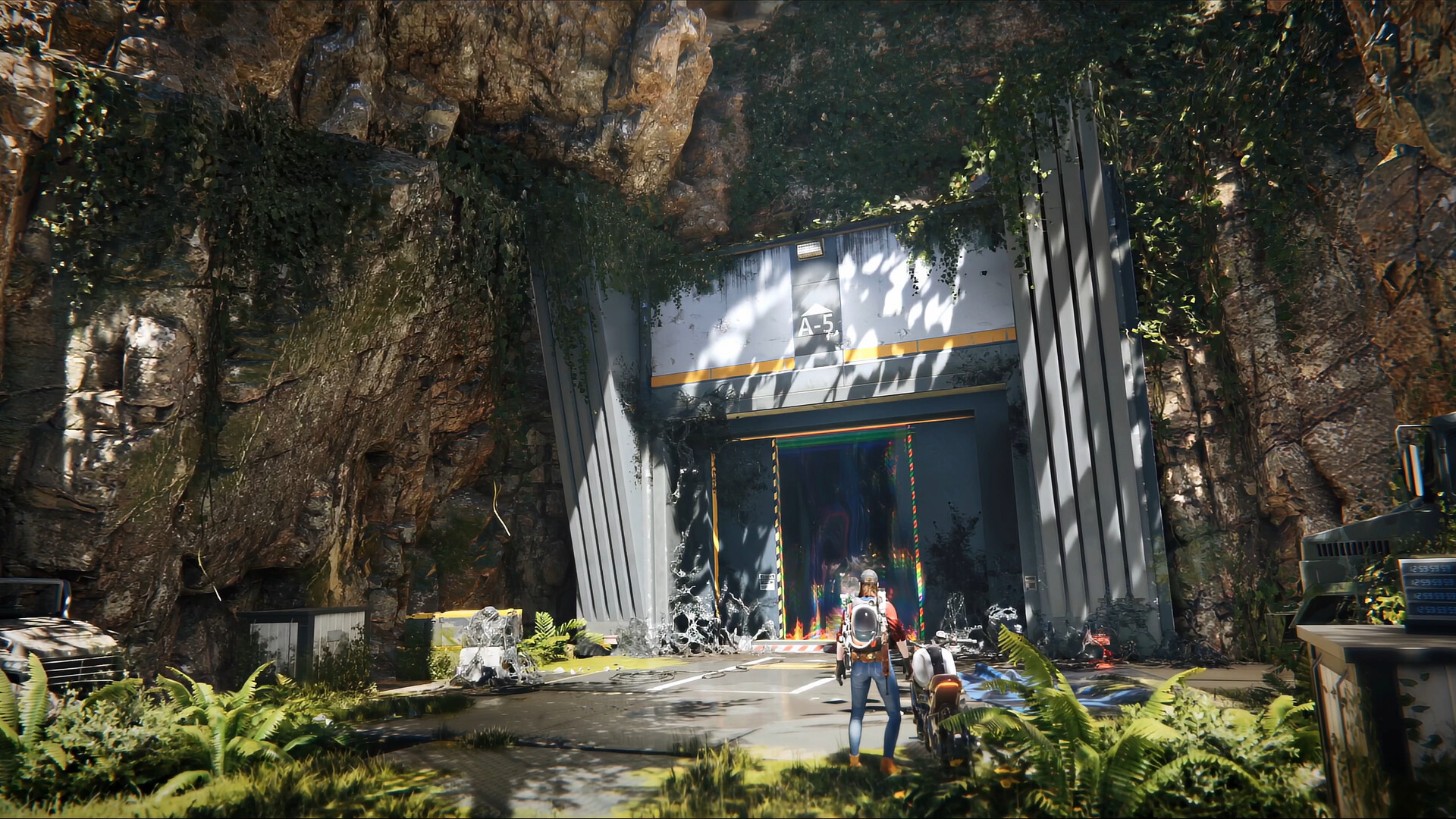
Event Schedule and Confirmed Rewards
Participant | Event period | Requirement | Confirmed reward or incentive |
|---|---|---|---|
Regular player | July 23-August 20, server time | Enter Custom Dungeons in three different Custom Servers and complete one Custom Dungeon from start to finish | Stardust Secret Crate: S13 (Epic) x1 and Battle Pass Exp Card x1 |
Server Host | July 23-August 5, server time | Join Custom Server Call to Arms and introduce eligible new or returning Metas | Worldcoin based on qualifying login days; exact rules in the event notice |
The player event does not require completing three entire dungeons. It requires entering custom dungeons in three different Custom Servers, plus one full completion. Those objectives can overlap: one of the three servers can also provide the dungeon that is completed from beginning to end.
What Changed for Custom Dungeons
The gameplay mode plugin now supports custom dungeons. Hosts can edit several elements of existing scenario dungeons:
Display name.
Enemy difficulty.
Additional enemy or gameplay skills.
Item drops.
Access method.
These settings can be combined with custom weapons and equipment to produce different challenge and reward experiences. The update also adds custom gear options such as the Ghost Link series, Wind Interpreter Cap, Ankh Mask, QBJ97 variants, and SN700 - Finale within the Custom Server ecosystem.
The feature does not mean hosts can build an unlimited game from nothing. The public update describes editing existing dungeons in scenarios. Players should therefore expect recognizable foundations with modified rules, enemies, skills, access, and drops.
How to Find Eligible Custom Dungeons
The redesigned Custom Server homepage is divided into three main areas.
Homepage Recommendations
This area highlights recommended quality servers and newly created quality servers. A new recommendation system is intended to give good servers more exposure.
Modes
This section supports searching and browsing all Custom Servers. For the benefit event, use the “Custom Dungeon” tag rather than entering any server with a custom rule set.
My Servers
This area manages characters across Custom Servers and helps players switch between their existing custom-server profiles.
To find an eligible dungeon:
Open Custom Server from the main interface.
Enter the homepage or browsing page.
Search for the “Custom Dungeon” tag.
Read the server cover, tags, description, access conditions, and current population.
Join the server and locate its custom dungeon entry.
Confirm that event progress updates after entering.
Do not rely on a server name containing “dungeon.” The event announcement specifically directs players to search the Custom Dungeon tag.
The Fastest Player Completion Route
A careful player can finish the two objectives without turning the event into a long multi-server commitment.
Server 1: Choose the full-clear candidate
Begin with a server that has a clear description, reasonable difficulty, and accessible entry conditions. Enter the custom dungeon and complete it from start to finish.
Do not leave after defeating one enemy group or reaching a checkpoint. The event requires one complete dungeon. Wait for the result, completion, or exit state that indicates the run has officially ended.
Server 2: Confirm a second unique server entry
Return to the Custom Server homepage and choose a different server ID with the Custom Dungeon tag. Enter its dungeon. If the event only requires entry for this objective, a full clear may be unnecessary, but check the progress page before leaving.
Server 3: Confirm the third unique server entry
Repeat with a third distinct Custom Server. A different dungeon inside the same server may not count as a different server. The safest interpretation is three separate server entries.
Final verification
Open Custom Server > Event Center. Confirm both tasks show complete, then claim the Stardust Secret Crate and Battle Pass Exp Card manually.
This route minimizes wasted time while respecting the exact objective wording.
How to Select the Full-Clear Dungeon
The first dungeon should be chosen for reliability, not maximum advertised rewards.
Review:
Enemy difficulty.
Additional skill modifiers.
Access requirements.
Recommended team size.
Expected completion time.
Host-provided rules.
Whether the server has active players or support.
Whether the dungeon appears recently maintained.
A server promising extreme drops may also use extreme enemy difficulty or unusual access conditions. The event reward only requires one complete clear; it does not require choosing the hardest available dungeon.
For solo players, select a dungeon with manageable difficulty and clear navigation. For groups, agree on a server before switching so every member enters the same instance and understands the host's rules.
What “Start to Finish” Should Mean
The safest interpretation is a complete run that begins through the dungeon's intended entry, progresses through required objectives, and reaches the official completion state.
Avoid relying on:
Joining another player's run near the final boss.
Entering after the dungeon is already complete.
Leaving through a menu before the completion screen.
Clearing an optional room while skipping the main objective.
Entering a custom area that is not recognized as a Custom Dungeon.
If the task does not update, return to the same server and complete a fresh run from its standard entry. Take a screenshot of the completion state before leaving.
Event Progress Tracking
The Event Center should be treated as the authoritative progress page.
Check it at four points:
Before starting, to confirm the event is active.
After entering Server 1, to see whether the first unique-server count appears.
After the full clear, to confirm the completion objective.
After Servers 2 and 3, to verify the unique-server total and claim rewards.
Progress may update after returning to the server lobby or Custom Server homepage. If it does not appear immediately, wait briefly, refresh the page, and restart the client before repeating the entire task.
Record server names and IDs. Similar names can cause players to re-enter the same server while believing it is different.
Player Reward Value
The confirmed reward package contains one Stardust Secret Crate: S13 at Epic rarity and one Battle Pass Exp Card.
The crate belongs to the Season 13 reward ecosystem. Players should inspect its current in-game contents and opening rules rather than assume one guaranteed blueprint or cosmetic not stated in the event notice.
The Battle Pass Exp Card supports Battle Pass progression. Its exact value should be read from the item description. Use it according to the current pass and account plan rather than allowing an event item to expire unnoticed.
The event is worthwhile because the requirements are exploration-based rather than a high-difficulty ranking challenge. Three server entries and one reliable clear can be completed without purchasing a Custom Server or becoming a host.
Server Host Call to Arms Explained
The host-side event is separate from the player reward track. It runs from July 23 to August 5 in server time.
Hosts enter through Custom Server > Community Creation Program > Event. Worldcoin is distributed based on the total login days of eligible new and returning Metas within 14 days after their introduction during the event period.
Several important details must be verified in the in-event announcement:
How an introduction is attributed to a specific host.
Which accounts qualify as new or returning.
When the 14-day tracking period begins.
Whether a player can be attributed to more than one host.
Reward calculation and distribution timing.
Anti-abuse and disqualification rules.
Any regional or account eligibility restrictions.
Do not publish a fixed Worldcoin rate unless it appears in the current event interface. The public update confirms the metric and incentive type, not every reward tier.
Host Preparation Checklist
A host should make the server easy to understand before recruiting players.
Improve the cover and tags
Version 3.0.2 allows Custom Server cover uploads and gameplay tags. Use an accurate cover and select the Custom Dungeon tag so event participants can find the server.
Write a truthful dungeon description
State difficulty, expected time, access requirements, team recommendation, custom skills, and major drop rules. Avoid promising rewards that the current configuration does not provide.
Test the full completion path
Run the dungeon from entry to completion. Confirm that doors, objectives, bosses, rewards, and exits work. Event visitors will leave quickly if the run cannot complete.
Prepare for new and returning players
Explain server rules, character expectations, and any temporary equipment support. The Call to Arms metric depends on continued login days, so a clear onboarding experience matters more than one aggressive invitation.
Review the host dashboard
The Community Creation Program page now provides server data, revenue sharing, withdrawals, host events, level benefits, official contact information, and a link to the Custom Server website. Use the dashboard to verify event participation and monitor legitimate activity.
Designing a Good Custom Dungeon
The best event dungeon is not necessarily the hardest.
A good custom dungeon communicates its rules before the player commits. Difficulty should match the advertised audience. Additional skills should create understandable decisions rather than unavoidable damage. Item drops should be meaningful but consistent with the host's published configuration. Access should not depend on hidden requirements.
Use a five-part design review:
Entry: can players find and begin the dungeon?
Teaching: does the first section demonstrate the custom rule?
Escalation: do later encounters develop that rule instead of adding unrelated chaos?
Completion: is the final objective clear and functional?
Reward: does the result match the advertised challenge?
Hosts can use the benefit event as discovery, but retaining players requires a dungeon worth repeating after the reward is claimed.
Player Safety in Custom Servers
Custom Servers are part of Once Human, but player-created rules can vary widely. Read server information before investing time or moving valuable resources.
Do not share account passwords, platform verification codes, or payment information with a host. Official event progress occurs through the game client. A host does not need account control to invite a player.
Be cautious of external downloads or “required plugins.” The official custom settings are configured server-side through supported tools. Do not install unknown executables to enter a dungeon.
If a server description is misleading, abusive, or appears to exploit the event, leave and use official reporting tools.
Troubleshooting Event Tasks
The server entry did not count
Confirm the server uses the Custom Dungeon tag and that you entered the dungeon, not only the server lobby. Return to the Event Center after leaving the instance.
Three entries show only two
Check whether two visits used the same Custom Server. Different dungeons on one server may still count as one unique server.
The full clear did not count
Complete a new run from the intended entry to the official result state. Do not join only for the final encounter.
The reward cannot be claimed
Confirm both tasks are complete, refresh the Event Center, restart the client, and verify the event is still within July 23-August 20 server time.
A dungeon is too difficult
Choose another Custom Server. The player reward does not require a specific host or maximum difficulty.
Host participation is missing
Enter through Community Creation Program > Event during July 23-August 5 and read the current Call to Arms eligibility notice.
Spending and Custom Server Costs
Regular players do not need to rent or purchase a Custom Server to complete the benefit event. They can enter eligible public Custom Servers through the homepage.
Players making normal supported purchases can review options through Topuplist. Use the dedicated Once Human top-up page, confirm the account, platform, region, product description, and final price, and do not purchase Crystgin because an unofficial guide claims it is required for the three-server player reward.
Custom Server rental, Shop cosmetics, Lightforge crates, and the player benefit event are separate systems. Read each product or event page independently.
Deadline Plan
For players, finish the tasks before the final week of the July 23-August 20 window. This leaves time to solve progress problems or choose a different server.
For hosts, the recruitment period ends earlier on August 5. Enter the event promptly, review attribution rules, and build onboarding around legitimate long-term participation rather than last-minute volume.
Use server time shown in the client. Do not assume the event ends at local midnight.
Frequently Asked Questions
When does the Once Human Custom Dungeon Benefit Event run?
The player event runs from July 23 to August 20, 2026, in server time.
What tasks do players need to complete?
Enter Custom Dungeons in three different Custom Servers and complete any one Custom Dungeon from start to finish.
What are the player rewards?
The confirmed rewards are Stardust Secret Crate: S13 (Epic) x1 and Battle Pass Exp Card x1.
Do I need to complete three full dungeons?
No. The event requires three different Custom Server dungeon entries and one complete dungeon clear.
Where do I claim the rewards?
Open Custom Server > Event Center and claim them after both objectives show complete.
What is Custom Server Call to Arms?
It is a separate Server Host incentive running from July 23 to August 5. Hosts can earn Worldcoin based on qualifying login days from eligible introduced new and returning players.
Do players need to buy a Custom Server?
No. Regular players can search the Custom Server homepage for the Custom Dungeon tag and enter eligible servers.
What can hosts customize in a dungeon?
The update supports editing the name, enemy difficulty, additional skills, item drops, and access methods of existing scenario dungeons.
Final Event Route
For the fastest reliable completion, select one well-described server as the full-clear target, finish its dungeon from start to official completion, then enter custom dungeons on two additional distinct servers. Check Event Center after each stage and claim the crate and Battle Pass Exp Card before August 20.
Hosts should treat July 23-August 5 as a separate recruitment and retention event. Publish accurate rules, test the dungeon, use the correct tag, and read the in-client Worldcoin calculation before promoting a reward amount.
The event succeeds when players discover useful custom experiences, not when they enter confusing servers only long enough to trigger a counter. A clear route protects the reward; a good dungeon gives players a reason to return.
