


Marvel Rivals Pinned Butterfly Customization Change Explained: What Psylocke Skin Owners Need to Check After the July 23 Patch
The July 23, 2026 Marvel Rivals patch adjusts Psylocke's Pinned Butterfly costume customization so the chin ornament is removed when the first customized component is equipped. This owner-focused guide explains the narrow scope of the change, provides a repeatable preset audit, identifies what evidence to preserve if the result looks wrong, and separates a visual adjustment from unsupported assumptions about refunds, compensation, ownership, or gameplay effects.
The July 23, 2026 Marvel Rivals patch includes a targeted visual adjustment for Psylocke's Pinned Butterfly costume. When the first customized component is equipped, the chin ornament is now removed. This is a narrow change, but it matters to owners who built a preferred appearance around that component, saved a customization preset, captured promotional screenshots, or were considering the costume because of a specific facial detail.
The important task is not to turn one patch-note line into a larger claim. The update does not automatically mean that the entire Pinned Butterfly costume was redesigned. It does not establish a gameplay change, remove Psylocke from an account, or prove that every customizable component was altered. It also does not, by itself, announce a refund, compensation, or replacement policy.
For existing owners, the useful response is a controlled visual audit. Update the client, inspect the default costume, apply the first customized component, compare the chin area, review saved combinations, and record evidence only if the live result differs from the announced behavior. This guide provides that process without relying on memory or speculation.
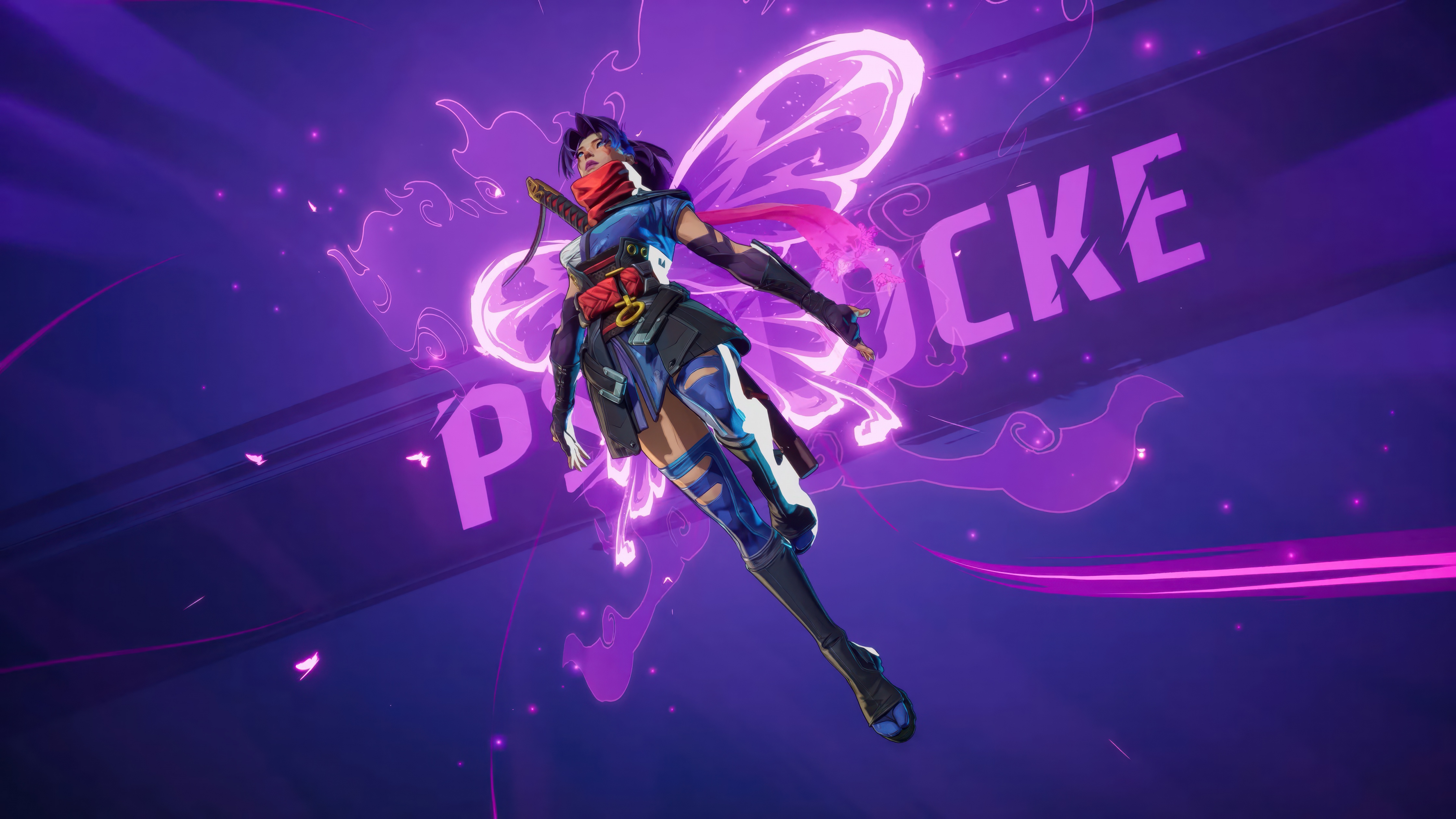
The Exact Scope of the July 23 Change
The patch targets one relationship between a costume and a customizable component:
Hero: Psylocke.
Costume: Pinned Butterfly.
Affected state: the first customized component is equipped.
Intended visual result: the chin ornament is removed.
Patch date: July 23, 2026.
That wording should guide every check. The comparison is not simply “before patch” versus “after patch.” It is the base Pinned Butterfly appearance versus the appearance with the first customized component equipped after the patch.
A player can reach the wrong conclusion by looking only at the default costume, selecting a different component, or comparing screenshots taken under different lighting. The test must reproduce the affected state.
What Changed and What Did Not
Area | Confirmed impact | What should not be assumed |
|---|---|---|
First customized component | The chin ornament is removed while this component is equipped | Every component has the same behavior |
Base Pinned Butterfly costume | Use it as the comparison state | The entire base costume was removed or replaced |
Gameplay | No gameplay effect is identified by this visual note | Hitbox, abilities, damage, movement, or balance changed |
Ownership | Existing owners should retain the owned costume under normal account behavior | The patch grants or revokes ownership |
Refunds and compensation | No promise follows from the visual change itself | Automatic Units, Lattice, Chrono Tokens, or cash refunds |
Saved presets | They should be checked after updating | Every saved preview will refresh without reopening the menu |
This distinction protects players from two opposite mistakes. One is ignoring a change that affects a favorite appearance. The other is treating a small visual adjustment as evidence of a much larger product or balance change.
Why the Chin Ornament Detail Matters
Cosmetic value is subjective, and small details can be central to that value. A face accessory changes the silhouette seen in hero previews, victory screens, highlights, photo mode captures, and close camera angles. Removing it from one customized configuration may make that component look cleaner or more coherent to some players. Others may have preferred the ornament and should verify whether another configuration preserves the look they wanted.
Customization also encourages ownership decisions based on combinations rather than a single default model. A player may care about how a head component interacts with hair, face details, color treatment, weapons, or an MVP animation. Because of that, the correct unit of evaluation is the full equipped combination.
The July 23 change can therefore affect preference without changing functionality. That is enough reason to audit the costume, but not enough reason to claim that the costume is objectively better or worse for every owner.
Before You Open the Customization Menu
Complete these steps first:
Install the July 23 client patch and allow all game resources to finish downloading.
Close and restart Marvel Rivals if it remained open during maintenance.
Confirm that you are logged into the platform account that owns Pinned Butterfly.
Record the client version shown on the title or settings screen.
Disable temporary display filters that could distort color or contrast.
Use a stable display mode and avoid changing graphics settings during the comparison.
If the costume appears missing, do not begin by judging the customization change. First verify the correct account, platform, server environment, inventory synchronization, and purchase history. An ownership-loading issue is separate from the chin ornament adjustment.
The Five-Minute Owner Audit
Step 1: Load the Base Pinned Butterfly Appearance
Open Psylocke's cosmetic interface and equip Pinned Butterfly without the first customized component. Rotate the model and inspect the face from the front and both side angles. This establishes the current base reference.
Do not use an old image as the only reference. Older screenshots may have different lighting, camera distance, graphics quality, or pre-patch rendering. A live base reference gives you a controlled comparison inside the same client session.
Step 2: Equip the First Customized Component
Apply the first component identified by the customization interface. Wait for the model preview to finish loading before inspecting the chin area. The intended post-patch behavior is that the chin ornament is removed in this state.
If the component selector uses thumbnails rather than numbered labels, rely on its displayed order in the current client. Avoid inventing a component name that is not shown.
Step 3: Rotate, Zoom, and Change Preview Context
Inspect the face from several angles. A shadow, hair strand, weapon effect, or preview animation can make an ornament look present or absent depending on the frame. If the interface offers another neutral preview or hero gallery view, check there as well.
The goal is to verify the model, not to produce the most dramatic screenshot. Use consistent camera distance and lighting whenever possible.
Step 4: Compare Other Customizable Components
Apply each other available component one at a time and observe whether the chin ornament behaves differently. The patch note singles out the first component, so other components should be documented separately rather than grouped into one conclusion.
Do not assume that a different result is a bug until you have confirmed which component is active. Component order and selected-state highlights can be easy to misread when rapidly switching options.
Step 5: Save and Reload the Preferred Combination
After choosing a final combination, save or apply it, leave the menu, and reopen the costume screen. Then enter a low-pressure practice environment or hero preview to confirm that the selected appearance persists outside the customization panel.
A preview can update correctly while an old saved loadout remains cached, or the reverse. Testing both locations catches this difference.
How to Check Existing Saved Presets
Players who customized Pinned Butterfly before July 23 should treat every saved combination as potentially needing a visual refresh. The item may still be selected, but its rendered result can reflect the new rule.
Use this audit order:
Open the saved preset without editing it and inspect the chin area.
Note which customized component is currently active.
Reapply the same component to force a preview refresh.
Save the preset again only after confirming the desired result.
Exit to another screen and return.
Enter a practice or gallery environment where the costume can be viewed in motion.
Do not delete an old preset immediately if it looks wrong. First capture the active component and result. Then try reapplying the selection. Deleting before documenting can remove useful information if support needs to compare the saved state.
A Reliable Screenshot Comparison Method
Visual reports are strongest when the images differ in only one controlled variable. Use the following setup:
Capture | Costume state | Keep consistent |
|---|---|---|
A | Pinned Butterfly base appearance | Hero pose, camera angle, zoom, lighting, graphics preset |
B | First customized component equipped | Same pose, angle, zoom, lighting, and graphics preset |
C | Saved preset after reopening the menu | Same account and current client version |
D | In-practice or gallery result | Record environment and whether the preset was freshly applied |
Include the customization selector in at least one image so the active component is visible. If possible, include the client version in a separate screenshot. Crop only after preserving the original files because full-screen context can help distinguish a rendering issue from the wrong selection.
Avoid using compressed social-media images as the only evidence. Compression can erase a small chin detail, while filters and sharpening can create false edges.
Common Reasons the Result Looks Incorrect
The Client Was Not Fully Updated
A partial client update can leave old interface or cosmetic assets in memory. Restart the game and complete resource downloads before retesting.
The Preview Is Showing a Cached Preset
Switch to another costume, return to Pinned Butterfly, and reapply the first customized component. This can force the preview to reload the active combination.
The Wrong Component Is Selected
Confirm the highlighted component rather than relying on its visual similarity to an older screenshot. The patch specifically addresses the first customized component.
Lighting Hides the Difference
Rotate the model and use a neutral angle. Dark shadows around the jaw can resemble an ornament, while bright highlights can erase thin details.
A Different Costume or Recolor Is Active
Verify the full costume name before reporting a problem. Psylocke can have multiple cosmetic configurations, and a similar palette does not make them the same item.
The Saved Selection Did Not Persist
Apply the component, leave the menu, and return. If the choice resets consistently, record that behavior separately from the chin ornament itself.
The Patch Has Not Reached the Tested Environment
Maintenance timing, platform certification, or regional deployment can affect when the live change appears. Confirm service status and client version before concluding that the adjustment failed.
What to Record Before Contacting Support
A useful support report is concise and reproducible. Include:
Platform and region.
Account identifier in the format requested by official support.
Client version and patch date.
Hero and exact costume name.
Exact customized component selected.
Expected result: chin ornament removed with the first component.
Actual result observed.
Whether the issue appears in preview, saved preset, gameplay, or all three.
Steps already tried, including restart, resource completion, and reapplication.
Unedited screenshots or a short video.
Never post sensitive login credentials, payment details, full transaction information, or private account recovery data in a public report. Use official support channels for account-specific evidence.
Refund and Compensation Expectations
The existence of a cosmetic adjustment does not automatically create a refund or compensation entitlement. Policies can depend on platform, region, purchase method, timing, product description, and an official announcement. The July 23 visual note alone should not be represented as a promise of Units, Lattice, Chrono Tokens, cash, or another costume.
If Marvel Rivals publishes a dedicated policy, read its exact eligibility window and claim method. Until then, owners should document their configuration and contact official support if they believe the live product is malfunctioning or materially different from the announced behavior.
Avoid chargebacks as a first troubleshooting step. A payment dispute can have account consequences and does not diagnose whether the issue is a cached asset, wrong component, or actual cosmetic fault.
Purchase Checks for Players Who Do Not Own Pinned Butterfly
A prospective buyer should inspect the live model after the patch rather than relying on an older video. Confirm the following:
The item is actually available in the current store or relevant catalogue.
The first customized component shows the post-patch chin design.
Other components create combinations you would realistically use.
The costume, component access, and any bundle contents are clearly understood.
The displayed price and currency match the account region.
No time-limited label is being misread.
Do not buy only because a customization changed. Judge the full costume, the combinations, how often you play Psylocke, and whether the cosmetic fits the available budget.
When preparing an account purchase, Topuplist offers game top-up access, and the Marvel Rivals top-up page is the direct route for this title. Verify the supported platform or region, account information, selected product, and payment amount before checkout. Always use the live in-game catalogue as the final reference for costume availability and price.
A Practical Decision Framework for Owners
After the audit, owners generally fall into one of four situations.
The New Look Is Preferred
Save the first-component combination again, verify it in motion, and update any personal reference screenshots. No further action is needed.
The Base Look Is Preferred
Return to the base Pinned Butterfly appearance or select a different component. Confirm that the saved preset persists after relaunching.
The Old Combination Was Preferred
Check whether another available component preserves a similar facial balance. Document the old and new appearance if you have reliable pre-patch captures, but do not assume a rollback or compensation will occur.
The Live Result Does Not Match the Patch Description
Complete the troubleshooting steps, capture controlled evidence, and submit a concise report through official support. Keep the cosmetic equipped only if doing so helps reproduce the issue.
This framework turns a subjective visual reaction into a clear account action. It also avoids spending hours comparing unrelated screenshots.
FAQ
What changed for Psylocke's Pinned Butterfly costume on July 23?
When the first customized component is equipped, the chin ornament is now removed. The change is tied to that customization state.
Is this a Hela Queen in Black change?
No. The July 23 patch-note item concerns Psylocke's Pinned Butterfly costume, not Hela's Queen in Black costume.
Did the patch remove the entire Pinned Butterfly costume?
No. The announced change addresses the chin ornament when the first customized component is equipped, not removal of the costume.
Does the customization change affect Psylocke's abilities or hitbox?
The patch-note item describes a visual customization adjustment. It does not identify an ability, damage, movement, hitbox, or balance change.
Will existing owners receive a refund or compensation?
Do not assume so. A visual patch note is not an automatic refund announcement. Follow any separate official policy and contact support for account-specific concerns.
Why can I still see the chin ornament?
Confirm that the client is updated, the first customized component is selected, the preview has reloaded, and the correct costume is active. Then compare the result under neutral lighting.
Should I delete my old saved preset?
Not immediately. Capture the selected component and current result first, reapply the component, and save only after confirming the preferred appearance.
What screenshots should I take for support?
Capture the base costume, the first component selected, the saved preset after reopening, the result in another viewing environment, and the client version. Keep camera and graphics conditions consistent.
Should a new buyer trust pre-patch videos?
Use them only as historical references. The current live model and customization preview provide the relevant post-patch appearance.
Where can I prepare a Marvel Rivals top-up?
Visit Topuplist and use the Marvel Rivals top-up page. Confirm platform or region support, account information, and the selected amount before payment.
Final Owner Checklist
Install the July 23 patch, load Pinned Butterfly in the current client, inspect the base appearance, equip the first customized component, and verify that the chin ornament is removed. Reopen every saved combination that matters, compare other components separately, and test the final preset outside the customization menu.
If something is wrong, preserve controlled screenshots and record the exact component, client version, platform, region, and reproduction steps. Do not turn a visual inconsistency into unsupported claims about gameplay, ownership, refunds, or compensation. The most useful response is a precise audit that shows exactly what the current costume does.
