


Marvel Rivals Captain America Twitch Drops End August 7
Marvel Rivals Season 9 Twitch Drops end on August 7, 2026 at 09:00 UTC. Watching eligible Marvel Rivals streams unlocks Captain America - Will of Galacta rewards in four cumulative tiers: a Spray at 30 minutes, Nameplate at one hour, Emote at two hours, and Costume at four hours. This guide explains account linking, watch-progress verification, Twitch claims, in-game delivery, deadline conversion, and the difference between these regular Season 9 Drops and separate Ignite tournament rewards.
Marvel Rivals players have only until August 7 at 09:00 UTC to complete the Season 9 Captain America Twitch Drops. Anyone planning separate Lattice purchases can compare options through Topuplist and the dedicated Marvel Rivals top-up page, but the Will of Galacta Costume itself requires no Lattice: link the correct Twitch and game accounts, watch an eligible stream for four cumulative hours, claim each Twitch reward, and verify delivery in Marvel Rivals.
The campaign contains four Captain America rewards. Progress begins with the Will of Galacta Spray at 30 minutes, reaches the Nameplate at one hour, unlocks the Emote at two hours, and finishes with the Will of Galacta Costume at four hours.
Four hours is manageable before the deadline, but only when watch progress is actually recording. Leaving an ineligible channel open or forgetting to claim a completed tier can turn apparent viewing time into no in-game reward.
The Complete Reward Track
The Season 9 campaign began on July 10 at 12:00 UTC and ends on August 7 at 09:00 UTC. Watch time is cumulative on eligible Drops-enabled Marvel Rivals streams.
Watch Time | Captain America Reward |
|---|---|
30 minutes | Will of Galacta Spray |
1 hour | Will of Galacta Nameplate |
2 hours | Will of Galacta Emote |
4 hours | Will of Galacta Costume |
The four-hour costume requirement includes progress toward earlier tiers. Players do not need four additional hours after earning the Emote. A complete four-hour campaign total should unlock all four rewards, provided the Twitch inventory records the viewing.
The deadline is a UTC timestamp, not the end of August 7 in every location. For some players the campaign closes during the local morning; for others it ends overnight. Convert it now and use the Twitch campaign page countdown as the final reference.
Link the Correct Accounts Before Watching
Sign in to the Twitch account that will be used for viewing. Then open the official Marvel Rivals account-linking route and connect the game account associated with the intended platform.
Verify the game identity carefully. Players may have separate Steam, Epic Games, PlayStation, Xbox, or other platform environments. A Twitch reward delivered to the wrong linked identity may not appear where the player expects.
Do not assume an old link remains valid. Check the Connected Accounts or Drops campaign status. A green connection indicator or recognized Marvel Rivals account is stronger evidence than memory of linking during a previous season.
If the game supports more than one character profile or platform connection, read the current delivery rule before changing links. Disconnecting and reconnecting near the deadline can create unnecessary uncertainty.
Complete the link before accumulating the remaining watch time. Twitch can sometimes track a campaign while a game account is not connected, but claiming and final delivery are safer when the connection is already active.
Choose an Eligible Stream
Open the Marvel Rivals category on Twitch and choose a channel marked with Drops Enabled. Stream titles often mention Drops, but the campaign indicator is more reliable than title text alone.
After several minutes, open Twitch Drops & Rewards and look for the Captain America campaign progress bar. If the percentage or time remaining changes, the stream is eligible and tracking.
Only one eligible stream normally contributes to the same campaign at a time. Opening many tabs does not multiply watch speed. Twitch may count one active eligible broadcast while ignoring the rest.
Muted browser tabs can behave differently depending on browser, mobile app, autoplay, and power settings. The safest method is to keep one active stream running and periodically confirm that campaign progress increases.
A stream ending does not erase progress. Move to another eligible Marvel Rivals broadcaster and continue from the saved total.
Finish Four Real Hours, Not Four Assumed Hours
Start by reading the current progress percentage. If the campaign already shows two hours from earlier viewing, only the remaining time is needed.
Use a realistic buffer. A four-hour video session started exactly four hours before the deadline leaves no room for advertisements, stream interruptions, tracking delays, account checks, or manual claims.
Check the progress bar after the first 15 to 20 minutes. If it remains at zero, solve the eligibility or account issue immediately rather than waiting several hours.
Keep the stream available and avoid switching categories. Watching a creator after they move from Marvel Rivals to another game may stop campaign progress even when the same channel remains open.
The Twitch inventory, not the browser clock, determines completion. Continue until the Costume tier shows 100 percent and becomes claimable.
Claim Every Tier in Twitch
Reaching the watch requirement and claiming the reward are two separate actions. Open Drops & Rewards Inventory and press Claim for each completed Captain America item.
Some campaigns allow later tiers to progress before earlier tiers are claimed, while others require a claim before the next tier begins. To avoid losing time, claim the Spray, Nameplate, and Emote as soon as each becomes available.
After claiming, refresh the campaign page and confirm that the next tier is active. A claimed check mark should replace the progress bar for the completed item.
Do not leave all claims until after August 7 at 09:00 UTC. Even when Twitch provides a separate claim window, the safest route is to finish and claim while the campaign is active.
Take screenshots of the 100-percent progress and claimed status, especially for the Costume. They provide useful evidence if in-game delivery is delayed.
Verify the Rewards in Marvel Rivals
Launch Marvel Rivals after claiming the Twitch items. Check in-game mail, notifications, the Captain America Costume menu, Spray collection, Nameplate collection, and Emote customization.
Delivery may not be instant. Restarting the game after the Twitch claim can trigger a fresh account check. Avoid repeatedly unlinking accounts during a short delay.
Confirm the exact costume name: Captain America - Will of Galacta. This prevents confusion with another Captain America appearance or a tournament reward.
Claim mail attachments before they expire if the game uses a mailbox delivery. Opening a message is not always the same as collecting its attached item.
Once the costume appears in Captain America's customization menu, ownership is complete even if it is not equipped automatically.
Regular Season Drops vs Ignite Rewards
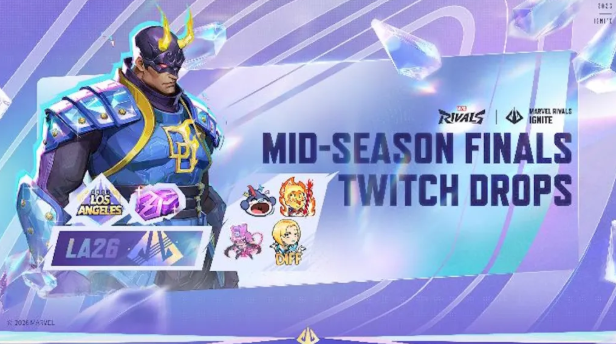
Marvel Rivals can run several viewing reward campaigns at the same time. The Season 9 Captain America campaign is separate from Ignite Mid-Season Finals or other esports Drops.
Watching a tournament stream may progress multiple eligible campaigns simultaneously when the channel and account meet their rules. It does not mean the reward tracks share the same deadline or watch requirement.
Captain America's Will of Galacta Costume requires four hours in the Season 9 campaign. Separate Ignite rewards can require their own viewing totals, dates, eligible channels, or in-game viewing method.
Open each Twitch campaign entry and read its title. Do not mistake progress toward an Ignite Spray or another hero Costume for progress toward Captain America.
If time is limited before August 7, prioritize the Captain America campaign because its deadline arrives first. Later campaigns can be completed inside their own published window.
What to Do With Less Than Four Hours Left
If more than two hours remain but less than four, complete the Emote tier even if the Costume is no longer realistic. The Spray and Nameplate will also be earned along the way.
If one to two hours remain, target the Nameplate or Emote according to current progress. A partial set is better than leaving every claim unfinished.
If less than 30 minutes remain and progress is zero, the first Spray may be impossible unless the campaign countdown still provides enough actual viewing time. Do not rely on progress appearing after the closing timestamp.
Players already near the Costume tier should maintain one verified eligible stream and avoid unnecessary app changes. Watch until Twitch displays completion, then claim immediately.
The deadline should guide a realistic target, not encourage account-linking shortcuts or unsafe third-party services.
Common Reasons Watch Time Does Not Move
The selected stream may not have Drops enabled. Verify the campaign indicator and switch to an eligible channel.
The broadcaster may have changed category. The video continues, but Marvel Rivals watch time stops when the stream is no longer categorized correctly.
The browser or mobile app may pause playback in the background. Return to the stream and confirm it is actively playing.
Twitch may require the previous reward tier to be claimed before later progress begins. Open the inventory and claim any completed item.
The wrong Twitch account may be active. Compare the username in the viewing tab with the account that is linked to Marvel Rivals.
Finally, campaign progress can update with a short delay. Wait several minutes and refresh once, but do not let an unchanged bar remain unchecked for hours.
Correcting an Account-Link Problem
First confirm the Twitch username and the Marvel Rivals platform account. Capture the current connection page before making changes.
If no game account is linked, connect the correct one through the official route. If the wrong account is linked, read any cooldown or relinking warning before disconnecting.
Do not use a third-party site that asks for a game password, platform password, or two-factor authentication code. Official OAuth login pages handle authorization without requiring credentials inside an unrelated form.
After linking, return to Twitch Drops Inventory. A claimed reward may show a Connect button until the game account is recognized. Complete the connection and then launch the game.
If delivery remains missing, contact official Marvel Rivals support with the game UID, platform, Twitch username, claimed campaign screenshots, and claim time. Never include passwords or backup codes.
Can the Costume Be Bought Later?
The Season 9 notice presents Will of Galacta as a Twitch Drop reward. Players should not assume it can be purchased from the normal Costume menu after the campaign.
A future rerun or alternative sale is possible only if officially announced. There is no need to claim that the costume will never return, but there is also no reliable reason to skip the current free route when the player wants it.
The four-hour watch requirement is the only confirmed acquisition path in this campaign. Community listings or account sellers are not official substitutes and can create account-security risk.
Players who miss the deadline should wait for a future official notice rather than buying access from another person.
Lattice Spending Is Separate
Will of Galacta is earned through Twitch viewing, so purchasing Lattice does not reduce the four-hour watch requirement. Keep the free reward route separate from store decisions.
For unrelated bundles or costumes, confirm game UID, platform, region, package, and budget first. Once a fixed purchase is planned, complete only the selected amount through a trusted channel. The Captain America Drop still needs to be claimed through Twitch.
Final Recommendation
Link the correct accounts now, open one verified Drops-enabled Marvel Rivals stream, and check progress after 15 minutes. Continue until the Twitch inventory shows four hours and the Captain America - Will of Galacta Costume is claimable.
Claim every earlier tier as it completes. Then launch the game, collect any mail attachment, and confirm the Spray, Nameplate, Emote, and Costume in their customization menus.
Do not plan around the end of local August 7. The campaign closes at 09:00 UTC, and finishing several hours early is the only reliable way to protect all four rewards.
FAQ
When do the Captain America Twitch Drops end?
The Season 9 campaign ends on August 7, 2026 at 09:00 UTC. Convert that timestamp to local time and use Twitch's campaign countdown.
How long must players watch for the costume?
Four cumulative hours of eligible Marvel Rivals streams are required for Captain America - Will of Galacta.
What are the four watch milestones?
The Spray unlocks at 30 minutes, Nameplate at one hour, Emote at two hours, and Costume at four hours.
Do players need to claim rewards manually?
Yes. Open Twitch Drops & Rewards Inventory and claim each completed tier, then verify delivery in Marvel Rivals.
Can multiple Twitch streams increase progress faster?
No. Opening multiple eligible channels does not normally multiply campaign watch time. Use one active stream and verify the progress bar.
Where can players prepare Lattice for separate Marvel Rivals purchases?
After checking UID, platform, region, product, and budget, players can compare options through Topuplist or use the dedicated Marvel Rivals top-up page. Lattice does not replace Twitch watch time.
What if the costume does not appear after claiming?
Restart the game, check mail and Captain America's Costume menu, and confirm the linked platform account. If it remains missing, contact official support with UID, Twitch username, screenshots, and claim time without sharing security credentials.
