
Free Fire Diamonds Top Up: UID, Region and Pack Selection
Free Fire Diamonds give you a spending balance for the items and offers available in your game. Buying them should begin with the item you want and the account that will receive them. A large pack is only useful if it matches both.
The main buying decisions are straightforward: choose a supported region, copy the correct Player ID and decide between a direct Diamond pack and a membership. This guide explains those choices without treating every server’s packages or promotions as interchangeable.
What Are You Buying: Diamonds or a Membership?
A direct top-up buys the Diamond quantity described by the selected product. A membership is a separate entitlement with its own benefits and collection rules. Garena’s Singapore Free Fire top-up center lists Diamond packs separately from Weekly Membership, Monthly Membership and Weekly Lite. That distinction matters more than the size of a discount badge.
If you need enough Diamonds for an item today, compare the balance you can actually use today. When considering a membership, read its current in-game description for benefits provided on purchase, later claims and duration. Do not add every advertised benefit to your immediate wallet balance.
 Free Fire



Which Free Fire Region Should You Select?
Start with the game account’s region and the seller’s supported account scope. A website’s display currency is the currency you pay in; it does not establish the server that a top-up supports. Likewise, an English interface does not make a product global.
For example, Topuplist’s Free Fire page currently separates Malaysia/Singapore and Middle East selections. Choose the selection that explicitly covers your account, then read the package details within it. If your region is absent or unclear, ask support about that specific account region before ordering.
Find the Player ID Before Paying
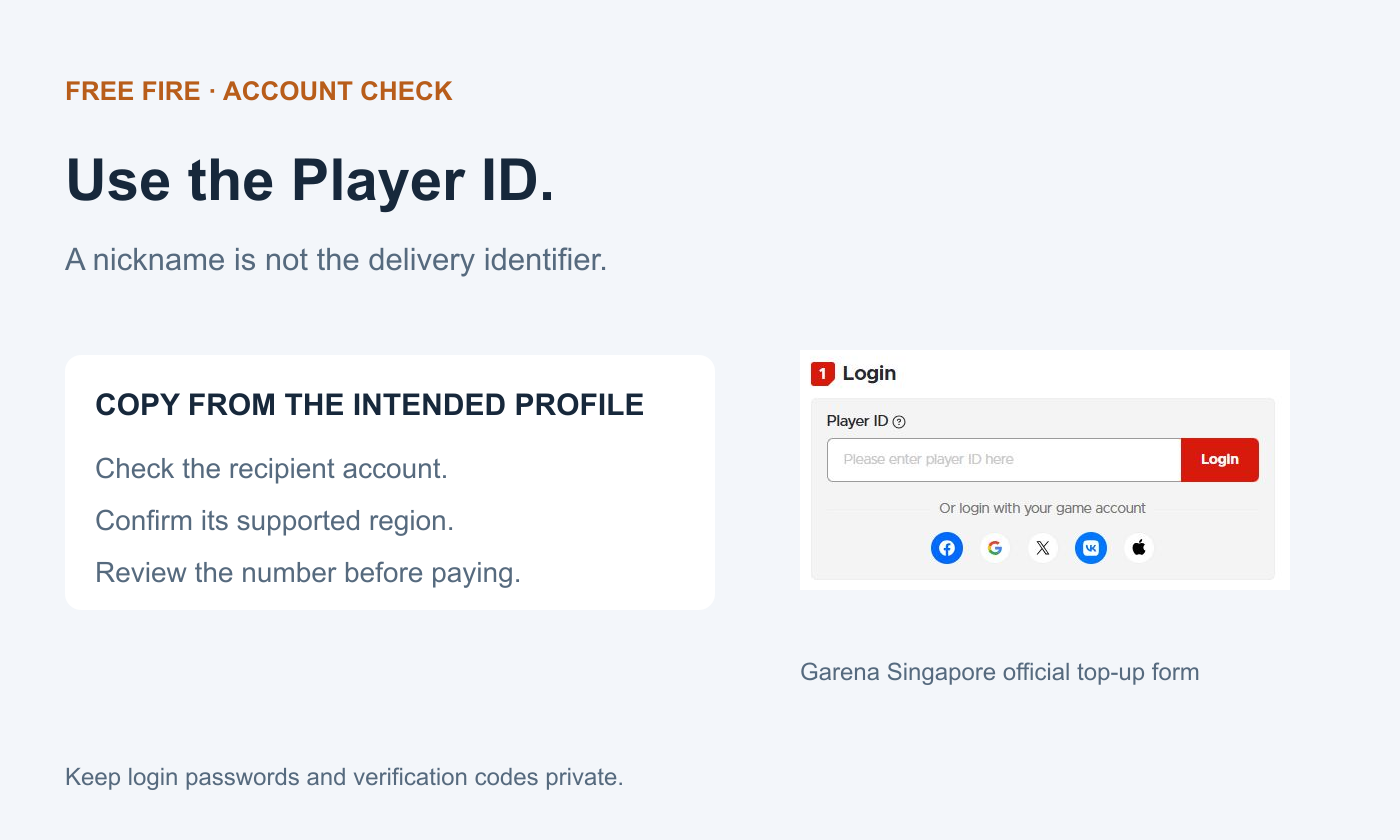
Open Free Fire, tap your profile avatar and locate the numeric Player ID, also called a UID. Copy it from the profile belonging to the account you want to recharge. A nickname, guild name or social-login email is not a substitute for that number.
Garena’s Singapore store offers a Player ID entry field for Free Fire, alongside other sign-in choices. For Topuplist’s UID order, use the identifier requested in the order form; the form does not ask you to supply your game password. If a nickname is returned during verification, compare it with the intended profile before continuing.
How to Choose a Diamond Pack Without Overbuying
Look up the item’s actual Diamond cost in your own game, then subtract your existing balance. That shortfall is your starting point. A fixed-price shop item and a random draw are different purchases: the price of one draw does not tell you the total cost of obtaining a particular reward.
Your purchase goal | What to compare |
|---|---|
A fixed-price item | The exact shortfall and the Diamond amount the order will credit. |
Several planned purchases | The combined cost, existing balance and your overall spending limit. |
A membership | Benefits available now, later collection requirements and duration. |
An event draw | The rules, possible outcomes and any explicitly stated guarantee. |
For a price comparison, use the final checkout charge and the confirmed credited amount for the same region and product type. A membership’s future benefits should not be compared as though they were a direct pack delivered entirely at once. Also keep optional event spending separate from the budget for the item you originally wanted.
Buying for Yourself or a Friend
Select the compatible region and the exact Diamond or membership product.
Copy the intended recipient’s Player ID from their profile.
Review the ID, package description and final payment amount.
Complete checkout and keep the order number.
Open the recipient account and verify the corresponding balance or membership entitlement.
For a friend, ask them to copy the ID directly and confirm the region. You are funding the account identified by that number, not transferring Diamonds out of your own wallet. The friend should verify the delivered product on their account before either of you places another order.
Questions About Diamond Delivery
Does a Diamond top-up automatically claim event rewards?
Do not assume that it does. A delivered top-up and an event reward are separate results. Check the event’s eligibility, qualifying product, timing and claim page inside your own game.
What if the payment succeeded but the balance did not change?
Check the order status, submitted UID and selected product first. A membership may need to be checked in its own panel. Keep the receipt and contact the original seller with the order number rather than paying again to test delivery.
Can I choose another region just because it costs less?
Only buy a product whose stated account coverage matches the recipient. A lower listed price does not establish cross-region compatibility.