


Dragon Nest M: Classic SEA vs TW/HK/MO Top Up — Pick Region
A pre-purchase guide to Dragon Nest M: Classic regional versions — SEA vs Taiwan/Hong Kong/Macao — and how to top up the correct one.
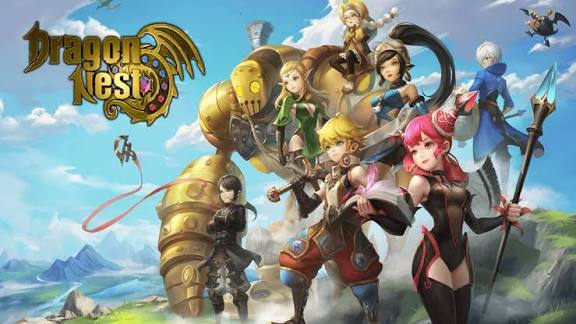
If you have searched for a Dragon Nest M: Classic top-up and seen the game listed under both “SEA” and “TW/HK/MO,” you are not alone. The same title runs as separate regional versions, and the version you own decides where your money should go. Pick the wrong one and you risk a payment that lands on an empty or mismatched account — the exact situation covered in our guide on recovering a wrong-server top up. This article explains what the regions actually are, how to confirm which one is yours, and how to choose before you spend.
Why Region Matters for Your Dragon Nest M: Classic Top Up
Dragon Nest M: Classic is a mobile MMORPG developed by Eyedentity Games, and like many titles of its kind it is published through region-specific operations rather than one global storefront. In practice that means two broad families of accounts exist side by side:
SEA — the Southeast Asia release, serving players across markets such as Malaysia, Thailand, Indonesia, the Philippines, Singapore, and nearby territories.
TW/HK/MO — the standalone release for Taiwan, China; Hong Kong, China; and Macao, China, operated as its own regional version.
Neither deployment can see the other’s players, purchases, or servers — they are effectively two separate builds of the same game running on independent backends. That separation is the whole reason a top-up is region-specific.
These are not just labels. A region determines four things at once:
Which account system you log into. Your login, profile, and purchase history live inside one regional silo.
Which server group your characters sit on. Servers do not freely mix across regions.
What currency you are billed in. SEA purchases settle in regional currencies (for example USD, MYR, THB, IDR, or SGD depending on store), while the Taiwan/Hong Kong/Macao version settles in TWD, HKD, or MOP.
Which payment methods are accepted. A channel built for one region usually cannot process a purchase for the other.
Because all four are bound together, a top-up channel has to match your account’s region. If it does not, the transaction may fail, or — worse — it may appear to succeed and deliver currency to a different regional account or an empty slot. That mismatch is the root cause of most “I paid but got nothing on my main” complaints, and it is why confirming region beats chasing the lowest price.
Region-lock is not a quirk you can dodge with a different payment app. It is enforced at the account-database level: the moment your character was created, its record was written into one regional system, and every top-up delivery queries that same system by ID. A channel from another region is literally looking in a different database. This is exactly why “just use this other site, it’s cheaper” advice is risky for Dragon Nest M: Classic — any savings vanish the instant the currency lands somewhere your main cannot reach, and recovering it means the long process in our wrong-server guide.
For background on how the game’s regional publishing works, the Dragon Nest M overview at MMOGrounds is a useful reference. To check live server status and regional announcements, the official Dragon Nest M: Classic Facebook page posts per-region maintenance and event notices.
When you are ready to buy, a Dragon Nest M: Classic top-up at Topuplist through the official Topuplist storefront lets you select the correct regional version so the delivery stays tied to your confirmed account.
How to Check Which Region Your Account Belongs To
Before opening any payment page, confirm your region in under two minutes. Use these four checks — they look at different signals, so together they remove doubt.
1. Look at your login and download source. SEA players typically installed the app from the Google Play or App Store listing tied to a Southeast Asia country, or launched it through a regional client. The Taiwan/Hong Kong/Macao version is installed from the corresponding App Store region or a dedicated local client. The store country on your receipt is the fastest tell.
2. Check the in-game language and support entry. The SEA build commonly presents English with localized snippets, while the Taiwan/Hong Kong/Macao build leads with Traditional Chinese alongside English. The customer-support link inside the game also points to the regional operator.
3. Read your settlement currency. Open a past purchase or the top-up screen. If you see TWD, HKD, or MOP, you are on the Taiwan/Hong Kong/Macao version. If you see USD, MYR, THB, IDR, SGD, or similar, you are on SEA.
4. Match the server naming and announcement source. Server names and opening schedules are announced per region. The official Dragon Nest M: Classic Facebook page separates regional posts, so the page you follow quietly confirms which version you play.
If all four point the same way, you know your region. If they conflict — say, a Traditional Chinese UI but a Southeast Asia store receipt — stop and verify with support before paying, because that is precisely the kind of mixed signal that produces a misrouted top-up.
For a fast scan, this signal table maps what you observe to the region it implies:
What you observe | Signal | Points to region |
|---|---|---|
Store country on receipt | Malaysia / Thailand / Indonesia / PH / SG | SEA |
Store country on receipt | Taiwan / Hong Kong / Macao | TW/HK/MO |
In-game language lead | English-led UI | Likely SEA |
In-game language lead | Traditional Chinese-led UI | Likely TW/HK/MO |
Settlement currency | USD / MYR / THB / IDR / SGD | SEA |
Settlement currency | TWD / HKD / MOP | TW/HK/MO |
SEA vs TW/HK/MO: What Actually Differs
Players ask which region is “better” or “cheaper,” but the honest answer is that they are built for different audiences, not ranked tiers. Here is how they line up on the points that affect a purchase.
Dimension | SEA Version | TW/HK/MO Version (Taiwan, China / Hong Kong, China / Macao, China) |
|---|---|---|
Account system | Separate SEA account silo | Separate Taiwan/Hong Kong/Macao account silo |
Server group | SEA server cluster | Taiwan/Hong Kong/Macao server cluster |
Settlement currency | USD / MYR / THB / IDR / SGD (varies by store) | TWD / HKD / MOP |
Common payment | Google Play, Apple, regional e-wallets | Respective App Store region, local payment methods |
Primary language | English + localized text | Traditional Chinese + English |
Event & version pace | Scheduled for SEA audience | Scheduled for local audience, may differ in timing |
Account portability | Not transferable to other regions | Not transferable to other regions |
Two points deserve emphasis. First, pricing is not a fixed ranking. Both versions price in their own currency, and exchange rates plus local taxes shift the real cost over time. One region may look cheaper on a given day and flip the next, so “which is cheaper” has no permanent answer. Second, event and update timing can diverge. A banner running in SEA might land a week later in the Taiwan/Hong Kong/Macao version, or vice versa, which matters if you are chasing a limited bundle.
The practical takeaway: choose the region that matches where you live, your network latency, your friends, and your payment convenience — not a rumor about price.
Beyond price and event timing, the “which should I actually pick” question really comes down to where you will play day to day. Latency to SEA servers versus Taiwan/Hong Kong/Macao servers differs by geography, and in a dodge-heavy action RPG like Dragon Nest, a few hundred milliseconds is the gap between a clean nest clear and a wipe. Community matters just as much: guilds, trading, and coordinated events all happen inside one region. The “best” version is therefore the one your friends and local player base use — not the one showing a marginally lower tag today. The account-independence row in the table above is the part players underestimate: because the two versions never share a backend, a max-level SEA character has zero presence on the Taiwan/Hong Kong/Macao side, and credit bought in one stays in one.
A Dragon Nest M: Classic top-up at Topuplist through the official Topuplist storefront supports the regional version you actually play, so you are not forced to guess which store your account belongs to.
Can You Top Up a SEA Account Using a TW/HK/MO Channel (and Vice Versa)?
Short answer: usually no, and it is not worth attempting. Players attempt it most often after hearing that another region “charges less,” but the saving is an illusion the moment delivery fails to resolve to a valid account. Here is the breakdown of what happens when people try.
Scenario | Likely outcome | Why |
|---|---|---|
SEA account, TW/HK/MO channel | Payment fails or misroutes | Channel expects a Taiwan/Hong Kong/Macao account ID |
TW/HK/MO account, SEA channel | Payment fails or misroutes | Channel expects a SEA account ID |
“Friend will top me up from their region” | Risk of wrong-region delivery | Their channel matches their account, not yours |
Same region, wrong server ID only | Delivers to wrong server | Region matches, but server field was off |
The reason is structural. Top-up systems match the purchase to an account ID that already exists inside a specific regional database. A channel for one region simply does not have your character record if you belong to the other. Even when a payment “goes through” on the processor side, the delivery step has nowhere valid to land it, which is how currency ends up missing or sent to a placeholder.
This is also why “cross-region top up” requests are a common trap. If someone offers to charge your SEA account from a Taiwan/Hong Kong/Macao method, the delivery still has to resolve to a real SEA ID + server — and if that detail is off, you are back in the wrong-server recovery problem described in our wrong-server guide. Your account’s region cannot be changed by how you pay; it is fixed at account creation.
Before trying any cross-region workaround, take the safer path: top up inside your own region through a verified channel. A Dragon Nest M: Classic top-up at Topuplist through the official Topuplist storefront matches the purchase to your existing regional account, so the misroute problem never starts.
To find your exact ID and server before any purchase, see our User ID & Server ID guide — it pairs naturally with picking the right region first.
How to Choose the Right Region Before You Start (or Switch)
If you have not created an account yet, the choice is free and worth a minute of thought. Weigh these factors:
Your location and connection. Pick the region whose servers are physically closer. Lower latency means smoother nests, raids, and PvP.
Where your friends or guild are. Cross-region play is not supported, so if your group is on SEA, a Taiwan/Hong Kong/Macao account will leave you solo.
Language comfort. The Taiwan/Hong Kong/Macao version leads in Traditional Chinese; SEA leads in English. Choose what you can read for events and support.
Payment ease. Use the region whose currency and methods you already have set up — it avoids cross-border card declines.
One caution worth calling out: do not try to “switch” your region by using a VPN at checkout. A VPN changes where your payment appears to originate, but it does not move your account record, and it can trigger card declines or fraud holds without fixing the underlying region mismatch. The region is decided when the account is created, not when the card is swiped.
The hard reality for existing players: switching regions means starting over. Because accounts are siloed and progress does not transfer, moving from SEA to Taiwan/Hong Kong/Macao (or back) requires a new account and a fresh character. There is no “transfer my level” button. So the decision matters most at account creation, and only mildly later (when it becomes “do I rebuild?”).
Once your region is settled, lock in safe habits: confirm your ID and server from the User ID & Server ID guide, then complete the purchase through a channel that matches your region. If a top-up ever goes missing, the missing top-up fix guide walks through first-step recovery.
For a dependable next purchase, a Dragon Nest M: Classic top-up at Topuplist through the official Topuplist storefront keeps delivery inside your confirmed regional account, removing the cross-region guesswork entirely.
FAQ
Is Dragon Nest M: Classic SEA the same game as the TW/HK/MO version?
The core game is the same title, but they are operated as separate regional versions with independent accounts, servers, currencies, and event schedules. Progress does not carry between them.
Will my SEA account work on TW/HK/MO servers?
No. Accounts are region-locked. A SEA login only accesses SEA servers, and a Taiwan/Hong Kong/Macao login only accesses that version’s servers.
Can I use USD to top up a Taiwan, China / Hong Kong, China / Macao, China account?
Generally no. The Taiwan/Hong Kong/Macao version settles in TWD, HKD, or MOP through its own regional channels. Use a method that matches that account’s region.
Why did my top up go to the wrong region?
Most often the channel used did not match your account’s region, or the ID and server fields pointed to a different regional database. Confirm region first, then ID and server, before paying.
Which region has cheaper Diamonds or Cash?
There is no permanent answer. Both versions price in their own currency, and exchange rates and local taxes shift the real cost. Compare on the day you intend to buy rather than trusting older claims.
Can I transfer my character between regions?
Typically not. Because accounts are siloed, switching regions means creating a new account and replaying from the start; characters and purchases do not move.
Can I use a VPN to buy from the cheaper region?
Not recommended. A VPN only changes your apparent location at payment time; it does not relocate your account to that region’s database. It can cause declines or fraud flags while leaving the region mismatch untouched, so the top-up still will not reach your main.
Region is the first decision in any Dragon Nest M: Classic top-up. Confirm it, match your channel to it, and the rest of the purchase process gets dramatically safer.
