
Delta Force Top Up Guide: Global, Garena and the Right UID
A Delta Force Coin offer is only useful if it can reach the account you play on. Before comparing pack sizes, confirm the game release, supported region and recipient UID. A Global listing and a Garena listing can share the same game name while referring to different top-up requirements.
This guide explains how to choose a compatible route, locate the account identifier and compare offers without confusing the store’s payment currency with your game server. Once those details are clear, buying the amount you need becomes much more straightforward.
What Are You Buying in a Delta Force Top Up?
A Coin top-up adds the purchased currency to the specified account. It is separate from buying a particular cosmetic or pass inside the game. After delivery, open the item you intend to buy and check its currency symbol, price and conditions. The number on a top-up pack describes the currency order, not a guarantee that it includes your chosen store item.
Delta Force also displays other balances and rewards during play. Do not add those numbers together as if every currency can pay every price. Read the payment option on the exact item first. If it uses a different balance, buying Coins may not be the action you need for that purchase.
Global or Garena: Which Listing Matches Your Account?
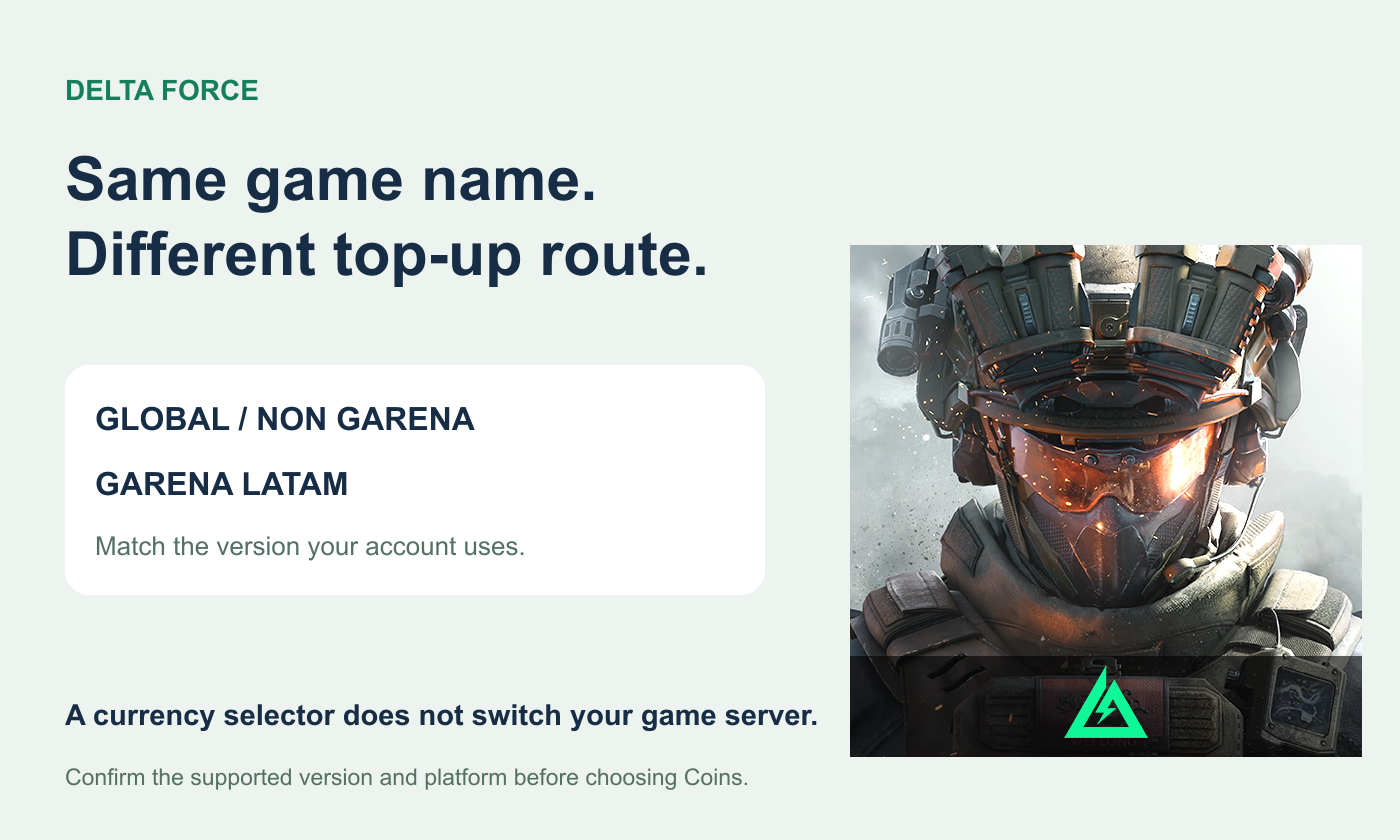
Use the release you actually installed and the account service you use to play. For the Global release, the Delta Force official website links to a Midasbuy top-up route. That is a useful starting point for checking the relevant official purchase environment, rather than selecting a regional offer just because its price looks attractive.
 Delta Force

On Topuplist’s Delta Force top-up page, the current product choices distinguish Non Garena and Garena Latam. Treat those labels as account-compatibility choices. They do not mean every Garena account, every country or every platform is covered by both options. Read the selected product’s supported scope before choosing a Coin amount.
Changing a shop’s language or checkout currency only changes how that shop presents the purchase. It does not move your character to another release or make an incompatible UID eligible. If you are unsure which version you play, check the game’s account and publisher information before paying.
Find the UID the Recharge Form Needs
Open Delta Force and enter the player profile through the avatar. Locate the UID shown in the profile information and copy it from the intended account. A display name is easier to recognise, but it is not a substitute for the numeric identifier requested by a UID recharge form.
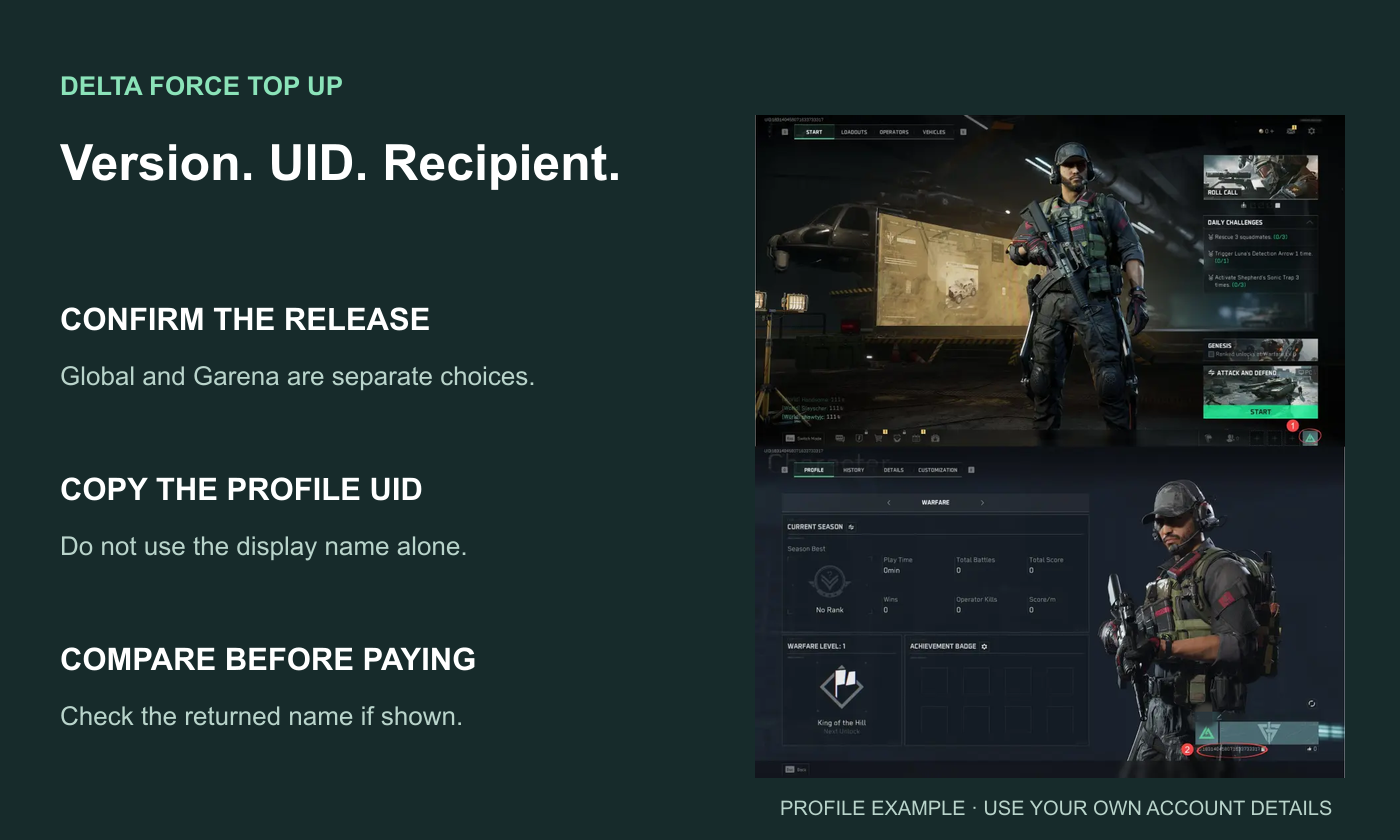
If the recharge route returns a character name after you enter the UID, compare it with the intended profile before continuing. If it does not show a name, compare the full copied identifier yourself. When buying for a friend, ask for their UID from the profile, not their game password or a code used to sign in.
How to Complete a Compatible Coin Top Up
Identify the game release and confirm that the selected product supports your account and platform.
Open the intended in-game purchase and note how many Coins it requires.
Choose a compatible Coin product and enter the recipient UID.
Review the selected region, the credited Coin amount, the recipient details and the final payment total.
Complete checkout and save the order number or receipt.
Check the currency balance on the intended account before spending it on the chosen item.
Do not assume a web top-up automatically fulfils an in-game promotion that refers to a particular payment channel or purchase. A currency order and an event-qualified transaction may have different conditions. If a bonus is the reason you are buying, read that offer’s eligibility before committing the payment.
How to Compare Coin Packs Without Overbuying
Subtract the spendable Coins already in the account from the amount required by the item. That gives you the actual shortfall. Choose a compatible combination that covers it, while considering any unused balance left over. A larger pack can have a better unit price and still cost more cash than the purchase you intended to make.
Comparison | What should match |
|---|---|
Version and regional label | The release and account scope supported by the product. |
Credited currency | Base Coins plus any bonus explicitly included in this order. |
Final cash payment | The full charge, including fees shown by the checkout or payment provider. |
Your intended purchase | Enough usable Coins for the item, with an acceptable leftover balance. |
For compatible offers, divide the final charge by the Coins actually credited. Do not count the same bonus twice, and do not include rewards that require a separate purchase or account condition you do not meet. Use that unit cost together with the total spend, not as the only reason to select a pack.
If the UID Is Rejected or Coins Do Not Appear
A rejected UID is a reason to stop and check the release, supported region and copied identifier. Repeatedly switching regional products is not a reliable way to establish compatibility. Confirm the correct route from the game’s purchase entry or ask the seller to clarify the product’s supported account type.
If payment completed but Coins are missing, first compare the order status, submitted UID and intended account. Keep the receipt and contact the original seller for the purchase record; use game support for a game-side balance issue when appropriate. Paying again before identifying the first order can create a duplicate purchase without fixing the underlying mismatch.