


Best PUBG Mobile Sensitivity Settings for Zero Recoil (2026 Guide)
Sensitivity settings can make a bigger difference in PUBG Mobile than most players realize.
You can own the best weapon skins, the latest device, and a fully upgraded account, but if your sensitivity settings feel uncomfortable, landing consistent shots becomes much harder. That's why nearly every high-level player spends time adjusting Camera, ADS, and Gyroscope settings until they match their playstyle.
If you're struggling with recoil control, shaky aim, or inconsistent tracking, this guide will help you find the best PUBG Mobile sensitivity settings for 2026.
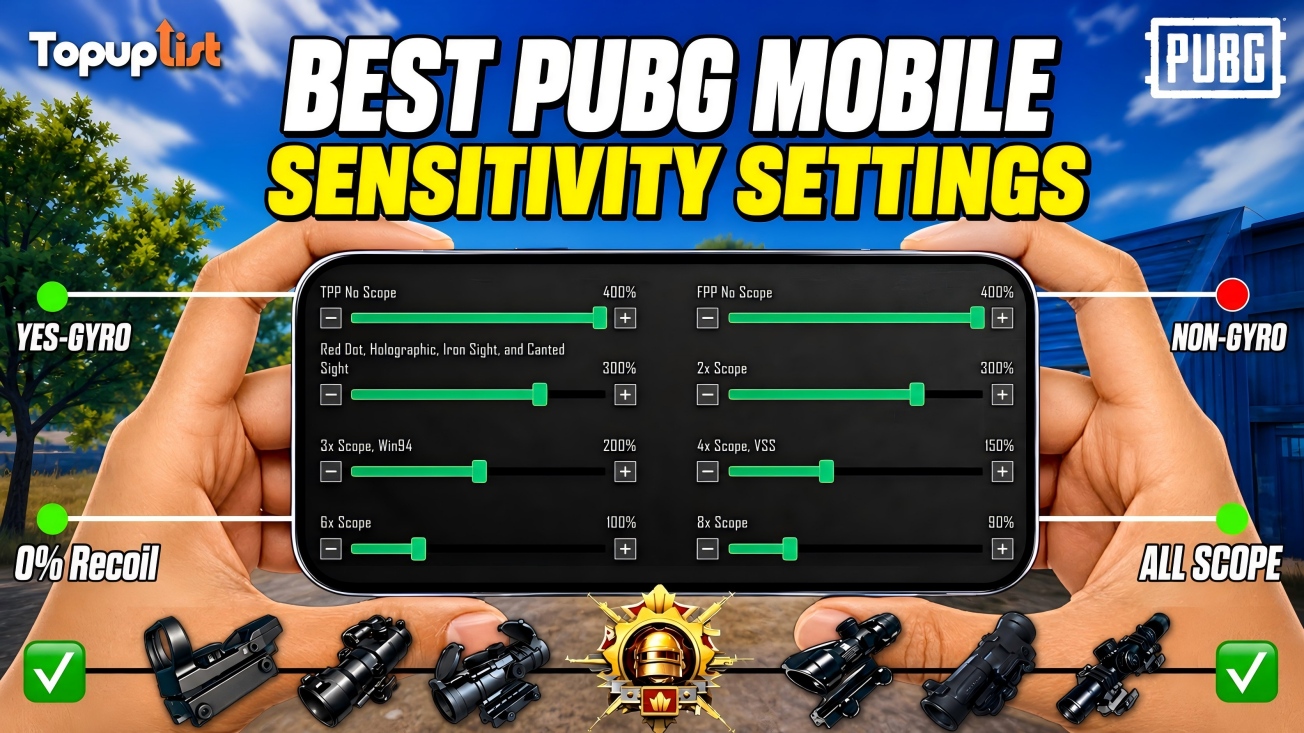
Why Sensitivity Settings Matter
Sensitivity determines how quickly your screen responds to touch input.
Settings that are too low can make aiming feel sluggish, while settings that are too high often cause overcorrection and missed shots.
The ideal setup should help you:
Track moving enemies smoothly
Control recoil during sprays
Flick between targets faster
Improve close-range reactions
Maintain accuracy at long range
Remember that there is no single "perfect" sensitivity for every player. The settings below provide a strong starting point that can be adjusted based on personal preference.
Recommended Camera Sensitivity Settings
Camera Sensitivity affects how quickly the camera moves when you look around without firing.
These values provide smooth camera movement while maintaining control during target acquisition.
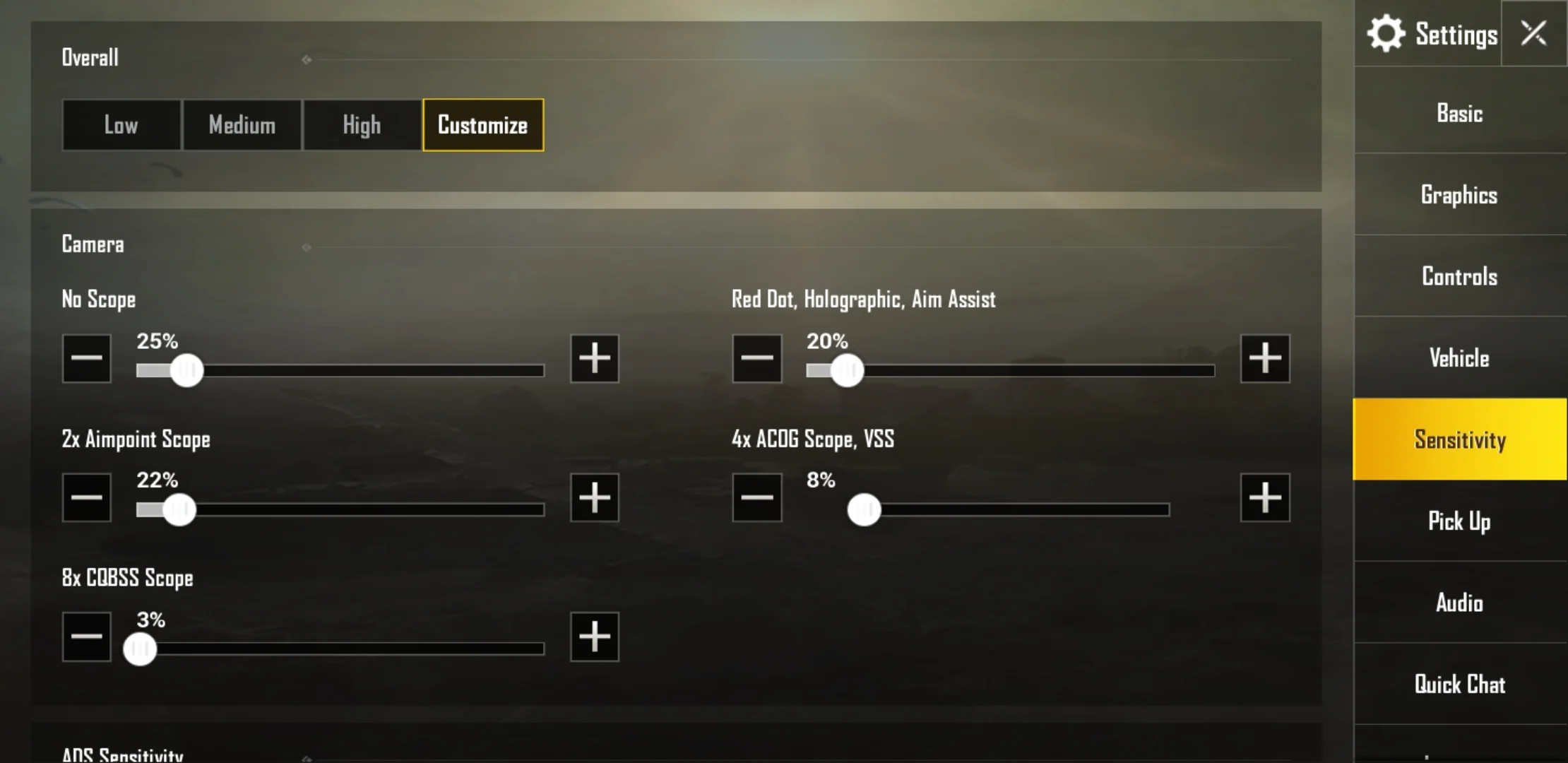
(The image only shows the setup method.)
Recommended ADS Sensitivity Settings
ADS (Aim Down Sight) Sensitivity affects recoil control while firing.
This setting is especially important for automatic weapons such as:
M416
AUG
SCAR-L
ACE32
Groza
Recommended ADS values:
These settings help reduce excessive recoil movement while maintaining responsiveness.
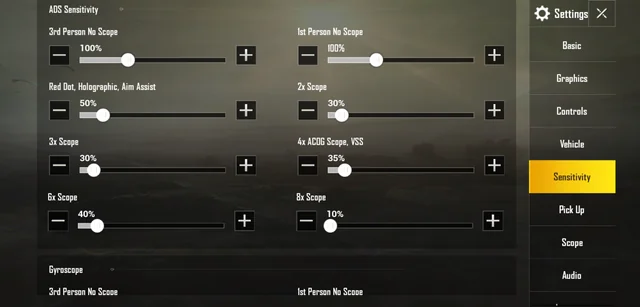
(The image only shows the setup method.)
Recommended Gyroscope Sensitivity Settings
Many professional and competitive players rely on Gyroscope because it allows finer recoil adjustments than thumb input alone.
If you are using Full Gyroscope, start with the following values:
New Gyroscope users may need several days to adapt, but the improvement in recoil control is often worth the effort.
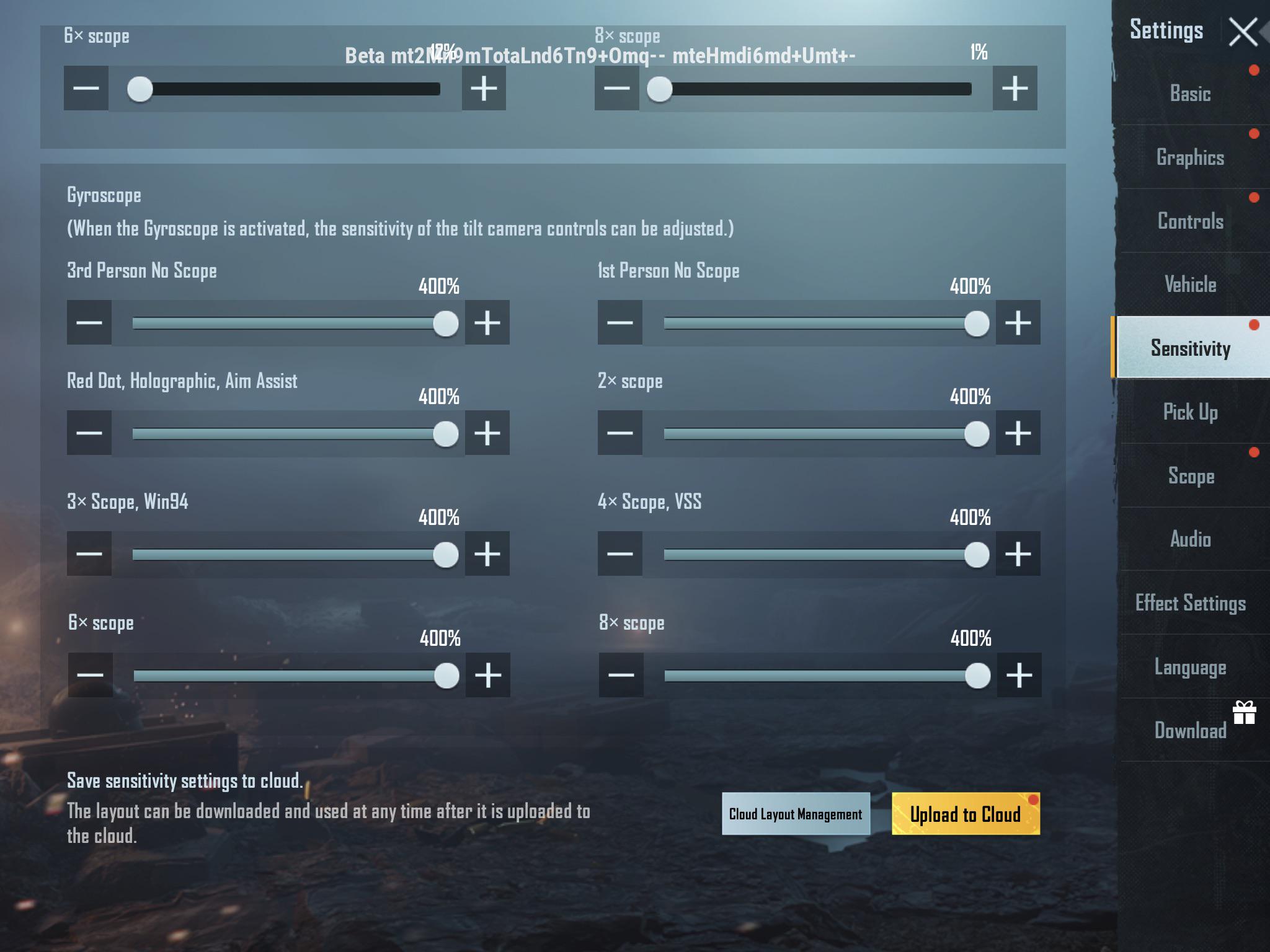
(The image only shows the setup method.)
120 FPS Sensitivity Adjustment Tip
If you've recently upgraded from 60 FPS or 90 FPS to Ultra Extreme (120 FPS), you may notice that your existing sensitivity settings feel faster or more responsive than before.
This doesn't mean the game has changed your sensitivity values. Instead, the smoother animation and lower input latency of 120 FPS can make aiming and recoil control feel more sensitive.
If your crosshair feels difficult to control after switching to 120 FPS, consider reducing your ADS and Gyroscope sensitivity by 5%–10% as a starting point, then fine-tune the settings based on your personal preference.
Many experienced players make small sensitivity adjustments when moving to higher frame rates to maintain consistent muscle memory and recoil control.
Want to learn how to enable Ultra Extreme frame rates? Check out our PUBG Mobile 120 FPS Guide for supported devices, graphics settings, and performance optimization tips.
Best Sensitivity for Zero-Recoil M416
The M416 remains one of the most popular weapons in PUBG Mobile because of its versatility and manageable recoil.
For M416 sprays, prioritize:
Medium-to-high Gyroscope sensitivity
Moderate ADS sensitivity
Smooth graphics settings
High frame rate mode
These values provide excellent control for medium-range sprays.
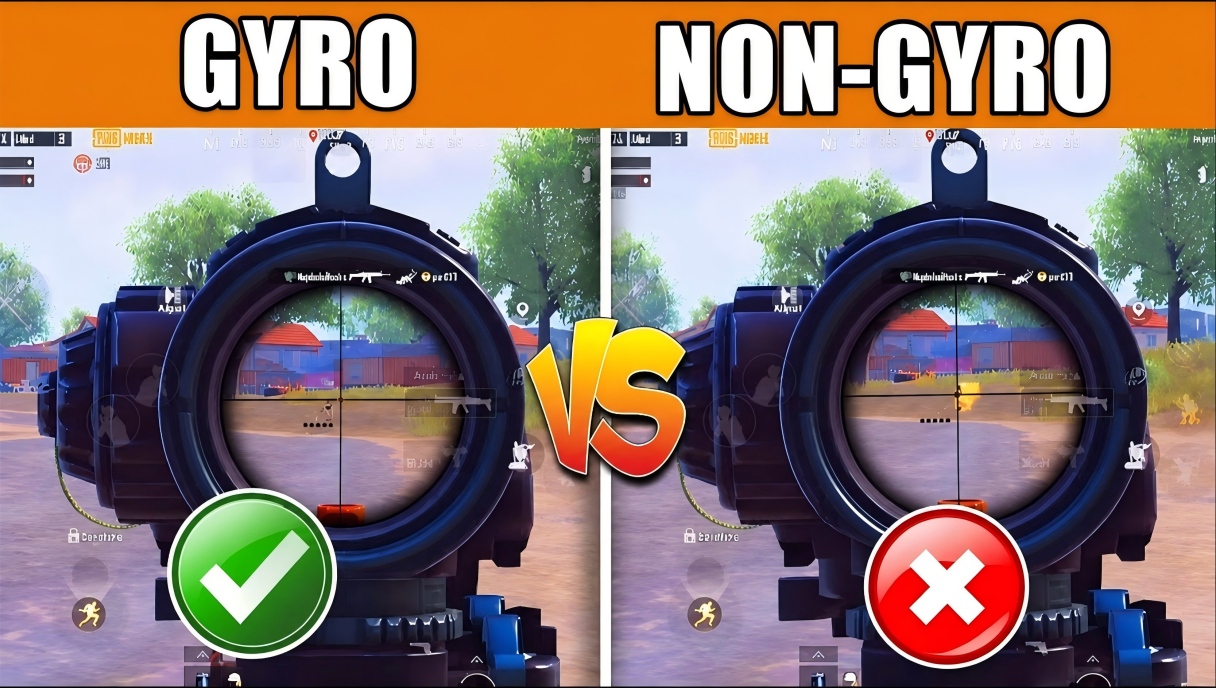
Gyroscope vs Non-Gyroscope: Which Is Better?
One of the most common questions from new players is whether Gyroscope is worth learning.
Most experienced players eventually switch to Gyroscope because it offers more precise recoil management.
Common Sensitivity Mistakes
Many players copy professional settings without understanding why those settings work.
Avoid these common mistakes:
Constantly Changing Settings
Changing sensitivity every day prevents muscle memory from developing.
Using Extremely High Sensitivity
Higher numbers do not automatically improve reaction speed.
Ignoring Frame Rate
Sensitivity feels different at 60 FPS and 120 FPS. Always test settings using your regular graphics configuration.
Copying Another Player's Layout
Hand size, device size, and playstyle all affect sensitivity preferences.
Use recommended settings as a starting point rather than a final solution.
How to Test New Sensitivity Settings
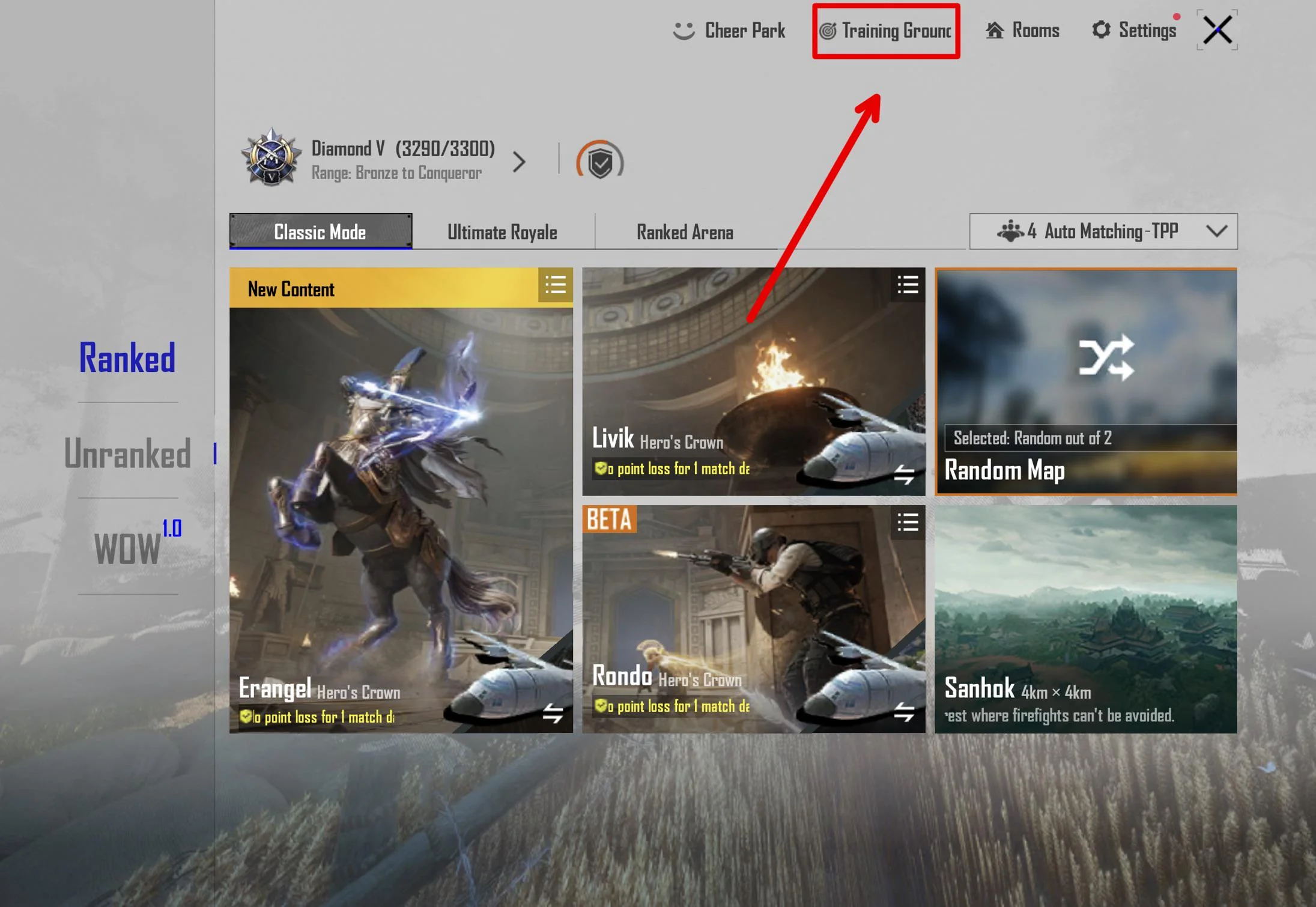
The Training Grounds remain the best place to fine-tune your setup.
Spend time practicing:
20-meter sprays
50-meter sprays
Moving target tracking
Scope transitions
Gyroscope adjustments
Make small changes instead of large ones. Adjusting sensitivity by 5% to 10% at a time is usually enough.
Upgrade Your PUBG Mobile Experience
Good sensitivity settings are only part of the equation. A stable frame rate, reliable device performance, and access to the latest content all contribute to better gameplay.
Whether you're preparing for a new Royale Pass season, a themed collaboration event, or premium rewards, Topuplist offers a fast and convenient way to top up PUBG Mobile UC and keep your account ready for the next update.
Final Thoughts
Finding the right PUBG Mobile sensitivity settings takes time, but the effort pays off.
Start with the recommended Camera, ADS, and Gyroscope values in this guide, then make gradual adjustments based on your comfort level. Focus on consistency rather than constantly chasing new settings.
For most players, improved sensitivity settings will lead to better recoil control, faster target tracking, and more confident gunfights—without needing to change devices or purchase additional accessories.
The best sensitivity is ultimately the one that feels natural to you, but these settings provide a strong foundation for players looking to improve in 2026.
