
Why Was My HeeSay Account Banned? Common Reasons and Appeal Tips
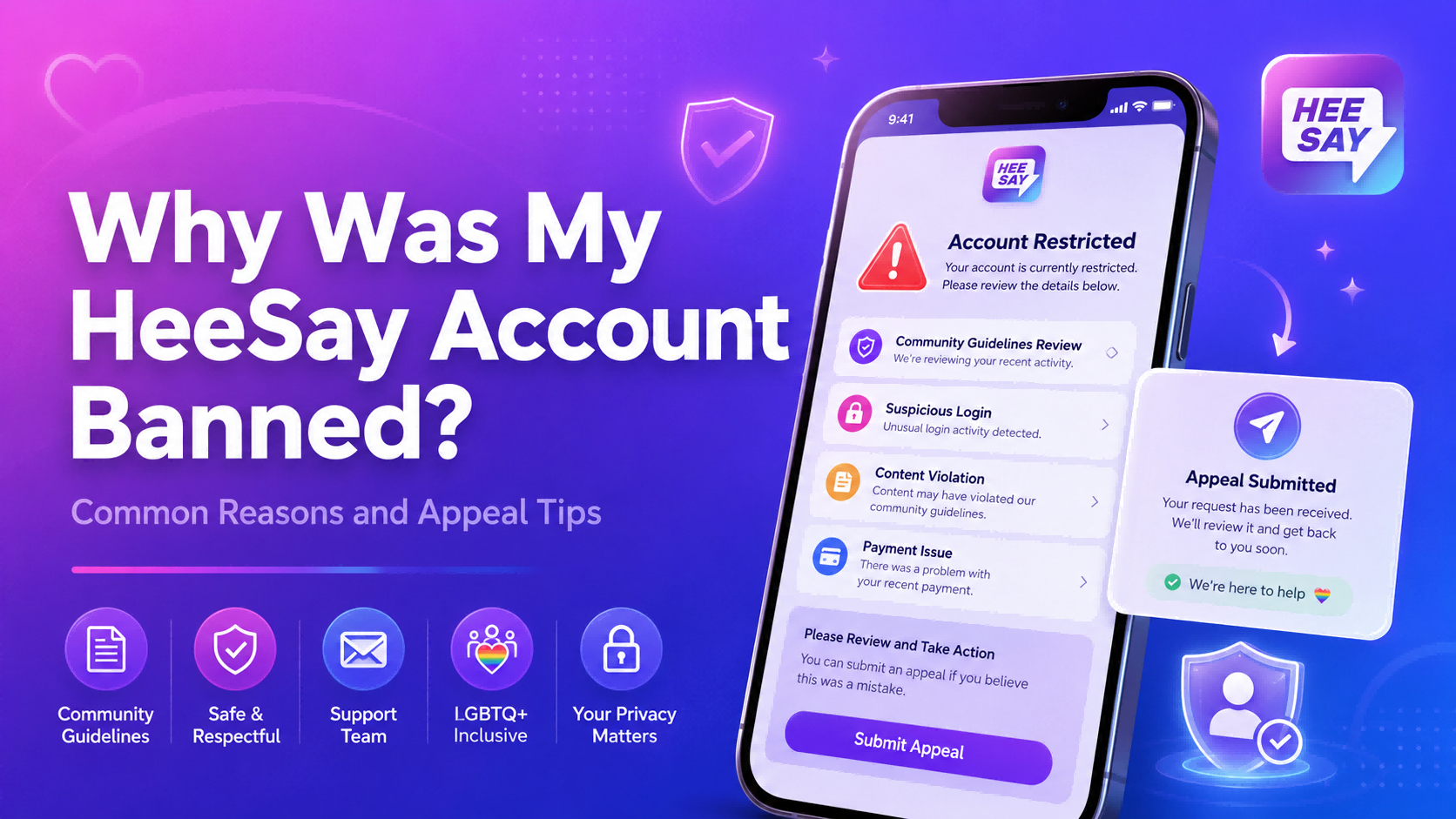
Why Was My HeeSay Account Banned?
If your HeeSay account was suddenly banned, locked, or restricted, the reason usually falls into one of several categories: a content violation, harassment report, fake profile concern, suspicious login activity, underage-use issue, Live rule violation, payment problem, or repeated user reports.
HeeSay is an LGBTQ+ social and community app with messaging, posts, Live features, voice rooms, profile discovery, and in-app purchases. Because the platform involves public interaction, private chats, photo sharing, location-based discovery, and paid features, HeeSay may restrict accounts that appear to violate its Terms of Service, Privacy Policy, or Community Guidelines.
If your account restriction is related to HeeSay Beans, payment behavior, or third-party top-up confusion, check your receipts and order details first. For users who need HeeSay Beans for gifts, events, or Live interaction, Topuplist HeeSay Beans Top Up is one digital top-up option that says it only requires your HeeSay ID, not your account password. However, Topuplist cannot unban your account; account bans must be handled through HeeSay’s official appeal or support channels.
This guide explains the common reasons HeeSay accounts get banned, what to check before appealing, how to write a better appeal, and how to avoid being banned again.
Quick Answer: Common Reasons for a HeeSay Ban
A HeeSay account may be banned, locked, suspended, or restricted for reasons such as:
Posting explicit, illegal, violent, or prohibited content
Uploading photos, videos, or profile content you do not own
Harassment, hate speech, threats, bullying, or doxxing
Inappropriate behavior in Live streams or voice/video rooms
Fake profile behavior, impersonation, or stolen photos
Spam, scams, phishing links, or suspicious commercial promotion
Asking users for money, gift cards, crypto, or off-platform payments
Suspicious login activity, account sharing, or modified app use
Underage use or failed age-related checks
Payment abuse, refund abuse, chargebacks, or suspicious top-ups
Repeated reports from other users
A moderation mistake or false report
The first thing you should do is read the ban notice carefully. A full account ban, Live ban, content removal, login lock, payment restriction, and temporary feature limitation are not the same thing. The correct appeal strategy depends on what type of restriction you received.
HeeSay Ban, Lock, and Restriction Types Explained
Not every HeeSay restriction means your entire account is permanently banned. Before you appeal, identify what actually happened.
Account Banned
A full account ban means you may lose access to your account or major account functions. This is usually more serious than a single content removal. It may happen after a serious policy violation, repeated reports, suspicious behavior, or multiple previous warnings.
Account Locked
An account lock may be related to security, verification, suspicious login behavior, or a policy issue. If you see a lock notice, follow the in-app instructions first. If the app provides an appeal page or support route, use that route instead of guessing.
Content Removed
Sometimes only a profile photo, post, comment, album item, or Live clip is removed. This may happen when specific content violates platform rules. Repeated content removals can increase the risk of future restrictions.
Live Ban
A Live ban means your broadcasting privileges or Live-related functions may be suspended. HeeSay’s official Help page notes that Live bans are usually temporary and that users may be advised of the ban duration through an official HeeSay message. The Live Community Guidelines also warn that breaking Live rules can result in being prohibited from Live.
Payment or Top-Up Restriction
A payment restriction is different from a community guideline ban. It may involve unusual transactions, refund abuse, chargebacks, failed payments, unauthorized payment methods, or suspicious third-party top-up behavior. If your issue happened after buying Beans, collect your receipt and order details before contacting support.
HeeSay Account Ban Reason Checklist
Reason 1: Posting Explicit or Prohibited Content
One of the most common reasons for a HeeSay restriction is uploading content that violates platform rules. This can include public nudity, sexually explicit images, graphic content, violent content, illegal material, or content that breaks Live rules.
Even if HeeSay supports privacy features such as private photo albums, disappearing messages, and anti-screenshot protection on its Google Play listing, those tools do not mean every type of image or video is allowed. Private albums can give users more control over who sees certain photos, but they do not override platform rules.
Before posting or sharing sensitive content, ask yourself whether it is allowed under HeeSay’s Terms and Community Guidelines. If your recent ban happened soon after uploading a photo, changing your profile image, posting a video, or going Live, content moderation is a likely cause.
Reason 2: Uploading Photos or Content You Do Not Own
Using someone else’s photos can create copyright, impersonation, and trust issues. A HeeSay account may be restricted if it appears to use stolen profile pictures, celebrity photos, influencer images, fake identity content, leaked private images, or copyrighted videos.
Common mistakes include:
Using a model or celebrity as your profile photo
Reposting someone else’s private photos
Uploading copyrighted video clips
Sharing another user’s images without permission
Pretending to be an influencer or public figure
Using edited images that mislead other users
If your account was flagged for fake profile behavior, prepare proof that the photos belong to you. Do not submit fake documents or someone else’s ID. If HeeSay asks for verification, complete it only through official app or support channels.
Reason 3: Harassment, Hate Speech, Threats, or Doxxing
HeeSay is an LGBTQ+ community platform, so harassment and abusive behavior can lead to account action. This includes identity-based insults, repeated unwanted messages, bullying, threats, blackmail, public shaming, doxxing, or encouraging other users to target someone.
Examples of risky behavior include:
Sending repeated messages after someone asks you to stop
Insulting someone based on sexuality, gender identity, race, nationality, religion, appearance, or HIV status
Threatening to expose a user’s identity or private photos
Posting another person’s contact details or location
Harassing a streamer, host, viewer, or co-host in Live
Joining a room only to insult or provoke users
If your ban followed a conflict, your appeal should explain the situation calmly. Do not attack the other user or the moderator. Provide context and evidence only if it helps support your case.
Reason 4: Fake Profile, Impersonation, or Misleading Identity
A fake-looking profile can trigger reports or moderation review. This does not always mean the user intended to scam anyone; sometimes a profile simply looks suspicious because it has no bio, no real photo, inconsistent details, or photos that appear copied from elsewhere.
HeeSay may flag accounts that appear to:
Pretend to be someone else
Use stolen photos
Use celebrity or influencer images
Misrepresent identity for money, attention, or manipulation
Create multiple accounts to contact the same people
Avoid verification after suspicious activity
If your account is real but was mistaken for fake, your appeal should be direct: explain that the account belongs to you, identify which profile details may have caused confusion, and provide only the evidence requested by official support.
Reason 5: Spam, Scams, Phishing, or Commercial Promotion
Spam-like behavior is another common reason social and dating app accounts get restricted. New accounts that send repeated messages, links, promotions, or copy-paste introductions can look suspicious even if the user did not intend harm.
High-risk behavior includes:
Sending the same message to many users
Posting suspicious external links
Promoting adult services, gambling, crypto, investments, or unofficial groups
Asking users for money, gift cards, or payment help
Sending fake verification pages or login links
Moving users off-platform immediately for payment or “investment” conversations
Advertising products or services without permission
The FTC’s romance scam guidance warns that scammers often build trust and then ask for money. The FBI romance scam page also advises users to stop contact with suspected scammers and report fraud. If your HeeSay activity resembled scam behavior, even accidentally, it may have triggered enforcement.
Reason 6: Suspicious Login or Account Security Activity
Sometimes a HeeSay account is locked because the system detects suspicious login behavior. This may not be a punishment; it may be a security measure.
Possible triggers include:
Logging in from many devices
Frequent region changes
Abnormal VPN activity
Repeated failed login attempts
Using modified APKs or unofficial app versions
Sharing your account with another person
Using automation tools, bots, or emulators
Clicking fake login links
Losing control of your email or phone number
If your account was locked after travel, device change, VPN use, or suspicious login attempts, say that clearly in your appeal. Provide the date, device type, and location context if relevant, but do not include passwords or verification codes.
Reason 7: Underage Use or Age Verification Issues
HeeSay’s Terms of Service state that the service is intended for legal adults only. If your account appears to belong to someone under the required age, or if age verification fails, HeeSay may restrict access.
Do not try to bypass age restrictions with fake information. Do not use someone else’s identity document. If you are eligible but your account was incorrectly flagged, follow the official verification or appeal instructions and provide only the requested information.
Reason 8: Violating HeeSay Live Rules
Live features are often moderated more strictly because they happen in real time and can affect many users at once. HeeSay’s Community Guidelines state that rule-breaking behavior in Live can result in being prohibited from Live.
Live-related violations may include:
Nudity or explicit sexual behavior
Violent or illegal content
Hate speech or aggressive language
Dangerous behavior
Cult content or content banned by local law
Long host absence, sleeping, or playing video instead of hosting
Harassing viewers, hosts, or co-hosts
Showing private information, documents, or another person without consent
If only your Live function is banned, your appeal should focus on the Live event, not your whole account history. Mention the date, approximate time, room context, and why you believe the Live restriction should be reviewed.
Reason 9: Payment Abuse, Refund Abuse, or Suspicious Top-Ups
A payment issue can sometimes be confused with an account ban. If you recently bought HeeSay Beans, subscribed to premium features, requested a refund, made repeated chargebacks, or used a third-party seller, your account or payment function may be reviewed.
Possible payment-related problems include:
Repeated chargebacks
Unauthorized payment methods
Suspicious refund patterns
Failed or disputed transactions
Beans credited to the wrong HeeSay ID
Buying from private sellers using stolen cards
Sharing your password with an unofficial “top-up agent”
If you use third-party top-up services, choose transparent pages and never give away login credentials. Topuplist HeeSay Beans Top Up states that direct top-up only requires your HeeSay ID and that users should double-check the ID before payment. This is important because entering the wrong ID may result in a wrong transfer, and digital goods are often non-refundable or non-reversible after processing.
Topuplist can help with an order issue placed on Topuplist, but it cannot reverse a HeeSay ban. For account restrictions, contact HeeSay directly through the official support route.
Reason 10: False Reports or Moderation Mistakes
Moderation mistakes can happen on any large social platform. A user may report you unfairly after a disagreement, a system may misunderstand context, or your content may be flagged incorrectly.
If you believe your HeeSay account was banned by mistake, your appeal should be:
Factual
Short
Polite
Evidence-based
Focused on the specific restriction
Free of insults or threats
Do not write “I did nothing wrong” without context. Instead, explain what happened, why you think the ban may be incorrect, and what evidence you can provide.
What to Do Immediately After Your HeeSay Account Is Banned
Step 1: Read the Ban or Lock Notice
Look for the exact wording. Does it say your whole account is banned, your account is locked, your Live access is restricted, your content was removed, or your payment function is limited?
Also check whether the notice includes:
A reason
A restriction period
An appeal button
A support link
A reference number
A feature-specific warning
Step 2: Do Not Create Multiple New Accounts
Creating new accounts immediately after a ban may look like ban evasion. It may also make your appeal less credible. If your account is locked or restricted, appeal first.
Step 3: Review Recent Activity
Check what happened in the 24–72 hours before the ban:
Did you upload a new profile photo?
Did you post a video or comment?
Did you join a Live stream?
Did you argue with someone?
Did you send repeated messages?
Did you share links?
Did you change devices or use a VPN?
Did you buy Beans, request a refund, or have a failed payment?
Step 4: Collect Evidence
Gather account details, screenshots, receipts, and context before contacting support. A clear appeal is easier to review than an emotional message with no details.
Step 5: Use the Official Support Route
Use the appeal route shown in the app if available. If you cannot access the app, check HeeSay’s Contact page or the app store support information. The Google Play listing lists [email protected] as the support email.
HeeSay Appeal Evidence Checklist
How to Write a HeeSay Ban Appeal
A good appeal is not long or emotional. It should help support understand what happened quickly.
What to Include
Include:
Your HeeSay ID
Registered email or phone number if applicable
Date and time of the ban
Type of restriction
Short explanation of what happened
Why you believe the ban should be reviewed
Evidence summary
Polite request for review
What Not to Include
Avoid:
Insults
Threats
Long emotional arguments
Fake documents
Passwords
Verification codes
Sensitive photos unless officially requested
Repeated copy-paste appeals
Accusations without evidence
HeeSay Ban Appeal Template
Subject: HeeSay Account Ban Appeal – [Your HeeSay ID]
Hello HeeSay Support,
My HeeSay account was banned/locked/restricted on [date]. My HeeSay ID is [your ID], and the account is linked to [email/phone if applicable].
I would like to request a review of this restriction. I believe it may be related to [briefly explain possible reason: profile photo, Live session, payment issue, login activity, user report, or unknown reason]. I did not intend to violate HeeSay’s Terms of Service or Community Guidelines.
For your reference, I have attached [ban notice screenshot / payment receipt / content ownership proof / conversation context]. Please let me know if you need any additional information to verify my account or review the case.
Thank you for your time and support.
Best regards,
[Your name or nickname]
Appeal Tips That May Improve Your Chances
Be Specific
Do not only write “Please unban me.” Say what happened, when it happened, and which feature was affected.
Better example: “My Live access was restricted after a stream on June 18. I believe the system may have flagged background video content. I have reviewed the Live rules and would like to request a review.”
Be Honest
If you made a mistake, acknowledge it. A respectful message that shows you understand the rule is usually stronger than denying everything without evidence.
Example: “I realize my profile image may have been too explicit for public display. I have removed it and will follow the profile content rules going forward.”
Provide Evidence
Evidence matters most when the ban may be a mistake. Use screenshots, receipts, proof of content ownership, or context from the reported conversation.
Keep It Short
A 150–250 word appeal is often enough. Support teams need clear facts, not a long story.
Wait Before Following Up
Do not send repeated appeals every few minutes. If you need to follow up, wait a reasonable amount of time and include your previous case details.
Can You Create a New HeeSay Account After a Ban?
Creating a new account immediately after a ban can be risky. Platforms may treat it as ban evasion, especially if the new account uses the same device, phone number, payment method, photos, or behavior.
You should avoid:
Making multiple new accounts
Using fake identity details
Using someone else’s phone number
Buying “unban services”
Using modified APKs
Sharing your password with people who claim they can recover your account
Repeating the same behavior that caused the ban
If your account is locked, appeal first. If your ban notice includes a restriction period, wait for the stated period unless the notice gives you an appeal option.
Beware of Fake HeeSay Unban Services
If someone claims they can “unban any HeeSay account” for a fee, treat it as a scam. Fake unban services may ask for your password, verification code, private photos, gift cards, crypto, or remote access.
The FTC’s tech support scam guidance warns that scammers often pretend to solve account or device problems to steal money or sensitive information. The FTC gift card scam guide also warns that anyone demanding payment by gift card is likely a scammer.
Real account appeals should go through HeeSay’s official support or in-app appeal flow. Do not pay strangers to “recover” your HeeSay account.
Safe HeeSay Beans and Top-Up Habits
Payment problems are not always the same as account bans, but bad top-up habits can still create risk. If you use HeeSay Beans, keep your payment behavior clean and traceable.
Use these rules:
Use a transparent payment page.
Enter the correct HeeSay ID.
Save your receipt.
Avoid unrealistic discounts from private sellers.
Never share your HeeSay password.
Do not let another person log in to your account for a top-up.
Contact the top-up provider only for order issues from that provider.
Contact HeeSay only for account bans, locks, or platform restrictions.
For users who need Beans for gifts, events, or Live interaction, Topuplist HeeSay Beans Top Up is a convenient option to compare because it supports direct top-up by HeeSay ID. Still, Topuplist cannot handle HeeSay account appeals, and it should not be treated as an account recovery service.
How to Avoid Getting Banned Again
The simplest way to protect your account is to act like a real user, follow the rules, respect boundaries, avoid spam-like behavior, and keep your payment records clean.
FAQ About HeeSay Account Bans
Why did HeeSay ban my account?
Common reasons include content violations, Live rule violations, harassment, fake profile concerns, spam, scam-like behavior, suspicious login activity, underage use, payment problems, repeated reports, or moderation mistakes.
How do I appeal a HeeSay ban?
Use the appeal option shown in the app if available. If you cannot access the in-app appeal route, check HeeSay’s official Contact page or the support details listed on the app store page. Include your HeeSay ID, ban notice screenshot, date, explanation, and evidence.
How long does a HeeSay appeal take?
Review time may vary. Submit one clear appeal and wait for a response. Sending repeated angry messages usually does not help.
Can my HeeSay account be banned by mistake?
Yes, moderation mistakes and false reports can happen. If you believe the ban is wrong, explain the situation calmly and provide evidence.
Can I get my account back after a permanent ban?
It depends on the reason for the ban and HeeSay’s review decision. Serious or repeated violations may not be reversed.
Will HeeSay refund my Beans after a ban?
Refund rules may depend on HeeSay’s Terms, the app store, your payment method, and the reason for the restriction. If your purchase was made through a third-party top-up platform, contact that platform for order issues. If the issue is an account ban, contact HeeSay support.
Can Topuplist help unban my HeeSay account?
No. Topuplist may help with HeeSay Beans top-up orders placed through Topuplist, but it cannot reverse a HeeSay account ban. Use HeeSay’s official appeal route for account recovery.
Is it safe to use third-party unban services?
No. Avoid anyone who asks for money, passwords, gift cards, crypto, or verification codes to “recover” your account. These services may steal your money or account.
Should I make a new HeeSay account after being banned?
Do not rush to create a new account. If your account is locked or banned, appeal first. Creating multiple new accounts may look like ban evasion.
Conclusion
A HeeSay account can be banned or restricted for many reasons, including content violations, harassment, fake profile concerns, spam, suspicious login activity, underage use, Live rule violations, payment problems, or false reports. The best response is not panic. Read the ban notice, identify the type of restriction, review your recent activity, gather evidence, and submit a clear appeal through the official route.
If your issue involves HeeSay Beans or a top-up order, keep receipts and separate payment support from account appeal support. Topuplist HeeSay Beans Top Up can be useful for users who need Beans, but it cannot handle HeeSay bans or account recovery.
A strong appeal is polite, specific, and evidence-based. A safer account habit is even better: use your own content, follow HeeSay’s Terms and Community Guidelines, avoid spam or scam-like behavior, keep Live content clean, protect your login details, and never trust anyone who promises a paid “instant unban.”
