
What Can You Buy with an Apple Gift Card? Apps, Games, In-App Purchases, and More
Apple Gift Cards are one of the most flexible prepaid options for people who use iPhone, iPad, Mac, Apple Watch, App Store apps, mobile games, Apple subscriptions, or iCloud+. After you redeem an Apple Gift Card, the value is added to your Apple Account balance, which can then be used for many eligible Apple purchases.
But what can you actually buy with an Apple Gift Card? Can you use it for apps? Games? In-app purchases? iCloud+? Apple Music? AirPods? An iPhone?
The answer is: yes, Apple Gift Cards can be used for many Apple ecosystem purchases, but not everything. This guide explains what you can buy with an Apple Gift Card, what you cannot buy, how Apple Account balance works, and the best ways to use your balance.
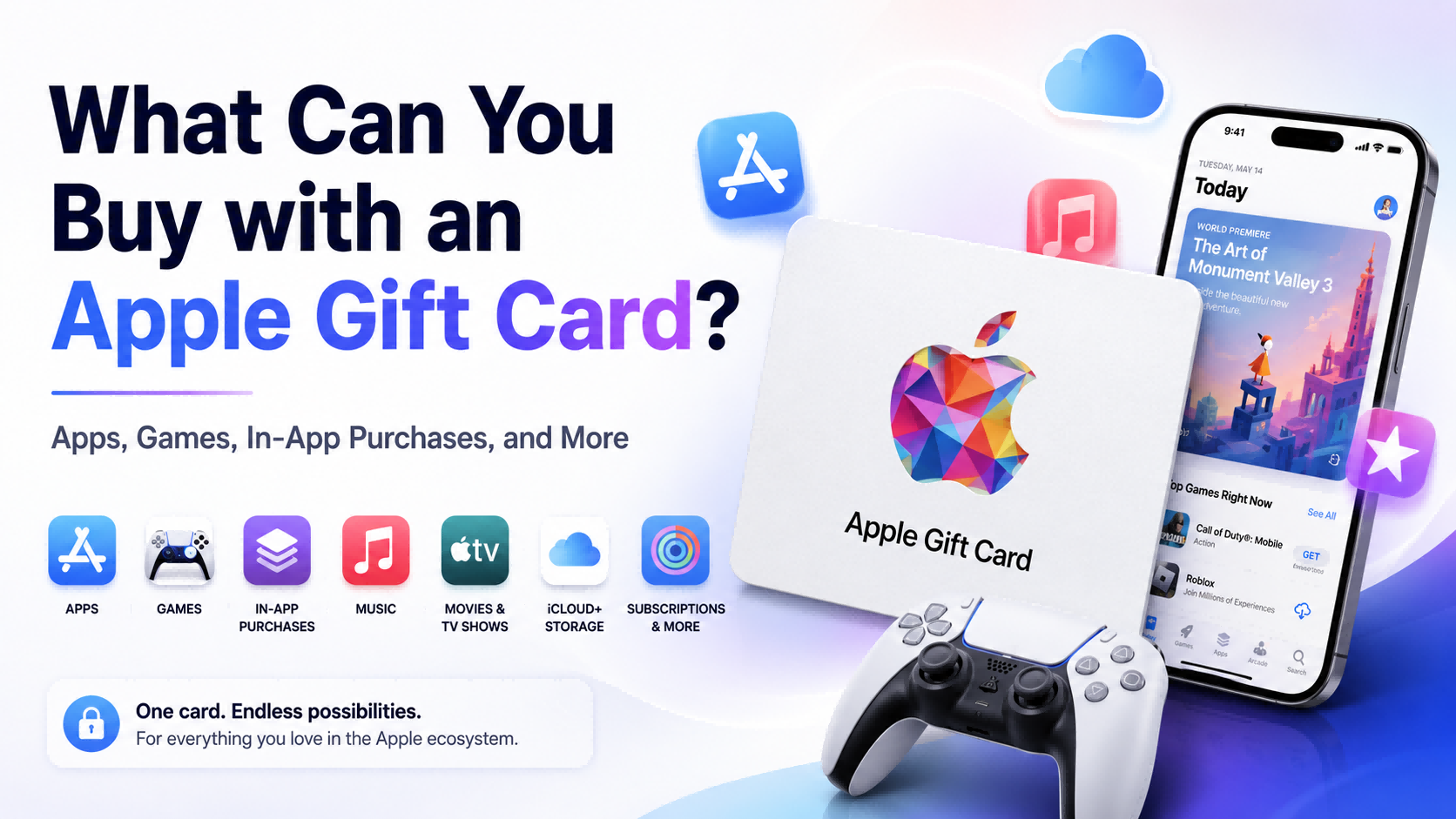
Topuplist Ad: Buy Apple Gift Card for Apps, Games, and Subscriptions
Need Apple Gift Card balance for App Store apps, mobile games, in-app purchases, iCloud+, Apple Music, or Apple subscriptions? You can buy a digital Apple Gift Card from Topuplist Apple Gift Card.
Topuplist offers digital Apple Gift Card codes for selected regions and denominations. After purchase, you can redeem the code to your Apple Account balance and use it for eligible Apple purchases.
Before buying, always check the gift card region carefully. Your Apple Gift Card region should match your Apple Account region. For example, a US Apple Gift Card should be redeemed on a US Apple Account, while a Japan Apple Gift Card should be redeemed on a Japan Apple Account.
Quick Answer: What Can You Buy with an Apple Gift Card?
You can use an Apple Gift Card or Apple Account balance to buy eligible Apple products, accessories, apps, games, in-app purchases, subscriptions such as Apple Music, Apple TV+, Apple Arcade, and iCloud+, as well as music, movies, books, and other Apple digital content. Availability may vary by country or region.
Apple’s official support page explains what you can buy with your Apple Gift Card or Apple Account balance here: What you can buy with your Apple Gift Card or Apple Account balance.
In simple terms, Apple Gift Cards are best for purchases inside the Apple ecosystem. They are not general-purpose prepaid cards and should not be used to pay non-Apple bills or strangers.
How Apple Gift Card Works After Redemption
Before deciding what to buy, it is important to understand how Apple Gift Cards work.
An Apple Gift Card is not usually spent directly like a credit card. Instead, you redeem the card code first. After redemption, the amount is added to your Apple Account balance. You then use that balance for eligible Apple purchases.
Apple’s official redemption guide is available here: How to redeem your Apple Gift Card.
Apple Gift Card vs Apple Account Balance
An Apple Gift Card is the physical card or digital code before redemption. Apple Account balance is the stored value after the gift card has been redeemed.
Once redeemed, the balance is linked to the Apple Account used during redemption. This is why you should always redeem with the correct Apple Account. If you have multiple Apple IDs, check carefully before entering the code.
Where Does the Money Go After You Redeem It?
After successful redemption, the gift card value goes into your Apple Account balance. You can check this balance in the App Store, Apple Account settings, or Wallet in supported regions.
Apple also provides an official balance page here: Check your gift card balance.
Why Region Matters Before You Buy or Redeem
Apple Gift Cards are generally region-specific. A gift card purchased for one country or region usually needs to be redeemed on an Apple Account from the same country or region.
For example:
A US Apple Gift Card usually requires a US Apple Account.
A Japan Apple Gift Card usually requires a Japan Apple Account.
A UK Apple Gift Card usually requires a UK Apple Account.
This matters before you buy. If you purchase the wrong region, the code may not redeem successfully.
Can You Buy Apps with an Apple Gift Card?
Yes. Apple Gift Card balance can be used for many paid apps from the App Store.
This is one of the most common Apple Gift Card uses because App Store purchases are directly connected to your Apple Account. Once your Apple Gift Card has been redeemed, your Apple Account balance can be used at checkout for eligible paid apps.
Paid Apps from the App Store
You can use Apple Gift Card balance for many types of paid apps, including:
Productivity apps
Photo editing apps
Video editing apps
Learning apps
Utility apps
Note-taking apps
Fitness apps
Creative tools
Business tools
For users who do not want to connect a credit card directly to the App Store, Apple Gift Card balance can be a useful prepaid option.
App Upgrades and Premium Versions
Many apps offer paid upgrades or premium versions. If the purchase is processed through Apple billing, Apple Account balance can usually be used.
Examples include:
Unlocking a pro version
Removing ads
Buying premium templates
Unlocking advanced editing tools
Purchasing extra app features
If the app sends you outside Apple’s billing system, Apple Gift Card balance may not apply.
App Subscriptions
Some apps use subscription models for premium access. If the subscription is billed through Apple, Apple Account balance can often be used.
However, some subscriptions may require another valid payment method on file. If your Apple Account balance is not accepted for a subscription, check your billing settings and the app’s payment rules.
Can You Buy Games with an Apple Gift Card?
Yes. Apple Gift Cards are useful for App Store gamers because they can be used for paid games, eligible in-game purchases, and Apple Arcade.
Paid App Store Games
Apple Account balance can be used to buy many paid games from the App Store. This is useful for players who want to control spending or buy games without using a bank card for every purchase.
Examples include:
Premium mobile games
Puzzle games
Strategy games
Role-playing games
Simulation games
Educational games
Offline games
Apple Arcade
Apple Arcade is Apple’s game subscription service. Apple Account balance can generally be used for Apple Arcade subscription payments.
This is a good option for users who want access to a library of games instead of buying individual games or spending on in-app purchases.
Mobile Game Spending
Many mobile games offer in-app purchases through App Store billing. If the game uses Apple billing and the purchase is eligible, Apple Gift Card balance can usually be used.
This makes Apple Gift Cards popular among players who want to buy game currency, passes, limited-time packs, premium items, or subscription upgrades.
Can You Use Apple Gift Card for In-App Purchases?
Yes, you can usually use Apple Gift Card balance for in-app purchases if the purchase is eligible and processed through Apple’s App Store billing system.
This is one of the most important use cases for Apple Gift Cards, especially for mobile gamers and app users.
Examples of In-App Purchases You May Buy
Apple Gift Card balance may be used for many in-app purchases, such as:
Game currency
Battle passes
Monthly passes
Premium game items
Subscription upgrades
Extra storage inside apps
Photo editing filters
Video editing features
Productivity app premium tools
Learning app content
Social app premium features
Dating app premium features, if billed through Apple
The key condition is that the in-app purchase must be processed through Apple billing.
When Apple Gift Card May Not Work for In-App Purchases
Apple Gift Card balance may not work if:
The app does not process the purchase through Apple billing.
The purchase is not eligible for Apple Account balance.
Your balance is too low.
The subscription requires another payment method.
The app or service is not available in your country or region.
Family Sharing payment rules affect the transaction.
Your Apple Account region does not match the store region.
If an in-app purchase fails, check your Apple Account balance, payment settings, region, and whether the app uses Apple billing.
Best Use Cases for Gamers
For gamers, Apple Gift Cards are especially useful for:
App Store games
In-game currency
Battle passes
Monthly passes
Limited-time event packs
Premium game content
Apple Arcade
Game subscriptions billed through Apple
Need balance for App Store games or eligible in-app purchases? Buy a digital code from Topuplist Apple Gift Card, redeem it to your Apple Account balance, and use it through Apple’s official checkout process.
Can You Use Apple Gift Card for Apple Subscriptions?
Yes. Apple Account balance can generally be used for many Apple subscriptions, including Apple Music, Apple TV+, Apple Arcade, and iCloud+.
Some subscriptions may still require another valid payment method on file, even if your Apple Account balance is used to pay. Apple notes this in its support information about Apple Account balance and eligible purchases.
Apple Music
Apple Gift Card balance can generally be used for Apple Music subscription payments. This is a practical use case for users who already pay monthly for music streaming.
Instead of charging a card every month, eligible subscription payments can be covered by Apple Account balance.
iCloud+
iCloud+ is one of the most useful Apple Gift Card spending options. Many iPhone, iPad, and Mac users need extra storage for photos, device backups, files, and app data.
Apple Gift Card balance can generally be used for iCloud+ storage plans, making it a strong choice for everyday Apple users.
Apple TV+
Apple Account balance can generally be used for Apple TV+ subscription payments. This is useful for users who watch Apple original shows and movies.
Apple Arcade
Apple Arcade is another strong Apple Gift Card use case. If you enjoy games but prefer a subscription model instead of buying many individual games, Apple Arcade can be a practical way to spend Apple Account balance.
Apple One
Apple One bundles several Apple services together, such as Apple Music, Apple TV+, Apple Arcade, and iCloud+. Apple Account balance may be used depending on billing eligibility and regional rules.
If an Apple One payment does not go through, check whether another valid payment method is required.
Can You Buy iCloud Storage with an Apple Gift Card?
Yes. Apple Gift Card balance can generally be used for iCloud+.
This is one of the most practical ways to use an Apple Gift Card because iCloud+ is a recurring need for many users. If your iPhone storage is full, your iCloud backup fails, or you need more space for photos and files, Apple Gift Card balance can help cover the cost of an iCloud+ plan.
Why iCloud+ Is a Smart Apple Gift Card Use
iCloud+ is useful because it supports:
iPhone backups
iCloud Photos
iCloud Drive
File syncing
App data syncing
Family storage sharing, depending on plan and settings
Privacy features included with iCloud+
For many users, iCloud+ is not a one-time purchase. It is an ongoing service. This makes Apple Gift Card balance useful for managing regular Apple ecosystem expenses.
What to Check Before Paying for iCloud+
Before using Apple Account balance for iCloud+, check:
Your current Apple Account balance
Your Apple Account region
Whether a backup payment method is required
Your iCloud+ plan
Whether Family Sharing storage is set up correctly
If your balance is not enough, Apple may require another payment method to complete the transaction.
Can You Buy Apple Products and Accessories with an Apple Gift Card?
Yes, in supported countries and regions. Apple Gift Card or Apple Account balance can be used for eligible Apple products and accessories at apple.com, in the Apple Store app, or at an Apple Store where supported.
Apple confirms this on its official support page about what you can buy with Apple Gift Card or Apple Account balance.
Apple Products
In supported regions, Apple Gift Cards may be used toward products such as:
iPhone
iPad
Mac
Apple Watch
AirPods
Apple Vision Pro, where available
HomePod
Apple TV devices
Availability depends on region, store, and checkout options.
Apple Accessories
Apple Gift Cards may also be used for Apple accessories in supported regions, such as:
AirPods
iPhone cases
iPad cases
Apple Pencil
Magic Keyboard
Chargers
Cables
Adapters
Watch bands
This makes Apple Gift Cards useful not only for digital purchases but also for physical Apple ecosystem accessories.
Can You Buy an iPhone with an Apple Gift Card?
In supported countries or regions, yes. Apple Gift Card or Apple Account balance may be used toward eligible Apple products such as iPhone through Apple’s official shopping channels.
However, payment options vary by country or region. If your Apple Account balance does not cover the full cost, you may need another accepted payment method.
Can You Use Multiple Apple Gift Cards for a Big Purchase?
In many cases, users can redeem multiple Apple Gift Cards to build Apple Account balance, then use that balance for eligible purchases. However, rules may vary by region, product, and checkout method.
For large purchases, always check the Apple checkout page and payment rules before relying only on gift card balance.
Can You Buy Music, Movies, Books, and Digital Content?
Yes. Apple Gift Cards can also be used for eligible Apple digital content.
Music
Apple Gift Card balance can support Apple Music subscription payments. In some regions, users may also buy music through Apple digital stores.
Movies and Shows
Apple Account balance may be used for eligible movie rentals or purchases through the Apple TV app. Apple TV+ subscription payments can also generally be covered by Apple Account balance.
Apple Books
Apple Account balance can be used for eligible Apple Books purchases. This makes Apple Gift Cards useful for students, readers, and users who buy ebooks or audiobooks through Apple’s ecosystem.
What Can’t You Buy with an Apple Gift Card?
Apple Gift Cards are flexible, but they cannot be used for everything. Understanding the limits is important for both spending and scam prevention.
Apple Gift Cards are only for Apple products and services. Apple’s official scam warning explains that if someone asks you to use Apple Gift Cards to buy something not sold by Apple, you may be the target of a scam. You can read Apple’s official warning here: About gift card scams.
Non-Apple Products or Bills
You cannot use Apple Gift Cards to pay:
Taxes
Rent
Debt
Utility bills
Medical bills
Government fees
Police fines
Immigration fees
Shipping fees to strangers
Non-Apple online purchases
If someone asks you to pay for any of these with Apple Gift Cards, it is likely a scam.
Sending Gifts or Gift Cards
Apple Account balance cannot be used to send gifts or gift cards. If you want to buy another gift card or send a gift, you may need another accepted payment method.
Some Recurring Charges
Some recurring charges may require another payment method. For example, certain subscription setups or AppleCare+ plans may have specific payment requirements depending on region and terms.
Family Sharing Limitations
Family Sharing members cannot spend your Apple Account balance. Your balance belongs to your own Apple Account only.
This is important for parents and family organizers. If you redeem a gift card to your own Apple Account, that balance does not automatically become available for other family members.
Best Ways to Spend an Apple Gift Card
The best way to spend an Apple Gift Card depends on how you use Apple products.
Best for iPhone Users
Good Apple Gift Card uses for iPhone users include:
iCloud+
App Store apps
Apple Music
Apple TV+
Apple Arcade
In-app purchases
Accessories, where supported
For many iPhone users, iCloud+ and App Store purchases are the most practical options.
Best for Gamers
Gamers can use Apple Gift Cards for:
Paid App Store games
In-app purchases
Game currency
Battle passes
Event packs
Apple Arcade
Premium game subscriptions billed through Apple
Apple Gift Cards are a good prepaid option for users who want to control gaming spending.
Best for Students
Students can use Apple Gift Cards for:
Learning apps
Productivity apps
iCloud+ storage
Apple Books
Apple Music
Note-taking tools
Creative apps
Accessories, where supported
Best for Gift Buyers
Apple Gift Cards are useful when you know someone uses Apple products but do not know exactly what they want.
They work well for:
Birthdays
Holidays
Graduation gifts
Employee rewards
Gamer gifts
iPhone user gifts
App Store spending
Subscription support
The most important rule is to buy the correct region for the recipient’s Apple Account.
Best for Subscription Users
If you already pay for Apple services, Apple Gift Cards can help cover recurring expenses such as:
Apple Music
iCloud+
Apple TV+
Apple Arcade
Apple One
This makes Apple Gift Cards useful for users who want a prepaid way to manage Apple subscription costs.
Should You Buy an Apple Gift Card for Apps, Games, and Subscriptions?
An Apple Gift Card is worth buying if you already spend money inside the Apple ecosystem. It is especially useful for App Store users, mobile gamers, subscription users, and gift buyers.
When Apple Gift Card Is Worth Buying
Apple Gift Card may be worth buying if:
You already pay for Apple services.
You play App Store games.
You buy in-app purchases.
You use iCloud+.
You want to control digital spending.
You want to gift someone Apple balance.
You do not want to enter card details repeatedly.
You want a simple prepaid option.
When It May Not Be the Best Choice
Apple Gift Card may not be the best choice if:
You are unsure about the recipient’s Apple Account region.
You need to pay non-Apple bills.
You want to buy from a non-Apple store.
You need a refundable payment method.
You are not sure whether the app uses Apple billing.
You want to transfer balance between accounts.
Topuplist CTA: Buy Apple Gift Card Online
Planning to use Apple Gift Card for apps, games, in-app purchases, iCloud+, or Apple subscriptions? Buy a digital Apple Gift Card from Topuplist Apple Gift Card, choose the correct region, and redeem it to your Apple Account balance before checkout.
How to Use an Apple Gift Card After Buying
After buying an Apple Gift Card, the basic process is simple: buy the correct region, redeem the code, spend the balance, and check your remaining balance.
Step 1: Buy the Correct Region
Before buying, make sure the gift card region matches your Apple Account region. Do not assume Apple Gift Cards are global.
If you buy from Topuplist, select the correct region and denomination before payment.
Step 2: Redeem the Code
Redeem the gift card through Apple’s official redemption process. You can usually redeem through the App Store, Apple Music app, or Wallet in supported cases.
Use Apple’s official guide here: How to redeem your Apple Gift Card.
Step 3: Spend the Balance
After redemption, use your Apple Account balance for eligible purchases. This may include apps, games, in-app purchases, Apple subscriptions, iCloud+, Apple Books, Apple TV content, and selected Apple products or accessories in supported regions.
Step 4: Check Your Remaining Balance
After spending, check your Apple Account balance so you know how much remains. Apple’s official balance page is here: Check your gift card balance.
Common Problems When Using Apple Gift Card Balance
Most Apple Gift Card issues are related to account, balance, region, or eligibility.
Apple Gift Card Balance Not Showing
If your balance does not appear, possible reasons include:
You redeemed the card to another Apple Account.
Redemption was not completed.
The App Store needs to refresh.
There is a temporary system delay.
You are signed in to the wrong Apple Account.
Try refreshing the App Store, checking another device, or signing in with the correct Apple Account.
Apple Gift Card Cannot Be Used for a Purchase
If Apple Gift Card balance cannot be used, possible reasons include:
The purchase is not eligible.
Your balance is insufficient.
A backup payment method is required.
Family Sharing rules affect payment.
The app does not use Apple billing.
Region mismatch exists.
In-App Purchase Not Charging Apple Account Balance
If an in-app purchase does not charge your Apple Account balance, check whether:
The app uses Apple billing.
Your balance is enough.
Your account region is correct.
The purchase is eligible.
Another payment method is required.
Region Error When Redeeming or Spending
If you see a region error, the Apple Gift Card region may not match your Apple Account region. This usually happens when users buy the wrong regional card.
The safest fix is to use a gift card that matches your Apple Account region.
FAQ About What You Can Buy with an Apple Gift Card
Can I use Apple Gift Card for App Store apps?
Yes. Apple Gift Card balance can be used for many paid apps from the App Store.
Can I use Apple Gift Card for games?
Yes. Apple Gift Card balance can be used for paid App Store games and many eligible game-related purchases.
Can I use Apple Gift Card for in-app purchases?
Yes, usually. The in-app purchase must be eligible and processed through Apple billing.
Can I use Apple Gift Card for game currency?
Often yes. If the game currency purchase is billed through the App Store, Apple Account balance can usually be used.
Can I use Apple Gift Card for iCloud+?
Yes. Apple Account balance can generally be used for iCloud+.
Can I use Apple Gift Card for Apple Music?
Yes. Apple Account balance can generally be used for Apple Music.
Can I use Apple Gift Card for Apple TV+?
Yes. Apple Account balance can generally be used for Apple TV+.
Can I use Apple Gift Card for Apple Arcade?
Yes. Apple Account balance can generally be used for Apple Arcade.
Can I buy an iPhone with an Apple Gift Card?
In supported countries or regions, Apple Gift Card or Apple Account balance may be used for Apple products through eligible Apple shopping channels.
Can I buy AirPods with an Apple Gift Card?
In supported countries or regions, yes, if the purchase is made through eligible Apple shopping channels.
Can I use Apple Gift Card on Amazon?
No. Apple Gift Cards are for Apple products and services, not Amazon purchases.
Can I use Apple Gift Card to pay bills or taxes?
No. Apple Gift Cards cannot be used to pay bills, taxes, fines, rent, debt, or government fees. Requests like this are common scam warning signs.
Can my family use my Apple Account balance?
No. Family Sharing members cannot use your Apple Account balance.
Can I buy another gift card with Apple Account balance?
No. Apple Account balance cannot be used to send gifts or gift cards.
Final Thoughts: Apple Gift Card Is Best for Apple Ecosystem Spending
Apple Gift Cards are best for users who already spend money inside the Apple ecosystem. They can be used for apps, games, in-app purchases, Apple subscriptions, iCloud+, Apple Books, Apple TV content, and Apple products or accessories in supported regions.
The best uses include:
App Store apps
App Store games
In-app purchases
Apple Music
iCloud+
Apple TV+
Apple Arcade
Apple Books
Apple accessories and products in supported regions
However, Apple Gift Cards are not for non-Apple bills, taxes, rent, debt, fines, or payments to strangers. If someone asks you to pay for a non-Apple product or service with Apple Gift Cards, treat it as a scam warning.
Before buying, always check the card region and your intended use. If you need a digital Apple Gift Card for apps, games, in-app purchases, or subscriptions, visit Topuplist Apple Gift Card, choose the correct region and denomination, and redeem the code through Apple’s official process.
Used correctly, an Apple Gift Card is a simple and flexible way to pay for Apple ecosystem spending.
