
Can You Play Honor of Kings on PC? Yes, Here is the Ultimate Guide
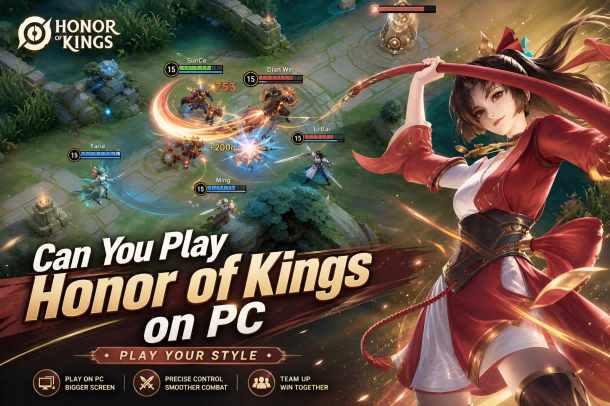
Can you play Honor of Kings on PC? While Honor of Kings (HOK) was fundamentally built by TiMi Studio Group as a mobile-first game for iOS and Android, yes, you can absolutely play it on a PC.
As Tencent’s massive 5v5 MOBA continues to dominate global leaderboards, many tactical players are asking a crucial question: Can you play Honor of Kings on PC? While Honor of Kings (HOK) was fundamentally built by TiMi Studio Group as a mobile-first game for iOS and Android, yes, you can absolutely play it on a PC. By utilizing an Android emulator, you can transfer your micro-management skills to a larger screen, utilize precise mouse-and-keyboard setups, and eliminate phone lag entirely.
This comprehensive guide covers the best emulators, a step-by-step installation walkthrough, optimal control schemes, platform-specific guides, and troubleshooting tips to help you dominate the King's Gorge.
Top 3 Best Emulators to Play Honor of Kings on PC
Since there is no standalone, native PC launcher for the standard MOBA version of Honor of Kings, relying on a reliable emulator is essential. (Note: If you are looking for the open-world ARPG spin-off, Honor of Kings: World, that specific title features a native cross-platform PC release).
For the classic 5v5 competitive MOBA experience, these are the top three emulators ranked by performance:
1. Tencent GameLoop (The Official Choice)
As Tencent's official emulator, GameLoop offers the most seamless integration for Honor of Kings. It features pre-configured, native keymapping that closely mirrors the control layouts of PC MOBAs like League of Legends. It is highly optimized to minimize CPU usage while maximizing frame rates.
2. BlueStacks
BlueStacks is renowned for its wide compatibility and deep customization options. Its "Keymapping Editor" allows players to build highly personalized control overlays, and its multi-instance manager is excellent if you manage secondary accounts.
3. LDPlayer
If you are running an older desktop or a budget laptop, LDPlayer is a lightweight alternative. It focuses heavily on high performance and stability, allowing players to easily unlock stable 60 FPS or 120 FPS modes without heavy hardware demands.
Step-by-Step Guide: How to Install & Play HOK on PC
Setting up the game on your computer takes less than ten minutes. Follow these simple steps:
Download an Emulator: Head to the official website of your chosen emulator (e.g., Tencent GameLoop or BlueStacks) and download the client installer.
Install the Software: Run the installer and follow the on-screen prompts. Ensure virtualization (VT) is enabled in your PC’s BIOS settings for optimal performance.
Access the App Store: Open the emulator, navigate to the built-in Google Play Store, and sign in with your Google account.
Search and Download: Type Honor of Kings into the search bar. Locate the official app published by Level Infinite and click Install.
Launch and Sync: Once downloaded, launch the game. You can safely log into your existing account using Facebook, Google, or a Level Infinite ID to completely sync your mobile progress.
Need More Tokens, Vouchers, or Limited-Time Skins?
Once you've successfully set up Honor of Kings on PC, you're ready to enjoy smoother controls, higher frame rates, and a more competitive experience on the battlefield.
Many players also use PC to grind ranked matches, complete seasonal events, and unlock premium cosmetics more efficiently. If you're planning to purchase Tokens, Vouchers, Hero Skins, or event-exclusive rewards, you can use Honor of Kings Top Up for fast delivery, secure payments, and competitive pricing.
Why Choose Topuplist?
✅ Instant delivery
✅ Multiple payment methods
✅ Secure transactions
✅ Global customer support
✅ Competitive prices
Whether you're preparing for a new ranked season or collecting your favorite hero skins, Topuplist makes it easy to recharge and get back into the action.
Playing Honor of Kings on Other Devices (Mac & Handhelds)
Beyond standard Windows PCs, players frequently look for ways to take the battlefield onto other hardware. Here is how to play Honor of Kings on various non-mobile setups:
How to Play on Mac (Apple Silicon M1/M2/M3)
If you own a modern Mac powered by Apple Silicon, running mobile applications is highly efficient:
The App Store Method: Because Apple Silicon chips share architecture with iOS devices, some regions allow you to download the iPadOS version of Honor of Kings directly from the Mac App Store.
Android Emulators for Mac: If the direct app is unavailable in your region, software like MuMu Player Pro (optimized for Mac) or BlueStacks 4 (for Intel-based Macs) can be used to run the Android version smoothly.
How to Play on Windows Gaming Handhelds (ROG Ally, Lenovo Legion Go)
Windows-based handheld consoles act exactly like portable PCs, meaning they handle emulators incredibly well:
Boot up your handheld into Windows mode and download GameLoop or LDPlayer.
Install Honor of Kings through the emulator as detailed in the PC guide above.
Controller Mapping: Open the emulator’s controller settings and map the handheld's physical joysticks and buttons to the on-screen touchscreen controls. This transforms HOK into a console-like experience similar to Pokémon UNITE.
How to Play on Steam Deck (SteamOS)
Because the Steam Deck runs on a Linux-based operating system, running Windows emulators requires a slight workaround:
Waydroid: This is the cleanest method for Linux/SteamOS. Waydroid runs a containerized version of Android directly on the Deck, offering near-native performance for Honor of Kings.
Dual-Booting Windows: Alternatively, players who have dual-booted Windows onto their Steam Deck can simply install GameLoop directly onto their Windows partition.
System Requirements for PC Emulation
To ensure your game does not freeze during crucial team fights around the Tempest Dragon, check that your machine meets these technical benchmarks:
Best PC Keymapping Settings for Honor of Kings
Playing a mobile MOBA with a mouse and keyboard requires adjusting your muscle memory. Most players prefer one of two primary control layouts:
The WASD Configuration: Use your left hand on the
W,A,S, andDkeys to pilot your Hero's movement across the map. Use your mouse to aim skill-shots, and assign abilities to keys likeQ,W,E, orR. This is highly recommended for players transitioning from traditional mobile joysticks.The MOBA Classic Mode: This configuration closely mirrors standard computer MOBAs. You control your Hero’s movement entirely by right-clicking on the ground, freeing up your left hand to focus purely on executing complex ability combos, targeting, and purchasing items.
Pro Tip: Always enable Smart Casting within your emulator's control settings. This forces abilities to deploy immediately in the direction of your mouse cursor the moment you tap the key, shaving off vital milliseconds during fast-paced skirmishes.
Prepare for New Heroes and Seasonal Events
One of the biggest advantages of playing Honor of Kings on PC is the ability to participate in large-scale events and competitive seasons with greater comfort and precision.
New heroes, limited skins, Honor Pass rewards, and collaboration events frequently require Tokens or Vouchers. To make sure you never miss a limited-time reward, players can recharge through Top Up Honor of Kings on Topuplist and prepare resources in advance.
This is especially useful during major seasonal updates when exclusive cosmetics and event rewards are only available for a limited time.
Recommended Heroes for PC Players
If you are playing on an emulator for the first time, start with heroes whose kits translate perfectly to a mouse and keyboard setup:
Marksmen (Hou Yi, Solarus): Excellent for practicing click-to-move and auto-attack kiting (orb-walking).
Mages (Angela, Lady Zhen): Great for learning how to aim directional skill-shots and area-of-effect (AoE) crowd control abilities precisely with a mouse.
Troubleshooting Common PC Emulator Issues
Stuck at 99% Loading Screen: This is usually caused by an interference with your antivirus software or disabled Virtualization Technology (VT). Restart your PC, enter your BIOS settings, and ensure VT-x or AMD-V is enabled.
Frame Rate Drops and Stuttering: Go to your emulator settings and allocate more CPU cores and RAM (at least 4 Cores and 4096MB RAM recommended). Also, ensure your graphics rendering mode is set to DirectX or OpenGL+ depending on your dedicated GPU.
Keymapping Desync: If your keys do not align with the on-screen buttons after an in-game patch, reset the keymapping profile to "Default" in the emulator's control menu, or manually drag the keys back over the ability nodes.
Playing HOK on PC? Don't Forget Limited-Time Rewards
A larger screen and more precise controls can help you complete daily missions, ranked challenges, and event objectives more efficiently.
If you're planning to unlock premium skins, purchase the Honor Pass, or stock up on Tokens for future events, consider using Honor of Kings Recharge on Topuplist for a quick and secure top-up experience.
With fast delivery and multiple payment options, it's a convenient way to prepare for upcoming content updates and seasonal rewards.
Frequently Asked Questions (FAQs)
Can I get banned for playing Honor of Kings on an emulator?
No. Playing Honor of Kings on a mainstream, recognized emulator like GameLoop or BlueStacks is entirely safe and does not violate the game's terms of service. However, using unauthorized third-party scripts, macro programs, or map-hacks within an emulator will result in a permanent ban.
Will I be matched against mobile players if I am on a PC?
To keep the competitive ecosystem fair, the matchmaking algorithm prioritizes pairing emulator players with other emulator players. If you queue up in a party with a friend who is on a mobile phone, you will be placed into a mixed-platform matchmaking pool where opponents may also be utilizing PC setups.
Can I transfer my iOS account progress to a PC emulator?
Yes. Because Android emulators function on the Android ecosystem, you cannot directly log in via Apple iCloud. However, if your iOS game profile is linked to a cross-platform service like a Level Infinite ID or Facebook, you can seamlessly load that exact profile and your purchased Hero skins on your PC.
