
Delta Force Download Guide: PC, Mobile, Steam, and Android
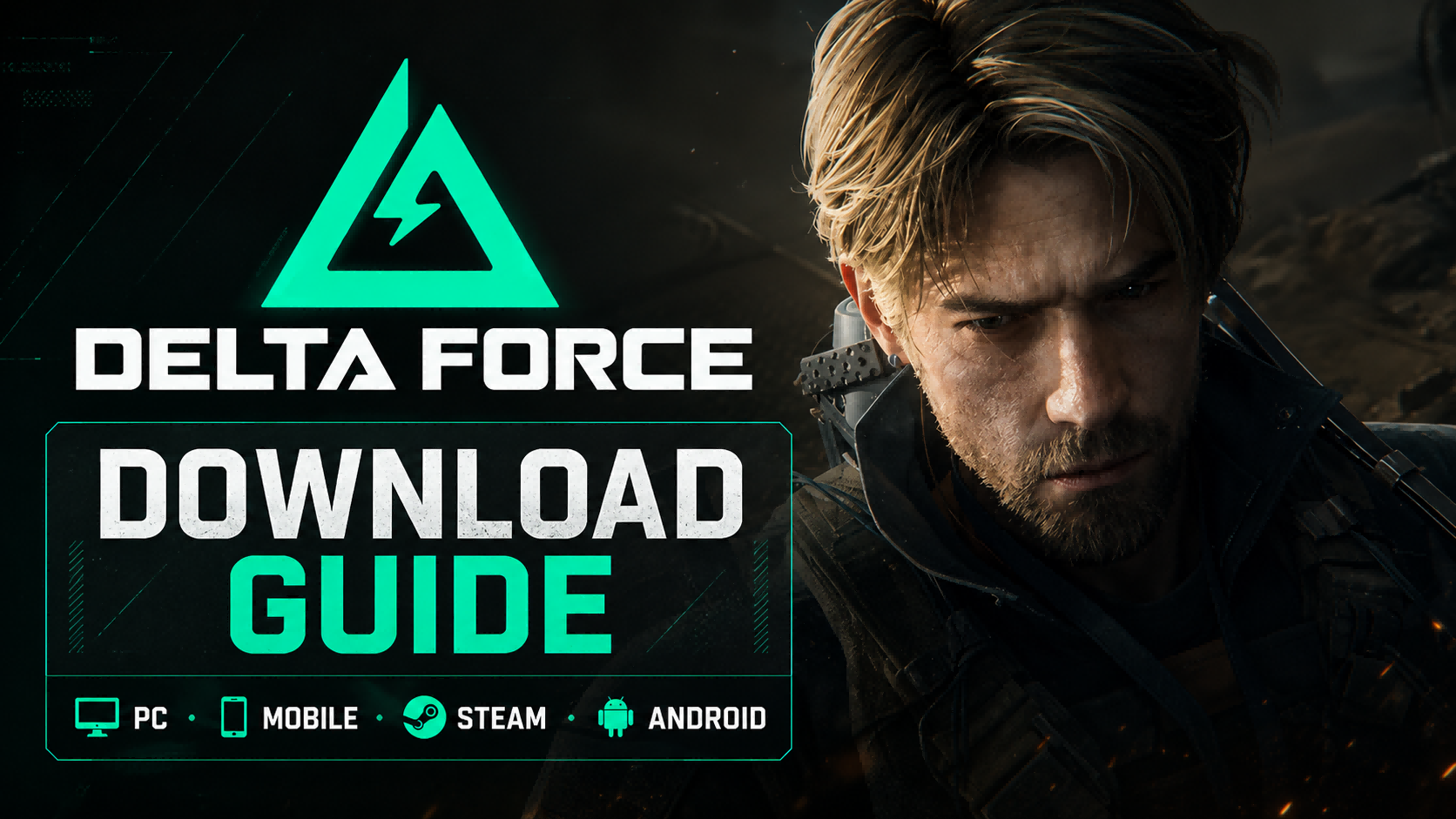
Delta Force is now available across multiple platforms, including PC, Steam, Android, and iOS. Whether you want large-scale Warfare battles, tactical Operations extraction runs, or a more portable mobile experience, choosing the right download method matters. The safest way to install Delta Force is to use the official Delta Force website, the Steam store page, Google Play, the App Store, or your official regional publisher.
Topuplist Recharge Tip: After installing Delta Force, players who want to prepare for premium currency purchases can visit Topuplist Delta Force Top Up for Delta Force Coins recharge options. Before purchasing, always confirm your UID, server, region, and supported game version. Topuplist notes that its Delta Force recharge service is for international servers and may not apply to Garena service regions.
What Is Delta Force?
Delta Force is a free-to-play tactical shooter built around modern military combat, large-scale PvP warfare, extraction gameplay, operators, weapon customization, and campaign content. The game is especially popular because it combines multiple shooter experiences in one package: battlefield-style team warfare, high-risk extraction runs, tactical squad play, and customizable loadouts.
On PC, players can download Delta Force through the official launcher or Steam. Mobile players can find Delta Force on Google Play or the App Store, depending on region and device compatibility.
Because Delta Force has different publishing channels and regional versions, the download path can vary. Some players may see the global version, while others may access the Garena version or another regional service. This guide explains the safest download methods for PC, Steam, Android, and iOS, plus what to check before installing.
Delta Force Download Options at a Glance
For most PC players, Steam is the easiest way to download Delta Force. For mobile players, Google Play and the App Store are usually the safest options. Avoid random download mirrors unless they are officially recommended by the publisher in your region.
How to Download Delta Force on PC
The official PC version is a good choice if you prefer direct access instead of launching through Steam. It may also be useful if the official launcher is the main distribution method in your region.
Step-by-Step PC Download Guide
Visit the official Delta Force website.
Look for the PC download option.
Download the official launcher or installer.
Run the installer on your Windows PC.
Choose your installation folder.
Allow the launcher to download required game files and updates.
Log in with the supported account method.
Start the game and select your server or region if prompted.
Before installing, make sure your PC has enough storage space. Delta Force is a large online shooter, so updates, patches, and additional resources may require extra space beyond the base installation.
Why Choose the Official PC Launcher?
The official launcher is best for players who want a direct route into Delta Force without using Steam. It may also be better for players whose region is supported through a specific official client. If the official website redirects you to a regional publisher, follow the official path rather than downloading from third-party mirrors.
You should choose the official launcher if:
You do not use Steam regularly.
Your region promotes the official launcher as the main PC download method.
You want direct access to official announcements and launcher updates.
You need a version connected to a specific regional account system.
PC Installation Checklist
Before downloading Delta Force on PC, check the following:
Windows 10 64-bit or newer.
Enough storage for the base game and future updates.
Stable broadband internet connection.
Updated NVIDIA, AMD, or Intel graphics driver.
Administrator permission for installation.
Firewall or antivirus permission for the launcher.
SSD storage if possible for smoother loading.
Garena’s official PC requirements recommend Windows 10 64-bit and 60 GB of storage, so players should keep additional free space for patches and seasonal updates.
How to Download Delta Force on Steam
Steam is one of the simplest ways to install Delta Force on PC. The Steam page lists the game as free-to-play and describes it as an operator-based extraction and full-scale combined arms warfare shooter.
Step-by-Step Steam Download Guide
Open Steam on your PC.
Search for “Delta Force.”
Open the official Delta Force Steam store page.
Click “Play Game” or “Install.”
Choose your installation drive.
Wait for Steam to download and install the game.
Launch Delta Force from your Steam Library.
Complete any required in-game updates.
Steam is especially convenient if you already manage most of your PC games through Steam. It also makes updates, reinstalling, and game file verification easier.
Steam Version vs Official Launcher
If both versions are available in your region, Steam is usually easier for general PC users. The official launcher may be better if your account, events, or regional server access is tied to the direct client.
How to Download Delta Force on Android
Android players should download Delta Force from Google Play whenever it is available in their region. The Google Play listing for Garena Delta Force describes the game as an extraction and warfare FPS with operators, tactical gadgets, bosses, and player-versus-player combat.
Step-by-Step Android Download Guide
Open Google Play on your Android device.
Search for “Delta Force.”
Check that the listing matches the official publisher for your region.
Tap “Install.”
Wait for the base app to download.
Open the game and allow it to download additional resources.
Log in with the supported account method.
Adjust graphics and control settings before entering your first match.
Android Compatibility Tips
Delta Force is a large mobile shooter, so device performance matters. Even if the app appears in Google Play, you should still keep enough free storage and use a stable Wi-Fi connection for the first download.
Before installing on Android, check:
Android version compatibility.
Available storage.
RAM and chipset performance.
Wi-Fi stability.
Battery level.
Device temperature.
App store region.
Login method availability.
Should You Download a Delta Force APK?
In most cases, no. The safest Android download method is Google Play or an official regional publisher link. Unofficial APK files can create several risks, including outdated builds, failed updates, login errors, malware exposure, and account security problems.
If Google Play says Delta Force is unavailable in your region, do not immediately download a random APK. Check the official Delta Force site or your regional publisher first. Some regions may use a different official download channel.
How to Download Delta Force on iPhone and iPad
Delta Force is also available on iOS through the App Store in supported regions. The App Store listing shows Delta Force as a free app with in-app purchases and support for iPhone and iPad.
Step-by-Step iOS Download Guide
Open the App Store on your iPhone or iPad.
Search for “Delta Force.”
Open the official Delta Force app listing.
Tap “Get.”
Wait for the app to install.
Launch the game and download required in-game resources.
Log in with the supported account method.
Set graphics, sensitivity, and control preferences.
iOS Compatibility Checklist
Before downloading Delta Force on iOS, check:
Your iPhone or iPad model.
iOS version compatibility.
Available storage.
App Store region.
Wi-Fi stability.
Account login method.
Extra space for patches and resources.
If the game does not appear in your App Store, it may not be available in your current region. Changing regions without understanding payment, account, and update limitations can create problems, so check official availability first.
Delta Force Mobile vs PC: Which Version Should You Download?
Delta Force is available on both PC and mobile, but the best version depends on how you prefer to play. PC is better for players who want stronger visual performance, keyboard-and-mouse control, and longer competitive sessions. Mobile is better for players who want portable access, quick sessions, and touchscreen play.
Choose PC if you want the most precise aiming experience and a larger screen. Choose mobile if you value convenience and want to play without a gaming PC. If you play seriously, PC is usually the better long-term option. If you mostly complete daily tasks or play short sessions, mobile may be more practical.
Delta Force PC System Requirements
Before downloading Delta Force on PC, compare your hardware with the official requirements. Garena’s official system requirements list minimum, recommended, 2K, and 4K specifications. Requirements may vary slightly by version, region, and update, but the table below gives a practical baseline.
If your PC is close to the minimum requirements, reduce graphics settings before entering large-scale Warfare matches. Lowering shadows, effects, texture quality, and post-processing can help stabilize performance.
For smoother loading, install Delta Force on an SSD instead of an HDD. Large maps and fast respawns can feel much better when the game loads assets quickly.
Can Low-End PCs Run Delta Force?
Low-end PCs may run Delta Force if they meet the minimum requirements, but performance will depend heavily on GPU, RAM, storage type, and background processes. Since Delta Force includes large maps, multiple players, vehicles, and detailed combat effects, weak hardware may struggle in heavy firefights.
Try these settings if your PC is near the minimum requirements:
Use 1080p or lower resolution.
Lower shadows and effects.
Reduce texture quality if VRAM is limited.
Close browsers and background apps.
Install the game on SSD.
Update graphics drivers.
Use wired internet if possible.
Avoid recording or streaming while playing.
If the game stutters during combat, check RAM usage and storage speed first. Many online shooters feel much worse on systems with limited memory or slow drives.
Is Delta Force Free to Download?
Yes. Delta Force is free to download on supported platforms. However, it includes optional in-game purchases, and available items may vary by platform, server, and region. Players may see premium currency, cosmetics, battle pass content, bundles, or other paid items depending on the version they play.
Topuplist Recharge Note: If you plan to buy Delta Force Coins after installation, you can check Topuplist Delta Force Top Up. The page provides Delta Force Coins recharge options and explains that users need to enter the correct UID and server information. Players can also read the Topuplist Delta Force top-up guide for more details before making a purchase.
Before topping up, always verify:
Your UID.
Your in-game nickname.
Your server or region.
Whether your version is supported.
Whether you are playing the global version or a Garena regional version.
The exact coin package you want to buy.
For Garena service regions, check the Garena Topup Center or your local official payment channel, because recharge availability may differ from the global version.
Delta Force Download Not Working? Common Fixes
Download issues can happen on PC, Steam, Android, or iOS. Most problems are caused by unstable internet, lack of storage, regional restrictions, launcher errors, or app store compatibility limits.
PC Launcher Fixes
If the official PC launcher fails to download or install Delta Force, try the following:
Restart the launcher.
Run the launcher as administrator.
Check available disk space.
Temporarily allow the launcher through firewall or antivirus.
Switch to a stable Wi-Fi or wired connection.
Restart your PC.
Reinstall the launcher from the official website.
Check whether servers are under maintenance.
Do not download a replacement launcher from unknown websites. If the official installer fails, return to the official Delta Force website or regional publisher page.
Steam Download Fixes
If the Steam download is stuck or keeps pausing:
Restart Steam.
Clear Steam’s download cache.
Change your Steam download region.
Check your storage drive.
Pause and resume the download.
Verify game files after installation.
Restart your PC.
Reinstall if the local files are corrupted.
Steam’s file verification tool is useful if Delta Force launches but crashes, fails to update, or reports missing files.
Android Download Fixes
If Delta Force will not download on Android:
Clear Google Play cache.
Free up storage space.
Switch from mobile data to Wi-Fi.
Restart your phone.
Update Google Play Services.
Check whether your device is compatible.
Check regional availability.
Avoid unofficial APK files.
If the download finishes but in-game resources fail, restart the app and use a stable Wi-Fi connection. Large resource packs may fail on unstable mobile data.
iOS Download Fixes
If Delta Force will not install on iPhone or iPad:
Check available storage.
Update iOS.
Restart your device.
Pause and resume the App Store download.
Check your App Store region.
Sign out and back into your Apple ID if needed.
Confirm that your device is compatible.
Try again on a stable Wi-Fi connection.
If the App Store listing is unavailable, the game may not be supported in your current region.
Is Delta Force Cross-Platform?
Delta Force has PC and mobile availability, but account linking, platform compatibility, server access, and cross-progression can depend on region and version. Steam, official launcher, Google Play, App Store, and Garena versions may not always share the same account environment.
Before assuming that PC and mobile progress will connect, check the latest official announcements, account settings, and in-game login options. If you play with friends, make sure everyone is on a compatible platform, region, and server before installing.
Which Delta Force Version Should You Download?
If you are a PC player, download Delta Force from Steam if you already use Steam regularly. It is convenient, easy to update, and simple to manage in your library. Use the official launcher if your region recommends it or if you prefer direct access.
If you are an Android player, use Google Play whenever possible. If the game is not available in your region, check the official website or regional publisher instead of installing a random APK.
If you are an iPhone or iPad player, use the App Store. If the listing does not appear, check regional availability.
If you are in a Garena-supported region, use the Garena official site and official Garena channels. Garena versions may have different server access, login options, events, and payment channels.
Safe Download Checklist
Before you install Delta Force, use this checklist:
Download only from the official website, Steam, Google Play, App Store, or an official regional publisher.
Check your device storage before installing.
Use a stable Wi-Fi or wired connection.
Keep extra storage for future updates.
Update your PC graphics driver.
Avoid unofficial APK or modified clients.
Confirm your account region.
Do not share your login information.
Verify your UID before any recharge.
Restart your device after large patches.
Repair or verify files if installation fails.
Safe downloading is especially important for live-service games. A modified client or unofficial APK can cause update failures, account risks, or security problems.
FAQ
Is Delta Force free to download?
Yes. Delta Force is free to download on supported platforms, including PC, Steam, Android, and iOS. Optional in-game purchases may be available depending on your region and version.
Where can I download Delta Force on PC?
You can download Delta Force from the official Delta Force website or from Steam. Some regions may also use a regional publisher page, such as Garena.
Is Delta Force available on Steam?
Yes. Delta Force is available on Steam as a free-to-play game.
Can I download Delta Force on Android?
Yes. Android players can download Delta Force from Google Play where the game is available.
Is Delta Force available on iPhone?
Yes. iPhone and iPad users can download Delta Force from the App Store in supported regions.
How much storage does Delta Force need on PC?
Garena’s official PC system requirements list 60 GB of storage. It is best to keep extra free space for updates, patches, and future seasonal content.
Why can’t I download Delta Force?
Common reasons include unsupported region, insufficient storage, unstable internet, outdated app store services, Steam download errors, launcher issues, or device incompatibility.
Is it safe to download a Delta Force APK?
The safest method is to download Delta Force from Google Play or an official publisher channel. Random APK files can be risky and may cause security or update problems.
Can Steam players play with mobile players?
Cross-platform features may depend on region, version, mode, and account system. Check the latest official information and in-game options before assuming full cross-platform support.
Can I top up Delta Force after downloading?
Yes, if your version supports premium currency purchases. Players using the international version can check Topuplist Delta Force Top Up, while Garena-region players should check official Garena payment channels.
Final Thoughts
The safest way to download Delta Force is to use the official platform for your device: the Delta Force website or Steam for PC, Google Play for Android, and the App Store for iPhone and iPad. Players in Garena-supported regions should use Garena’s official channels to avoid account, server, or payment mismatches.
Before installing, check your storage, device compatibility, internet connection, and account region. PC players should also compare their hardware with the official system requirements and update graphics drivers before launching the game.
Once Delta Force is installed, you can start exploring Warfare, Operations, operators, weapon customization, and seasonal content. If you decide to purchase premium currency later, make sure your UID and region are correct before using any recharge service such as Topuplist or an official regional top-up center.
