
Apple Gift Card Not Working? Common Redeem Errors, Balance Issues, and Fixes
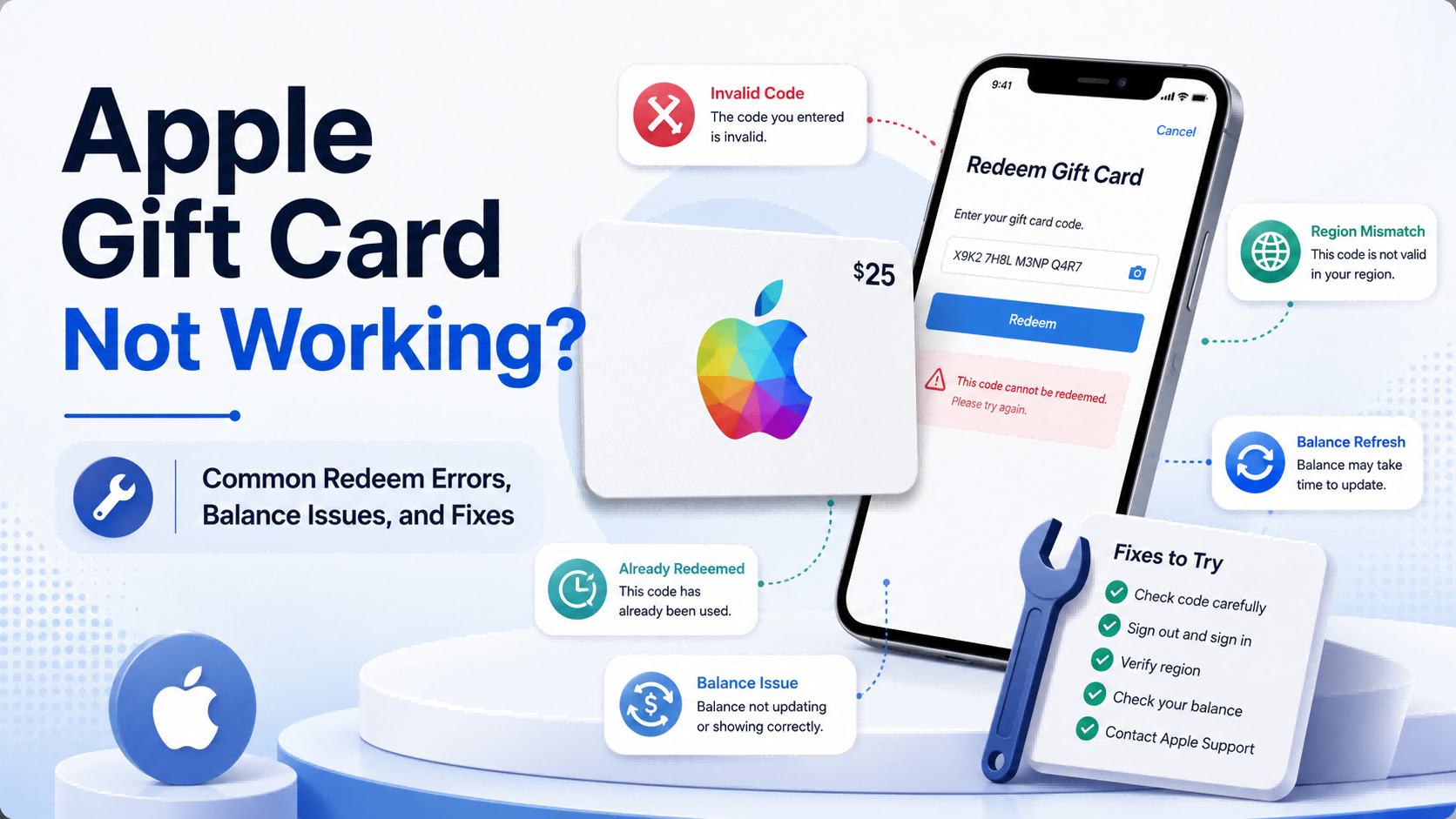
Topuplist Ad: Buy the Correct Apple Gift Card Region Before You Redeem
Need a new Apple Gift Card after a wrong-region purchase, failed code, or unsafe seller experience? You can buy a digital Apple Gift Card from Topuplist Apple Gift Card.
Topuplist provides Apple Gift Card digital codes for selected regions and denominations. Before checkout, always confirm the product name, region, value, and quantity. Your Apple Gift Card region must match your Apple Account region. For example, a US Apple Gift Card should be redeemed on a US Apple Account, while a Japan Apple Gift Card should be redeemed on a Japan Apple Account.
Topuplist provides the digital code, but redemption happens through Apple’s official system. After purchase, redeem the code through the App Store, Apple Music app, Wallet if supported, or Apple’s official redemption process. Do not share your code with anyone, and keep your order details until the balance is confirmed.
Apple Gift Cards are useful for apps, games, in-app purchases, Apple subscriptions, iCloud+, Apple Books, Apple TV content, and other eligible Apple ecosystem purchases. But if your Apple Gift Card is not working, you should diagnose the error before buying another card.
Apple Gift Card Not Working? Start Here
An Apple Gift Card may fail for several reasons. The code might be typed incorrectly, the card may be for another country or region, the card may already be redeemed, the retailer may not have activated it, the code may be damaged, or your Apple Account balance may not have refreshed yet.
The good news is that most Apple Gift Card problems can be narrowed down by checking five things:
The redeem code
The Apple Account you are using
The gift card region
The card activation or redemption status
Your Apple Account balance
This guide explains the most common Apple Gift Card redeem errors, balance issues, and practical fixes. It also explains when to contact the seller, when to contact Apple Support, and when the issue may be related to a scam.
Quick Answer: Why Is My Apple Gift Card Not Working?
Your Apple Gift Card may not work because the code was entered incorrectly, the card is for another country or region, the card was already redeemed, the card was not activated by the retailer, the code is damaged or unreadable, your Apple Account balance has not refreshed, or the purchase you are trying to make is not eligible for Apple Account balance.
Apple’s official troubleshooting page explains common gift card redemption errors here: If you can’t redeem your Apple Gift Card.
Do not immediately assume the card is fake. Many Apple Gift Card issues are caused by simple code entry mistakes, account refresh delays, or region mismatch.
First Things to Check Before Troubleshooting
Before trying advanced fixes, check the basics. Many Apple Gift Card problems happen because the wrong number was entered, the wrong account was signed in, or the gift card region does not match the Apple Account region.
Are You Using the Correct Redemption Code?
Physical Apple Gift Cards may have more than one number on the card or receipt. The redemption code is not the same as the serial number, barcode number, order number, or receipt number.
When redeeming, enter the actual gift card redeem code. If you are using a digital Apple Gift Card, copy the code carefully from the email, order details page, or delivery page.
If camera scan does not work, choose manual entry. Manual entry helps you avoid scan errors, especially if the card is scratched, blurry, or poorly lit.
Are You Signed In to the Correct Apple Account?
The redeemed balance is added to the Apple Account currently signed in during redemption. If you use more than one Apple ID, check carefully before redeeming.
If the card says it has already been redeemed, you may have redeemed it to another Apple Account. Check all Apple Accounts you use, especially if you have separate accounts for App Store purchases, iCloud, family use, or different regions.
Once an Apple Gift Card is redeemed, the balance usually cannot simply be transferred to another Apple Account.
Does the Gift Card Region Match Your Apple Account Region?
Apple Gift Cards are generally country or region specific. A gift card bought for one region usually cannot be redeemed in another Apple Account region.
For example:
A US Apple Gift Card usually requires a US Apple Account.
A Japan Apple Gift Card usually requires a Japan Apple Account.
A UK Apple Gift Card usually requires a UK Apple Account.
A Singapore Apple Gift Card usually requires a Singapore Apple Account.
If the region does not match, you may see an error saying the code must be redeemed in another country or region. Apple explains this issue on its official support page: If you can’t redeem your Apple Gift Card.
Has the Card Already Been Redeemed?
A card may show “already redeemed” if:
You redeemed it earlier and forgot.
It was redeemed on another Apple Account.
Someone else used the code.
A seller delivered a used code.
The code was exposed through screenshots, email forwarding, or private messages.
Before contacting support, check your Apple Account balance and purchase history. Sometimes the balance was added and then used automatically for a subscription, app purchase, or pending charge.
Is the Card Activated?
Physical Apple Gift Cards bought from retailers usually need to be activated at checkout. If the retailer did not activate the card properly, Apple may show a “not activated” message.
Keep the physical card and purchase receipt. The retailer may need the receipt to verify activation.
Apple Gift Card Says “Invalid Code”
“Invalid code” is one of the most common Apple Gift Card errors. It does not always mean the card is fake. It may simply mean the code was entered incorrectly or the wrong number was used.
Why This Error Happens
An Apple Gift Card may show an invalid code error because:
The code was typed incorrectly.
The camera scan misread the code.
You entered the serial number instead of the redeem code.
You entered the barcode number, order number, or receipt number.
The card type is different from what you expected.
The code is damaged or unreadable.
The card was not properly activated.
The card region does not match your Apple Account region.
Apple’s system temporarily cannot validate the code.
How to Fix Invalid Code
Try these steps:
Choose manual code entry instead of camera scan.
Enter the redeem code exactly as shown.
Check similar-looking letters and numbers.
Make sure you are entering the redeem code, not the serial number.
Confirm that the gift card type is correct.
Confirm that the card region matches your Apple Account region.
Try redeeming on another Apple device.
Check Apple’s official redemption guide: How to redeem your Apple Gift Card.
Contact Apple Support if the code still does not work.
Characters That Are Easy to Confuse
If the code is long, enter it slowly and check each group of characters. Do not guess too many times if the code is damaged or unclear.
When to Contact Apple Support
Contact Apple Support if:
Manual entry fails.
The code is unreadable.
Apple says the code is invalid even though it looks correct.
The card is damaged.
You have proof of purchase but cannot redeem the code.
Apple may ask for the front and back of the card, the purchase receipt, the serial number, and other proof of purchase.
Apple Gift Card Says “Already Redeemed”
If your Apple Gift Card says “already redeemed,” it means Apple’s system shows the code has already been used. This does not always mean the code was stolen. It may have been redeemed to your own account and the balance has not refreshed.
Why This Error Happens
This error may happen because:
You already redeemed the card on the same Apple Account.
You redeemed it on another Apple Account.
Someone else used the code.
The seller delivered a used code.
The code was exposed before you redeemed it.
You are checking the wrong Apple Account balance.
A subscription or pending charge used the balance after redemption.
How to Fix “Already Redeemed”
Try these steps:
Sign out of the App Store.
Sign back in.
Check your Apple Account balance again.
Check every Apple Account you use.
Review your purchase history.
Check active subscriptions.
Check whether a family member had access to the code.
Contact Apple Support if you believe the code was stolen.
Contact the seller if the code appeared used before you received it.
Apple’s balance page explains that if you already redeemed an Apple Gift Card, you should check your Apple Account balance: Check your gift card balance.
How to Tell If the Balance Was Added Successfully
Check:
Apple Account balance
App Store purchase history
Subscription renewals
Recent in-app purchases
Pending charges
Other Apple devices using the same account
Sometimes users think the card failed, but the balance was added and then spent automatically on an active subscription or pending App Store purchase.
What If You Bought the Code Online?
If you bought the code online and it says already redeemed immediately:
Save the order ID.
Take a screenshot of the Apple error message.
Save the delivery time and code delivery page.
Do not share the code again.
Contact the seller with order details.
Contact Apple Support if needed.
If you purchased from Topuplist Apple Gift Card, prepare your order number, purchased region, denomination, delivery screenshot, and Apple error screenshot when contacting support.
Apple Gift Card Says “Not Activated”
A “not activated” message usually means the card was not properly activated at checkout. This issue is most common with physical Apple Gift Cards purchased from retail stores.
Why This Error Happens
Possible reasons include:
Retailer did not activate the card.
Activation failed during checkout.
Payment was not completed properly.
The card was stolen or not properly sold.
The receipt does not match the card.
How to Fix a Not Activated Apple Gift Card
Try these steps:
Keep the physical card.
Keep the purchase receipt.
Return to the retailer where the card was purchased.
Ask the retailer to verify activation.
Do not throw away the card or receipt.
Contact Apple Support if the retailer cannot help.
If the card was purchased online as a digital code, contact the seller first. Digital code issues are usually handled through the seller’s order support process.
Does This Happen with Digital Gift Cards?
Digital gift cards can also have delivery or validation issues, but “not activated” is more common with physical cards from retail stores.
For digital cards, the more common problems are wrong region, invalid code, already redeemed code, or delivery delay. A reliable digital gift card seller should provide order records and customer support.
Apple Gift Card Must Be Redeemed in Another Country or Region
Region errors are among the most common Apple Gift Card problems. They usually happen when the Apple Gift Card region does not match the Apple Account region.
Why Region Errors Happen
Region errors may happen because:
The card was purchased for another country or region.
Your Apple Account country or region does not match the card.
You bought a discounted card from another market.
You assumed your physical location controls redemption.
You changed your Apple Account region recently.
You are using the wrong Apple Account.
Your physical location is not always the same as your Apple Account region. For example, you may live in one country but use an Apple Account registered in another country.
Can You Redeem an Apple Gift Card in Another Country?
Generally, no. Apple Gift Cards usually must be redeemed in the country or region where they were purchased, using an Apple Account from the same region.
A US Apple Gift Card should normally be redeemed with a US Apple Account. A Japan Apple Gift Card should normally be redeemed with a Japan Apple Account.
How to Fix Region Errors
Try these steps:
Check the gift card region.
Check your Apple Account country or region.
Do not keep trying random accounts.
Contact the seller if the code is unused and you bought the wrong region.
Buy the correct regional card next time.
Avoid changing your Apple Account region unless you understand the consequences.
Should You Change Your Apple Account Region?
Changing your Apple Account region is usually not the best first solution. It may affect subscriptions, app availability, payment methods, Family Sharing, and remaining balance.
The safer solution is usually to buy a gift card that matches your existing Apple Account region.
Topuplist Region Reminder
If you buy from Topuplist Apple Gift Card, select the Apple Gift Card region before checkout. Confirm that your Apple Account region matches the selected gift card region. Digital gift card codes may be difficult to refund once issued, so check carefully before payment.
Apple Gift Card Code Is Damaged or Unreadable
If the code is scratched, torn, blurry, or unreadable, you may not be able to redeem it by scanning or manual entry.
Common Causes
The code may be unreadable because:
The scratch-off area was damaged.
The label was peeled incorrectly.
The card was damaged before purchase.
The printed code is faded.
The camera scan cannot read the code.
Lighting is poor during scanning.
What to Do If the Code Is Unreadable
Try these steps:
Try manual entry if some characters are visible.
Do not guess too many times.
Keep the physical card.
Keep the purchase receipt.
Take clear photos of the front and back of the card.
Contact Apple Support.
What Information Apple May Ask For
Apple may ask for:
Front image of the card
Back image of the card
Purchase receipt
Serial number
Retailer information
Date and location of purchase
Do not throw away the card or receipt until the issue is resolved.
Apple Gift Card Balance Not Showing After Redemption
Sometimes the code is redeemed successfully, but the balance does not appear where the user expects. This is usually an account refresh, wrong account, or pending charge issue.
Why the Balance May Not Appear
Possible reasons include:
App Store has not refreshed.
You are signed in to the wrong Apple Account.
Balance was added but immediately used for pending charges.
A subscription renewed automatically.
An app or in-app purchase charged after redemption.
There is a temporary Apple system delay.
You are checking gift card balance instead of Apple Account balance.
After redemption, you should check Apple Account balance, not the original gift card code.
How to Fix Balance Not Showing
Try these steps:
Sign out of the App Store.
Sign back in.
Check Apple Account balance again.
Check the balance on another Apple device.
Review purchase history.
Check active subscriptions.
Wait briefly and refresh.
Contact Apple Support if the balance still seems wrong.
Apple’s official balance page is here: Check your gift card balance.
Apple Account Balance vs Gift Card Balance
Before redemption, the value is on the gift card code. After redemption, the value becomes Apple Account balance.
If the card is already redeemed, checking the original gift card code may not help. You need to check the Apple Account balance linked to the account that redeemed it.
Why Your Balance May Be Lower Than Expected
Your balance may be lower than expected because of:
Subscription renewal
App purchase
In-app purchase
Pending charge
Regional taxes
Price differences
Another device using the same Apple Account
Before assuming the card failed, check purchase history and subscription billing.
Apple Account Balance Not Updating or Seems Incorrect
Apple Account balance may not update immediately in some cases. It may also seem incorrect if charges were processed after redemption.
Possible Reasons
Your balance may look wrong because:
The account session has not refreshed.
A purchase has not fully processed yet.
A subscription charge deducted balance automatically.
You checked the wrong Apple Account.
Another device made a purchase.
A pending charge was completed.
Apple’s system is delayed.
Fixes to Try
Try these steps:
Sign out and sign in again.
Restart the App Store app.
Check balance on another device.
Check purchase history.
Check active subscriptions.
Confirm which Apple Account redeemed the card.
Contact Apple Support if the balance remains incorrect.
When Balance Problems Are Actually Purchase Problems
Sometimes the balance is not missing. It was used.
For example, if you had an Apple Music subscription renewal, an iCloud+ payment, or an unpaid App Store purchase, your Apple Account balance may have been applied automatically after redemption.
This is why purchase history is important.
Apple Gift Card Cannot Be Used for a Purchase
Some users can redeem the card successfully but cannot use the balance for a specific purchase. That is a different issue from a redemption error.
Common Reasons
Your Apple Gift Card balance may not work for a purchase because:
The purchase is not eligible for Apple Account balance.
Your balance is insufficient.
Another payment method is required.
A subscription requires a backup payment method.
The purchase is outside the Apple ecosystem.
Family Sharing rules affect payment.
Your Apple Account region does not match the store.
You are trying to buy another gift card.
Apple explains what Apple Gift Card or Apple Account balance can be used for here: What you can buy with your Apple Gift Card or Apple Account balance.
What You Can Usually Buy
Apple Account balance can generally be used for eligible:
App Store apps
App Store games
In-app purchases
Apple Music
iCloud+
Apple TV+
Apple Arcade
Apple Books
Movies and TV content
Apple products and accessories in supported regions
What You Cannot Use It For
You generally cannot use Apple Gift Cards for:
Non-Apple bills
Taxes
Rent
Debt
Government fees
Police fines
Payments to strangers
Sending gifts or gift cards
Some recurring charges depending on rules
Family members spending your Apple Account balance
If someone asks you to pay bills, taxes, debt, or non-Apple fees with Apple Gift Cards, it is likely a scam.
How to Fix Purchase Problems
Try these steps:
Check whether the purchase is eligible.
Check your Apple Account balance.
Add a backup payment method if required.
Check your Apple Account region.
Review Family Sharing payment settings.
Try the purchase again.
Contact Apple Support if the payment still fails.
Apple Gift Card Scam or Fake Code? Warning Signs
Not every Apple Gift Card error is a scam. Many problems are caused by typing mistakes or region mismatch. However, some warning signs should be taken seriously.
Apple warns that Apple Gift Cards can only be used for Apple products and services. If someone asks you to use Apple Gift Cards to buy something not sold by Apple, you may be the target of a scam. Read Apple’s official warning here: About gift card scams.
Signs You May Have a Fake or Stolen Code
Be careful if:
The seller sent the code only through private chat.
The price was unrealistically low.
The code says already redeemed immediately.
The seller refuses support.
The seller asks for your Apple ID password.
The seller asks you to send screenshots of the code.
The website has no refund policy.
The website has no contact method.
The seller pressures you to buy again.
The seller says Apple Gift Cards can pay bills or taxes.
What to Do If You Suspect a Scam
Take these steps:
Stop communicating with the suspicious seller.
Do not send more money.
Do not share your Apple ID password.
Save screenshots and receipts.
Contact Apple Support.
Contact your payment provider.
Report the scam to local consumer protection authorities.
Change your Apple Account password if you entered it on a suspicious site.
Apple Gift Card Scam Reminder
Apple Gift Cards are for Apple products and services only. They should not be used to pay:
Taxes
Rent
Debt
Utility bills
Government fees
Police fines
Shipping fees to strangers
Fake support charges
Job application fees
Prize claim fees
If someone wants your gift card code, the code is what they are trying to steal.
When to Contact the Seller vs Apple Support
Knowing who to contact saves time. Some issues are seller-side problems, while others require Apple’s official redemption or account support.
Contact the Seller If…
Contact the seller if:
The code was not delivered.
The wrong denomination was delivered.
The wrong region was delivered.
Product page information was incorrect.
The digital code appeared used before you received it.
Order details do not match the purchase.
Payment completed but no code appeared.
If you purchased from Topuplist, prepare your order number, product region, denomination, delivery screenshot, and Apple error screenshot before contacting support.
Contact Apple Support If…
Contact Apple Support if:
The code is unreadable.
Apple says the code is invalid.
Apple says the card was already redeemed.
Apple Account balance seems incorrect.
You need official redemption status confirmation.
You believe the code was stolen or compromised.
You were targeted by a gift card scam.
What Information to Prepare
The more evidence you have, the easier it is for support to understand the issue.
How to Avoid Apple Gift Card Problems Next Time
The best way to avoid Apple Gift Card errors is to buy the correct region, use trusted sellers, protect the code, and redeem through Apple’s official methods.
Buy the Correct Region
Always match the Apple Gift Card region with your Apple Account region. Do not assume the card is global.
Before checkout, check:
Country or region
Currency
Denomination
Product title
Refund rules
Delivery method
If you buy a wrong-region digital gift card, it may be difficult to refund after the code is issued.
Buy from a Trusted Source
Use Apple, authorized retailers, or trusted digital gift card platforms. Avoid private sellers, unrealistic discounts, and sellers who only communicate through messaging apps.
A reliable seller should provide:
Product region
Denomination
Order confirmation
Delivery details
Support channel
Clear product terms
Redeem Through Official Apple Methods
Use official Apple redemption methods such as:
App Store
Apple Music app
Wallet if supported
Apple’s official redemption flow
Do not enter your Apple Gift Card code on unknown websites. Do not give your Apple ID password to any seller.
Protect Your Code
Protect your Apple Gift Card code like cash.
Do not:
Forward code emails
Share screenshots
Read the code over the phone
Send the code by private chat
Upload the code for “verification”
Leave the code visible in public places
Redeem the code as soon as practical and keep your receipt until the balance is confirmed.
Topuplist CTA: Buy Apple Gift Card Safely
Need a new Apple Gift Card after a failed wrong-region or unsafe purchase? Buy a digital Apple Gift Card from Topuplist Apple Gift Card, choose the correct region and denomination, and redeem the code through Apple’s official process.
Topuplist is useful for users who want a digital code for selected regions, but you should always confirm your Apple Account region before checkout.
FAQ About Apple Gift Card Not Working
Why is my Apple Gift Card code not working?
Your Apple Gift Card code may not work because it was entered incorrectly, already redeemed, inactive, damaged, region-mismatched, or not eligible for your account or storefront.
What does “invalid code” mean on Apple Gift Card?
It may mean the code was typed incorrectly, the wrong number was entered, the card type is wrong, or Apple cannot validate the code.
Why does my Apple Gift Card say already redeemed?
It may have been redeemed on your account, another Apple Account, or by someone else who accessed the code.
What should I do if my Apple Gift Card was already redeemed?
Check your Apple Account balance, sign out and back in, review purchase history, and contact Apple Support or the seller if needed.
Why does my Apple Gift Card say not activated?
The retailer may not have activated the physical card properly. Keep the card and receipt, then contact the retailer.
Can I redeem an Apple Gift Card from another country?
Generally, no. Apple Gift Cards usually need to be redeemed in the same country or region where they were purchased.
Why is my Apple Account balance not showing?
You may be signed in to the wrong account, the App Store may need refresh, or the balance may have been used for pending purchases or subscriptions.
Why is my Apple Account balance lower than expected?
A subscription, purchase, tax, or pending charge may have been deducted after redemption.
Can Apple Gift Card balance be transferred to another account?
Usually no. Balance is tied to the Apple Account used during redemption.
Can I get a refund if my Apple Gift Card does not work?
It depends on where you bought it, whether the code was delivered or redeemed, and the seller’s policy. Contact the seller and Apple Support with proof.
Who should I contact if my Apple Gift Card does not work?
Contact the seller for delivery, wrong product, wrong region, or order issues. Contact Apple Support for redemption status, unreadable code, balance issues, and official error verification.
Is an Apple Gift Card error a scam?
Not always. Many errors are caused by region mismatch or typing mistakes. However, already redeemed codes from unknown sellers, unrealistic discounts, and requests for your code are scam warning signs.
Final Thoughts: Diagnose the Error Before Buying Another Card
If your Apple Gift Card is not working, do not rush to buy another card immediately. First, identify the exact error.
Most problems come from:
Wrong code entry
Region mismatch
Already redeemed codes
Retailer activation failure
Damaged or unreadable codes
Apple Account balance refresh delays
Purchase eligibility issues
Suspicious sellers or scams
If the issue is related to code validation, balance, unreadable cards, or redemption status, contact Apple Support. If the issue is related to delivery, wrong denomination, wrong region, or order details, contact the seller.
If you need a new Apple Gift Card, choose the correct region before checkout. You can buy a digital Apple Gift Card from Topuplist Apple Gift Card, confirm the region and denomination, and redeem the code through Apple’s official process.
A working Apple Gift Card starts with the right region, a trusted source, a protected code, and the correct Apple Account.
