

Xena Live Coins Recharge: How to Buy Coins and Send Gifts
Want to send a gift in a Xena voice room? Start with the coin price of the gift you actually want to send. Buying coins adds spending balance to your account; selecting and sending the gift is a separate action inside Xena. A successful recharge alone does not send anything to a host or friend.
Xena’s online recharge page calls its paid balance Xcoins, while its terms use the name gold coins. This guide focuses on that purchasable balance: what it is for, how the official web verification works, and how to buy an amount that matches your plans.
What Can You Buy With Xena Coins?
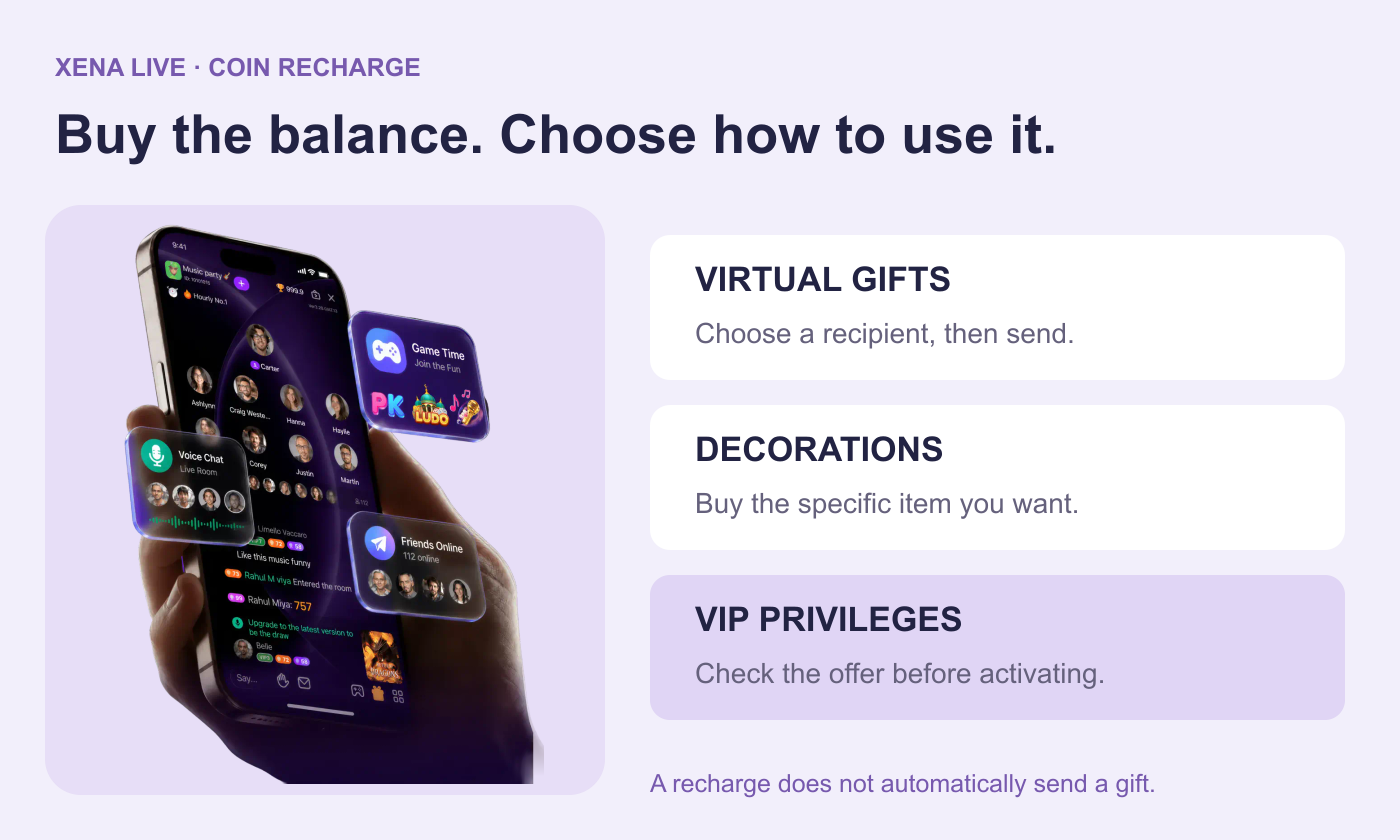
Xena is a group voice-chat app built around rooms, online parties and social games. Its Terms of Service identify virtual gifts, decorations and VIP privileges as uses for purchased gold coins. The important distinction is between holding currency and spending it on a particular feature.
Gifts: choose the recipient and gift, then spend the displayed coin amount when you send it.
Decorations: look at the exact item’s price and any duration attached to that item.
VIP privileges: read the actual VIP offer. A coin recharge should not be treated as automatic VIP activation.
Coins are an in-app spending balance, not cash held in a bank account. Xena’s terms say they cannot be exchanged for legal tender or bought and transferred between users. If your goal is to support someone in a room, use the app’s gift function rather than looking for a way to transfer your unused coin balance.
 Xena Live: Group Voice
How to Recharge Through Xena’s Official Website
The Xena website links to its online recharge page. Its English verification instructions use the labels Xena ID, Obtain and Verify. This is an account-verification flow before purchasing, so you need access to the Xena account that will receive the coins.
Open the recharge page from Xena’s website. Keep the official page open while you complete account verification.
Enter your Xena ID. Use the account identifier, not a room name or a nickname that another person could also use.
Select Obtain. The page says Xena sends a 6-digit verification code to Messages in the app. The code is valid for 300 seconds.
Enter the code on the official page and select Verify. Keep the code private; it is not a detail to pass to a seller or another user.
Read the available recharge offer before paying. Confirm the receiving account, coin quantity, payment currency and final charge, then retain the order receipt and check the credited balance in Xena.
If the page reports an invalid ID, correct the identifier first. If a code has expired, request a fresh one rather than repeatedly submitting the old code. The recharge page also describes limits after too many verification errors, so repeated guesses can make a simple input problem harder to resolve.
Choose a Coin Pack Around the Gift You Want
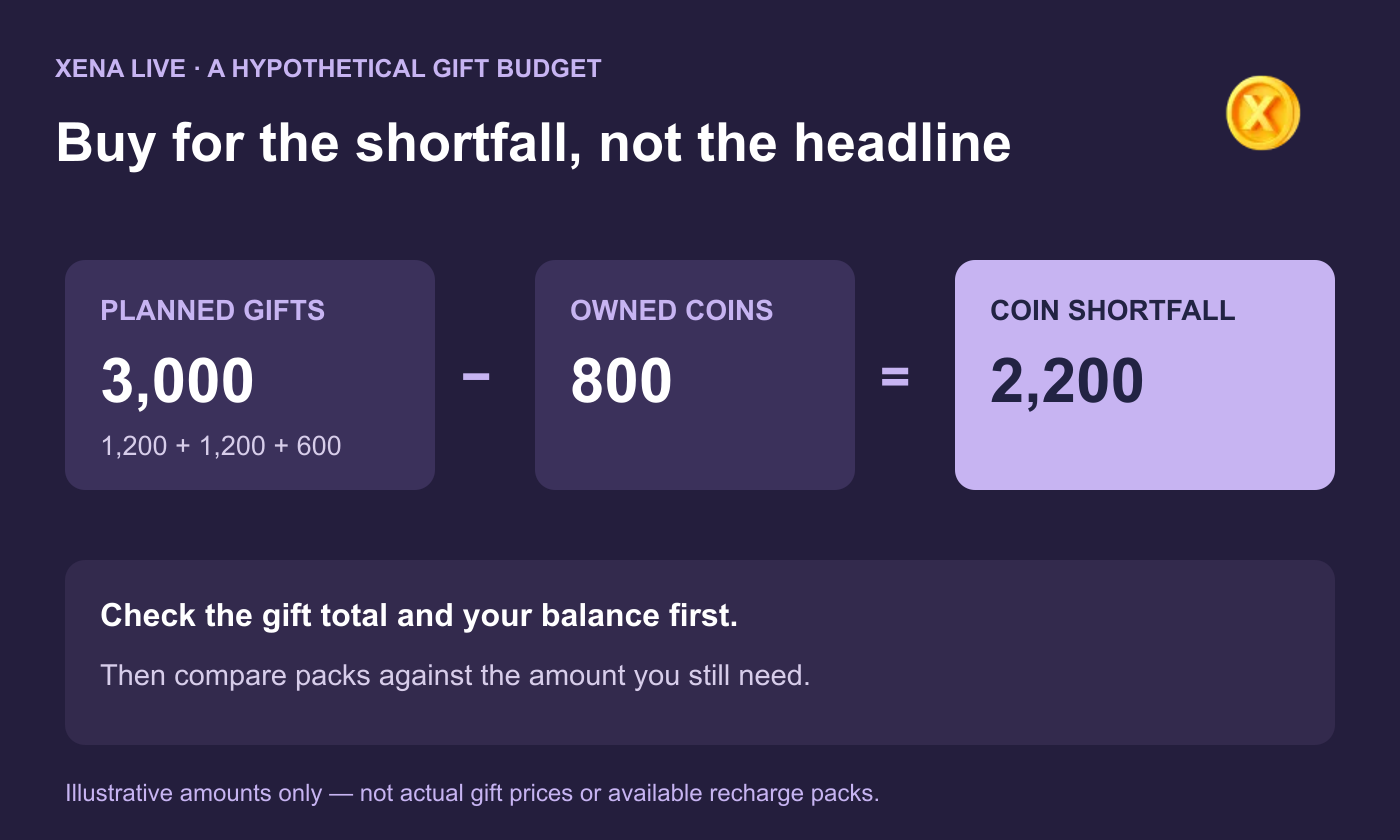
A useful starting point is the combined cost of your intended gifts minus the coins already in your account. This is more practical than choosing a pack solely because it has the largest headline quantity. If you plan to buy a decoration or VIP privilege as well, include that separate purchase in the budget before choosing a pack.
For a hypothetical example, suppose two gifts cost 1,200 coins each and another costs 600. That is 3,000 coins in total. With 800 coins already available, the shortfall is 2,200. These numbers illustrate the calculation; they are not Xena’s gift prices or advertised pack sizes.
When comparing offers, compare the same coin quantity against the final payment amount, including any visible fees. Xena’s terms note that location, taxes, exchange rates and payment-provider policies can affect pricing. That does not establish a universal discount for web purchases or a fixed surcharge for every app payment.
You can also review the listed options on Topuplist’s Xena Live page when comparing purchase information. Check the stated delivery details and purchase conditions. Xena restricts coin trading outside its official channels, so a product listing alone is not proof that the platform has authorized a seller.
After Recharge: Send the Gift, Then Check the Balance
Return to the voice room where you want to send a gift. Confirm the recipient, selected gift and quantity before completing the send action. If you have several gifts planned, check the balance between purchases so that a previous gift does not leave you short for the next one.
A paid receipt and an increased coin balance answer different questions: the receipt records the payment, while the balance shows what is available to spend. If payment succeeded but coins are missing, keep the Xena ID, receipt and order reference and ask the original payment provider or Xena support to trace that purchase. Xena lists contact@xparty.me as a contact address. Resolve that order before paying again.
Questions About Xena Coin Purchases
Does recharging automatically send a gift?
No. Recharging adds the purchased balance. You choose and send the gift separately inside Xena. The person you intend to support does not receive a gift simply because you bought coins.
Can I refund coins that I do not use?
Xena’s terms describe coin recharges as final and generally non-refundable, except where applicable laws or regulations require otherwise. Do not buy a larger balance on the assumption that unused coins can always be refunded later.