


Wild Rift Summer Party Skins Guide: Release Date, Full Skin List, and Which Cosmetics to Buy
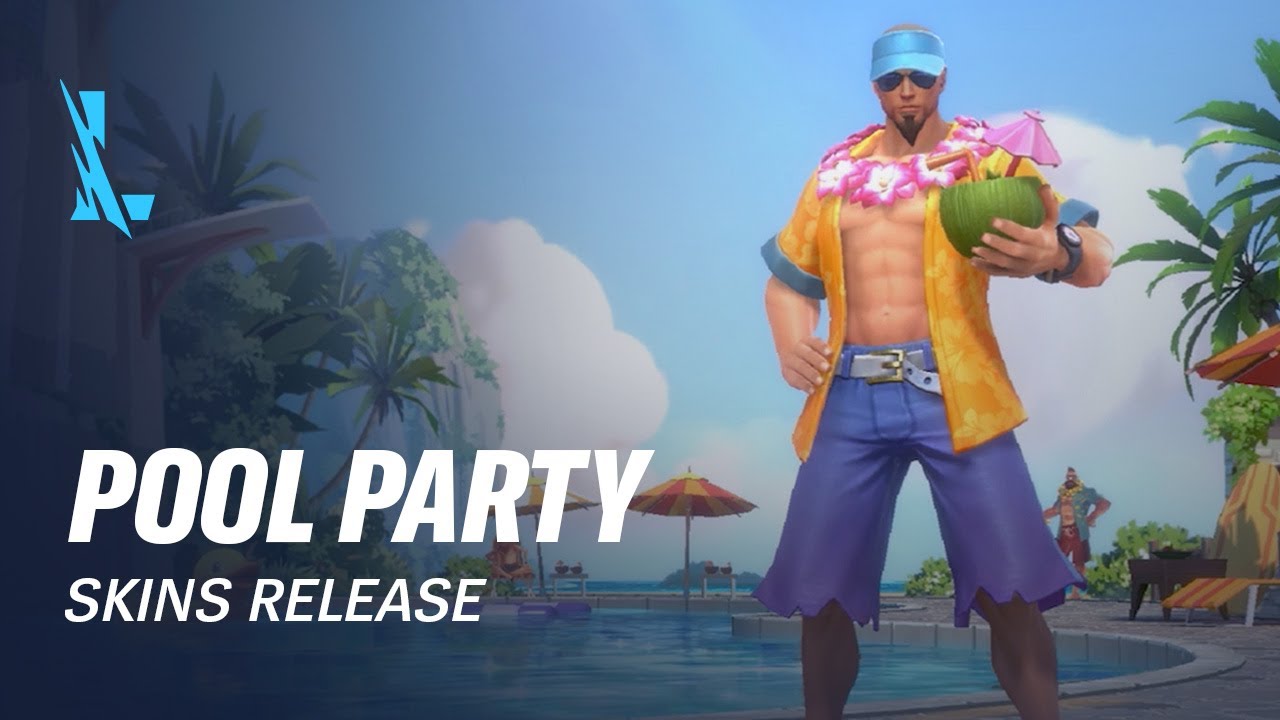
The Wild Rift Summer Party skin event brings a new cosmetic collection to the game on July 24, 2026. This guide explains how to read the live shop, confirm the full champion list, separate direct purchases from limited offers, compare visible value with personal use, check regional prices, and build a cosmetic budget without turning a themed event into an impulse purchase.
A themed skin collection can make a quiet patch feel like a major event. Wild Rift Summer Party cosmetics are scheduled to arrive on July 24, 2026, and the collection is likely to attract players who care about champion identity, seasonal art, matching effects, or simply a favorite character receiving a new look.
The useful buying question is not which skin has the brightest splash art. It is which cosmetic will actually be used, whether the item is permanent, how it is obtained, what the regional price is, and whether purchasing it removes budget from a more important champion, pass, or future release.
This guide is a practical shop-reading and budget article. The live Wild Rift client should control the final list, price, release time, and purchase method. Use the framework below to inspect the collection without confusing previews, trial cards, limited bundles, or permanent ownership.
Confirm the Live Release Page
Open the event or skin shop after the July 24 release and record the collection name, champion list, individual offers, bundle contents, and expiration notices. A promotional image can include several cosmetics while the shop releases them through different tabs or dates.
Check the publisher, event timer, and item status. A skin marked available, coming soon, trial, or preview has a different purchase meaning. Read the button text before confirming.
Record whether the item uses Wild Cores, a limited token, a discount coupon, or a bundle-only purchase. Do not compare prices until you know what currency each offer consumes.
If the shop shows a regional price, use that price for your budget. Do not convert another player's screenshot and assume the same amount applies to your account.
Build the Full Skin List
Create a list with five fields: champion, skin name, acquisition method, permanent or temporary status, and personal priority. Add a sixth field for whether you own the champion.
The champion field matters because some players collect a theme while others buy only skins for active picks. The acquisition method matters because a direct shop purchase has different urgency from a limited event exchange. Ownership matters because a skin can wait if the champion is not currently in your roster.
Check whether chromas, borders, recalls, emotes, or profile cosmetics are included. Bundles can appear valuable because they contain many icons, but those extras should be evaluated separately.
Do not assume that the displayed collection is complete if the event uses staged reveals. Return to the shop after the daily reset and check the news panel for additions.
Personal Value Scoring
Score each skin from zero to ten in four categories: champion usage, design preference, in-game visibility, and exclusivity. Add the scores and divide by four. This is not a universal ranking; it is a way to expose why a cosmetic matters to your account.
Champion usage should be based on recent games and realistic future use, not a single match. Design preference should include splash art, model, effects, sound, animations, and recall. Visibility matters because a skin seen every match may provide more value than one viewed only in the collection menu. Exclusivity should reflect whether the offer is limited or likely to return.
A skin with a high visual score but zero champion usage may still be worth buying for a collector. A skin with moderate design but high usage may be the better practical purchase.
Direct Purchase Versus Bundle
Compare the standalone price with the bundle price and identify which bundle items you would buy separately. A discount is real only if the extras have positive value to you.
Do not count a duplicate emote or border at full store value if you would never select it. If the bundle includes currency, record whether that currency can be used immediately or is tied to a limited shop.
Check whether the bundle is optional or the only route to the skin. If direct purchase is available, you may preserve budget by skipping unwanted extras. If the bundle is the only route, compare its complete cost with the skin's personal score.
Release-Day Checklist
On release day, first screenshot the live collection page. Then inspect the list, price, currency, and expiry for every target item. Put the highest-priority skin on a shortlist and leave the rest unpurchased.
Check whether a discount is automatic or requires a coupon. Confirm that the coupon is valid for the chosen skin. Read the final confirmation window before paying.
After purchase, open the champion page, equip the skin, and check the recall, effects, and ownership marker. This catches platform synchronization issues early.
If the item is missing, do not buy it again. Check purchase history, account region, client restart, and support instructions.
Budget by Player Type
A collector can allocate a seasonal cosmetics budget and score the whole set. A ranked main should prioritize skins for champions used every week. A new player should reserve currency for champions or systems that improve the account before buying several cosmetics. A returning player should check whether the shop contains a rerun they already planned to purchase.
Set a hard number before opening the shop. Divide it into must-buy, maybe-buy, and no-buy. The no-buy list matters because it prevents a bundle from absorbing money intended for a higher-priority item.
If you decide to top up within a planned budget, use Topuplist or the Wild Rift top-up page. Confirm your Riot account and purchase amount before payment. The themed event should not override the spending limit.
Regional and Platform Checks
Prices, taxes, release times, and payment methods can vary by region and platform. Use the shop on the account that will own the skin. Do not switch regions to chase a screenshot price without understanding account and payment consequences.
If the collection appears on one device but not another, check account login, client version, cache, and staged rollout. Close and reopen the game after the shop update. Do not assume missing art means missing availability.
Avoiding Cosmetic Regret
Wait 24 hours before buying a maybe-buy item if it is not a limited price. Test the champion in a normal match and watch the skin preview again after the first excitement fades.
Do not buy because friends bought the same theme. Do not treat a countdown as proof that the skin will never return unless the live page says so. Do not confuse a limited bundle with an exclusive skin.
Keep a purchase record. Write the date, skin, price, platform, and account. This helps with future budgeting and support questions.
Skin Inspection Checklist
Preview each target in three conditions: idle model, ability effects, and recall or homeguard animation. A splash image can hide how colors read on the smaller in-game camera. Check whether important ability indicators remain clear to you and your teammates.
Listen with normal match volume. A sound effect that feels impressive in a preview can become tiring during repeated games. Compare the skin with the base model and any cosmetic you already own.
Check model visibility in river, lane, jungle, and team-fight backgrounds. The goal is not competitive advantage; it is to make sure the design remains readable and enjoyable.
Purchase Evidence and Support
Before buying, screenshot the offer, price, account, and final confirmation. After buying, save the transaction record and ownership page. If the skin fails to appear, this evidence is more useful than a cropped bank notification.
Do not attempt a second purchase while the first is pending. Restart the client, check the platform transaction, and wait for normal synchronization. Contact support with the account, region, order ID, item, time, and screenshots.
If a refund policy exists, read it before using the cosmetic extensively. Platform and publisher rules can differ, and a purchase made through one store may need to be handled by that store.
Collection Completion Versus One Favorite
A complete theme has emotional value, but completion also multiplies cost. Compare the price of the full set with the price of the one or two skins you will use. If the collection contains profile cosmetics, borders, and emotes, decide whether they matter outside the event page.
Use a completion threshold. For example, only pursue the full set if at least three quarters of the items score above your personal minimum. Otherwise, buy the favorite and preserve the rest of the budget.
Thirty-Day Value Check
Thirty days after purchase, review how often the skin was equipped and whether the champion remained in your rotation. This is not meant to punish a cosmetic purchase. It improves the next event decision.
If a skin was rarely used, identify why: the champion fell out of the roster, the effects were hard to read, another skin remained preferable, or the purchase was driven by the event timer. Record the lesson before the next themed release.
Full Release-Day Decision Flow
First, update the client and verify the collection. Second, shortlist skins without buying. Third, preview models and effects. Fourth, calculate standalone and bundle cost. Fifth, compare the target with future budget. Sixth, wait if the offer is not expiring. Seventh, purchase once and verify ownership.
This seven-step flow takes less time than resolving a mistaken purchase and keeps the event enjoyable.
Mobile, PC, and Account Verification
If your account uses more than one device, preview the skin on the device where you play most. A shop preview can load correctly while ownership synchronization is delayed elsewhere. Confirm the same Riot account, region, and server before assuming the item is missing.
Take one screenshot before purchase and one after equipping. Keep the transaction ID in the same note as the cosmetic record. This is particularly useful when a bundle contains several items and the inventory display updates at different times.
Seasonal Rotation Planning
Do not treat one seasonal collection as an isolated purchase. List the next champion, pass, and event goals you already expect. A favorite skin can be affordable while the full collection is not. Choose the smallest purchase that preserves the rest of the plan.
When the event ends, archive the final shop screenshot and note which items remained available. This helps distinguish a true limited offer from a normal seasonal rotation when the next collection appears.
Keep the final confirmation screen until the ownership marker is visible. This small delay prevents a second purchase caused by a slow inventory refresh.
The ownership marker is the final check, not the purchase animation.
FAQ
When do Wild Rift Summer Party skins release?
The collection is scheduled to arrive on July 24, 2026. Check the live client for your regional release time and final item list.
Are the skins permanent?
A standard purchased skin should be a permanent account cosmetic, but always read the live item description because trial cards and temporary offers can appear in the same event area.
Should I buy a bundle?
Only if the skin is a priority and the extra items have real value to your account. Do not use displayed shop prices for extras you would never use.
How should I choose between several skins?
Score champion usage, design, visibility, and exclusivity. Buy the skin with the highest personal value that fits the budget.
Why is a skin missing on my device?
Check the account, region, client version, cache, staged rollout, and news panel. Restart the client before assuming the item is unavailable.
Can I get a refund if I regret a purchase?
Follow the current platform and publisher support rules. Keep the purchase record and do not continue using the item if a support policy requires it.
Should I spend all my Wild Cores during the event?
No. Keep future champion, pass, and limited-event goals visible before committing the full currency balance.
Final Takeaway
Wild Rift Summer Party skins are easiest to evaluate through the live shop and a personal budget. Confirm the release list, record the acquisition method, score actual usage, separate bundles from standalone value, and verify ownership after purchase. A seasonal theme is more enjoyable when the favorite skin remains a good decision after the event banner disappears.
