
Where Winds Meet 2.0 Hidden Mountain Launch Guide: Download, Unlock Requirements, and First-Day Priorities
Where Winds Meet 2.0 introduces the Hidden Mountain expansion on July 23, adding a new region, exploration systems, combat content, rewards, and quality-of-life changes. This practical launch guide explains what to check before updating, how to enter the new content efficiently, which activities should be completed first, how to avoid wasting stamina and upgrade materials, and how to troubleshoot common download, account, and reward issues during the opening window.
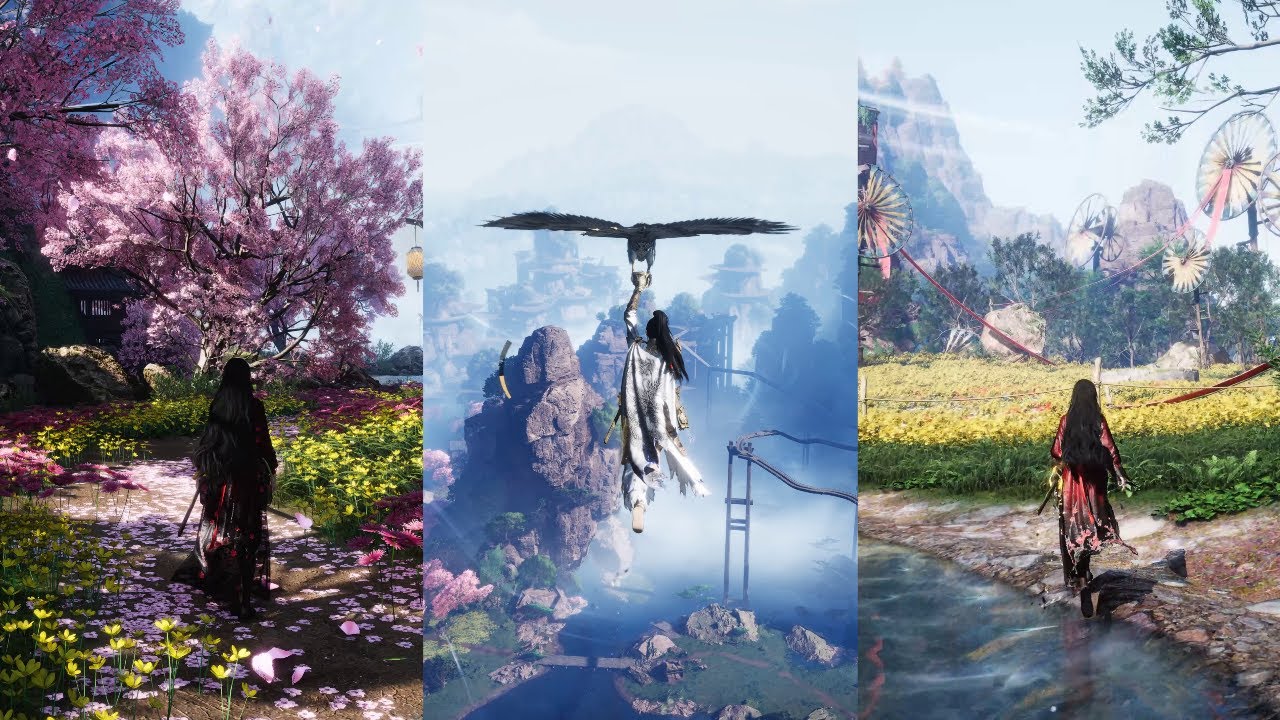
Where Winds Meet 2.0, also known as the Hidden Mountain expansion, is a major content drop rather than a small routine patch. The update adds a new mountain region, a new weapon family, new exploration mechanisms, story content, bosses, and launch rewards. That combination creates a familiar problem for returning players: there is too much to do on the first day, and the game does not always tell you which tasks unlock the most useful systems.
This guide is built for practical launch-day decisions. It focuses on the order in which to update, enter the expansion, unlock movement and exploration tools, test the new combat options, and collect rewards without scattering your resources across every new menu. The objective is not to rush through every quest in a single session. It is to make sure your account reaches the important checkpoints quickly while leaving enough time to understand what has actually changed.
The Hidden Mountain expansion is available as a free update, but free does not mean frictionless. A large patch can fail because of storage limits, a partial download, an outdated client, a platform account mismatch, or a reward page that has not synchronized with the game. A short preparation routine prevents most of those problems.
What the 2.0 Launch Actually Adds
The most important change is the Hidden Mountain region. It is designed as a vertical space rather than a flat field of disconnected objectives. Players should expect climbs, mechanical routes, blocked passages, environmental interactions, and missions that become easier after the relevant exploration tools are unlocked. Treating the region like a normal open map can lead to repeated backtracking.
The update also introduces Gauntlets, a new combat option connected to the expansion's broader martial design. Even players who do not plan to change their main build should test the weapon briefly. New weapons often affect resource decisions because their upgrade materials, skill pages, and recommended stat priorities can differ from established sword, spear, or ranged setups.
Hidden Mountain also adds new bosses and story content. These are not only end-of-update encounters. Early missions may introduce mechanics that later appear in public events or repeatable activities. Reading the first tutorials and completing the opening chain is therefore more useful than immediately skipping every dialogue box.
Finally, the launch window includes free rewards and promotional activities. Some rewards are obtained through normal in-game progression, while others require an event page, an exchange interface, or a specific completion condition. The fastest way to lose value is to assume that every reward arrives through the in-game mailbox automatically.
Before You Press Update
Start with storage. Leave a clear margin beyond the displayed download size because the client may need temporary space to unpack files, rebuild resources, or create a new cache. A device that has exactly enough free space for the patch can still fail during installation. On mobile, clear unused recordings, duplicate screenshots, and old application caches before starting. Do not remove game data unless you have confirmed that your account is linked and you know the correct login method.
Next, confirm the platform account. Check whether the game is connected through the same login provider you normally use. A guest account, an Apple login, a Google login, a Steam login, and a publisher account may appear similar while pointing to different save data. If you are returning after a long break, take a screenshot of your user ID and server before updating. That single step makes support conversations much easier if the wrong profile opens.
Update through the platform that owns your installation. If the store shows an old version, close the store completely, reopen it, and search for the game directly instead of using a stale shortcut. Avoid third-party package files during the launch rush. They can create version mismatches and make account or payment troubleshooting harder.
Prepare a stable connection. A wired connection is ideal for PC, while a stable private Wi-Fi network is safer than switching between mobile data and Wi-Fi during a large patch. If the download repeatedly pauses, do not immediately delete the client. First restart the launcher, check the platform's download queue, and confirm that the device is not entering a power-saving mode.
Write down three pieces of information before logging out: your server, your account login method, and your current storage space. This is a small checklist, but it separates a normal update problem from an account recovery problem.
The First Login Route
After the patch finishes, do not begin by opening every new menu. First allow the game to complete resource verification. If the client has a secondary download, remain on the title screen until it finishes. Interrupting this stage can cause missing textures, invisible interaction points, or repeated downloads later.
Once inside the game, open the notices and event panels before spending currency. Look for the Hidden Mountain entry point, the version reward page, and any limited launch activity. Read the time window shown in the actual interface. Search results and social posts can be useful for discovery, but the in-game timer should control your final schedule.
Then check your inventory. Record your current Echo Jades, coins, upgrade materials, recovery items, and any unused selection boxes. This prevents you from confusing old resources with launch rewards. It also helps you decide whether a new weapon or system is ready to test immediately.
The most efficient first route is usually:
Complete the opening Hidden Mountain quest until the new region and its basic navigation rules are visible.
Unlock the first nearby travel point or equivalent safe route.
Finish the tutorial that introduces the new exploration mechanism.
Collect rewards from the version page and mailbox.
Test the new combat option in a low-risk activity.
Return to the main story only after checking which systems have become available.
This route gives you information before you spend resources. It also reduces the chance that you will travel deep into the mountain and later discover that a required tool was unlocked by an earlier tutorial.
What to Prioritize in the First Session
Story progress should come first when it unlocks a system. Cosmetic side activities can wait. A practical first session is not measured by how many chests you open; it is measured by how many permanent account functions you activate.
Prioritize travel points, exploration tutorials, and repeatable activity access. These systems compound over time. A travel point saves minutes on every later visit, while a repeatable activity may provide materials needed for the new weapon or character path. If an optional puzzle is located directly beside your route, solve it. If it is behind a long detour with no visible reward category, mark it and continue.
Do not immediately convert every new material. Keep at least one untouched stack of each unfamiliar item until the expansion explains where it is used. New patches often introduce several currencies that look interchangeable but serve different shops, crafting menus, or progression gates.
Use a two-pass map method. On the first pass, unlock routes and complete objectives that are directly on the story path. On the second pass, return for mechanisms, hidden rooms, and collection targets after the region's traversal rules are clear. This is faster than attempting full completion while the map is still introducing its movement language.
Combat testing should also be controlled. Put the new Gauntlets or other expansion weapon into a safe practice environment, use an inexpensive build, and test its normal attack, dodge interaction, resource loop, and ultimate timing. Do not dismantle your established weapon set just because the new option looks powerful in a trailer or early showcase.
Resource Planning for Hidden Mountain
Keep three resource groups separate: permanent progression materials, experimental materials, and flexible currency. Permanent materials are those required for your main account goals. Experimental materials are what you can spend to test the new weapon or system. Flexible currency should remain available until the first round of community and in-game testing reveals what the expansion actually demands.
A useful rule is to upgrade one new system to a functional level before touching the next. If you spread materials across a weapon, several skills, a new companion system, and cosmetic crafting at the same time, you may end up with four incomplete projects. A functional level means the system can clear ordinary content and reveal whether it fits your account.
Do not treat launch rewards as permission to spend immediately. Claim them, record them, and wait until you have seen the new shop, banner, or exchange options. A reward can be valuable because it preserves choice, not because it must be converted on the same day.
If you plan to spend on premium currency, decide your target before opening any limited purchase page. Topuplist provides a direct purchase route for players who have already chosen their budget: Topuplist and the Where Winds Meet top-up page. Use a planned amount, check the correct account and server, and avoid making a purchase simply because a launch countdown creates pressure.
A Practical 24-Hour Checklist
During the first hour, finish the download, verify the account, read the notices, and unlock the first Hidden Mountain route. During hours two and three, complete the exploration tutorial, claim visible launch rewards, and test the new combat system without dismantling your established build.
Before the end of the first day, unlock as many travel points as the main route naturally exposes, finish the opening story checkpoint, and identify the materials required for the next upgrade. Take screenshots of any reward that displays a claim condition rather than an immediate delivery message.
If you have limited play time, choose one of three routes. The story route is best for returning players who want access to systems. The exploration route is best for players who enjoy puzzles and need map progress. The combat route is best for players preparing for the new boss or testing Gauntlets. Do not combine all three into a single rushed session.
At the end of the session, empty unnecessary inventory space, record your unfinished tasks, and close the game normally so the account can synchronize. Reopening immediately after a forced shutdown can create confusion about whether a reward was claimed.
Troubleshooting Common Launch Problems
If the game remains on a loading screen, wait for the client to complete resource verification before changing settings. If the issue persists, restart the launcher, confirm the platform has finished updating, and check that the device has enough temporary storage. A black screen on mobile can also be caused by aggressive battery optimization or an outdated graphics driver.
If the Hidden Mountain quest does not appear, check whether the required story chapter, level, or tutorial has been completed. Read the quest log rather than relying on a social post that may describe a later stage. Some expansion systems are gated behind the opening mission, not the patch installation itself.
If the new weapon cannot be equipped, inspect the equipment screen for weapon type restrictions, quest requirements, or a tutorial lock. Do not assume that owning a reward automatically unlocks every associated skill.
If a reward is missing, check the event page, mailbox, inventory, and exchange history. Take a screenshot of the claim result and note the time. Avoid repeatedly clicking the claim button if the interface is lagging. Repeated requests can make it harder to tell whether the item is pending, delivered, or already consumed.
If the wrong account opens, stop before completing new tutorial progress. Log out, return to the original login provider, and compare the user ID with the screenshot you made before the update. Creating new progress on the wrong profile can complicate support recovery.
What to Ignore on Launch Day
Ignore unverified lists that claim every system must be completed immediately. Ignore pressure to spend all launch currency before you understand the new shops. Ignore build advice that shows a single damage test without explaining equipment, buffs, difficulty, or account level.
You can also ignore the idea that full map completion must happen on day one. The best launch strategy is to unlock the systems that improve future movement and resource access, then return when your account has the right tools. Hidden Mountain is designed to be revisited.
FAQ
When does Where Winds Meet 2.0 Hidden Mountain release?
The Hidden Mountain expansion is scheduled to open on July 23, 2026. The exact maintenance end and regional availability should be checked in the game client and the platform store because local timing can differ.
Is Hidden Mountain a free update?
The expansion is presented as a free update for the game. Players may still encounter optional purchases, premium currency, or paid cosmetics, so free access to the region does not mean every reward or item is free.
What should I do first after installing the update?
Verify the account, read the notices, open the event panel, complete the first Hidden Mountain quest, unlock the initial travel route, and claim rewards only after checking their conditions.
Should I build Gauntlets immediately?
Only build them immediately if they solve a real account need or you have enough experimental materials. Test the weapon first and keep your established build intact until you understand the new skill and resource requirements.
Why is the new region not showing on my map?
The region may be locked behind an opening story quest, account progression requirement, tutorial, or a secondary download. Check the quest log and complete the first expansion objective before reinstalling the game.
Can I spend launch rewards as soon as I claim them?
You can, but waiting until you have inspected the new exchange and progression menus usually protects more value. Record the rewards first and spend only toward a defined account goal.
What should I do if the update downloads repeatedly?
Restart the platform launcher, verify temporary storage, confirm that the client is fully updated, and avoid switching networks during the download. If the loop continues, use the platform's repair or file verification option before reinstalling.
Final Takeaway
A strong Where Winds Meet 2.0 launch is an organized first day, not a race to touch every new activity. Prepare storage and account information, update through the correct platform, unlock Hidden Mountain systems in order, separate permanent resources from experiments, and return for full exploration after the region's mechanics are clear. That approach gives you faster access to the useful content while protecting your account from rushed spending and avoidable launch problems.
