
How to Top Up MLBB Diamonds for a Friend
You can buy MLBB Diamonds for a friend by placing a direct top-up order for their account. The important details are their User ID, Zone ID and the supported region. You are buying currency for the recipient, rather than moving Diamonds out of your own game balance.
That makes a Diamond top-up useful when you want to give a teammate a choice. They can decide which eligible shop item to buy after the balance arrives. If you want to send one particular skin instead, the in-game gift system is a different route with its own availability and conditions.
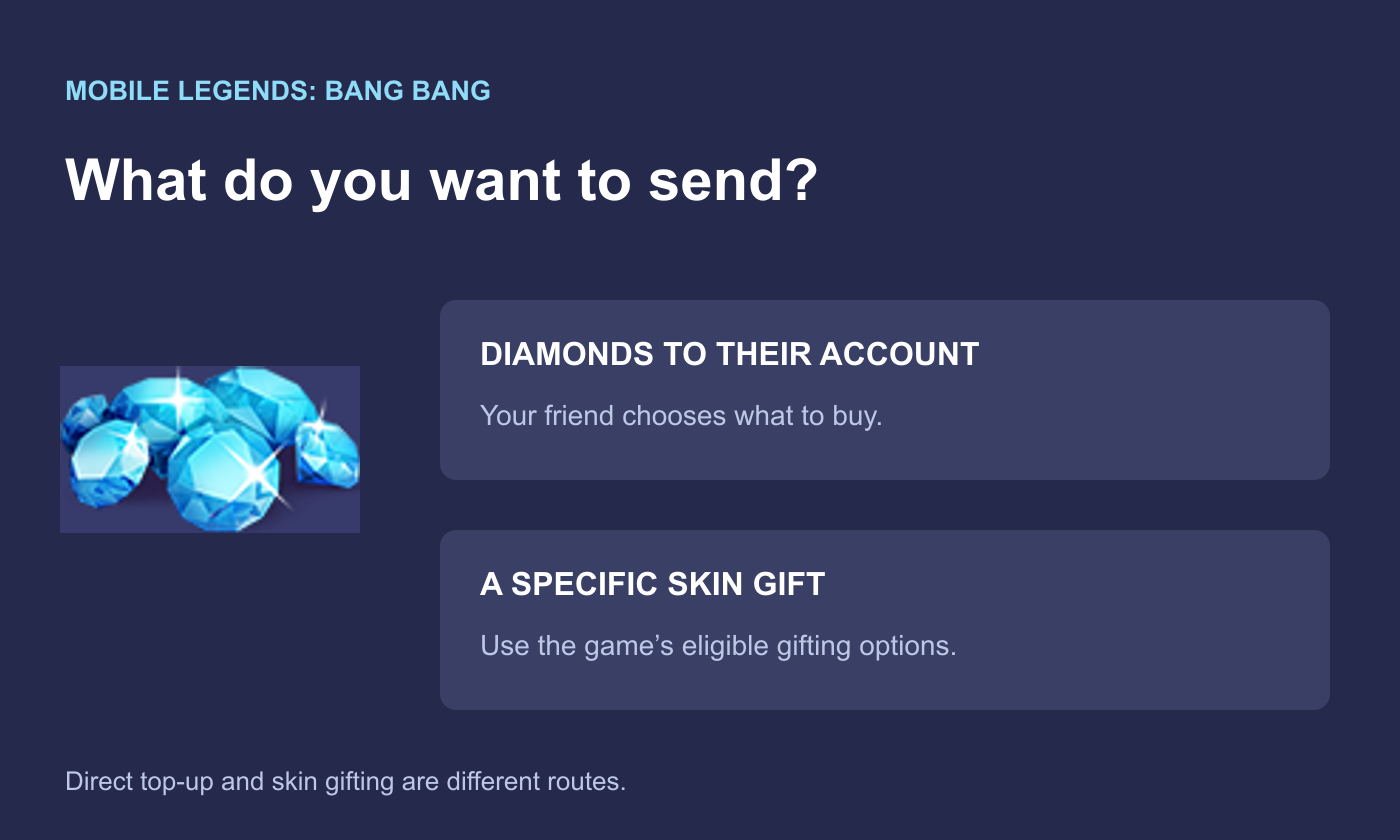
Diamonds or a Skin Gift: What Do You Want to Send?
Diamonds are MLBB’s paid spending currency, used for eligible heroes, skins and other offers. A direct recharge gives the friend the purchased balance. It does not reserve a skin, enter a draw or automatically claim an event reward on their behalf.
A skin gift is more specific: you choose an item that the game currently allows you to gift. Before paying for anything, ask whether your friend prefers the currency or the item. This avoids buying a Diamond pack for yourself when the real goal was to fund their account.
 Mobile Legends: Bang Bang


Get Both the User ID and Zone ID From Your Friend
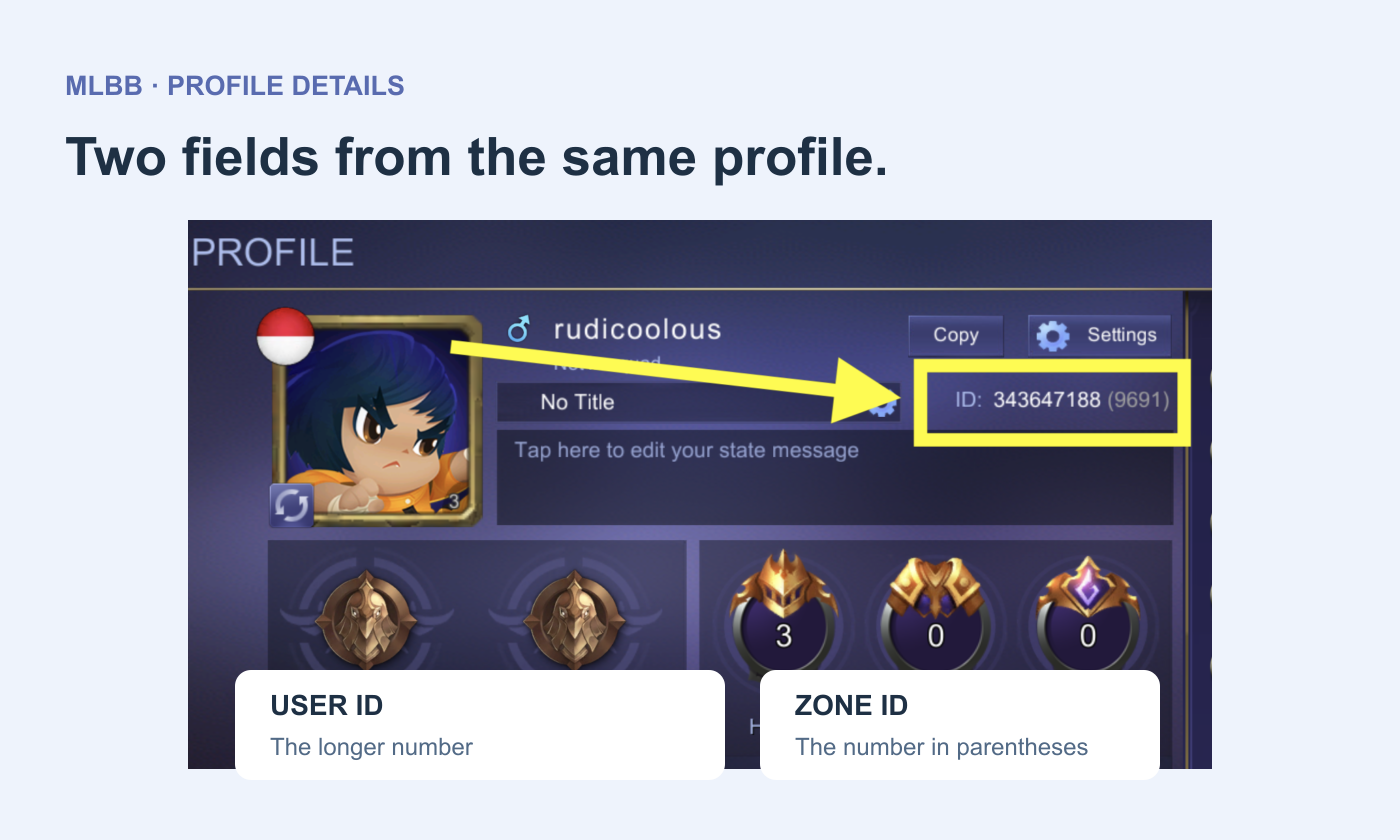
Ask your friend to open MLBB and enter their profile from the avatar. The account identifier is shown with a longer User ID and a shorter Zone ID in parentheses. Copy both from the profile rather than relying on a nickname, a chat name or an old purchase receipt.
Enter the two parts in their matching order fields. If the form separates User ID and Zone ID, do not paste the whole combined string into only one field. A returned nickname, when the order flow provides one, is another useful check against the intended profile.
Your friend only needs to provide the identifiers required by the direct top-up form. They do not need to give you their game password or a sign-in verification code. For a surprise gift, obtain the current account details beforehand; a surprise is not a reason to guess the recipient.
Choose the Friend’s Region, Then the Product
On Topuplist’s MLBB Diamond page, regional tabs separate the offers available for different account markets. Choose according to the recipient account and the product’s stated coverage, not simply your own location or the currency used to pay. A regional label on a pack is part of the purchase description.
A Diamond pack and a pass are different gifts. For a Diamond pack, compare the amount credited under the selected offer. For a weekly product, read when its benefits arrive and whether the recipient must log in to collect them. If your friend needs a balance for a purchase today, future benefits do not solve the whole shortfall.
How to Place the MLBB Top-Up Order
Confirm whether your friend wants Diamonds or a specific pass.
Choose a compatible regional product on the MLBB page.
Enter the friend’s current User ID and Zone ID.
Review the selected item, account details and final checkout amount.
Complete payment and save the order number.
Ask the friend to check the relevant balance or pass benefits in their own game.
The payer’s Topuplist account and the recipient’s MLBB account serve different purposes. The store account holds your order record; the game identifiers direct the top-up. Paying with your own details does not mean that your own MLBB character should be entered as the recipient.
Let the Recipient Handle the In-Game Purchase
Once the balance arrives, your friend can review the shop or event they actually want to use. A fixed-price skin purchase is different from a random draw. If the gift is intended for an event, look at that event’s own requirements before deciding how much currency to buy; do not assume that every recharge or pass purchase qualifies in the same way.
For game-side purchase or gifting restrictions, use Customer Service in the MLBB client associated with the official Mobile Legends: Bang Bang service. For an uncredited store order, the person who paid should contact the seller with the receipt and submitted account details. This keeps the game issue and the payment issue with the right support channel.
If you entered the wrong recipient, contact the seller promptly with the original order number. Do not promise your friend that an already delivered balance can be moved to another account. Ask support to establish what happened before purchasing again.