MICO Coins Not Received? Payment Failed, Pending Order and Refund Fixes
Your payment went through. The receipt is in your bank app. But your MICO wallet shows the same balance it had before you paid. Nine out of ten times, the Coins actually arrived — they're just hiding behind a display glitch, a wrong UID, or a region mismatch. The remaining cases need specific action, and acting wrong (especially initiating a chargeback) can permanently destroy your account.
This guide walks through every scenario with the exact fix. No guessing, no waiting unnecessarily, no making the problem worse.
Start Here — The 5-Minute Self-Fix
Before you do anything else, try these in order. They resolve 60% of "missing Coins" cases within minutes:
Step 1: Force sync your account
Profile icon → Settings → Log Out → wait 30–60 seconds → Log back in → check Wallet
This forces MICO to pull fresh data from its servers. If your Coins were delivered but the app cached an old balance, logging out and back in clears that cache and reveals the updated total.
Step 2: Pull-to-refresh your Wallet
Open MICO → Profile → Wallet → pull down on the screen → hold for 5 seconds → release
This triggers a manual data refresh. Sometimes the automatic refresh doesn't fire after a top-up, especially on older Android devices.
Step 3: Force close and reopen
iOS: Swipe up from bottom → find MICO in app switcher → flick it off screen → wait 10 seconds → reopen
Android: Recent Apps button → swipe MICO away → wait 10 seconds → reopen → check Wallet
Step 4: Clear cache (Android only)
Settings → Apps → MICO → Storage → Clear Cache → wait 30 seconds → reopen MICO
Step 5: Check Wallet History
Profile → Wallet → History. This shows every transaction for the past 90 days. Look for your top-up — if it shows "Completed", the Coins arrived. If it shows "Pending", they're still processing. If it shows "Failed", you need the sections below.
If your Wallet History shows "Completed" but your balance didn't change, the Coins are there — just hidden by a display issue. Steps 1–4 fix this.
Scenario A — You Entered the Wrong UID
How to detect it: Check your purchase confirmation against your actual UID. If they don't match, your Coins went to a different account.
What happens: Coins are delivered permanently to the UID you entered. MICO cannot reverse this automatically. The recipient got your Coins, and unless they cooperate, you cannot get them back.
How to fix it:
Contact MICO support: Profile → Settings → Help Center → Payment Issues → Coins Not Received
Include in your ticket:
Your correct UID (copy-pasted from profile)
The wrong UID you entered (from purchase confirmation)
Transaction ID (12–20 character code from your payment receipt)
Payment receipt screenshot showing amount, timestamp, and transaction ID
MICO will contact the recipient and request voluntary transfer
If the recipient cooperates: resolution in 48–72 hours
If the recipient refuses or already spent the Coins: loss is permanent
Prevention: Always long-press your UID → Copy → Paste directly into the order form. Never type it manually. The manual entry error rate is 12–15% — that's roughly 1 in 7 attempts resulting in a wrong digit.
Scenario B — Region Mismatch (MENA vs Global)
This is the second most common cause of missing coins — and it's entirely preventable.
How MICO's region lock works: MICO splits its coin system into two separate products:
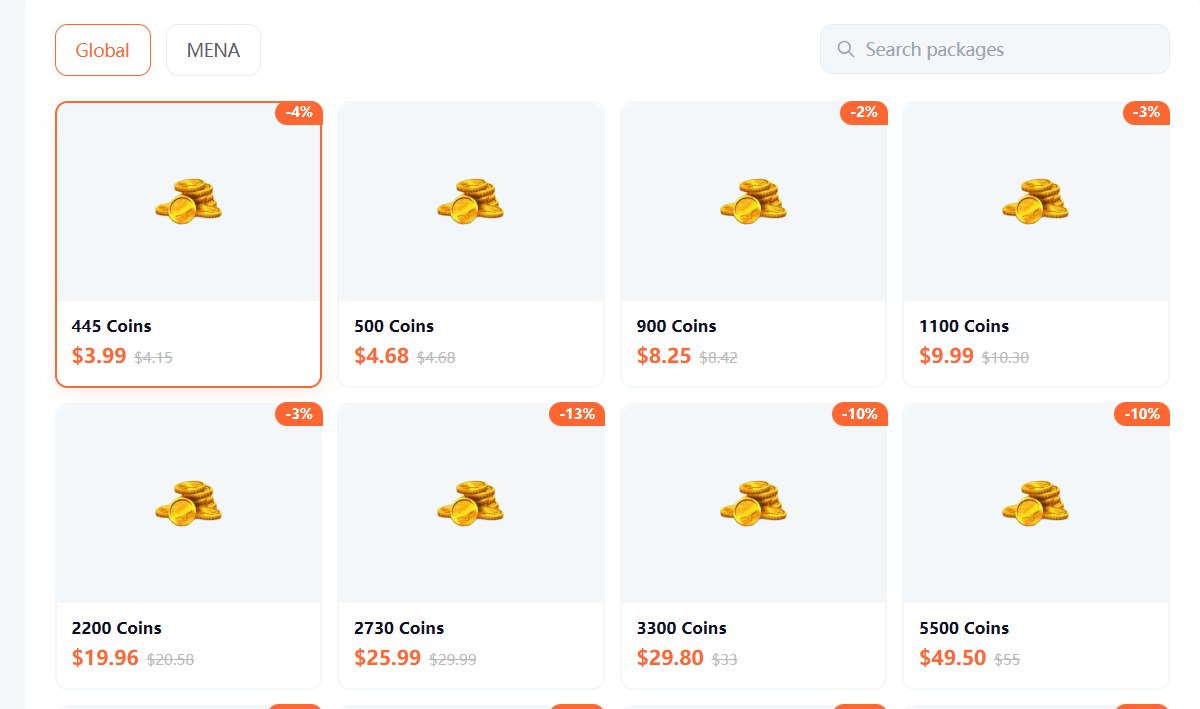
MENA region covers: Saudi Arabia, UAE, Kuwait, Egypt, Iraq, Oman, Bahrain, Qatar, Jordan, Lebanon, Morocco, Sudan, Turkey, Germany, and France.
If you purchase the wrong region's coins, MICO's server will reject the delivery. The payment may have processed, but the coins cannot be credited to your account.
How to detect it:
Your purchase confirmation says "MENA" but your account shows "Global" — or vice versa
The top-up failed entirely, or delivered at the wrong rate
Wallet History shows "Failed" instead of "Completed"
What happens in each mismatch:
MENA package → Global account: Delivery rejected. Payment processed, Coins not credited. You need a refund through your top-up platform.
Global package → MENA account: Same — delivery rejected. Coins are incompatible with your account.
How to fix it:
Check your region: Profile → Account Settings → Region (shows "MENA," "Global," or another designation)
If you bought the wrong region's package, contact your top-up platform (Topuplist) support with your transaction ID
Since the coins weren't delivered (rejected by MICO's server), the platform can typically issue a refund
After refund, purchase the correct region's package matching your account
If you need to change your account region permanently:
Requires government-issued ID verification
Proof of residence in the new region (3+ months)
SMS verification to your registered number
24–48 hours processing
Only once per 12 months
Wait 48 hours after region change before making any purchases
Prevention: Always confirm your region in Account Settings before buying. On Topuplist, select the correct server (MENA or Global) that matches your account region. This one step prevents 90% of region-mismatch issues.
Scenario C — VPN Interference
How to detect it: You were running a VPN during the transaction. Your VPN location conflicts with your MICO account's registered region.
What happens: MICO's security system detects a location mismatch (e.g., VPN shows US IP but account is MENA). This triggers automatic fraud verification, putting your delivery on hold for 12–24 hours while a human reviews the transaction.
How to fix it:
Disable your VPN immediately
Wait 12–24 hours — the manual review will eventually clear
If 24 hours pass with no delivery, contact MICO support with:
Transaction ID
Statement that VPN was active during purchase (be honest — hiding this makes resolution harder)
UID screenshot
Payment receipt
Prevention: Disable VPN before any MICO top-up. This isn't optional — it's the most common cause of unnecessary 12–24 hour delays.
Scenario D — Payment Processing Delay
How to detect it: Your Wallet History shows "Pending" status. The payment processed on your bank/wallet side but MICO hasn't confirmed receipt yet.
What's normal:
Peak hours (7–11 PM local time) add 15–30 minutes to any method.
How to fix it: Wait. Don't contact support before the action threshold. Most "Pending" transactions clear within the normal processing window. Premature support tickets get auto-denied because the system sees the transaction as still processing — not failed.
If you exceed the action threshold (30 minutes for cards, 4 hours for bank, 24 hours for crypto) and Coins still haven't arrived, proceed to the support contact section below.
Scenario E — Account Restriction Blocking Delivery
How to detect it: You see restriction notifications in your MICO settings, or recent emails from MICO about account issues. Wallet History shows "Failed" instead of "Completed" or "Pending".
Common restriction triggers:
Incomplete identity verification (email or phone not linked)
Community guideline violations
Suspicious activity flags
Previous chargeback history
Using prohibited regions (Iran, North Korea)
How to fix it:
Check Settings → Account Security. Both email and phone must show "Verified"
If either shows "Unverified," complete verification:
Email: Enter address → receive 6-digit code → enter within 10 minutes
Phone: Enter number with country code → receive SMS code → enter within 5 minutes
For guideline violations or suspicious activity flags, you must resolve those directly with MICO support before Coins can be delivered
Any future purchases will also fail until the restriction is lifted
Critical: Unverified accounts face 8–48 hour delivery holds automatically. Completing verification takes 5 minutes and prevents this entirely.
When to Contact Support — And How
Contact support only after you've:
Completed the 5-minute self-fix (log out/in, force close, refresh)
Verified your UID matches your purchase confirmation
Confirmed your region matches your purchase server
Waited past the action threshold for your payment method
Checked Wallet History and it doesn't show "Completed"
Where to contact:
MICO in-app: Profile → Settings → Help Center → Contact Support → Payment Issues → Coins Not Received
MICO email: contact@micous.com
Topuplist support: through your Topuplist order page
Required documentation — include ALL of these:
Resolution timeline:
Simple verification issues: 24 hours
UID mismatch with cooperative recipient: 48–72 hours
Region mismatch requiring adjustment: 24–48 hours (after documentation submitted)
Complex cases (multiple issues): 72+ hours
Follow-up protocol:
No response after 24 hours: Reply to your ticket with "FOLLOW-UP" in the subject line
No response after 48 hours: Second follow-up
No response after 7 days: Request escalation to senior agent
Refund Rules — What You Can and Cannot Get Back
MICO's Core Refund Policy
MICO Coins are non-refundable once the transaction completes and Coins credit to any account. This applies to all payment methods, all amounts, and all regions. There are no exceptions for buyer error (wrong UID, wrong region), change of mind, or dissatisfaction with the service.
When Refunds DO Apply
The only situations where MICO or your top-up platform may issue a refund:
The Chargeback Danger — Never Do This
If you dispute a MICO purchase through your bank or credit card company (chargeback), your MICO account will be permanently banned within 24–48 hours. This is irreversible. No appeal, no recovery.
What the ban covers:
Your MICO account (all data, connections, purchased items — gone permanently)
Your government ID (blacklisted from creating new accounts)
Your phone number (blacklisted)
Your email address (blacklisted)
Your device hardware IDs (blacklisted on that specific phone/tablet)
Why it's so strict: Chargebacks cost MICO the coin value PLUS $15–100 in processing fees per incident. For small purchases, the fees exceed the transaction value. MICO's automated system responds instantly — no human review, no exceptions.
Instead of chargeback: Always work through MICO support or your top-up platform. The resolution process takes longer (24–72 hours) but preserves your account.
Prevention Checklist — Before Every Purchase
Complete this in 30 seconds before tapping "Pay":
Region confirmed — Account Settings shows MENA or Global — and matches the server you'll select on Topuplist
UID copied — Long-pressed from Profile, pasted directly into order form
Username verified — Topuplist shows your MICO username after UID entry — it matches
VPN disabled — No VPN running on your device
Correct server selected — MENA server for MENA accounts, Global for Global accounts
Account verified — Both email and phone show "Verified" in Account Security
Storage sufficient — 500MB+ free space on your device
Connection stable — WiFi 3+ bars or 4G/5G, minimum 5 Mbps download
This checklist prevents 90% of delivery issues. Most problems trace back to skipping one of these steps — especially the region confirmation step.
Save up to 29% on MICO Coins with instant delivery, automatic UID verification, and trusted payment methods. Recharge MICO Coins now →