


Love and Deepspace Top Up Guide 2026: Safe Recharge Methods, Payment Options & Fixes
Love and Deepspace recharge, Love and Deepspace payment failed, Love and Deepspace top up not working, Aurum Pass, Crystals, Hunter ID, Love and Deepspace Top-Up Center
As one of the most popular otome and sci-fi romance mobile games, Love and Deepspace offers premium items such as Crystals, Aurum Pass, and limited event packs that can significantly improve the gaming experience.
However, many players encounter issues when attempting to recharge, including:
Payment failures
Missing Crystals
Region restrictions
PayPal not appearing
Top-Up Center login errors
This guide explains everything you need to know about topping up safely and efficiently in 2026.
What Do You Need Before Topping Up?
Before making any purchase, prepare the following:
Many official and third-party recharge services require only your Hunter ID to complete a purchase. According to Codashop's official recharge instructions, players can locate their Hunter Number by tapping the magnifying glass icon in the game's main interface.
Step-by-Step: How to Recharge Love and Deepspace
Method 1: In-Game Store
The simplest option:
Open Love and Deepspace.
Enter the Shop.
Select Crystal Packs or Aurum Pass.
Complete payment through Google Play or Apple App Store.
Method 2: Official Top-Up Center
The official web-based Top-Up Center allows players to purchase items directly through a browser.
Benefits include:
Shopping cart functionality
Multiple payment methods
Direct account verification
Convenient web checkout
Players on Reddit reported that the official Top-Up Center supports multiple items in one transaction and offers payment methods such as credit cards and PayPal.
Method 3: Trusted Third-Party Recharge Platforms
For players who prefer external recharge services, trusted platforms can be a convenient alternative.
Recommended Recharge Option
👉 Top up Love and Deepspace instantly through Topuplist
Topuplist Love and Deepspace Top Up
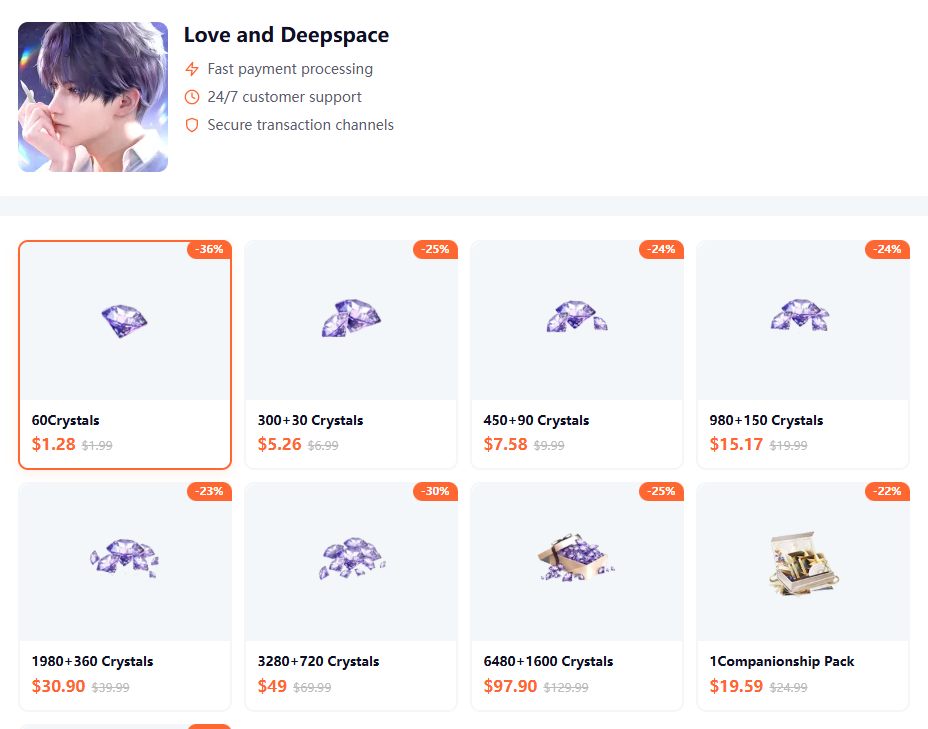
Benefits:
Fast delivery
Secure payment processing
Multiple payment options
Convenient recharge experience
Suitable for international players
What Payment Methods Are Available?
Available payment methods vary by country and platform.
Common Payment Options
Codashop regional stores show that available methods vary significantly by market. For example, Singapore users can access PayPal, PayNow, and GrabPay, while other regions may provide different options.
Why Is PayPal Missing?
One of the most searched questions is:
"Why can't I use PayPal for Love and Deepspace?"
Common reasons include:
Regional restrictions
Unsupported payment currency
Platform-specific limitations
App Store account country mismatch
Community discussions show that PayPal availability differs by country and recharge platform. Some players use regional recharge services where PayPal support is enabled.
Love and Deepspace Top Up Not Working? Common Problems and Fixes
Many users search for help after encountering recharge issues.
Problem 1: Payment Failed but Money Was Charged
Possible Causes
Payment processing delay
Bank authorization hold
Store synchronization issue
Temporary server congestion
What To Do
Wait 15–30 minutes.
Restart the game.
Check purchase history.
Contact support if the order remains pending.
Problem 2: Crystals Not Received
Common Reasons
Delayed delivery
Incorrect Hunter ID
Server synchronization delay
Solution Checklist
Always keep screenshots of your transaction confirmation before opening a support ticket.
Problem 3: "Failed to Get Item Info"
This error usually occurs when:
Store data fails to load
App Store services are unavailable
Cache corruption occurs
Fixes
Clear cache
Re-login
Switch networks
Update the game
Reinstall if necessary
Players have also reported that switching App Store regions resolved purchase issues in certain cases.
Can You Top Up Love and Deepspace From Another Country?
This is one of the most common concerns among international players.
Understanding Region Restrictions
Some recharge providers enforce country-based limitations.
Examples include:
A service available in Singapore but unavailable in Canada
PayPal available in one region but not another
Country-specific payment methods
Community reports indicate that some regions cannot access specific recharge services due to geo-restriction policies.
Cross-Region Top Up: Is It Safe?
Generally, players should:
✅ Use official recharge channels
✅ Verify Hunter ID carefully
✅ Confirm server selection
✅ Use supported payment methods
Players discussing the official Top-Up Center frequently emphasize checking account information before making purchases.
Helpful Resources
For official information and account support:
These resources provide authoritative guidance regarding purchases, refunds, and account management.
Crystal Packs vs Aurum Pass: Which Offers Better Value?
Choosing the right purchase depends on your spending habits.
Buy Crystal Packs If:
You need currency immediately.
You're pulling for a limited banner.
You want instant rewards.
Buy Aurum Pass If:
You play daily.
You prefer long-term value.
You want consistent resource income.
Codashop listings across multiple regions show Aurum Pass as one of the most popular recurring purchases among players.
Best Time to Recharge
To maximize value:
Before major banners
During anniversary events
During bonus Crystal promotions
When limited packs are available
Planning purchases around major events often provides the highest return on spending.
Frequently Asked Questions
Is Topuplist Safe for Love and Deepspace Top Up?
Use reputable and trusted recharge services that clearly display payment information and support channels.
How Long Does Top Up Take?
Most successful transactions are processed within minutes, although delays may occasionally occur due to payment verification.
Can Someone Else Recharge My Account?
Yes, many recharge platforms only require your Hunter ID, but ensure the ID is entered correctly before payment.
Why Can't I See PayPal?
PayPal availability depends on country, platform, and recharge provider.
What Should I Do If My Purchase Is Missing?
Keep payment receipts and contact the official support team or the recharge provider immediately.
Final Thoughts
Whether you're purchasing Crystals for a limited banner or subscribing to Aurum Pass for long-term progression, choosing a secure recharge method is essential. Always verify your Hunter ID, use trusted payment channels, and keep transaction records in case support is needed.
For a fast and convenient recharge experience, you can explore:
👉 Topuplist Love and Deepspace Recharge Page
By following the steps in this guide, you'll be able to recharge safely, avoid common payment issues, and enjoy a smoother Love and Deepspace experience in 2026.
