


JoJo Golden Spirit Top Up Guide: How to Buy Astrogems
🎮 Looking for a Reliable Game Top-Up Platform?
Topuplist is a game top-up marketplace where players can browse recharge options for a wide range of popular games in one place. With a growing selection of supported titles and convenient payment options, it is a useful destination for players looking for an easier way to manage their game top-ups.👉 Browse Game Top-Ups on Topuplist
You can also visit the Topuplist homepage to explore the latest supported games, top-up options, and promotions.
If you want to top up JoJo Golden Spirit and buy Astrogems, it is worth checking the available Astrogem packs, your device platform, your store region, and your preferred payment method before making a purchase.
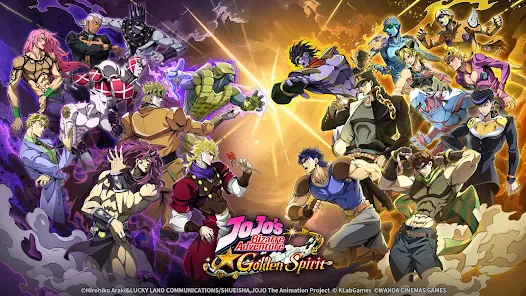
JoJo's Bizarre Adventure: Golden Spirit, also listed as JoJo's Bizarre Adventure: GS, officially launched on August 13, 2026. According to KLab's official launch announcement, the mobile game was jointly developed by KLab and WANDA CINEMAS GAMES and is based on the JoJo's Bizarre Adventure anime series.
The game supports in-app purchases on both iOS and Android. Apple's official App Store listing currently displays multiple Astrogem Packs, ranging from 60 to 6,480 Astrogems in the U.S. storefront.
This guide explains how to buy Astrogems in JoJo Golden Spirit, how much the available packs cost, how to top up on iPhone and Android, how gift cards work, how to avoid payment problems, and what to do if your Astrogems do not arrive.
What Are Astrogems in JoJo Golden Spirit?
Astrogems are a premium in-game currency in JoJo Golden Spirit.
The official JoJo's Bizarre Adventure: GS App Store page lists a range of paid products named Astrogem Packs, confirming that players can purchase Astrogems directly through the game's in-app payment system.
Premium currency is particularly important for players who want access to the game's paid systems and recruitment-related spending.
Before using Astrogems, always check the current in-game shop and recruitment banner. Live banners, available rewards, and purchase promotions can change as the game receives updates.
JoJo Golden Spirit Astrogem Prices
The U.S. Apple App Store currently lists ten JoJo Golden Spirit Astrogem packs.
The following prices are based on the U.S. App Store listing as available on August 14, 2026.
Astrogem Pack | U.S. App Store Price |
|---|---|
60 Astrogems | $0.99 |
120 Astrogems | $1.99 |
180 Astrogems | $2.99 |
300 Astrogems | $4.99 |
680 Astrogems | $9.99 |
980 Astrogems | $14.99 |
1,280 Astrogems | $19.99 |
1,980 Astrogems | $29.99 |
3,280 Astrogems | $49.99 |
6,480 Astrogems | $99.99 |
You can check the latest listed packs directly on the official Apple App Store page.
Do JoJo Golden Spirit Astrogem Prices Vary by Country?
Yes.
The prices above apply to the U.S. App Store and should not be treated as universal global prices.
Your actual price may vary depending on:
App Store or Google Play region
Local currency
Taxes
Store pricing policies
Platform
Temporary in-game promotions
Always use the final price shown on your device before confirming a purchase.
Which JoJo Golden Spirit Astrogem Pack Is the Best Value?
If we compare only the base Astrogem quantity with the currently listed U.S. App Store price, the 680 Astrogem pack for $9.99 provides one of the strongest simple Astrogem-per-dollar ratios.
However, that does not automatically mean every player should buy it.
A better approach is to choose a pack based on how many Astrogems you actually need.
Small Astrogem Packs
The following packs are suitable for smaller purchases:
60 Astrogems
120 Astrogems
180 Astrogems
300 Astrogems
These can make sense if you only need a small amount of premium currency or want to make a low-cost purchase.
Mid-Range Astrogem Packs
The mid-range options include:
680 Astrogems
980 Astrogems
1,280 Astrogems
1,980 Astrogems
These packs may be more suitable for players planning several premium actions or recruitment attempts.
Large Astrogem Packs
The largest currently listed packs are:
3,280 Astrogems
6,480 Astrogems
These require a significantly larger budget, so check your current balance and spending plan before buying.
Important: The value comparison above only uses the base pack quantities and listed prices. If the game offers a first-purchase bonus, limited-time bonus, or special promotion, the actual value of a pack may change.
Always check the live in-game offer before paying.
 The Seven Deadly Sins: Origin

How to Top Up JoJo Golden Spirit and Buy Astrogems
The simplest verified way to top up JoJo Golden Spirit is through the game's own in-app purchase system.
You do not normally need to leave the game to purchase one of the standard Astrogem packs.
The exact location or name of the shop button may change between game versions, so use the Astrogem purchase section displayed in your current game client.
How to Buy JoJo Golden Spirit Astrogems on iPhone or iPad
JoJo Golden Spirit is officially available through Apple's App Store with in-app purchases.
You can verify the game through the official JoJo's Bizarre Adventure: GS App Store listing.
To buy Astrogems on iPhone or iPad:
Open JoJo's Bizarre Adventure: Golden Spirit.
Make sure you are logged into the correct game account.
Open the in-game shop or Astrogem purchase section.
Select the Astrogem pack you want.
Check the displayed amount and price.
Confirm the purchase through Apple's payment system.
Return to the game.
Check your Astrogem balance.
Before confirming the payment, double-check that you are using the correct Apple Account and the correct JoJo Golden Spirit account.
How to Buy JoJo Golden Spirit Astrogems on Android
Android players can download JoJo Golden Spirit through Google Play.
The official Google Play listing identifies the game as JoJo's Bizarre Adventure: GS and confirms that it contains in-app purchases.
To top up JoJo Golden Spirit on Android:
Launch JoJo Golden Spirit.
Log into the account you want to top up.
Open the Astrogem purchase section.
Choose an Astrogem pack.
Review the displayed local price.
Complete payment through Google Play.
Return to the game.
Confirm that the Astrogems were added to your balance.
Available payment options depend on your Google Play account, country, and local payment support.
JoJo Golden Spirit Top-Up Methods Compared
There is no single payment method that is best for every player.
The main options depend on your device and how you prefer to pay.
Top-Up Method | Best For | Advantages | What to Check |
|---|---|---|---|
Apple in-app purchase | iPhone and iPad players | Direct payment through Apple | Apple Account, region, final price |
Google Play purchase | Android players | Direct payment through Google Play | Google account, payment method, region |
Apple Gift Card | iOS players using account balance | Can fund Apple Account balance | Gift card region |
Google Play Gift Card | Android players using Play balance | Can fund supported Play accounts | Gift card and account region |
For most players, purchasing through the official in-game Apple or Google payment system is the most straightforward option.
How to Buy JoJo Golden Spirit Astrogems With an Apple Gift Card
Players who prefer not to pay directly with a bank card may be able to use an Apple Gift Card.
According to Apple Support, eligible Apple Gift Cards can be redeemed to Apple Account balance, which can then be used for supported App Store purchases and in-app purchases.
The basic process is:
Buy an Apple Gift Card that is compatible with your Apple Account region.
Open the App Store.
Tap your account profile.
Select Redeem Gift Card or Code.
Redeem the card.
Open JoJo Golden Spirit.
Select the Astrogem pack you want.
Complete the purchase using your available Apple Account balance.
Check the Gift Card Region First
Apple gift cards can have regional restrictions.
A gift card intended for one country may not work with an Apple Account registered in another country.
Always check compatibility before purchasing the card.
How to Buy JoJo Golden Spirit Astrogems With a Google Play Gift Card
Android players may also be able to use Google Play balance to purchase Astrogems.
Google explains through its official Google Play Help Center that supported gift cards and gift codes can be redeemed to a Google Play account.
To use a Google Play gift card:
Buy a Google Play gift card compatible with your account country.
Redeem the code to the correct Google account.
Open JoJo Golden Spirit.
Enter the Astrogem purchase section.
Choose the pack you want.
Select your available Google Play balance when supported.
Complete the transaction.
Check your Astrogem balance.
Avoid Region Mismatches
The country associated with your Google Play account matters.
Do not purchase a gift card simply because it is cheaper in another region. If the card cannot be redeemed on your account, the lower price provides no benefit.
Check Google's current gift card and country rules before buying.
Is JoJo Golden Spirit Available in Your Region?
Region availability is especially important for JoJo Golden Spirit.
According to KLab's official launch announcement, the global distribution area currently covers most of the world but excludes:
Japan
Mainland China
Hong Kong
Taiwan
Macau
If you cannot find JoJo Golden Spirit in your local App Store or Google Play store, your account region may be one of the reasons.
Changing your physical location or using a VPN does not necessarily change your Apple or Google billing region.
For purchases involving real money, always follow the current platform and game rules for your account region.
How to Top Up JoJo Golden Spirit Safely
Buying Astrogems is straightforward, but there are still several things worth checking before you pay.
1. Verify the Correct Game
The official store version is listed as:
JoJo's Bizarre Adventure: GS
The Apple listing can be found on the App Store, while the Android version is available through Google Play.
KLab's official announcement confirms that the full title is JoJo's Bizarre Adventure: Golden Spirit.
2. Check Your Game Account Before Paying
If you use multiple game accounts, confirm which account is currently logged in before buying Astrogems.
A successful payment made on the wrong game account can be much harder to resolve than simply checking first.
3. Confirm the Pack and Price
Before completing a payment, check:
Astrogem quantity
Final price
Currency
Account
Store region
Any displayed bonus conditions
Payment method
Do not rely only on a price found in an online guide. The live checkout price on your device is the price that matters.
4. Protect Your Account Information
Avoid sharing unnecessary account credentials with unknown websites or individuals.
When using Apple or Google Play, payment authentication should be handled through the platform's own purchase system.
If you use any external game top-up service for a supported game, read its payment and account-information requirements carefully before submitting an order.
5. Keep Your Purchase Receipt
Keep a record of:
Order number
Transaction ID
Purchase date
Astrogem pack
Amount paid
Payment receipt
These details can be important if your payment is successful but the in-game currency does not appear.
JoJo Golden Spirit Top Up Not Working? Common Problems and Fixes
Top-up problems usually fall into one of several categories.
Problem | Possible Cause | Recommended Action |
|---|---|---|
Payment declined | Payment method or billing issue | Check balance, billing information, region, and payment restrictions |
Payment successful but no Astrogems | Account sync or delivery issue | Restart the game, confirm your account, save the receipt |
Different price than expected | Regional store pricing | Check account country and checkout currency |
Gift card cannot be redeemed | Card and account region mismatch | Verify the gift card's supported country |
Purchase stays pending | Payment platform processing | Wait for the transaction status to update before purchasing again |
Payment Was Declined
If the payment fails, avoid repeatedly pressing the purchase button.
Instead, check:
Available card or account balance
Billing information
Apple or Google payment method
Store account region
Parental controls
Purchase restrictions
Bank authorization
You can also review the official payment support information from Apple Support or the Google Play Help Center.
Payment Succeeded but Astrogems Are Missing
If you were charged but the Astrogems do not appear:
Check whether the transaction is completed rather than pending.
Confirm that you are logged into the correct JoJo Golden Spirit account.
Close and reopen the game.
Check your Astrogem balance again.
Keep the payment receipt and transaction number.
Contact the appropriate game or payment support channel if the currency still does not appear.
Do not immediately purchase the same pack again.
A second purchase may create another charge instead of resolving the original order.
Why Does My JoJo Golden Spirit Price Look Different?
The Astrogem prices listed earlier in this guide are based on the U.S. App Store.
Your price may be different because of:
Local currency
Regional App Store pricing
Google Play pricing
Taxes
Exchange-rate adjustments
Platform policies
Promotional offers
This is normal.
Always confirm the final amount shown at checkout before authorizing the payment.
My Apple or Google Play Gift Card Does Not Work
If a gift card cannot be redeemed, check:
Whether it was purchased for the correct country.
Whether your Apple or Google account uses that country.
Whether the code was entered correctly.
Whether the code was already redeemed.
Whether the card is eligible for your account.
For account-specific problems, use the official Apple Gift Card support page or Google Play gift card help page.
How to Get Astrogems Without Immediately Topping Up
Before spending real money, check whether the game currently offers free Astrogems or other premium rewards.
Possible sources can include:
Login rewards
Story progression rewards
Event missions
Account progression
Launch campaigns
In-game mail
Redemption codes
Special events
Available rewards change over time, so check the game's live event pages and notices rather than relying on an old reward list.
A practical approach is:
Claim free rewards → check your Astrogem balance → choose your target → calculate how many more Astrogems you need → purchase only the remaining amount.
This can help you avoid buying a larger pack than necessary.
What Should You Check Before Spending Astrogems?
Buying premium currency is only part of the decision.
Before spending Astrogems on a recruitment banner or another premium feature:
Read the current banner rules.
Check the available characters or rewards.
Review your existing currency balance.
Check your current recruitment progress.
Decide on a spending limit.
Avoid chasing a result beyond your planned budget.
Banner pools, guarantees, rates, and events can change between game versions, so the live game information should always take priority over older guides.
JoJo Golden Spirit Top Up FAQ
How do I top up JoJo Golden Spirit?
Open JoJo's Bizarre Adventure: Golden Spirit, enter the in-game Astrogem purchase section, choose the pack you want, and complete the transaction through Apple App Store or Google Play.
Both official store versions support in-app purchases.
How much do Astrogems cost in JoJo Golden Spirit?
The U.S. App Store currently lists packs from 60 Astrogems for $0.99 to 6,480 Astrogems for $99.99.
Prices can vary by platform and region, so check your live in-game price before paying.
What are Astrogems in JoJo Golden Spirit?
Astrogems are premium in-game currency sold through JoJo Golden Spirit's in-app purchase system.
Apple's official store listing currently displays ten separate Astrogem packs.
What is the cheapest JoJo Golden Spirit Astrogem pack?
On the U.S. App Store, the smallest currently listed option is:
60 Astrogems for $0.99.
Regional pricing may differ.
What is the largest JoJo Golden Spirit Astrogem pack?
The largest pack currently shown on the U.S. App Store is:
6,480 Astrogems for $99.99.
Which JoJo Golden Spirit Astrogem pack offers the best base value?
Based only on the currently listed U.S. App Store pack quantities and prices, the 680 Astrogem pack at $9.99 has a particularly strong Astrogem-per-dollar ratio.
However, live purchase bonuses or limited-time promotions can change the effective value of different packs.
Can I buy JoJo Golden Spirit Astrogems with an Apple Gift Card?
Where supported, you can redeem an eligible Apple Gift Card to your Apple Account balance and use that balance for eligible in-app purchases.
Check your Apple Account region before buying the gift card.
Can I use a Google Play gift card for JoJo Golden Spirit?
Eligible Google Play gift cards can be redeemed to supported Google Play accounts and the resulting balance may be used for eligible in-app purchases.
Make sure the card matches your Google Play account country.
Why haven't I received my Astrogems?
Check whether your payment is completed, confirm that you are on the correct game account, restart JoJo Golden Spirit, and keep your transaction receipt.
If the Astrogems are still missing, contact the appropriate support channel with your payment details.
Is JoJo Golden Spirit available in Japan?
According to KLab's official global launch announcement, the current global distribution area excludes Japan, Mainland China, Hong Kong, Taiwan, and Macau.
Is it safe to buy JoJo Golden Spirit Astrogems?
The official Apple App Store and Google Play in-app purchase systems are the most straightforward verified methods for buying Astrogems.
Always confirm your game account, payment amount, currency, region, and final checkout price before completing a purchase.
Final Thoughts
The easiest way to top up JoJo Golden Spirit and buy Astrogems is through the game's official in-app purchase system on Apple App Store or Google Play.
The U.S. App Store currently lists ten Astrogem packs, starting at 60 Astrogems for $0.99 and reaching 6,480 Astrogems for $99.99, giving players several options depending on their budget.
If you prefer using account balance, an eligible Apple Gift Card or Google Play Gift Card may also work for supported in-app purchases. Just make sure the card matches your store account region.
Before paying, remember to:
Claim any available free rewards.
Check your current Astrogem balance.
Review the live banner or premium content you plan to use.
Confirm the correct game account.
Check the final local price.
Save your purchase receipt.
For players looking to explore recharge options across more popular games, Topuplist provides a convenient place to browse game top-up services and the latest supported titles.
👉 Explore Game Top-Ups on Topuplist
By checking your account, region, payment method, and Astrogem needs before purchasing, you can make your JoJo Golden Spirit top up faster, safer, and better matched to your actual budget.
