


Identity V x Time Raiders Guide: Free Naiad Costume, Public Map, Furniture, and Event Tasks
The Identity V x Time Raiders crossover combines a public map, collaboration tasks, furniture, and a free Naiad costume route. This guide separates one-time exploration from repeatable missions, explains how to find the event entry, tracks the requirements for the cosmetic reward, and provides a final checklist for claims, account synchronization, and limited-time furniture.
A crossover event can look like a collection of decorations until the reward route is understood. The Identity V x Time Raiders collaboration places players between normal matches, a public map, event tasks, furniture rewards, and a free Naiad costume. The fastest route is not always to complete every visible activity. It is to identify which tasks unlock the costume, which rewards are one-time, and which activities can be repeated later.
This guide is organized as an event route rather than a story summary. The live event page should control the final date, map name, reward wording, and claim conditions. Use the process below to avoid spending time on optional furniture before the free costume route is safe.
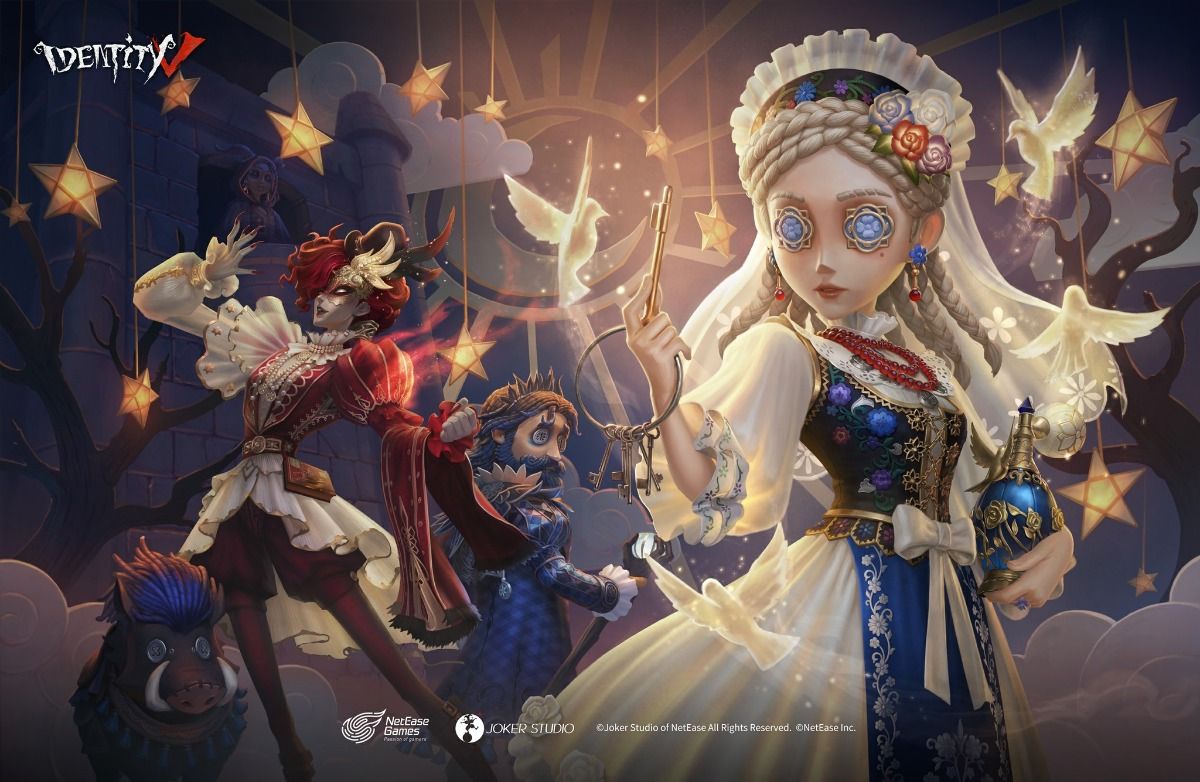
Find the Event Entry
Open the event center and look for the Time Raiders collaboration tab. If it is not visible, check the news panel, public map entry, mailbox, and any prerequisite notice. Event tabs can be hidden behind a scroll area on mobile.
Read the event end date and the reward tab before beginning. Screenshot the page if the collaboration lists several dates. Confirm whether the free Naiad costume is claimed from the event page, a mission milestone, or a separate exchange shop.
If the public map loads in a separate mode, enter it once and allow all resource downloads to finish. Leaving during the first load can make the entry appear missing the next time.
The Event Route in Four Parts
Treat the collaboration as four linked parts: public map discovery, event missions, furniture collection, and costume claim.
Public map discovery usually reveals NPCs, landmarks, collectibles, and interaction points. Event missions may require specific interactions on that map or normal match participation. Furniture can come from tasks or a shop and may not be necessary for the costume. The costume claim may require a milestone that uses progress from more than one part.
Do not assume that completing the map automatically grants the costume. Check the milestone description and the claim button.
Public Map First Pass
On the first visit, explore without trying to collect every item. Find the spawn point, exit, major NPCs, quest markers, furniture interaction, and any locked route. Open the map after each major conversation.
If the map has multiple layers, check stairs, rooftops, side rooms, and underground entrances. A collaboration task may point to a landmark while the actual interaction is behind it.
Complete the tutorial conversations. They may introduce the interaction used by later missions. Take screenshots of unusual symbols or item names rather than relying on memory.
Mark repeatable activities. A daily map task and a one-time discovery can look similar but have different value for the costume route.
Mission Priorities
Read all mission tabs before completing random tasks. Label each mission as costume progress, furniture progress, currency, or optional. Finish costume-progress missions first, then tasks that expire daily, then repeatable currency tasks.
If a mission requires a normal match, use the mode and role you can complete reliably. Do not force a difficult character task in ranked when the event allows a safer mode.
If a mission requires a public map interaction, complete it while the related NPC or route is already open. Repeating the map load later wastes time.
Track progress after every claim. A mission marked complete may still require a second claim button.
Free Naiad Costume Checklist
Record the exact costume milestone, current progress, remaining requirement, and final claim location. Confirm whether the costume belongs to Naiad, whether it is permanent, and whether a trial version appears elsewhere in the event.
Complete one small progress action and verify the counter before spending hours. If the counter does not move, inspect the mission condition and the mode requirement.
When the milestone is complete, claim the costume immediately. Open the character page, equip it, and check that the ownership marker remains after a client restart. If the reward arrives as a box, open it only after reading the description.
Do not exchange costume-route currency for furniture until the costume requirement is secured. Furniture may be attractive, but the free costume is usually the harder reward to recover after the event ends.
Furniture and Collection Value
Furniture collectors should separate display value from functional value. Record the furniture name, placement space, source, and whether it is limited to the collaboration shop.
Before buying furniture, inspect the full shop. A later page may contain a larger centerpiece or a unique item that uses the same event currency. Spend after the costume and any must-have limited item are protected.
Place one furniture item after claiming it to verify delivery. If it remains in the inventory, use it according to the description before searching the room.
Daily Reset Plan
At each reset, open the event page, claim completed missions, enter the public map if a daily task is available, and check the costume counter. Complete normal-match tasks during matches you were already planning to play.
Do not leave a daily map task until the final hour. Server maintenance or matchmaking problems can turn a simple task into a missed reward.
At the halfway point, compare current progress with remaining days. If the costume is behind schedule, stop buying optional furniture and focus only on the required missions.
Claim and Sync Troubleshooting
If the event tab is missing, restart the client, check the news page, confirm the account server, and verify that the collaboration has opened in your region. Do not use an unofficial map client.
If a map interaction does not register, leave and re-enter the map, complete the nearby dialogue, and interact with the object again. Some objectives require the correct quest state.
If the costume claim button is disabled, check whether another milestone, mission, or manual claim is required. A full progress bar may not equal a claimed reward.
If the costume is missing after claiming, check character wardrobe, mailbox, inventory, account sync, and server. Save a screenshot before contacting support.
Topuplist and Event Spending
The collaboration's free route should remain separate from purchases. If you decide on a controlled Identity V budget, use Topuplist or the Identity V top-up page. Confirm the correct account before payment and do not buy currency to chase an optional furniture item under deadline pressure.
Event Task Matrix
Create rows for public map, normal match, login, story, furniture, and exchange tasks. For each row, record whether it is one-time or daily, whether it advances the Naiad costume, and where the reward is claimed.
A public-map task should list the NPC or landmark. A match task should list eligible modes. A login task should list server reset. A furniture task should show whether it spends the same currency as the costume. An exchange task should show its shop deadline.
Use the matrix every day. Complete tasks that are daily and advance the costume first. Then complete one-time costume tasks. Furniture and optional story interactions come after the core route.
Public Map Navigation Notes
Use the spawn point as the anchor. Walk the outer route once, then return through the interior. This reveals exits, NPC clusters, and locked areas without repeatedly crossing the center.
Talk to every mission-marked NPC before collecting decorative items. Some interactions only count after dialogue. If an NPC disappears, check time, quest state, and another layer of the map.
Record the exact wording of an object prompt. Two objects can look identical while only one advances the collaboration task.
Final Forty-Eight Hours
Two days before the end, stop casual exploration and audit every reward page. Confirm the costume, furniture, portraits, currencies, and unopened boxes. Spend only tokens that will expire.
Finish any match requirement before the final evening. Matchmaking, maintenance, or network problems can make a simple objective impossible at the deadline.
After claiming, restart the client and verify the wardrobe and room. Screenshot permanent ownership and the completed event counter.
Story Enjoyment Without Missing Rewards
Players who care about the collaboration story should avoid skipping all dialogue, but they can separate story sessions from daily task sessions. Use a short daily route for expiring progress, then return to the public map when there is enough time to read and explore.
This protects both goals: the free costume is not missed, and the crossover is not reduced to a list of buttons.
Account-Safe Completion
Before the final claim, confirm that the public map account and the match account show the same server. Cross-platform sessions can make a player think the reward disappeared when the event was completed on another profile.
Do not clear local data until the costume is visible in the wardrobe. If reinstallation is required, bind the account, save the user ID, and record the event counter first.
If the event offers a selection box, compare the contents before opening. A box can be consumed immediately and may not be reversible. Keep a screenshot of the description for future support questions.
Route for Players With Limited Time
Use the shortest route: claim login rewards, complete costume-specific missions, finish reset-limited map tasks, and claim the milestone. Skip optional furniture until the counter is safe. Story dialogue and decorative exploration can be completed afterward if the event remains open.
Players with more time can combine furniture and story exploration after the daily route. This preserves reward security without turning the collaboration into a rushed checklist.
When using multiple platforms, complete the event on the profile that owns the main wardrobe. Compare the user ID and server after moving between devices, then restart the client once the costume is claimed.
Do not spend the final event currency until every costume-progress mission is checked. A single unclaimed milestone can be more important than several optional furniture items.
If the event page and wardrobe show different states, do not spend more currency. Record both screens, confirm the server, and wait for one normal reset before contacting support.
Final Claim Walkthrough
Open the event page, read the milestone, press the claim button, and wait for the result message. Then open the wardrobe on the same server, search Naiad, equip the costume, and restart the client. Check the event counter again after restart. This sequence distinguishes a missing claim from a delayed display.
Keep the event currency untouched until this walkthrough is complete. If support needs evidence, provide the before-claim progress, claim result, wardrobe status, server, and user ID together.
Verify the permanent ownership label before deleting any screenshots.
The final screenshot should show the event name, completed milestone, wardrobe ownership, and server in one clear record.
FAQ
Is the Naiad costume free?
The collaboration presents a free Naiad costume route. Check the live milestone, claim condition, permanent status, and event deadline in the client.
Where do I find the Time Raiders event?
Check the event center, news panel, public map entry, mailbox, and prerequisite notices. Mobile layouts may hide the tab below the main banner.
Do I need to complete all furniture tasks?
Not necessarily. Separate costume progress from furniture collection and secure the costume milestone first.
Why did my map task not count?
Check the quest state, interaction object, dialogue, daily reset, and region. Re-enter the public map after confirming the mission is active.
Can the costume be claimed after the event ends?
Do not assume so. Claim it before the displayed deadline and verify ownership in the wardrobe.
Should I spend event currency on furniture?
Only after the costume and must-have limited items are protected.
What if the reward is missing?
Check the claim page, wardrobe, mailbox, inventory, sync status, and server. Save screenshots and contact support with the exact account information.
Final Takeaway
The Time Raiders collaboration is easiest when split into public-map discovery, mission progress, furniture collection, and costume claim. Secure the free Naiad costume first, complete daily tasks before reset, treat furniture as a separate collection goal, and verify the reward after synchronization. A short event route is valuable only when the final claim is actually visible on the account.
