Genshin Impact Miliastra Wonderland Summer Web Event Guide: Tasks, Primogems, and July 28 Deadline
The Miliastra Wonderland summer web event is a limited Genshin Impact browser activity built around instant photos, scene progression, and account-linked rewards. This guide explains eligibility, the event loop, reward claiming, server and HoYoverse Account checks, mobile and desktop troubleshooting, deadline planning, and the safest way to confirm that earned rewards reach the correct character.
The Miliastra Wonderland summer web event gives Genshin Impact players a short browser-based activity to complete alongside Version 6.7. Rather than asking players to clear combat stages or build a specialized team, the event focuses on entering themed scenes, following photo-related prompts, and completing a compact progression loop for limited rewards.
Web events look simple because most actions require only a few clicks. In practice, the biggest problems are usually outside the minigame itself: logging into the wrong HoYoverse Account, selecting the wrong server character, closing the page before progress synchronizes, overlooking a final claim button, or returning after the event and reward windows have ended. A reliable guide therefore needs to cover account handling and reward verification as carefully as the event actions.
This walkthrough is organized as an operating plan. It explains what to check before opening the event, how to move through the photo tasks efficiently, how to verify rewards, what to do when the page fails, and how to finish safely before the July 28 deadline.
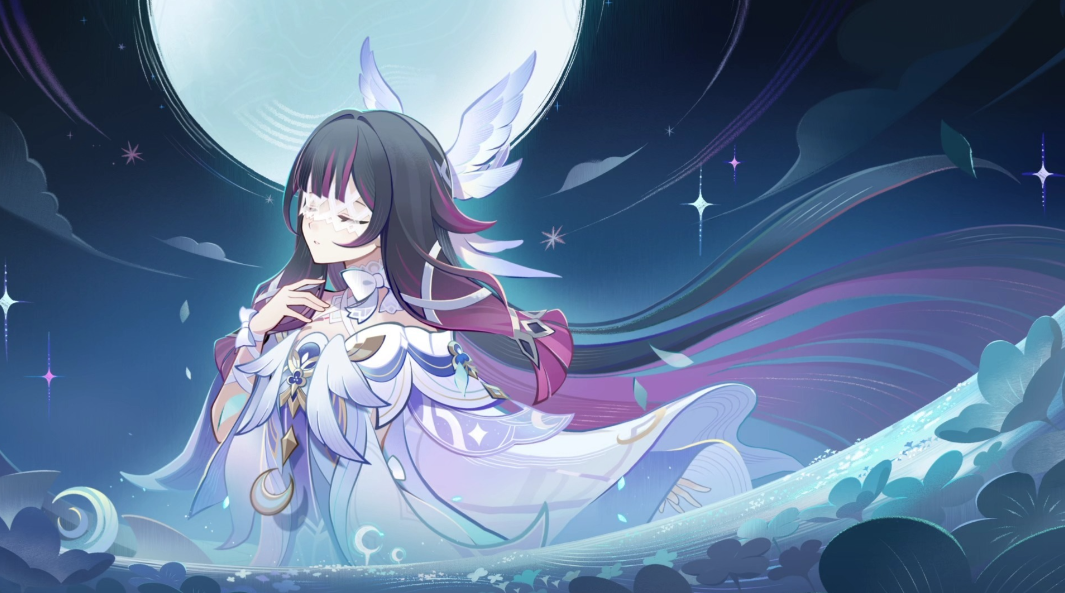
What the Event Is and Who Can Participate
Miliastra Wonderland is an official Genshin Impact web event accessed through a browser. It uses a player's HoYoverse Account and selected Genshin Impact character to track progress and deliver eligible rewards. It is separate from the game's ordinary event menu, even when the event page is promoted through in-game notices or HoYoLAB.
The event runs through July 28, 2026. Players should treat the listed event time as authoritative rather than assuming that it follows their local midnight. Web campaigns may use UTC+8 or another stated event time zone, and the page can close independently of a regional Genshin Impact server reset.
Before starting, confirm four things:
The HoYoverse Account is the one linked to the intended Genshin Impact profile.
The selected server is correct.
The displayed Traveler nickname and Adventure Rank belong to the intended character.
The character meets any minimum Adventure Rank requirement shown on the official page.
A player who has profiles on America, Europe, Asia, or TW/HK/MO can easily choose the wrong server from a drop-down menu. The event may still load normally, which makes this mistake harder to notice. Always verify the displayed nickname before completing tasks.
The Event Loop in Plain Language
The event presents a summer-themed experience based on instant photos and guided interactions. Players advance by following the on-screen prompts, entering the available scenes, and completing the required photo actions. The page records progress and unlocks the next step or reward when the current objective is accepted.
The exact interaction may vary by scene, but the practical loop remains consistent:
Do not click rapidly through loading transitions. Browser events often save after an animation, dialogue step, or server response. Closing the tab immediately after the visible action can interrupt the confirmation that unlocks the next stage.
If a task appears complete but the next scene remains locked, wait several seconds and reopen the event menu before refreshing the entire page. A full refresh should be a later troubleshooting step because it can restart large asset downloads on mobile networks.
A Clean First-Run Route
The most efficient way to complete a short web event is to remove account uncertainty before interacting with the minigame.
First, open the official event link in a normal browser tab. Embedded browsers inside social applications can restrict cookies, pop-ups, audio, or account redirects. If the page opens inside an app, use its menu to continue in Chrome, Safari, Edge, or another supported browser.
Second, sign in manually if the displayed account is uncertain. A browser may remember an older HoYoverse Account. Select the server and check the Traveler nickname. If the name is wrong, log out before doing any tasks.
Third, allow the event assets to load completely. Summer web events commonly use animated backgrounds, sound, and layered images. On a slower connection, buttons may appear before every interactive element is ready. Waiting for the initial loading process prevents missed prompts.
Fourth, complete each photo scene in the order presented. Read the short instruction before tapping. If the task involves selecting, positioning, or confirming an image, make sure the page displays a completion state rather than assuming that taking the picture is the final action.
Fifth, open every reward panel after finishing the visible content. A completed album, chapter, or scene may unlock a separate claim button. Look for notification dots, highlighted icons, unopened envelopes, or reward labels.
Finally, launch Genshin Impact on the selected server and check in-game mail. Reward mail can take a few minutes to arrive. Keep the event page open until it confirms that the claim request succeeded.
Understanding the Rewards
The event includes limited account rewards such as Primogems and Miliastra Wonderland-related materials, including Geodes of Replication where specified by the event page. The exact reward package should be read directly from each unlocked claim panel because different objectives may distribute different items.
Primogems are the most immediately recognizable reward, but they should not distract players from the claim process. Completing an interaction and claiming its reward are not always the same action. A page can display a finished scene while leaving the reward unclaimed.
Geodes of Replication belong to the Miliastra Wonderland content ecosystem and should not be confused with Original Resin, Fragile Resin, Genesis Crystals, or ordinary enhancement materials. When an unfamiliar item arrives by mail, read its in-game description rather than assuming it can be used for wishes.
Reward mail also has an expiration period. Claim the mail soon after it arrives instead of leaving it in the mailbox. The web event's deadline and the mail's expiration date are separate. Finishing the browser activity does not make uncollected mail permanent.
Account and Server Mistakes to Avoid
The most expensive web-event mistake is not losing time; it is sending a limited reward to an unintended profile. The event identifies the recipient through the selected server character, not through whichever account a player opens later on another device.
Use this account check before the first task and before the final claim:
Confirm the partially displayed HoYoverse login identity.
Confirm the regional server.
Confirm the Traveler nickname.
Confirm the Adventure Rank if it is shown.
Confirm that the UID prefix matches the intended server pattern if you recognize it.
Never enter a password, email verification code, or payment information into a page reached through an unofficial shortened link. Official web events may require a HoYoverse login, but the domain and sign-in flow should be verified. A QR code should also be opened only from an official announcement or in-game notice.
If a reward was already sent to the wrong server character, changing the server afterward generally does not transfer that reward. Contacting customer support may clarify the situation, but players should not assume that a mistaken selection can be reversed.
Mobile Browser Troubleshooting
Mobile devices are convenient for web events, but they introduce memory limits, background-tab suspension, content blockers, and embedded browser restrictions.
If the page is blank, close other heavy tabs and reload in a standard browser. If it stops at a percentage, switch from unstable mobile data to Wi-Fi or try a different network. If buttons do not respond, disable aggressive content blocking for the official event page and make sure JavaScript and cookies are available.
Landscape and portrait orientation can also affect the interface. Rotate the device once if a button is outside the visible area, then return to the intended orientation. Browser zoom and oversized system text may push controls off-screen; restoring default zoom often fixes the layout.
When audio or animation causes performance problems, use any in-event sound or quality controls before repeatedly refreshing. If the browser reloads whenever another app is opened, take a screenshot of instructions instead of switching back and forth between applications.
For login loops, clear only the relevant site data if possible rather than deleting all browser history. Another option is to use a private browsing window and sign in from the beginning. Private windows may discard the session when closed, so finish and claim rewards before exiting.
Desktop Browser Troubleshooting
On desktop, the most common issues involve extensions, hardware acceleration, cached assets, and multiple signed-in accounts.
Open the page in an up-to-date version of Chrome, Edge, Firefox, or Safari. If an animation remains black while buttons or text load, test hardware acceleration or another browser. Privacy extensions can block account authentication or event scripts, so temporarily allow the official event domain.
A hard refresh can replace corrupted cached assets, but use it only after waiting for the page to save. If the event always returns to the first scene, verify that cookies are not blocked and that the same HoYoverse Account remains signed in.
Players using a shared computer should log out after claiming rewards. Do not save account passwords in a public browser, and do not leave a QR login page open. The event itself is short enough that account security should never be traded for convenience.
How to Confirm Progress Was Saved
Visual movement is not proof of server-side progress. A photograph may animate onto the screen even if the completion request has not finished.
Look for a persistent state change: a task marked completed, a reward icon becoming active, a new scene unlocking, an album counter increasing, or a success message. Then leave the event menu and return to see whether that state remains.
For extra confidence, reopen the official event page after completing all tasks. If the correct character is still selected and the page shows completed objectives, the progress has likely synchronized. Do not repeatedly claim the same reward; duplicate clicks usually do nothing and may create confusing error messages.
Take screenshots of the final completion page and successful reward message. They are useful if in-game mail does not arrive after a reasonable delay. Record the selected server and UID as well, but never include private login credentials.
Deadline Strategy for the Final Days
Because the event ends on July 28, players should not wait until the last hour. A browser update, account login problem, network interruption, or time-zone misunderstanding can turn a five-minute activity into a missed reward.
A sensible final-days plan has three checkpoints. By July 25, open the event and verify eligibility. By July 27, complete all available scenes and press every claim button. On July 28, check in-game mail and revisit the page only to confirm that nothing remains unfinished.
Players who manage multiple server characters should complete one profile at a time and record which profile received the reward. Whether multiple profiles are eligible depends on the event rules; do not assume that one HoYoverse Account can claim the same reward on every server.
The event should be prioritized above permanent exploration but below account-security checks. Never rush through an unfamiliar login page solely because the deadline is close.
Using the Event in a Wider Primogem Plan
A limited web event is a useful supplement, not a complete wishing strategy. Add only confirmed, claimed Primogems to the account budget. Do not count a reward that still sits behind an unfinished task or an unverified mail delivery.
Players saving for current or future banners can divide their resources into available currency, guaranteed income before the banner deadline, and optional income. Web-event Primogems move into the first category only after they appear in the game account.
For players who have already reviewed their free resources and decide to buy currency, Topuplist offers access to supported top-up services. The Genshin Impact top-up page can be checked for available packages. Verify the correct UID or account details, server, product, and final price before paying. A limited web event should encourage careful claiming, not impulsive spending.
Final Completion Audit
Before closing the browser for the last time, confirm that the correct HoYoverse Account remains signed in, the correct server character is displayed, every scene is complete, every reward icon has been opened, and the in-game mail has arrived. If the page shows a share button, determine whether sharing is optional or attached to a separate reward before posting anything publicly.
The safest completion sequence is simple: finish the final interaction, wait for the completion state, claim the reward, capture the confirmation, check in-game mail, and collect the mail. This sequence creates evidence at every point where web events commonly fail.
Miliastra Wonderland is designed as a short summer diversion. Treating its account and claim steps carefully lets it remain exactly that, rather than becoming a last-minute support request.
FAQ
When does the Miliastra Wonderland summer web event end?
The event is scheduled to end on July 28, 2026. Check the official event page for the exact time zone and submit early rather than relying on a local midnight deadline.
Is this an in-game event?
It is a browser-based Genshin Impact web event. Progress and rewards are linked to the HoYoverse Account and selected server character, but the activity itself is completed outside the normal in-game event interface.
Why did my reward go to the wrong server?
The event sends rewards to the character selected on the web page. A remembered browser login or incorrect server selection can cause the displayed character to differ from the account a player intended to use.
What should I do if the event page is blank?
Open the official link in a standard, updated browser, allow cookies and JavaScript, disable blocking extensions for the page, close memory-heavy tabs, and try another stable network. Avoid embedded browsers inside social apps.
Do I receive rewards automatically after completing a photo?
Not always. A completed interaction may unlock a separate reward button. Confirm that the page reports a successful claim and then check in-game mail.
What are Geodes of Replication?
They are Miliastra Wonderland-related materials specified by the event. They are not Primogems, Genesis Crystals, Original Resin, or ordinary character enhancement materials.
Can I complete the event on mobile?
Yes, provided the device uses a supported browser and can load the event assets. Standard mobile browsers are generally more reliable than in-app browsers.
Can I claim the same rewards on every regional server?
Do not assume so. Eligibility and claim limits follow the official rules, and the selected server character determines where a reward is delivered.