Genshin Impact HoYo FEST 2026 Online Event Guide: Teyvat Travel Adventure Rules, Hashtags, Art Submission, and Primogem Rewards
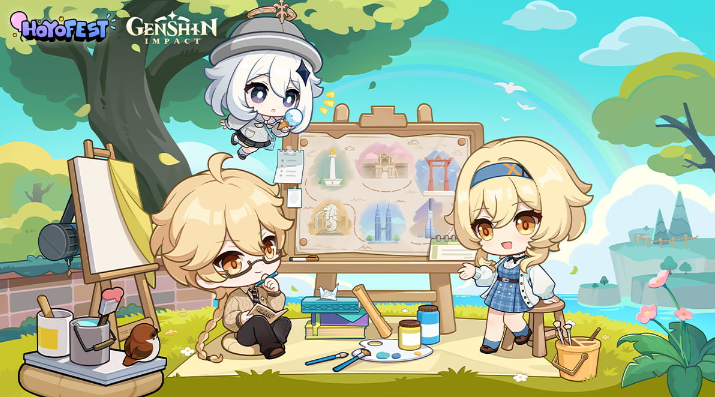
The Genshin Impact HoYo FEST 2026 Teyvat Travel Adventure online event runs from July 27 to August 2, 2026. Travelers can create an illustration based on their impression of Teyvat, publish it publicly with the required hashtags, and compete for one of 100 Primogem prizes. This guide turns the short official rules into a practical workflow for original artwork, compliant posting, deadline protection, and winner verification.
The Genshin Impact HoYo FEST 2026 Online Event, titled “Teyvat Travel Adventure,” is open from July 27 through August 2, 2026. Travelers are invited to draw an illustration based on their impression of Teyvat, publish the work on Facebook, X, or Instagram, and include the required event hashtags. One hundred winners are scheduled to receive 1,000 Primogems each.
The activity sounds simple, but a valid creative-event entry depends on more than finishing a good illustration. The post must match the theme, remain public, contain the correct tags, appear within the event period, and comply with the platform and event rules. This guide provides a complete submission workflow without turning artistic creativity into a rigid template.
Confirm the Event Window First
The published event period begins on July 27 and ends on August 2, 2026. As of July 29, the event is already live. The notice does not justify assuming an extra late-submission or editing grace period. Complete the final public post before the deadline displayed by the official event page.
Social platforms can display times according to local settings. A post created close to midnight may appear on a different calendar date to reviewers in another time zone. The safest approach is to publish at least several hours before the final day ends and preserve a screenshot showing the post time, text, artwork, account name, and public visibility.
Do not wait until August 2 to begin uploading a large image. Compression, failed processing, content review, or an accidental private setting can delay the final entry.
Understand the Teyvat Travel Adventure Theme
The core prompt is an illustration based on the Traveler's impression of Teyvat. That wording leaves room for personal interpretation. An entry can focus on a region, landscape, journey memory, festival, character encounter, local food, architecture, weather, or a combination of experiences that clearly belongs to the world of Genshin Impact.
The strongest concept usually has one readable idea. A crowded collage containing every region may be less memorable than a focused scene with a clear emotional point. Ask what the artwork says about traveling through Teyvat. Is it wonder at a new landscape, comfort in a familiar city, excitement during an adventure, or the connection between companions?
Avoid relying on unrelated trends that obscure the event theme. The work should be understandable as a Teyvat travel impression even before the caption is read.
Choose a Concept That Can Be Finished
The event window is short, so scope matters. Select an idea that fits the available time and current skill set. A polished single-location composition is often safer than an ambitious multi-character scene that remains unfinished.
Use a three-stage concept test. First, describe the scene in one sentence. Second, identify the main focal point. Third, list the minimum background elements needed to establish the location. If the idea requires a long explanation, simplify it.
A practical concept might show a Traveler arriving at a recognizable viewpoint, companions resting after a journey, or a region represented through characteristic color, terrain, and architecture. The goal is not to imitate official key art. It is to communicate a personal impression while keeping the submission recognizably connected to Genshin Impact.
Originality and Asset Safety
Create an original illustration for the event. Do not submit official artwork, another artist's work, a traced image, or a reposted piece presented as a new creation. If the rules permit previously created work, the final submission must still satisfy every current condition; otherwise, use a new event-specific illustration.
Be cautious with brushes, textures, fonts, stock elements, and reference images. Use resources with appropriate permission and avoid allowing a third-party asset to become the main creative content. Keep sketches, layers, drafts, and progress screenshots. These files can help demonstrate authorship if an entry is questioned.
Do not place another creator's watermark on the work. Sign the illustration consistently with the social account or creator identity used for submission.
Required Platforms and Hashtags
The event accepts public posts on Facebook, X, and Instagram. The published entry must include both #TeyvatTravelAdventure and #HoYoFEST2026. Copy the tags exactly. Do not translate them, add spaces inside them, or replace one with a similar community tag.
Requirement | Correct action |
|---|---|
Platform | Post on Facebook, X, or Instagram |
Visibility | Set the submission post to public |
Event hashtag | Include #TeyvatTravelAdventure |
Festival hashtag | Include #HoYoFEST2026 |
Content | Attach the original Teyvat-themed illustration |
Timing | Publish within July 27 to August 2, 2026 |
Additional descriptive hashtags are generally less important than the two required tags. Place the required tags in the main post text rather than relying on a later comment. If editing a post could alter its timestamp or eligibility on the selected platform, create the final compliant version before publishing.
Build a Clear Caption
A useful caption identifies the scene and briefly explains the Traveler's impression. It does not need to be long. One or two sentences can establish the location, emotion, and artistic idea, followed by the required hashtags.
Do not make unverifiable claims such as calling the work an official collaboration. Avoid tagging unrelated accounts repeatedly. If the caption includes spoilers for a recent quest, add a concise warning before the description.
Check spelling for character, region, and event names. English SEO and social discovery benefit from correct official terminology, but the entry can still express the creator's natural voice.
Prepare the Artwork for Social Upload
Export a high-quality final image while respecting the platform's file-size and dimension limits. Preserve a lossless master file separately. Then create a social version that remains readable after compression.
Check the artwork on both a large screen and a phone. Important faces, landmarks, and signatures should remain visible at feed size. Avoid placing essential details too close to the edges because some platform previews crop images.
Color can shift between editing software and social platforms. Preview the exported file outside the drawing application. If the work contains dark scenes, verify that details do not disappear on a typical phone screen.
Submission Workflow
Finish the illustration at least one day before the event ends. Export the master and social files. Draft the caption in a separate note. Copy the two official hashtags from the event page. Log into the account that will submit the work and confirm that its public profile information is accessible.
Upload the artwork, paste the caption, check public visibility, and publish. Open the post from a logged-out browser or another account to confirm that it can be viewed publicly. Then save the post link and screenshots.
If the platform automatically reduces image quality, do not repeatedly delete and repost unless necessary. A later compliant repost may create confusion about which version is the official entry. Review the platform preview before the first publication.
What to Save After Posting
Keep the original layered file, final export, sketch or progress evidence, public post URL, and screenshots of the complete entry. The screenshot should show the artwork, caption, hashtags, account identity, and publication date.
Do not change the account name or set the profile to private while the event is being reviewed. If a platform temporarily restricts the post, document the status and consult the official event channel rather than submitting personal credentials to anyone offering help.
Winner announcements and reward delivery may require a valid Genshin Impact UID or direct-message response. Provide information only through the official process described in the event rules.
How the Primogem Reward Works
The event lists 100 winners, each receiving 1,000 Primogems. This is a competitive creative reward, not a participation guarantee. Publishing a valid entry makes the work eligible for review but does not guarantee selection.
Do not calculate the Primogems as certain account income. Banner plans should rely on currency already owned or officially guaranteed through completed content. The creative event should be entered because the theme is enjoyable and the work can be completed responsibly.
If a winning notice arrives, verify the sender against the official event account. A legitimate prize process should not require payment, account passwords, or one-time security codes.
Protect the Genshin Impact Account
The public social account and the game account should remain separate where possible. Never include a password, email verification code, login screenshot, or recovery information in the artwork post. A UID may be needed only through the event's stated reward-claim process.
Scammers may imitate an official account after seeing a public event entry. Check account spelling, verification status, original announcement links, and the wording of the official winner process. Do not pay a delivery or activation fee to receive Primogems.
Travelers who later decide to purchase game currency for a confirmed in-game goal can review Topuplist and the dedicated Genshin Impact top-up page. Verify the correct UID, server, and product before paying, and never share login credentials.
Judging Preparation Without Guessing the Rubric
The public notice establishes the theme and submission rules, but creators should not invent a hidden scoring formula. Focus on qualities that generally make an entry easy to review: clear theme connection, original composition, complete execution, readable presentation, and correct submission formatting.
Do not change the art style merely to imitate previous winners. A distinctive personal approach can be stronger than a technically complex but generic scene. Consistency between the concept, composition, color, and caption creates a more coherent entry.
If the official page publishes additional judging criteria, apply those exact standards and update the submission plan accordingly.
Common Disqualification Risks
A private post cannot be reviewed normally. A missing hashtag can prevent discovery. A submission outside the event period can be rejected. Reused official art, plagiarism, tracing, or unauthorized copying can invalidate the entry. Incorrect platform choice may also make the work ineligible.
Other preventable risks include posting only a link without the artwork, placing the hashtags in an inaccessible comment, deleting the post before review, changing visibility, or failing to respond through the official winner process.
Review the final entry as if seeing it for the first time. Confirm that a reviewer can identify the artwork, creator, theme, tags, and date without searching through a long thread.
A Three-Day Production Plan
On day one, choose the concept, collect references, and complete the sketch and value structure. On day two, finish line work, major colors, and background. On day three, complete details, export, proofread the caption, and publish with time remaining for correction.
Artists with less time should reduce the number of characters or background complexity rather than sacrifice completion. A strong illustration can be simple. The event asks for an impression of Teyvat, not a full promotional poster.
After posting, step away from the entry instead of making constant last-minute edits. Preserve the final version and monitor only official announcements.
Final Submission Checklist
Create an original illustration based on an impression of Teyvat.
Use a concept that is clear at social-media viewing size.
Export a high-quality master and a platform-ready copy.
Post on Facebook, X, or Instagram.
Set the post to public.
Include #TeyvatTravelAdventure.
Include #HoYoFEST2026.
Publish before the August 2 deadline.
Save the post URL, screenshot, original file, and progress evidence.
Keep the account public during review.
Verify any winner message through the official event process.
Final Recommendation
Teyvat Travel Adventure is most approachable when the submission is treated as both an artwork and a verified public entry. Build one focused travel memory, complete it within a realistic scope, and preserve original working files. Then publish early with the exact hashtags and public visibility.
The 1,000-Primogem prize is attractive, but the event remains competitive. Protect the account, avoid unofficial prize messages, and make the illustration valuable as a finished personal work even if it is not selected among the 100 winners.
FAQ
When does the Teyvat Travel Adventure online event end?
The published event period ends on August 2, 2026. Submit early and verify the exact deadline display on the official event page.
Which hashtags are required?
Use both #TeyvatTravelAdventure and #HoYoFEST2026 in the public submission post.
Which platforms can I use?
The official instructions list Facebook, X, and Instagram.
How many winners will receive Primogems?
One hundred winners are scheduled to receive 1,000 Primogems each. A valid entry does not guarantee a prize.
Can I submit official art or another person's illustration?
No. Submit original work and retain drafts or layered files that can demonstrate authorship.
Where can I recharge for an unrelated confirmed in-game purchase?
After confirming the correct UID, server, and price, Travelers can visit Topuplist and use the Genshin Impact recharge page. Never share a password or verification code.