


Can You Play Destiny Rising on PC? Complete Windows & Steam Deck Guide
With the launch of Destiny Rising, many players are asking the same question: Can you play Destiny Rising on PC?
Although Destiny Rising is officially released as a mobile game, that doesn't mean you're limited to a smartphone. Thanks to Android emulators and community-tested solutions, players can enjoy the game on larger screens with keyboard, mouse, controller, or handheld support.
In this guide, we'll explain all available ways to play Destiny Rising on PC, including Windows computers and Steam Deck devices.
Can You Play Destiny Rising on PC?
Yes, But There's No Native PC Version
At the time of writing, Destiny Rising is only officially available on Android and iOS devices.
However, PC players can still access the game through Android emulation software, allowing them to run the mobile version on Windows. Steam Deck owners also have alternative methods to install and play the game through Android compatibility tools.
In short:
Best Way to Play Destiny Rising on Windows PC
For most players, using an Android emulator is the easiest and most stable option.
Recommended Emulators
Popular choices include:
MuMu Player
BlueStacks
LDPlayer
NoxPlayer
These emulators allow you to install Android games directly on your PC while supporting:
Keyboard and mouse controls
Gamepad support
Higher resolutions
Multi-instance features
Improved performance on powerful hardware
How to Install Destiny Rising on PC
Follow these simple steps:
Download and install your preferred Android emulator.
Sign in to your Google account.
Open Google Play Store.
Search for Destiny Rising.
Install and launch the game.
Configure key mapping or controller settings.
Most modern emulators can automatically detect shooter controls, making setup relatively straightforward.
Why Play Destiny Rising on PC?
Many players prefer PC gaming because of the additional comfort and performance benefits.
Larger Screen Experience
Destiny Rising features large battlefields, detailed environments, and fast-paced combat. A monitor provides better visibility than a smartphone display.
Better Controls
Using a keyboard and mouse can improve aiming precision during PvE missions and boss encounters.
Longer Gaming Sessions
Playing on PC helps avoid:
Battery drain
Device overheating
Frequent charging interruptions
Improved Performance
Depending on your hardware, you may achieve:
More stable frame rates
Faster loading times
Better graphics settings
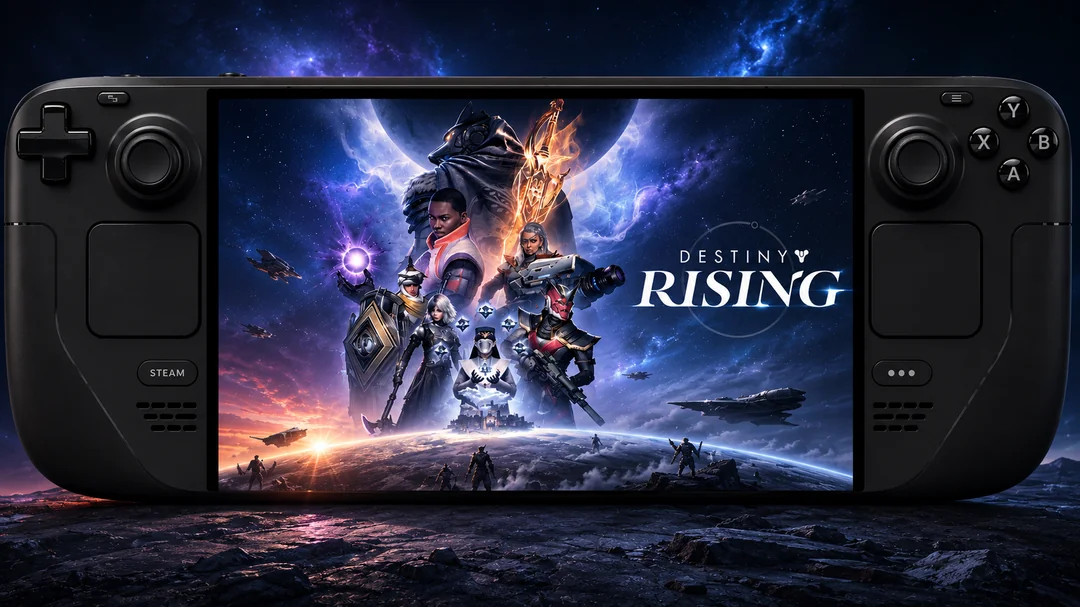
Can You Play Destiny Rising on Steam Deck?
Yes, With Additional Setup
Steam Deck users can also run Destiny Rising, although the process is more complicated than on Windows.
Since SteamOS is Linux-based, Android games cannot be installed directly. Players typically rely on Android compatibility environments that allow mobile applications to run on Steam Deck hardware.
General Setup Process
A typical Steam Deck installation involves the following steps:
Once the setup is complete, Destiny Rising can be launched directly from Steam Deck's Gaming Mode, creating an experience that feels much closer to a native handheld game.
Destiny Rising PC vs Mobile
For competitive players and those planning long sessions, PC often provides the more comfortable experience.
Is There a Destiny Rising Steam Version?
Unfortunately, no official Steam version currently exists.
Players searching for Destiny Rising on Steam will not find a dedicated PC client at this time.
That said, many mobile-first games eventually expand to PC if player demand remains strong. While no official announcement has been made, future platform expansion remains possible.
Tips for the Best PC Experience
To get the best performance when playing Destiny Rising on PC:
Use Hardware Virtualization
Enable Intel VT-x or AMD-V in your BIOS settings for better emulator performance.
Allocate Enough Resources
Recommended emulator settings:
Use a Controller
If you prefer a console-like experience, most emulators support:
Xbox controllers
PlayStation controllers
Generic Bluetooth gamepads
Are Silver Purchases Shared Between Mobile and PC?
Yes. Since Destiny Rising currently uses the same game account across supported platforms, Silver purchased on mobile devices can also be used when playing through a PC emulator, as long as you log in with the same account.
For example:
The key requirement is that you're using the same game account. Your Silver balance, characters, weapons, progression, and most account data are synchronized through Destiny Rising's servers rather than being stored on a specific device.
This means you can:
Top up Silver on your phone.
Continue playing on a PC emulator.
Access the same Silver balance immediately after logging in.
Switch between mobile and PC without losing progress.
Is It Safe to Top Up Silver While Playing on PC?
Yes. Even if you're playing through an Android emulator, purchases are tied to your Destiny Rising account, not the device itself. As long as you use an authorized recharge channel, your Silver will remain available across devices linked to the same account.
For players looking for a faster and more convenient recharge experience, Topuplist offers secure Destiny Rising top-up services with instant delivery and support for multiple payment methods worldwide.
👉 Check the latest Destiny Rising Silver recharge options on Topuplist before your next upgrade or banner pull.
Frequently Asked Questions
Can I play Destiny Rising on PC without an emulator?
No. Currently, there is no official PC client, so an Android emulator is required.
Is Destiny Rising available on Steam?
No. The game is not available on Steam at this time.
Can Steam Deck run Destiny Rising?
Yes. Steam Deck users can run the game through Android compatibility solutions, although setup is more advanced than on Windows.
Does Destiny Rising support keyboard and mouse?
Yes. When played through an emulator, keyboard and mouse controls can be configured through key mapping tools.
What is the best emulator for Destiny Rising?
MuMu Player, BlueStacks, and LDPlayer are among the most commonly recommended options due to their stability and performance.
Final Thoughts
While Destiny Rising does not currently offer an official PC version, players can still enjoy the game on Windows PCs and Steam Deck devices through Android-based solutions. For most users, an Android emulator remains the easiest and most reliable way to experience the game on a larger screen with improved controls and performance.
If you're planning to spend countless hours exploring Destiny Rising's world, playing on PC may be the most comfortable option available today.
