


Delta Force 2,600 Ticket Giveaway: Claim Dates and Expiry
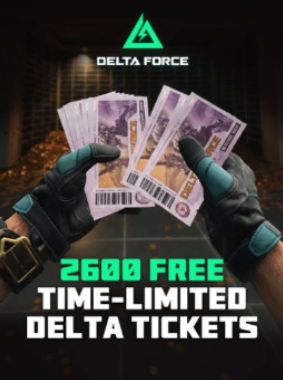
Delta Force's mid-season schedule includes a 2,600 Limited-Time Delta Ticket giveaway running from August 8 through August 28, 2026. The tickets are scheduled to expire on September 4 at 23:59 UTC, so players need a claim plan and a spending deadline rather than treating them like permanent Delta Coins. This guide explains the event timeline, how to verify live tasks, how to avoid mixing currencies, how to evaluate eligible cosmetics, and what to do when the client total does not match expectations.
Delta Force is preparing a 2,600 Limited-Time Delta Ticket giveaway for August 8 through August 28, 2026, followed by a stated ticket expiration on September 4 at 23:59 UTC. Players who already have a separate paid-currency plan can compare Topuplist with the dedicated Delta Force top-up page, but these promotional tickets should first be treated as an expiring event budget with its own claim and spending rules.
The most important word is limited-time. These tickets are not a permanent reserve that can be forgotten until a future season. They have a defined earning window and a later use-by deadline. A player who completes the event but never chooses an eligible item can lose more value than a player who earns fewer tickets and spends them deliberately.
The Three Dates That Control the Event
The event is easiest to understand as three separate moments. August 8 is the scheduled beginning of the 2,600-ticket giveaway. August 28 is the scheduled end of the earning period. September 4 at 23:59 UTC is the stated expiration time for the Limited-Time Delta Tickets.
Those dates do not all mean the same thing. The first controls when players should begin checking the event center. The second controls whether unfinished missions can still award tickets. The third controls whether tickets already sitting in the account remain usable.
A common mistake is to assume that an event's final mission day and its currency expiration are identical. Delta Force is giving players an additional window after August 28 to use remaining tickets, but that extra time is not an extension of the earning period. Once the event closes, missing ticket rewards may no longer be recoverable even though the store still accepts already-earned currency.
August 8 Also Begins the Treasure Hunt Window
The ticket giveaway overlaps with the broader mid-season schedule. Treasure Map preparation runs through August 7, and Treasure Hunt begins on August 8. That overlap can make the event center look more complicated than it is.
Do not assume every Treasure Hunt reward is part of the 2,600-ticket total. Open each event page separately and read the reward icon, task description and date. The ticket giveaway, Treasure Hunt, Morning Blossom collaboration progression and other mid-season activities may appear next to one another, but they do not necessarily share a currency or progress bar.
The practical advantage of overlap is session efficiency. If one Operations or Warfare match can advance several active tasks, plan around that match. The accounting still needs to remain separate so that a reward from one event is not mistakenly counted toward another.
Limited-Time Delta Tickets Are Not Delta Coins
Delta Coins are paid currency. Limited-Time Delta Tickets are promotional currency with an expiration. They may look related inside the store because both can support cosmetic purchases, but they should never be recorded as one combined balance.
Keep three numbers in mind whenever viewing a purchase page:
The item's total price.
The amount of Limited-Time Delta Tickets the page allows you to apply.
Any remaining amount that would require another currency.
An item displaying a price near your ticket balance is not automatically free. The live confirmation screen must show whether the full cost can be covered by limited-time tickets. If the client presents a mixed-currency payment, stop and read the breakdown before confirming.
Separate the Ticket Giveaway From Morning Blossom
The Morning Blossom Legendary Bundle is earned through the Jingdezhen collaboration's Event EXP. It is not purchased with the 2,600 Limited-Time Delta Tickets. This distinction protects players from wasting time on the wrong objective.
Morning Blossom runs on its own progression schedule and rewards the collaboration bundle plus associated items. The ticket giveaway begins August 8 and creates an expiring store budget. Completing one track does not automatically mean the other track is finished.
A useful event ledger should therefore include separate rows for Morning Blossom Event EXP, Treasure Hunt progress, Limited-Time Delta Tickets and paid Delta Coins. Combining them into a single concept called event currency hides deadlines and produces bad spending decisions.
Build a Claim Ledger on the First Day
When the event opens, do not begin by guessing how the 2,600 total is distributed. Open the live page and record every visible source. The event may divide rewards across login milestones, activity missions, staged unlocks or related sub-events. The live client is the authority for the final distribution.
Create a simple ledger with four fields: task name, available date, ticket amount and completion status. If a mission unlocks later, record the unlock date instead of treating it as missing. If the event uses server-day resets, note the reset time shown for the account's region.
This ledger prevents two common errors. First, it stops players from repeatedly searching for tickets that are not available yet. Second, it reveals an actually missed task before August 28 rather than after the earning window has closed.
Checkpoint | What to verify | Why it matters |
|---|---|---|
August 8 launch | Event page, eligibility and visible ticket sources | Confirms the correct regional version of the event |
Every reset | Newly unlocked tasks and claim buttons | Prevents completed rewards from remaining unclaimed |
One week before August 28 | Missing tasks and remaining ticket total | Leaves time to complete recoverable progress |
August 28 | Final claim status | Earning may close even though spending continues |
Before September 4, 23:59 UTC | Ticket balance reaches zero or an intentional remainder | Promotional currency is scheduled to expire |
Claim Buttons Matter
Some live-service events award progress automatically but require a separate claim action. A completed mission can therefore show as finished while the ticket balance remains unchanged.
After every session, return to the event page and look for highlighted claim buttons, completed milestone rows or reward mail. Do not rely only on the store balance because delayed delivery or unclaimed rewards can make the total appear lower.
If rewards arrive through mail, claim them before the mail expires. Then reopen the store to confirm the ticket balance. Taking one screenshot of the event page and one of the currency total provides useful evidence if support is needed later.
Start With a Store Eligibility Audit
The full store catalog may not accept Limited-Time Delta Tickets. Before deciding what to buy, filter the available offers through three questions.
Does the item explicitly accept the promotional tickets? Is the item available before the tickets expire? Does the checkout screen require additional paid currency?
This audit is more useful than making a wish list from every cosmetic visible in the client. A player can strongly prefer an item that is not eligible, and that preference should not distort the value of the free ticket balance.
Record two shortlists. The first contains items fully purchasable with tickets. The second contains items that require a mixed payment. Evaluate the free shortlist first.
Choose Between One Main Item and Several Smaller Items
The central spending decision is concentration versus coverage. One larger item can create a stronger cosmetic identity, while several smaller items can be used across more weapons, vehicles or Operators.
Choose one main item when it belongs to equipment used regularly, has a design you expect to keep using and can be purchased without an uncomfortable paid supplement. Choose several smaller items when the account rotates across modes, the larger options are not personally appealing, or the store offers flexible cosmetics that will be seen more often.
Do not use rarity alone. A high-rarity item for an unused weapon can deliver less account value than a modest cosmetic for a favorite loadout. The best purchase is the one that appears during normal play.
Evaluate Weapon Cosmetics by Actual Usage
Open recent match history and identify which weapons were used successfully, not which weapons are currently receiving social attention. A cosmetic becomes valuable through repeated visibility.
Operations players should consider extraction habits, ammunition costs and map comfort. A weapon used only during rare high-budget raids may not justify the main ticket allocation. Warfare players can focus more on class loadouts and how consistently a weapon appears across objectives.
Also inspect the complete cosmetic presentation. Check first-person view, third-person model, animation, attachments and whether the design remains readable under the game's lighting. A store thumbnail can exaggerate colors that appear more restrained during a match.
Evaluate Operator and Vehicle Cosmetics Differently
Operator cosmetics are visible across menus, introductions and third-person moments, but first-person play limits direct visibility. Vehicle cosmetics can be highly visible in Warfare yet irrelevant to a player who spends most time in Operations.
Estimate value through mode frequency. If most weekly sessions are Operations raids, prioritize items that appear there. If Warfare is the main mode, a vehicle or class-linked cosmetic can provide more exposure.
Avoid buying an item only because it has a large model preview. Ask where it appears during actual play and whether teammates, enemies or only the owner will see it.
Do Not Let the Free Balance Create a Larger Purchase
Promotional currency can change the way a paid price feels. A mixed purchase may appear inexpensive because the ticket contribution is mentally treated as a discount. The correct calculation is still the amount of paid currency required after applying tickets.
Set the paid budget before opening the store. If that budget is zero, filter for fully covered options. If a planned paid purchase already existed, compare the mixed total with the original budget. Do not increase the budget simply because the tickets make a more expensive item look close.
A free reward should reduce cost or improve choice. It should not create an unplanned payment.
Use a Two-Stage Spending Decision
There is no need to spend all tickets on August 8 unless the preferred item is time-limited or the event rules create a reason to act immediately. A two-stage plan protects against impulse purchases.
During the first stage, claim rewards and inspect eligibility. Save screenshots of the preferred options. During the second stage, review any store rotation scheduled before September 4 and make the final choice with enough time for payment or delivery problems to be resolved.
Do not wait until the final hour. A server issue, regional time misunderstanding or maintenance period can turn a technically valid plan into an expired balance. A practical personal deadline is at least one full day before September 4 at 23:59 UTC.
Converting UTC to a Personal Deadline
The stated expiration uses UTC, so local calendar dates can differ. Players in UTC+8, including China and Singapore time, reach the deadline at 7:59 on September 5. Players in other regions should convert the exact timestamp instead of assuming the store closes at local midnight.
Use the client countdown as the final operational reference. If the countdown and a copied community date appear inconsistent, trust the live official timer and preserve a screenshot.
Time conversion matters most near expiration. Spending several days early removes the risk entirely.
What to Do if the Ticket Total Is Too Low
First, return to the event page and identify whether a task is incomplete, completed but unclaimed, or not yet unlocked. Second, check event mail and restart the page so the balance refreshes. Third, confirm that the account is looking at Limited-Time Delta Tickets rather than Delta Coins or another voucher.
If the discrepancy remains, capture the event overview, completed task list, current currency balance, account identifier and server time. Contact official support with those images and a short description of the expected and actual totals.
Do not repeatedly purchase or spend other currency in an attempt to force the balance to update. That makes the transaction history harder to understand.
A Low-Stress Weekly Route
The event runs for three weeks, so it should not require a single exhausting session unless the live mission design says otherwise. Check the event at launch, complete naturally overlapping tasks, then review progress at each weekly reset.
Use ordinary preferred modes when they count. Do not force an unfamiliar high-risk Operations route merely because it looks efficient on paper. Reliable completion is better than a theoretically fast task that causes repeated failed extractions.
During the final week, stop experimenting and close remaining objectives. Claim every completed milestone immediately and move from earning mode to spending mode before August 28.
Final Recommendation
Treat the 2,600 Limited-Time Delta Tickets as a temporary budget with two deadlines. Begin checking and earning on August 8, finish claims by August 28 and complete spending before September 4 at 23:59 UTC.
Keep the tickets separate from Delta Coins, Morning Blossom Event EXP and other vouchers. Verify each eligible item at checkout, prefer cosmetics connected to actual play habits and avoid mixed payments that exceed a budget established before the promotion.
The event's value is not measured by whether every ticket is converted into the rarest possible item. It is measured by whether the player claims the full available balance, understands the restrictions and chooses something useful before the currency disappears.
FAQ
When does the Delta Force 2,600-ticket event begin?
The giveaway is scheduled to begin on August 8, 2026. Check the live event center after the regional server reset for the final task distribution.
When does the earning period end?
The scheduled earning window ends on August 28, 2026. Tickets already earned may remain usable afterward, but unfinished event rewards may no longer be available.
When do Limited-Time Delta Tickets expire?
The stated expiration is September 4, 2026 at 23:59 UTC. Convert that timestamp for your region and plan to spend at least one day earlier.
Are Limited-Time Delta Tickets the same as Delta Coins?
No. Delta Coins are paid currency, while Limited-Time Delta Tickets are promotional currency with an expiration and possible store restrictions.
Where can I prepare Delta Coins if an eligible item requires a planned supplement?
Players who have already decided on a budget can compare Topuplist and the Delta Force top-up page. Always check the checkout breakdown so a promotional-ticket purchase does not create an unintended paid charge.
Is the Morning Blossom bundle purchased with these tickets?
No. Morning Blossom is tied to the Jingdezhen collaboration's Event EXP progression. It is separate from the 2,600 Limited-Time Delta Ticket giveaway.
