


Blood Strike Max MENA vs Global: Avoid Wrong Server Top Up Issues
How Blood Strike Max MENA and Global differ, how to confirm your version, and steps to recover or avoid gold sent to the wrong regional server.
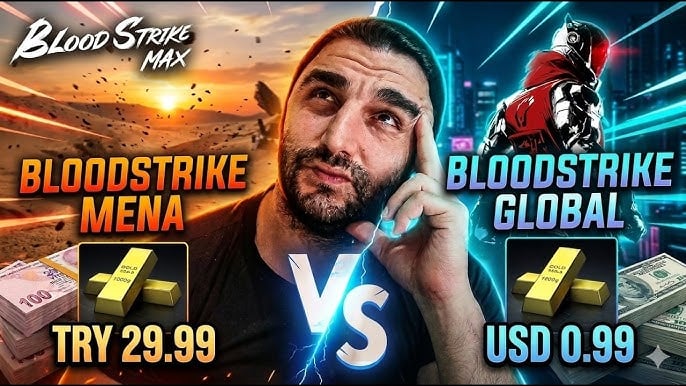
A lot of Blood Strike Max players only discover there are two editions of the game after a top-up goes sideways. The title ships as a MENA build for the Middle East and North Africa and a Global build for everyone else. They are the same fast-paced battle royale shooter — 15+ Strikers, 30+ weapons, the four core modes — but they sit on separate app listings and separate regional servers. The practical consequence: a purchase you make is tied to the edition and account you check out with. Top up on Global while you actually play MENA, or the reverse, and the gold is delivered to a profile you can't see, which looks exactly like a missing purchase. In-app packs run from about 0.29 up to 49.99, so a misrouted purchase is worth fixing rather than ignoring.
This guide explains how the two editions differ, how to confirm which one you're on, what to do if gold was sent to the wrong server, and how to stop it from happening again.
If you would rather skip the version guesswork next time, a Blood Strike Max top-up at Topuplist through the official Topuplist storefront lets you pick the exact regional route that matches the edition you play.
Blood Strike Max MENA vs Global: What's the Difference
One game, two regional editions
MENA stands for Middle East and North Africa. That edition is built for players in those countries, with dedicated regional servers that keep ping low. The Global edition is the worldwide release aimed at players outside that region. As Droid Gamers notes in its global-launch coverage, the title "currently has a Mena version and a global version" and advises players outside the Middle East and North Africa to download the global build. Both editions share the same core gameplay, but they are distributed and operated as distinct regional products. Running separate regional infrastructure lets the publisher keep latency low for MENA players and tailor content, payment methods, and support to each market. From a player's view, the split is invisible until money moves.
Separate listings, separate servers
The two editions are different entries in the stores. You install "Blood Strike MENA" from regional storefronts, or "Blood Strike Max" from the international App Store and Google Play. Your progress, gold, and purchases are kept inside the edition you registered on. The game does support cross-progression between PC and mobile on the same account, but that is a platform link — it does not bridge the MENA and Global regional split. You can move your session from phone to PC and back on one account, yet the regional edition you chose at install still governs where gold is stored. Mixing up "cross-platform" with "cross-region" is exactly how players assume a top-up will follow them between editions when it won't.
Events and offers can differ by region
Because the editions are run separately, region-specific redeem codes and exclusive top-up promos may appear on only one of them. A friend in another region might see a deal you don't, and vice versa. None of that changes your gold, but it explains why two players comparing notes can seem to be in "different games." If a promo you followed sent you to a different store listing, that listing may be the other edition — which is the moment a top-up can be misrouted.
MENA edition | Global edition | |
Built for | Middle East & North Africa | Players outside MENA |
Store listing | Regional "Blood Strike MENA" | International "Blood Strike Max" |
Servers | Dedicated MENA servers | Global servers |
Progress & gold | Stays within MENA account | Stays within Global account |
Pick this if | You're in the MENA region | You're anywhere else |
How to Tell Which Version You Have
Check the store you installed from
The fastest check is where the app came from. If you downloaded it from a MENA-region store or a regional app marketplace, you're on the MENA edition. If you grabbed it from the international App Store or Google Play, you're on Global. The store region of your Apple ID or Google account at install time is the clue.
Read the app name and in-game region label
Look at the icon on your home screen: "Blood Strike MENA" versus "Blood Strike Max." Inside the game, open Settings and check the server or region label tied to your profile. That label is the definitive answer for where your gold will be credited.
Match the account to the edition
Your in-game User ID lives on your avatar or profile page, but the ID by itself doesn't reveal the edition — the store source and the server label do. What matters for top-ups is the Apple ID or Google account you use at checkout: gold follows the account and the edition you pay through, not the ID alone. If you ever see gold on one device but not another, the mismatch is almost always this account-and-edition pair, not a lost transaction.
Check this | It tells you |
Store you installed from | MENA region vs international |
App name on home screen | "Blood Strike MENA" vs "Blood Strike Max" |
In-game server/region label | Which server your gold is tied to |
Apple ID / Google account region | Which edition a top-up will credit |
Why Wrong-Server Top Ups Happen
A different store account at checkout
The most common cause is paying with an Apple ID or Google account that isn't the one linked to the edition you play. The charge succeeds, the gold is delivered to that account's edition, and your main profile shows nothing.
A reinstall that landed on the other edition
If you switched phones, cleared data, or reinstalled, you can easily load the other edition — especially if your store region changed or you tapped a different listing in search results. You're now logged into a fresh profile on the wrong edition, and any top-up there goes to that edition.
Regional promos that pull you off-track
Limited regional offers can route you into a store listing you don't normally use. If that listing is the other edition, the gold is credited there. Always confirm the app name before you pay, not just the game name.
A few everyday habits make this worse. Players who share a family Apple ID across regions, or who hold more than one Apple ID or Google account, often pay with whichever is signed in — not the one tied to their main edition. Travelers who switch store regions mid-trip can also accidentally load the other edition on a reinstall. None of these are bugs; they are account and region mismatches that only show up at checkout.
When you recharge again, a Blood Strike Max top-up at Topuplist through the official Topuplist site keeps your order mapped to the version you actually play.
Gold Went to the Wrong Version? How to Recover It
Confirm which edition actually received it
Before assuming the gold is lost, log into the purchasing account and open that edition's app. Gold sent to the "wrong" server is usually sitting safely on the other edition's profile — it just isn't where you're looking. Check both the balance and the in-game Mail, since some packs drop there. Give it a few minutes if the charge just posted — a delayed confirmation can make a correctly routed purchase look missing for a short window.
Open a ticket on the edition you paid through
If the gold is truly missing from both editions, gather your store receipt, the GPA or Apple order ID, your in-game User ID, and the edition you paid through. File an in-game ticket from that edition's customer service menu, or email the official support address published for the game, bloodstrike@global.netease.com, if the form is unavailable. If the amount was small, support can still usually sort it once the server log shows the gold landed on the other edition.
Refund, don't expect a transfer
If you simply bought on the wrong edition by mistake, the cleanest fix is a store refund rather than a transfer, because the editions don't merge. Apple's official refund page is where you report a wrong or undelivered in-app purchase; Google Play handles the Android side through Order History. A pending charge can't be refunded until it posts.
One more detail worth knowing: Blood Strike Max does have an in-game server transfer (Settings → Customer Service → Apply for Server Transfer), but it is opened only for specific regions during event windows, and even then Rank, Friends, and Strike Pass progress often don't carry over — only Gold and weapon levels usually do. It is not a MENA-to-Global switch.
Can You Transfer or Merge MENA and Global Accounts?
No built-in merge across the regional split
There is no feature that combines a MENA account and a Global account into one. They are separate regional silos, and purchases stay where they were made. If you've spent on both, the realistic answer is to keep both apps installed and play the one your gold belongs to. It is awkward, but it beats chasing a transfer the game does not provide — and it keeps each edition's purchases intact and usable.
Server transfer is real but region-locked
The transfer tool exists, but availability is limited to certain regions (Latin America and Asia have seen windows, for example) and only during specific events. A MENA-to-Global move is generally not on the menu, so don't count on it to fix a misrouted top-up.
Skip the "transfer" tools
You may see third-party "account transfer" or "region unlock" services advertised. Beyond the ban risk — unofficial tools can get your account suspended — they can't bridge a regional split the game itself doesn't support. The safe path for a wrong-edition purchase is a refund through your store.
To keep every purchase on the right server, recharge through a Blood Strike Max top-up at Topuplist using the official Topuplist platform, where the order is logged against the edition you choose.
How to Avoid Wrong-Server Top Up Issues Next Time
Top up inside the edition you play
The single rule that prevents almost every wrong-server problem: buy gold from inside the exact edition you launch day to day. MENA app → MENA gold; Global app → Global gold. If you ever switch editions, switch your top-up habit with it. Setting a reminder or bookmarking the correct listing saves the confusion the next time a sale appears.
Lock one account per edition
Use one Apple ID or Google account for each edition and don't mix them at checkout. A single, consistent store account removes the "which ID did I pay with" confusion that causes most misroutes.
Do this | Why it prevents the problem |
Top up in the edition you launch | Gold credits to the profile you actually use |
One store account per edition | No cross-account misroute |
Verify app name + server before Buy | Confirms MENA vs Global before paying |
Keep the receipt screenshot | Proof of which edition was charged |
Use a version-aware top-up channel | Order mapped to your chosen edition |
FAQ
1. Is Blood Strike Max MENA the same game as Global?
Yes, same core game and modes, but they are separate regional editions with separate servers and accounts. Progress and gold do not cross between them. Think of them as two lanes of the same highway rather than two different games.
2. How do I know if I'm on MENA or Global?
Check the app name on your home screen ("Blood Strike MENA" vs "Blood Strike Max") and the server/region label in Settings. The store you installed from is the quickest tell.
3. I topped up on Global but play MENA — where's my gold?
It was almost certainly delivered to the Global edition tied to the account you paid with. Log into that account and open the Global app to find it.
4. Can I move my MENA account to Global?
Not through a built-in merge. In-game server transfer exists but is region-locked and typically doesn't cover a MENA-to-Global switch. Keep both apps if you've spent on each.
5. Will a server transfer move my gold between MENA and Global?
Server transfer is limited to certain regions during events and usually isn't offered across the MENA/Global split. Even within supported transfers, Rank and Strike Pass often don't carry over. Treat any MENA-to-Global move you read about online with skepticism unless it comes from the in-game transfer menu itself.
6. Can I get a refund if I topped up the wrong version?
Yes — treat it as a wrong or undelivered in-app purchase and request a refund from Apple or Google. The editions don't merge, so a refund is cleaner than chasing a transfer.
